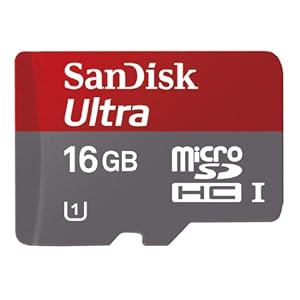
I have a microSD card from my previous phone that I want to use with my S3. I already reformatted the card. But my S3 doesn't seem to recognize it. Help!
Any inputs guys? Does it need to be formatted to a specific format (e.g. FAT32)?
Follow along with the video below to see how to install our site as a web app on your home screen.
Note: This feature may not be available in some browsers.
I have a microSD card from my previous phone that I want to use with my S3. I already reformatted the card. But my S3 doesn't seem to recognize it. Help!

Any inputs guys? Does it need to be formatted to a specific format (e.g. FAT32)?

That's a good deal but it won't fit in the phone.
FAT32 or exFAT. Use exfat as you can use large size files.
Thanks for the info. I already did a complete format on the micro SD on FAT32 using my laptop. But my S3 still can't read it. It's actually from my old Sony Ericsson Vivaz phone. It's an 8GB Class 2 micro SD. Any thoughts on why this is so?
Why not have the S3 format it? That option is in Settings > Storage > Format.

That's a good deal but it won't fit in the phone.
I could only find like two 64GB MicroSD on NewEgg and the pages didn't even open correctly. I thought the phone could accept that capacity, though. Not that I'd ever need 80GB of storage. Hell, since I got Spotify I can barely fill 40GB on my iPhone...
Yes the S3 will accept a 64GB micro SD card. That link was not to a micro SD card.

Why not have the S3 format it? That option is in Settings > Storage > Format.

I'm pretty sure Geordie is correct. I'll caveat what I'm saying with the fact that I've never owned an ICS phone. However, if my memory serves me correctly, 4.0 disabled app2sd which had been available in previous OSs. So that apps could not be run from sd cards any longer. You may still be able to transfer them back and forth, not sure and who would want to, but I'm pretty sure you can't run them from sd cards.
After further research, it looks like you are correct, and that the game changed in ICS. Although I still notice some apps storing stuff on my SD portion of my Nexus, and I would think that some apps with large music and video files will continue to do this. Heck, some of the stuff shows up in the gallery.

I thought the nexus didn't have an SD slot?
Out of curiosity, what format is the card in when you let the S3 do it for you?
I'm not sure, but I'm guessing Fat32 as well.
Yet another 32GB Micro SDHD Class 10 option for $21.99 shipped from Newegg....
Already have one that I am using in my Sandisk Sansa and ordered another for my Samsung Galaxy S3 (still not shipped from Verizon):
Team 32GB Micro SDHC Flash Card Model TG032G0MC28A
20% off w/ promo code EMCNDHD73, ends 7/2
here.