Install the app
How to install the app on iOS
Follow along with the video below to see how to install our site as a web app on your home screen.
Note: This feature may not be available in some browsers.
-
After 15+ years, we've made a big change: Android Forums is now Early Bird Club. Learn more here.
You are using an out of date browser. It may not display this or other websites correctly.
You should upgrade or use an alternative browser.
You should upgrade or use an alternative browser.
Add a shortcut to a web page
- Thread starter MartinAS
- Start date
M
Member 1919122
Guest
If you are using Chrome, hit the 3 dots upper right, then choose add to home screen option

MartinAS
Lurker
That doesn't work for me. I get a notification that it was added to home screen, but nothing appears... Even when the home screen is set as a blank page.
This is a common complaint on the Play Store reviews for the launcher. I'm wondering if anyone knows of a workaround.
LG G8x on Android 10
This is a common complaint on the Play Store reviews for the launcher. I'm wondering if anyone knows of a workaround.
LG G8x on Android 10
M
Member 1919122
Guest
I suggest nova launcher, which works fine for me
Last edited by a moderator:

Milo Willamson
Extreme Android User

This is the ADW Launcher 2 forum.
Suggesting I change launchers is not a useful response.
Thanks, though
Maybe email the ADW Launcher 2 devs, and suggest that they add the feature you want to their launcher? Of course I've never used this launcher myself, so can't help you otherwise.

MrJavi
Android Expert

Welcome to Android Forums, MartinAS! 
I don't put icons on my home screens, so I've never needed to do this. A few attempts at what I believe you're after, i.e., one, one-touch icon/shortcut per URL, didn't work--but!
Could you live with this workaround?
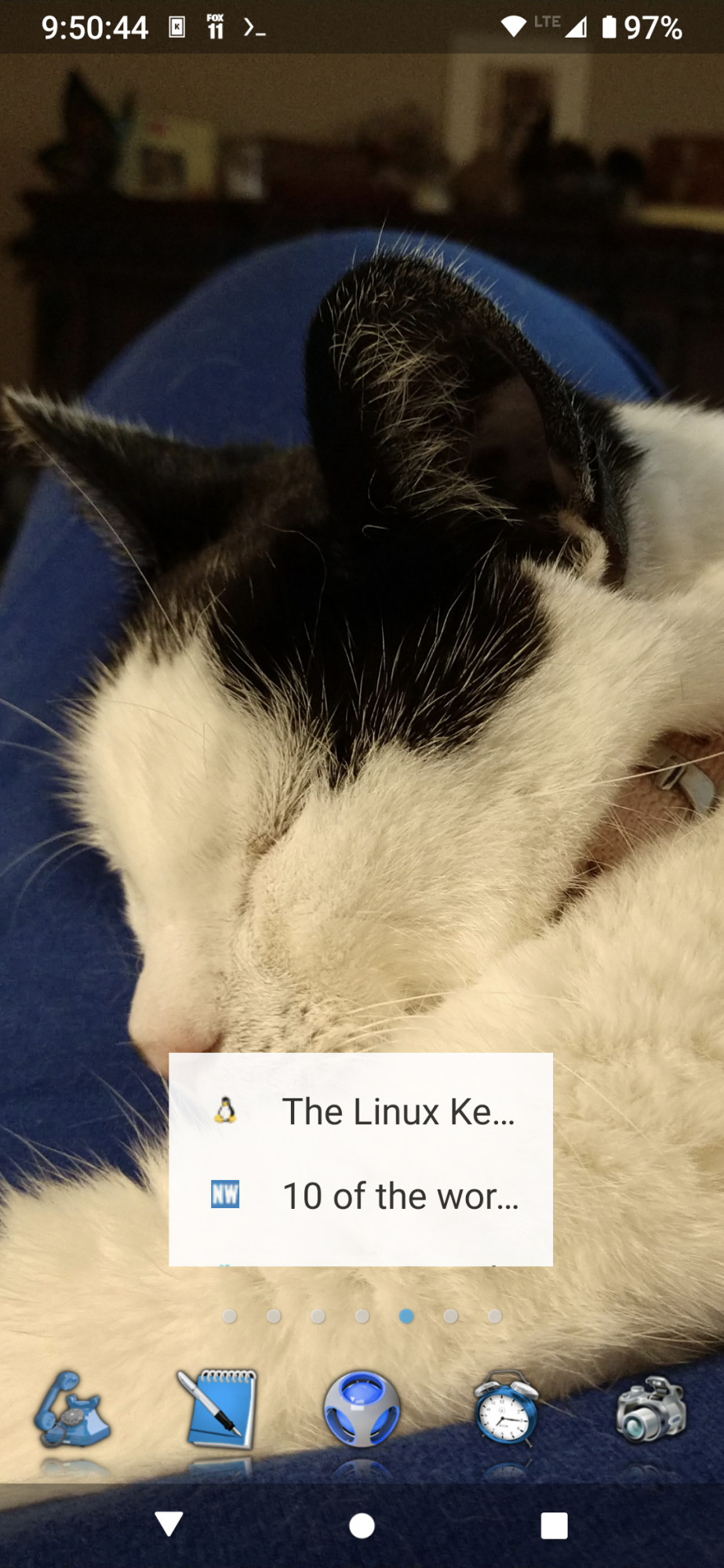
What you're seeing is a widget, resizeable as desired and scrollable, that contains Chrome's bookmarks. You could create a bookmark group in Chrome that only contains the few sites you want. Place the widget, navigate to that bookmark group, open it, then just leave it like that.
If you size the widget to display all of your desired bookmarks, then from that point on you'd be able to single-click any of them to go to that page.
I don't know how much help you need, so if this isn't enough, let me know!
- on a home screen, long-press to bring up ADW's menu
- choose 'Widgets'
- press Chrome
- select its 'Chrome bookmarks' widget and drag it to its desired location
- size as desired
- press anywhere else on the home screen to save it
- you're done!
Anyone know how to do this in ADW Launcher 2?
There are a few sites I would like to have one-click access to, but got the life of me I can't figure out how to configure this
I don't put icons on my home screens, so I've never needed to do this. A few attempts at what I believe you're after, i.e., one, one-touch icon/shortcut per URL, didn't work--but!
Could you live with this workaround?
What you're seeing is a widget, resizeable as desired and scrollable, that contains Chrome's bookmarks. You could create a bookmark group in Chrome that only contains the few sites you want. Place the widget, navigate to that bookmark group, open it, then just leave it like that.
If you size the widget to display all of your desired bookmarks, then from that point on you'd be able to single-click any of them to go to that page.
I don't know how much help you need, so if this isn't enough, let me know!
- on a home screen, long-press to bring up ADW's menu
- choose 'Widgets'
- press Chrome
- select its 'Chrome bookmarks' widget and drag it to its desired location
- size as desired
- press anywhere else on the home screen to save it
- you're done!
MartinAS
Lurker
Thanks MoodyBlues
I had seen the chrome bookmarks widget but hadn't thought of using a custom bookmark group. It's not perfect, but it would work.
It seems strange that there's no simple action or activity that would just involve a web address, like on a Windows shortcut menu. Oh well.
I had seen the chrome bookmarks widget but hadn't thought of using a custom bookmark group. It's not perfect, but it would work.
It seems strange that there's no simple action or activity that would just involve a web address, like on a Windows shortcut menu. Oh well.