
• After 15+ years, we've made a big change: Android Forums is now Early Bird Club. Learn more here.

Annoying downloads after AT&T update

Penty

Lurker
Hi guys

Yesterday I downloaded a sizeable software update for my Galaxy S3 from AT&T (I suspect to 4.3 but can`t be 100% sure).
After the update all I seem to get is a batch of phantom downloads every ten or so minutes and they are always named the same. I clear them away and sure enough they come back shortly afterwards. See the pictures below.
I installed and ran AVG anti-virus but it found nothing.
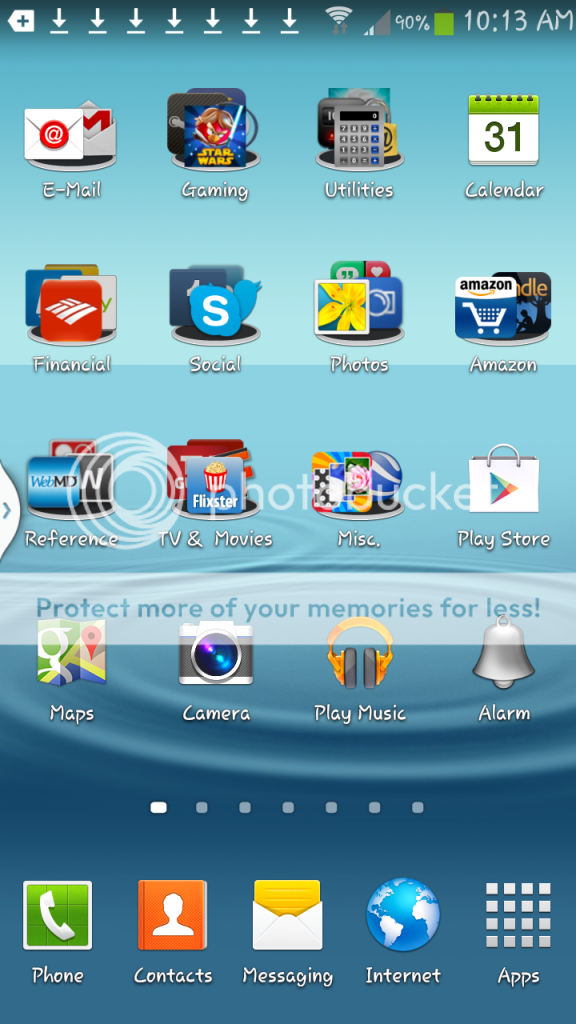
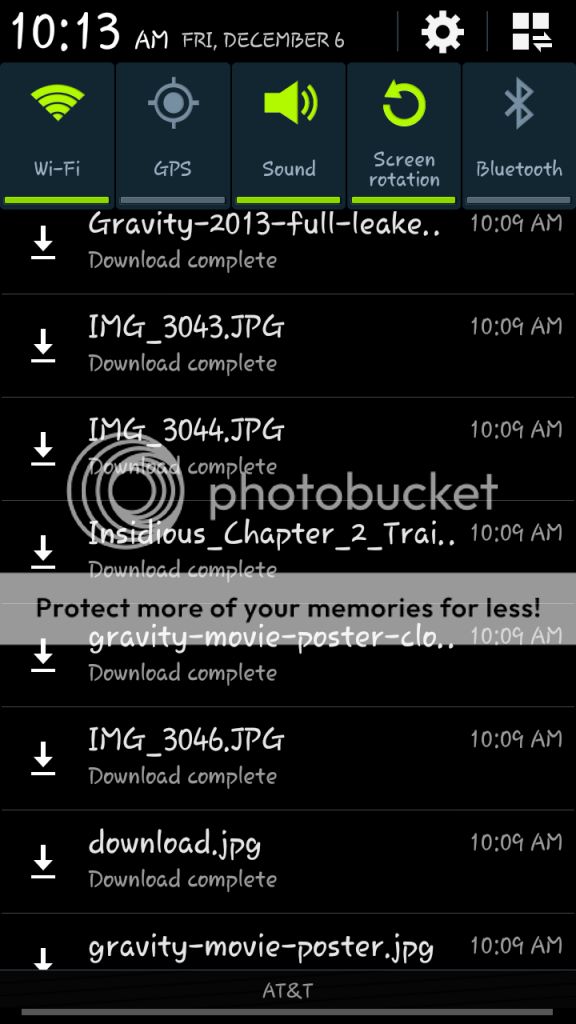


Any thoughts, helps or ideas gratefully appreciated. :confused:

 
Found this somewhere else, if you clear the downloads from the download app that you posted the screen from, it should stop the notifications. I had the same thing happen when I updated my phone to 4.3. Clearing that list fixed it for me and for others that had the same issue.
 
Found this somewhere else, if you clear the downloads from the download app that you posted the screen from, it should stop the notifications. I had the same thing happen when I updated my phone to 4.3. Clearing that list fixed it for me and for others that had the same issue.

Thanks for the reply! Unfortunately I have cleared the downloads notification many times and it always comes back. Also I wouldn`t say I clear it from an app per se - it`s the Android OS I guess you would call it - you know - swipe down from the top and there it is.
 
Thanks for the reply! Unfortunately I have cleared the downloads notification many times and it always comes back. Also I wouldn`t say I clear it from an app per se - it`s the Android OS I guess you would call it - you know - swipe down from the top and there it is.


I believe, if you long press on the download in the notification shade, it should give you an "app info" option - tap that and it will tell you which app initiate the download.
 
Gingersnapgirl thank you the mystery is becoming clearer. Now - I did what you said and it showed that the app is `Download manager` (the icon being a green robot with an isometric square on his belly). Is this part of the OS? I cleared cache and did a force stop. Any other ideas or thoughts? (Thanks so far by the way).
 
Sorry, I meant tap on one of the listed downloads that keeps coming up, it'll take you to download manager. In that window you can clear the list of downloads and that will stop the notifications. You can also access downloads from the app tray.

ura4e5yr.jpg


bajepyse.jpg
 
Thanks for the reply! Unfortunately I have cleared the downloads notification many times and it always comes back. Also I wouldn`t say I clear it from an app per se - it`s the Android OS I guess you would call it - you know - swipe down from the top and there it is.

Look closely.. He's not telling you to clear the download notifications.. You need to open the app called "downloads" and clear them all in there. That will get rid of the notifications for good. I had the same issue when my phone upgraded..

I had some in the "other downloads" tab.. Do you not?

Sent from my SAMSUNG-SGH-I747 using Tapatalk
 
Back
Top Bottom