• After 15+ years, we've made a big change: Android Forums is now Early Bird Club. Learn more here.

[APP][2.1+] AppsBeam - All your apps at a glance !

ergsap

Lurker
Hi everyone,

I present you Apps-Beam, an easy ...really easy "launcher" app and app manager with useful shortcuts, instant and random features with some customization !

For download: see "appsBeam" or "ergsap" in the Android Market.

See instantly all your apps at a glance and manage them (launch, share, informations, rate, uninstall), without scrolling and coming back and forth... !

Apps-Beam displays tiny icons of your apps (like a big folder) so that you can quickly see all of them, in the blink of an eye; just click on an app to launch it and long click to see features like share, uninstall, see information, rate on the market (with predefined custom comments) and you can even launch an application at random (see menu + notification bar)!


Features:

- Fullscreen launcher
- See all your apps at a glance, instantly, choose one instantly, without scrolling...and scrolling or back and forth (90+ apps can be displayed in regular screen and in almost instantly)
- Manage apps directly: launch, share, rate in the market, see information, uninstall
- Launch one of your application at random and see notification bar to launch another one again ...at random !
- Predefined custom comments for each vote for rating apps: the default text (see settings) is copied, just paste it when you rate an app
- Apps listed in alphabetical order by default...change in settings to experience !
- Custom background color
- Custom icon size (from tiniest to 150 px width icons !) with a slider and instant rendering (like zooming)
- Detect at launch when apps list has changed and update itself !
- Overall: Time saving !

Just put the icon of Apps-Beam on your home screen and enjoy with this new app manager concept !

~~~~~~~~~~~~~~~~

Experience Apps-Beam on tablet or in landscape mode with 100 apps at a glance in regular screen -Galaxy S, desire HD, N1 ...:-)

We found it useful and time saving, we just hope that if you have a lot of apps and you get rid off scrolling and if you're always looking for your apps that you will find Apps-Beam useful also :cool:.

To use notification for random app in notification bar efficiently, when you return back to Apps-Beam, push home button so that the app is maintained in background; then just pull down your notification bar and launch apps at random ...till you clear notification or you close Apps-Beam app !


Notes:
-for very first launch (after installation), Apps-Beam synchronizes all your apps so it takes about 5s to load 100+ apps
-when your apps list is updated (removal or new installation), Apps-Beam synchronize automatically when you launch it and take the same duration to reload
-else it loads almost instantly for apps list in alphabetical order ! (instant if the list is not ordered)

~~~~~~~~~~~~~~~~
Give it a try on the Android Market: search for "appsBeam" or "ergsap"
 
Hi, New version of AppsBeam is available in the Android Market with plenty of new features (Android Market )

:cool:
options2.png
home_menu.png


panel.png
menu_apps.png
bookmarks.png


AppsBeam Features:

General
~~~~~~~
√ Fullscreen app launcher
√ See all your apps at a glance, instantly, without scrolling ...and scrolling (90+ apps can be displayed in a regular screen, by default; you can adjust the grid size)
√ Apps listed in alphabetical order by default with your favorite apps listed first
√ Detect at launch when apps list has changed and update itself !


Apps
~~~~
√ launch
√ long click: share, rate in the market, bookmark, hide, see information, uninstall
√ Multiple selection to hide/bookmark/share (useful for recommendations)/batch uninstall !
√ Share all your bookmarked apps (long click from bookmarks panel)
√ Launch one of your application at random and see notification bar to launch another one again ...at random !
√ Launch at random from your bookmarked apps ! (set in settings)
√ Rate an app with predefined custom comments
√ Search on the web for more information
√ Desktop shortcuts for "Favorite apps", "Random favorite app", "Random app", "Random Market search" (long clik homescreen, then shortcut/AppsBeam)
Customization
~~~~~~~~~~~~~
√ Fullscreen
√ Choose custom background texture or whatever images ! (see "menu/background/download" or download archive Index of /data/archives and save in appsbeam folder)
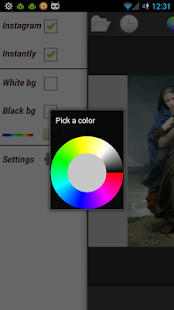
√ Choose background color (see settings: slide on color picker and push colored disk in the middle)
√ Choose a background color for selected apps
√ Custom icon size from tiny...really tiny to large 150px icons: see instantly the rendering and save your preference
√ Custom size for bookmarks panel (choose a size with the slider;back;open bookmarks;save size;that's all !)
√ Labels & starred icons (favorite apps)


:cool:
 
ErgsArt - Artworks at your fingertips ! At a glance !
↓

home_1.jpg
home_bookmarks.jpg

details.jpg
details_related.jpg

details_related_david.jpg
zoom.jpg


Art is beautiful and ErgsArt is an innovative application to discover famous artworks from Monet, Seurat, Modigliani, Van Gogh, Vermeer, Turner, Bouguereau, Michelangelo, Klimt, Eyck, modigliani, Manet ...

ErgsArt displays on a grid a list of artworks that you can zoom on, bookmark, share, set as wallpaper and many more features. You can discover artworks at random or select artworks from multiple artists.

↓
Features:
--------
↓↓
■ 1300 artworks (paintings, drawings, sculptures ..etc)
■ fullscreen
■ custom grid size: you can choose one grid size for your bookmarks and another one for other artworks ! (see screenshots)
■ custom number of artworks displayed
■ zoom and see details for each artwork
■ see paintings about the same artist
■ bookmark / share artworks with attachment via mail / social apps
■ see related paintings (different parts of David Michelangelo sculpture or parts of the Capella Sistina or different versions of Leda representation by Da Vinci...etc)
■ search for artworks easily among title, artist name, location, media types, years, museums: "garden monet 186" will bring monet's paintings about garden in 60's; "drawing vinci" will bring Da vinci drawings; "louvre vinci" will bring Da Vinci paintings located in Louvre; "horse pen" will bring all artworks about horses executed with pen ...etc
■ instant search: the same as "search" but it instantly shows artworks as you type, really great !
■ search suggestions: brings automatic suggestions in the search field (long click on submit search button to launch the feature)
■ see artworks at random
■ see the last artwork displayed easily and toggle between them
■ select multiple artists to discover or launch at random

...more features are incoming to improve again your discovery experience.

The database is continuously augmented with new artworks, movements, artists.

If any suggestions / issues, contact us via our website or via the application itself.

---------

Download links:
-thumbnails (extract archive in ergsap/ergsart/ldpi folder on your memory card): Index of /downloads


Download links:

→Android market
→AndroidPit market

QRCode:
img.php
 
Hi,

I present you Sapiens, an app to study and analyse human evolution ... from 7 million years old fossils to recent human ancestors !

We tried with this app to gather available information in one place and make it available easily, in your palm !

Become a hunter with our timeline frieze to see overlapping temporal range between extinct species and coexisting species. See genus from homini, Australopithecus, Paranthopus, to proto-humans and humans !

home.jpg
search_2.jpg
home_dialog.jpg


Sapiens features:
-----------
■ more than 80 fossils and remains available (bones, skulls, skeletons, cast ...and more coming soon) !
■ zoom on images to see details and get more information
■ time range bar to select a time interval for species (e.g. discover co-existing species)
■ define manually a time interval to refine the range bar (click on editable date text to modify)
■long click on an item to search for →co-existing species← (same temporal range), see available fossils and get more information
■ quick search within temporal range, scientific classification, species, dates, location, discovery information, measures ...and just see items as you type, instantly !
■ offline information from multiple sources; complete offline navigation once items retrieved

 
Hi,

CatApplus is an original app manager that can automatically categorize all your apps ! You have nothing to do, no drag, no input, no buttons, no tabs ... you will find your apps categorized in different folders, like they are in the Android Market...automatically ! More simple ?


home_bg_phone.jpg
home_folders_phone_1.png


home_menu.jpg
home_folders.jpg


Just download the app CatApplus and let it guides you: link for the Android Market


The available categories are the same available in the Android Market: 'Arcade & Action','Brain & Puzzle','Cards & Casino','Casual','Racing','Sports Games','Books & Reference','Business','Comics','Communication','Education','Entertainment','Finance','Health & Fitness','Libraries & Demo','Lifestyle','Live Wallpaper','Media & Video','Medical','Music & Audio','News & Magazines','Personalization','Photography','Productivity','Shopping','Social','Sports','Tools','Transportation','Travel & Local','Weather','Widgets'


CatApplus features:

■ automatic categorization of all your applications into their native categories (32 categories available: see below)
■ update/reset categories + automatic update with newly installed or removed apps
■ manually change categories if you really want to (you can export/import these changes)
■ 2 themes: classic list or folders for categories (more compact)
■ custom color & free textures background + tiny icons of apps on top of the folder + adjust folders size to fit your device screen (folders theme)
■ fullscreen feature
■ share, bookmark, hide, uninstall apps
■ hide categories, hide apps
■ see details of an application and more info with web search feature
■ launch apps
■ launch a random app from a particular category (long click, then choose "random app")
■ all games are gathered under a new category "All Games", simple, isn't it ?
■ "Favorite apps" category at the top of the list
■ desktop shortcuts (folders to access the different categories: long press on homescreen/shortcut/choose catApplus)
■ manually set/modify apps categories (among available categories for the moment)
■ import/export the modifications for apps categories (if you update the database, just hit menu/manage apps/import to retrieve your manual categorizations !)


Download CatApplus from the Android Market !

Notes:
-In CatApplus we defined an "Uncategorized" category for apps with "unknown" category (they are generally stock apps, sold with your device or apps downloaded from alternative markets or recently added apps that are not yet integrated by CatApplus); some of these apps will be updated later in CatApplus (hit "/menu/reset categories" menu when updates available)


home_ctx_menu.jpg
home_manage_apps.jpg


home_bg.jpg
home_bg_1.jpg

prefs.jpg


screenshot-1325461820013.png
home_apps.png
screenshot-1325461891108.png
 
Hi,

A new update of CatApplus adds a new category for "Pending" categorization of apps when the categories are not available and include performance improvement and bug fixes (bookmarked apps). Long click on the Pending folder will propose you to check if updates of categories for the apps in this folder are available.

Check CatApplus in the Android Market !
 
Hi,

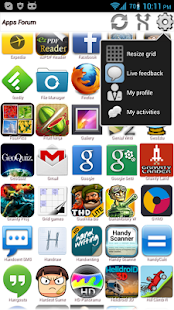
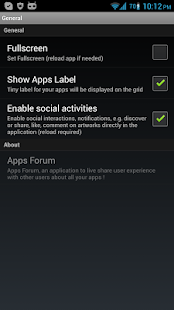
I present you Apps Forum, an application to share your user experience with other users of the same favorite apps, in real time right on your phone !

Link to the Play Store


You are playing a nice game and would like to share some experiences or challenges in real time with other users, friends or fans of the same game ? Just start or join a live discussion for this game right from Apps Forum !

Share passion, knowledge for your favorite apps with this built in social application at your fingertips, a live discussion hub for your apps !

This app is also an app manager to launch/uninstall or see information about a specific app or launch an app at random !


Main features (v1.0.2):
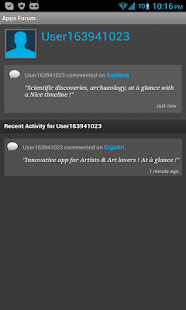
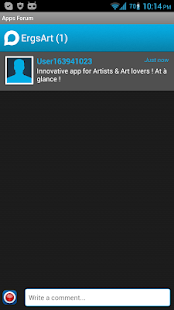
-social : start or join a discussion/chat about each one of your favorite apps, right from the application
-launch your applications : long click or choose at random
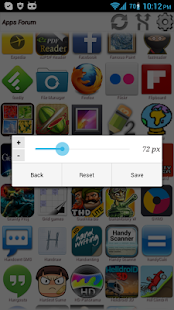
-manage grid size to fit the layout t your device screen or show all your apps at a glance


J3XoMjQku9RxSNjSkMVZMy1TBzieuTP4f-PrYcgWNQZhoqdHhXvoUtYu_bpLARSlJS8=h310
CBLExt6fGlfjyIWUXmKGlNKPEfoGBrsDkKym9VIUaJiL6VDcQVzb9gNQeFOXi4iCBmE=h310
w8rJvRfVgVoROnGW5f8r0IWtviu2A0xT5zqAkQ0Bsye8WTzIV45jU8t2PJ2G_ez6v_M=h310

61YxNfaHhod0CJ1YtU3PudYouzyBzMoXkzg1XDimhfRR5OGjDav3xhz5O0RCy69BAw=h310
EOQrXl3mo41VC6MZl5NZgmWTeGO7LOfaVEPL5GsMfLhg2E0A1YwrZL4IDeuhojBZO7A=h310
 
Hi,

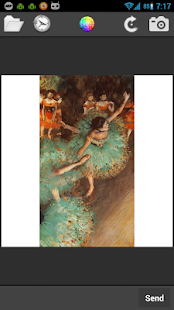
SqrMe is a photo editor to instantly square & enhance your photos seamlessly then share them instantly on popular social networks !
It is the fastest way to share square photos or pictures on particular networks such as Instagram that requires square shaped only photos without any crops !
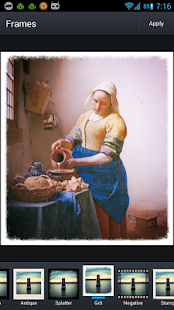
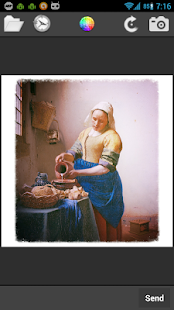
SqrMe is also a photo filter app with frames, colors, shapes, memes, stickers, texts and several other effects and features that you can apply on your photos to enhance them before sharing with your friends !


The fastest way to share square shaped photos on Instagram (or similar networks) :
1) choose SqrMe from the list of apps when you share a photo;
2) bam, you are aldready in Instagram to publish your automatically created square sized photo !


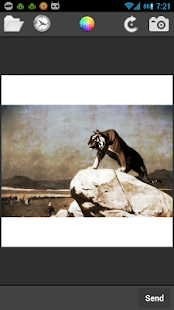
Square and enhance your images, photos from your gallery or take a photo with your favorite camera application directly from the application to square !

Select the application SqrMe when you share an image or a photo from your browser or other applications (see the screenshots), it will automatically make the magic for you with a square version of that content !


Some features:
↓
★ Square images, photos, pictures (any format)
★ Instantly share on popular social networks
★ Take a photo, you will have automatically the square version ready at your hands !
★ Square and enhance images from other applications
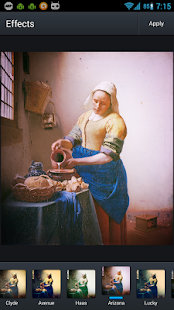
★ Rotate or enhance with filters
★ Apply filters provided by the famous Aviary filters library (you can apply colors, sepia or focus, blurring, memes or zoom and even drawings and many features available directly from the application)
★ Load previous image
★ Many background colors with color chart
★ Save/preserve available Exif data in the new generated file
★ Awesome sliding panel for quick access to settings on the left
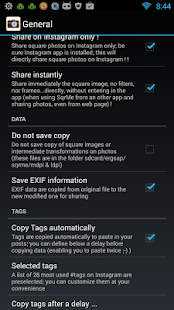
★ Tags : a preselection of 28 most popular tags for likes for Instagramers to add to your posts; you can customize these tags and set a delay to copy them (or not) : this allow you to either select them manually (without copy) or let SqrMe copy them for you after a delay (so, you can paste twice !)


Get SqrMe in the Google Play Store : https://play.google.com/store/apps/details?id=com.ergsap.sqrme&hl=en


Changelogs:
V1.0.3

-Added Tags : a preselection of 28 most popular tags on Instagram to add to your posts; you can customize these tags and set a delay to copy them (or not)
-Added more colors with color chart
-Save/preserve available Exif data
-Added sliding panel for quick access to settings on the left
-Fix for bugs in rotation and load of images
-Improved perfromances
 
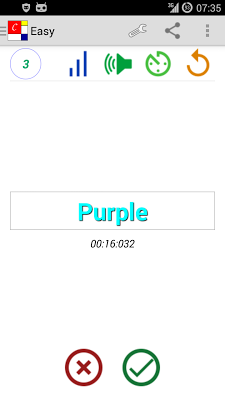
A new app in the Google Play Store : Colorsica, a mind game combining colours and piano notes sounds !


With Colorsica, play with colors and piano notes sounds at the same time, Stroop effect and chromesthesia combined !
Quickly identify correct association between color and written color name (Stroop effect), while hearing piano note (chromesthesia, a color to sound synesthesia, for easy and medium level).

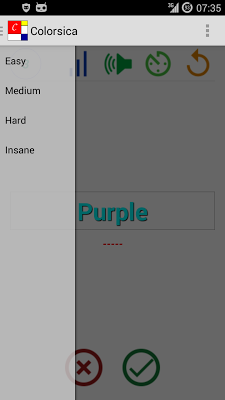
86 colors available : 12 for Easy level (with sound), 30 for Medium level (with sound), 60 for Hard level and 86 for Insane mode !

Timed sessions of 30 to 60s allows to evaluate yourself !
There are sessions without time to train yourself.

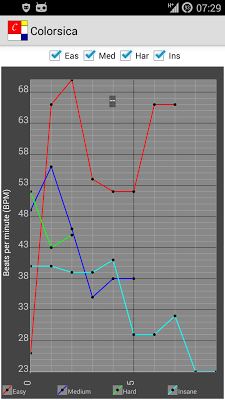
Available stats allow to assess your progress or your confusion state !
Test yourself at different moments of the day (morning, late night) to see the differences in graphs for different levels !

Hack your brain with this colors and sounds game and see your statistics and progress for each level !


Some features :
→ 86 colors : match colors and color names (Stroop effect)
→ 4 levels : Easy and Medium with sound, Hard and Insane
→ Sound association with colors for Easy and Medium levels (chromesthesia : sound to color synesthesia) !
→ Timed sessions to evaluate yoursef and sessions without timer for training
→ Statistics to see your progress with 60 seconds sessions


ICqPPQrkjWsdiw7a14PwkajC00hvrm2LY9kwB2PgV6yGUUHmsNVAQO6VRmoCuogJvKUC=h400-rw
UWgD8jfFqyzjZchlxoxQQKFUlw6Dv3era9xIzg6QrTUhF1Rh90KVYAhoyjVv8hfTkQ=h400-rw
HE7hohLfLURit5Hi1nwihtXDT2pMd8q1a-LKAeJ1piJgwrRN_Gt21pTCbjPqm59Ak74=h400-rw


Get the app in Google Play Store : https://play.google.com/store/apps/details?id=com.ergsap.colors.app


Hi ergsap,

I merged your announcements again to comply with that "one thread per developer" policy that Unforgiven mentioned last year. Please make sure that any future releases find their way into this dedicated thread. :thumbup:

Feel free to PM me if you have any questions. :)
 
Back
Top Bottom