
I wasnt positive where this should be posted on here but this looked like the best place. I also really didnt know where to post this on xda and there was a warning in the sections that I though it should be that if it wasnt supposed to be there I could be banned....... So I didnt post it there.
Anyways the 2 most recent places I have worked had a strict no camera policy, although your phone was allowed to have the camera disabled through software. I know most of the time if you want a smart phone and no camera, black berry is your choice.
DISCLAIMER:
I am not responsible if you use this and get into trouble at work for not having a properly removed camera. I do this mostly just to trick them at my work. They have a no camera policy, if they see a camera on your phone they ask to see it and if they are unable to take a picture with your phone they have to hand it right back. They are not allowed to go through your phone ect.
----------------------------------------------------------------------
The basics.
I made a very simple app called camera (with lower case "c" for easy identity considering any real camera will have a capital "C")

The icon is a camera (htc one).
You need to start out with installing it. After its installed you need to make it a system app. The only way I know how to do this is with titanium backup pro.
When its opened it displays a black screen that reads:

Using this does require root.
using root explorer or any means you feel comfortable with, create system/acam
it does not need to be called acam, but if you chose a different name the gscript .sh file will need to be edited to what you called the folder.
Here are the scripts I used.
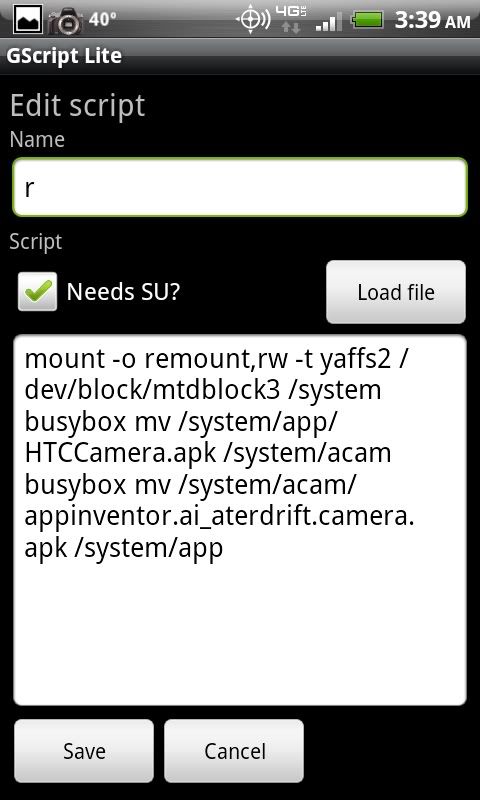

the scripts are included in the .zip I attached as well as the .apk, but make sure you create the folder system/acam before running either of them.
The scripts can be placed on your sd card and you need gscript from the market. You can import them into g script in order to use them. Also you could add a bunch of other scripts just to throw off security, or whoever your trying to trick. Im sure if you have it reboot into the boot loader or recovery they will hand you your phone back quick.
When you hit r, or remove in gscript it will take your real camera and cam corder away and any app that uses your camera app it will not function in. It also replaces the 2 real cameras with the fake app I included. This however will not make certain apps loose the ability to use the camera such as barcode scanner and google goggles so beware. Also you will still have the ability do download other cameras from the market that might function. This is not an absolute fix, just one more thing between you and the unemployment line if you get caught at work with your phone. If anyone would like to throw around ideas of making the drivers not work im up for it, however I always get boot loop when trying.
Hitting a or add it will remove the fake cam as well as bringing up your real ones.
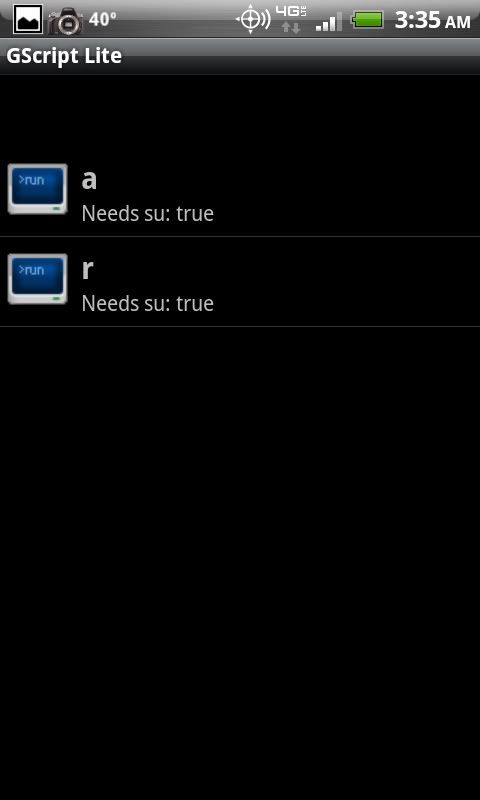
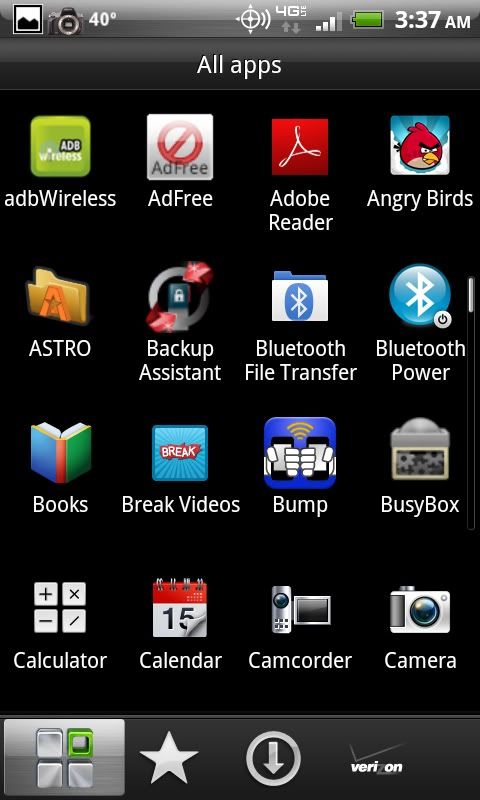
This I have done on a few incredibles, and a few thunderbolts. There is no reason it shouldnt work on other devices as well.
As anything with root goes, do a nand backup first just so you have something to fall back on in case something goes terribly wrong. You may even want to make a backup of your real camera apk.
WARNING:
Before attempting this on a non htc device or something other than the 2 phones I listed, you will want to make sure that the .apk that is your cameras is called HTCCamera.apk and if it isnt (it wont be on a non htc device) you will need to edit the script in gscript by long pressing it and changing HTCCamera.apk to whatever your camera is called.
Anyways the 2 most recent places I have worked had a strict no camera policy, although your phone was allowed to have the camera disabled through software. I know most of the time if you want a smart phone and no camera, black berry is your choice.
DISCLAIMER:
I am not responsible if you use this and get into trouble at work for not having a properly removed camera. I do this mostly just to trick them at my work. They have a no camera policy, if they see a camera on your phone they ask to see it and if they are unable to take a picture with your phone they have to hand it right back. They are not allowed to go through your phone ect.
----------------------------------------------------------------------
The basics.
I made a very simple app called camera (with lower case "c" for easy identity considering any real camera will have a capital "C")
The icon is a camera (htc one).
You need to start out with installing it. After its installed you need to make it a system app. The only way I know how to do this is with titanium backup pro.
When its opened it displays a black screen that reads:
Using this does require root.
using root explorer or any means you feel comfortable with, create system/acam
it does not need to be called acam, but if you chose a different name the gscript .sh file will need to be edited to what you called the folder.
Here are the scripts I used.
the scripts are included in the .zip I attached as well as the .apk, but make sure you create the folder system/acam before running either of them.
The scripts can be placed on your sd card and you need gscript from the market. You can import them into g script in order to use them. Also you could add a bunch of other scripts just to throw off security, or whoever your trying to trick. Im sure if you have it reboot into the boot loader or recovery they will hand you your phone back quick.
When you hit r, or remove in gscript it will take your real camera and cam corder away and any app that uses your camera app it will not function in. It also replaces the 2 real cameras with the fake app I included. This however will not make certain apps loose the ability to use the camera such as barcode scanner and google goggles so beware. Also you will still have the ability do download other cameras from the market that might function. This is not an absolute fix, just one more thing between you and the unemployment line if you get caught at work with your phone. If anyone would like to throw around ideas of making the drivers not work im up for it, however I always get boot loop when trying.
Hitting a or add it will remove the fake cam as well as bringing up your real ones.
This I have done on a few incredibles, and a few thunderbolts. There is no reason it shouldnt work on other devices as well.
As anything with root goes, do a nand backup first just so you have something to fall back on in case something goes terribly wrong. You may even want to make a backup of your real camera apk.
WARNING:
Before attempting this on a non htc device or something other than the 2 phones I listed, you will want to make sure that the .apk that is your cameras is called HTCCamera.apk and if it isnt (it wont be on a non htc device) you will need to edit the script in gscript by long pressing it and changing HTCCamera.apk to whatever your camera is called.