• After 15+ years, we've made a big change: Android Forums is now Early Bird Club. Learn more here.

Root [Flashable] OTA Updates

You should only try to flash these if you are on a stock rom.
You have to have all original stock apps for it to flash properly.
Indeed.

Go to about device and check your "Build number"
Use the following zip files accordingly.
System update from LH1 to LI3
System update from LI3 to LK7
System update from LK7 to MB3


Samsung Platform Updates


Please feel free to comment with errors you receive and I'll try to debug the zip for you.
 
I get a error status 7 when trying to flash the LK7 to MB3 using the back to stock rom
 
I get a error status 7 when trying to flash the LK7 to MB3 using the back to stock rom

You have to have all original stock apps for it to flash properly. Had it happen to me but I have a backup of LK7 untouched. It flashed fine afterwards. The return to stock Rom is LH1
 
[ Screenshot_2013-03-07-14-35-00.png

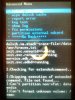
You want this log imagejpeg_2.jpg at any certain time? @ Christophorus

I have changed my system around so much, I'm not surprised it didn't flash @ sckboy78
I'll try it again when I reflash back to stock, but i thought that wasn't complete? Will it flash over that?

First I want to make a flashable zip of my current rom, anyone know how using Terminal Emu.
 
[View attachment 50584

You want this log View attachment 50585 at any certain time? @ Christophorus

I have changed my system around so much, I'm not surprised it didn't flash @ sckboy78
I'll try it again when I reflash back to stock, but i thought that wasn't complete? Will it flash over that?

First I want to make a flashable zip of my current rom, anyone know how using Terminal Emu.

Flash my new stock rom! http://androidforums.com/rush-all-things-root/696356-rom-stock.html#post5609282
 
Not useless if people know what there doing and follow simple instructions. Everything worked fine for me. Keep doing what your doing!!

It's not a matter of people not following simple instructions and not knowing what they are doing. At the time of him posting the Stock ROM I, and others were not aware it was done with the latest firmware, thus the update failed. You apparently had stock to begin with, so it worked for you.
 
It's not a matter of people not following simple instructions and not knowing what they are doing. At the time of him posting the Stock ROM I, and others were not aware it was done with the latest firmware, thus the update failed. You apparently had stock to begin with, so it worked for you.

No actually I did not have a stock ROM. But uf you followed instructions it clearly says that it will not flash unless all stock apps are on the phone. I had to flash a stock ROM for the update to work. All in the instuctions!! :)
 
No actually I did not have a stock ROM. But uf you followed instructions it clearly says that it will not flash unless all stock apps are on the phone. I had to flash a stock ROM for the update to work. All in the instuctions!! :)


ah, well my problem was that the firmware was already up to date LOL
 
Christophorus,

Thank you for your help. I was able to successfully install the OTA update from LK7 to MB3 on my rooted stock ROM using CWM Recovery 6.0.2.5. I had to move the update file from the default /cache location to /sdcard first. I also used OTA Rootkeeper to backup and temp-unroot as a precaution. I was then able to browse to the update in CWM and install (with signature check disabled) and I received no errors. After the update I restored my root from OTA Rootkeeper and renamed the file /system/recovery-from-boot.p to /system/recovery-from-boot.p.bak using Root Explorer to prevent the system recovery from overwriting CWM. Everything appears in order and I booted into recovery again and verified CWM Recovery was not overwritten. What's in this update will take some time to parse. I heard it might fix the random reboot error on some phones (mine has done this before but not frequently). Changes in this update: Voicemail app (new blue icon and new interface / stylistic changes within the app - like this change), Stock Email app (new color scheme - blue menu and black messages with gray text in the email list - don't like those colors, too dark), Messaging Client (new settings menu for keyboard, swipe gesture to change to character keys and swipe again to go back to text keyboard - big improvement). I've had a problem for a long time where I have to often delete messages in email twice for them to stay deleted. Time will tell if this problem is fixed. It also activated a tutorial mode giving tips telling you about how to use the phone but only received 4 messages so far (one time only things). Feel free to pass this information on to others going through this update.
 
Hi all,

I'm having trouble updating from LK7 to MB3. I get the Status 7 error with both the OTA update and the one in this thread. I have rooted stock rom. I've never flashed any of the custom roms or kernals. I've never deleted any system apps. I did freeze some system apps, but unfroze them.. didn't help. I also tried using the Touch version of CWM and it didn't help. Any ideas of what I should do next? Thanks!

Tesla
 
Try flashing the stock rom I posted..

I was having problem with the party time update, so I decided I would flash your stock one you posted. For some reason the update would still fail with the error 7 like it was missing stuff. The first error says something about missing the weather odex. I copied over the odex files for everything, still nada. Are there any "special" instrucrions that I need to follow that I am just missing?
 
In the instructions it says
Wipe data/factory reset
Wipe cache
Wipe dalvik cache
Before flashing!

And I did all of that. I am very capable of following simple instructions If you would like I would be more than happy to video the whole process so you can see for yourself.
 
And I did all of that. I am very capable of following simple instructions If you would like I would be more than happy to video the whole process so you can see for yourself.

Your not the only one having problems.. I'm still trying to find a solution. I'll let you know if I get it to work.
 
I flashed the stock ROM and it IS LK7 and not MB3. I used the original CWM as I was having trouble wiping with the touch version. After I flashed the stock ROM I updated to MB3 with this update and it worked.

http://www.findbrowsers.com/downloads/SPH-M830_LK7_to_MB3.zip

Ok, so I finally got it to update, but not with the update you used, that one failed too, here's the steps I followed:

1. Wipe data/factory reset, Wipe cache, Wipe dalvik cache
2. Reboot into recovery AGAIN and Wipe data/factory reset, Wipe cache, Wipe dalvik cache AGAIN.
3. flash this ROM: StockROM.zip
4. DO NOT REBOOT, immediately flash this firmware update: LK7 to MB3
5. flash SuperSU: SuperSU-v0.98+.zip

After I verified that it was now indeed MB3 I figured I would see what happens when I flash PartyTime on there, whether it would go back to LK7 or stay MB3. When I flashed PartyTime, it indeed stayed MB3. It still told me there was an update, I told it to reboot and install, it failed, but the notification has not returned. Hopefully these steps will help someone, if it isn't just my tweaky phone
 
Back
Top Bottom