• After 15+ years, we've made a big change: Android Forums is now Early Bird Club. Learn more here.

Help Folders doubled on internal storage

  • Thread starter Thread starter Android Question
  • Start date Start date
A

Android Question

Guest
Mijn HTC Desire 500 refuses to upgrade WhatsApp and Google Chrome, complaining of lack of internal memory
I went to see what was eating all memory, so I connected via USB to Windows Explorer.
To my surprise the Extrenal SD card did not contain very much.
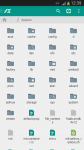
But the Inrernal SD card (Virtual?) contained a lot of doubled folders.
* 2x: .data, airdroid, Alarms, Android, media, My Documents, Notifications, Pictures, Whatsapp,
* 3x: Ringtones
* not to mention dcim + DCIM and Download + download + downloads
What can be the matter? The cure?

Leo
 
i haven't seen this issue but before you delete the duplicates, make a copy of your DCIM and downloads folder onto your desktop. Then delete one copy from your phone. That should clear up enough memory to get what you need. Other than manually deleting those duplicates, i think your only option is to do a full wipe of your internal memory (factory reset) but that will wipe everything off your phone.
 
Internal sdcard is just a name given to the bulk of the internal storage, for historical reasons (I blame manufacturers as much as Google).

Are they really duplicated though? You cannot actually have 2 folders with identical filenames, so I'd check carefully before deleting. The Android filesystem has multiple paths that lead to the same place (e.g. /sdcard, /storage/emulated/0, /storage/emulated/sdcard0 all take you to the same place). So if Windows Explorer has got confused and is showing you the same folder twice you don't want to delete it.
 
this is why i said to backup and then delete the duplicate download and DCIM folders (and not the android system folders). because if deleting one actually deletes both, he wont lose anything.
 
Internal sdcard is just a name given to the bulk of the internal storage, for historical reasons (I blame manufacturers as much as Google).

Are they really duplicated though? You cannot actually have 2 folders with identical filenames, so I'd check carefully before deleting. The Android filesystem has multiple paths that lead to the same place (e.g. /sdcard, /storage/emulated/0, /storage/emulated/sdcard0 all take you to the same place). So if Windows Explorer has got confused and is showing you the same folder twice you don't want to delete it.

No, they are partly identical.
I have been moving data from one of the doubles to the second one. Partly overwrites identical files, partly places file A next to file B.
I have back-upped photo's, I just try what's the effect on free space, and then restart my phone.
I can always go back to factory settings, I presume...
 
I ve s3. I was using custom rom for while (cm10) then I return the stock rom. running 4.3
my internal storage capacity is 16.00 GB. But system memory takes 4.65 GB.
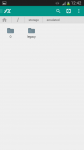
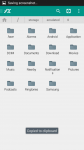
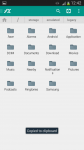
I have a duplicates folders:

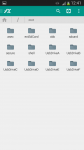
/mnt
/storage
are same

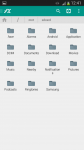
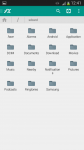
/mnt/sdcard
/sdcard
/storage/sdcard0
/storage/emulated/o
/storage/emulated/legacy
are same

is there any quick solution for this?
 

Attachments

  • 2015-02-19 10.39.47.png
    2015-02-19 10.39.47.png
    103.2 KB · Views: 150
  • 2015-02-19 10.41.11.png
    2015-02-19 10.41.11.png
    48.4 KB · Views: 151
  • 2015-02-19 10.41.23.png
    2015-02-19 10.41.23.png
    63.2 KB · Views: 191
  • 2015-02-19 10.41.53.png
    2015-02-19 10.41.53.png
    62.6 KB · Views: 210
  • 2015-02-19 10.42.02.png
    2015-02-19 10.42.02.png
    46.1 KB · Views: 155
  • 2015-02-19 10.42.12.png
    2015-02-19 10.42.12.png
    64.4 KB · Views: 116
  • 2015-02-19 10.42.23.png
    2015-02-19 10.42.23.png
    24.8 KB · Views: 116
  • 2015-02-19 10.42.27.png
    2015-02-19 10.42.27.png
    73 KB · Views: 189
  • 2015-02-19 10.42.32.png
    2015-02-19 10.42.32.png
    73.1 KB · Views: 170
  • system.png
    system.png
    666.4 KB · Views: 182
Back
Top Bottom