
• After 15+ years, we've made a big change: Android Forums is now Early Bird Club. Learn more here.

[FREE][GAME] Escalero Dice 2.24

c4akarl

Newbie
I have now published the dice game Escalero 1.0 on Google Play:

https://play.google.com/store/apps/details?id=com.androidheads.vienna.escalero
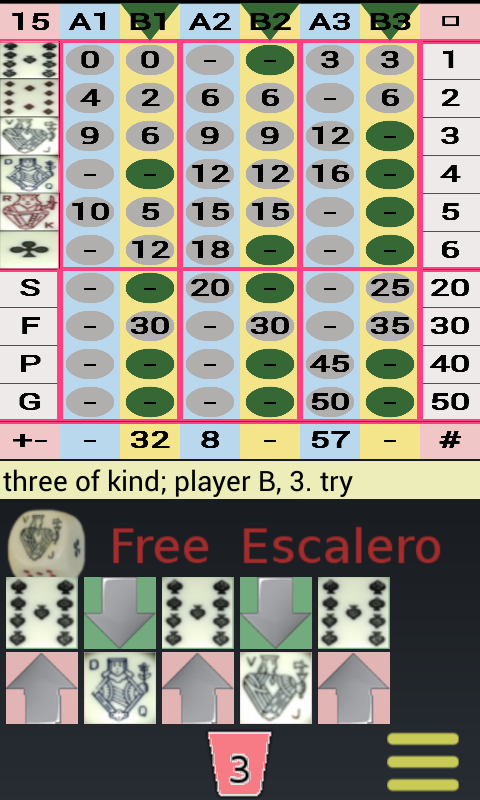
ps1.png


Game features:
* play against the computer
* single / double
* two / three players
* manual input / automatic dice operation
* dice design: easy / classic (poker)
* display: column / Player
* variable setting of values (points, unit, Bonus)
* totals sum or difference calculation
* accounting
* flip the screen

This game is for entertainment only, that is it does not provide "real-money gambling" or the chance to win real money or prizes.
 
s2.png s3.png s1.png s5.png

Game features:

* NEW: play online
* play against the computer
* single / double
* two / three players
* dice board
* automatic dice operation / result entry
* dice design: eyes / poker / number
* variable dice size
* display: column / player
* variable setting of values (points, unit, bonus)
* totals sum or difference calculation
* accounting
* portrait/landscape mode
* flip the screen
* save/load games on the SD card
* sound effects

The advertisement can be switched on / off in the settings.

This game is for entertainment only, that is it does not provide "real-money gambling" or the chance to win real money or prizes.

https://play.google.com/store/apps/details?id=com.androidheads.vienna.escalero

https://github.com/c4akarl/Escalero
 
Hi,
We have a procedure for developers to announce their apps. Read this thread for instructions.
Developer Announcement Procedure
  1. Install the Forums for Android app from Play
  2. Sign in to the forum using the app
  3. Goto the forums tab
  4. Select "My Apps & Games"
  5. Select your app from the list
  6. Tap the green icon in the bottom right to start a new thread
  7. Add a thread title / content and hit the post button (right pointing arrow in the top right of the screen)
  8. Once this is done you can use your PC to create or modify threads in your channel
Once you create the channel using the app I will move your thread to the channel.

If you have any questions, please reply to this message.
Good luck with your app.
-Unforgiven :)
 
Back
Top Bottom