

Install the app
How to install the app on iOS
Follow along with the video below to see how to install our site as a web app on your home screen.
Note: This feature may not be available in some browsers.
-
After 15+ years, we've made a big change: Android Forums is now Early Bird Club. Learn more here.
You are using an out of date browser. It may not display this or other websites correctly.
You should upgrade or use an alternative browser.
You should upgrade or use an alternative browser.
How many system apps are installed on your Samsung galaxy s8? I am having some privacy concerns
- Thread starter calebstanfield89
- Start date
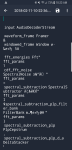


Where did you find that "stuff like this"? Please give us some context.
As for random pictures, could they have come from a browser cache, some shared gallery, something like that? Have you tried looking at the details for the image and seeing which folder it is in? That might give some clues.
As for random pictures, could they have come from a browser cache, some shared gallery, something like that? Have you tried looking at the details for the image and seeing which folder it is in? That might give some clues.
calebstanfield89
Lurker
Where did you find that 'stuff like this'? Please give us some context.
As for random pictures, could they have come from a browser cache, some shared gallery, something like that? Have you tried looking at the details for the image and seeing which folder it is in? That might give some clues.
App called file expert and the picture was in the downloaded album by it's self when 8 woke up this morning
So "File Expert" is presumably a file explorer of some sort? So the question is where on the phone were these files? The second one looks like you might be looking at the contents of a downloaded zip file, possibly something to do with Snapchat, but as we literally only know what you tell us it helps if you can be as detailed as possible.
(BTW I'm going to have to go offline now, hopefully someone else will be able to help).
(BTW I'm going to have to go offline now, hopefully someone else will be able to help).

svim
Extreme Android User
Where you actually using the File Expert app to view those files and those screen captures perhaps inadvertently ended up in your photo library (on your S8 one way to do a screen capture is just wipe your palm across the screen), or is it matter where those screen captures just appeared and you have no idea how or why?
Does the date and time on those screen captures correspond to when you might have been using that File Expert app?
Does the date and time on those screen captures correspond to when you might have been using that File Expert app?

What's this "file expert"? Can't find much useful about that. More details needed I think.
calebstanfield89
Lurker
I downloaded file expert this morning and when I was browsing through some files I found what I screenshot and more but I have no way of telling what they areWhat's this 'file expert'? Can't find much useful about that. More details needed I think.
svim
Extreme Android User
It's just another file manager app, I used it for a while and had no complaints about its performance, and it has a nice feature set but for no particular reason on a whim started trying out other file managers.What's this "file expert"? Can't find much useful about that. More details needed I think.
https://play.google.com/store/apps/details?id=xcxin.filexpert&hl=en
svim
Extreme Android User
Is there a particular reason why you where examining those two files?I downloaded file expert this morning and when I was browsing through some files I found what I screenshot and more but I have no way of telling what they are
Not to be dismissive but this does sound more like you're just looking for problems that may or may not be actually there. There will be literally tens of thousands of various files in your phone that when viewed in detail will be a mystery on the surface but have a purpose to an app or the operating system itself.
M
Member 1919122
Guest
Agree, it's most likely various files that come with installed apps
calebstanfield89
Lurker
Then why are they encryptedwhy c ant I f8 nd something to open these files
svim
Extreme Android User
If the files themselves were actually encrypted then you wouldn't have been able to view them (unless you applied the actual encryption key) to take those screen captures.Then why are they encryptedwhy c ant I f8 nd something to open these files
As for finding something to open those files, you already were opening them, using whichever text editor that File Expert opts to use.