
• After 15+ years, we've made a big change: Android Forums is now Early Bird Club. Learn more here.

Help how to turn off hidden content on s5

miamom08

Lurker
The other day I put my phone on privacy mode and when a notification came in, on my lock screen it said content hidden. I turned privacy mode off but any time a message come on my phone it still sayd content hidden on the lock screen instead of showing me what the mes
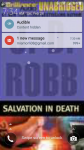
 

Attachments

  • Screenshot_2015-02-28-07-34-17.png
    Screenshot_2015-02-28-07-34-17.png
    922.8 KB · Views: 1,932
Hello and welcome!!
I've moved your thread into the S5 forum so others who know your device can help.
I'm not familiar with the S5, but have you tried rebooting to see if that clears up your issue?
Also, you may want to remove your email address in the screenshot. (don't know if spam-bots can pick that up) ;)
 
Go to settings >sounds and notifications> then scroll down to "while locked" select that option and then chose from the three options. Also, you can go just below "while locked" and select "application notifications" and turn "on" each app you want hidden from your lock screen display. But, you turn them ON in order to hide them...
I hope this helps...
 
The other day I put my phone on privacy mode and when a notification came in, on my lock screen it said content hidden. I turned privacy mode off but any time a message come on my phone it still sayd content hidden on the lock screen instead of showing me what the mes


I have the same problem. I hope the comment below on how to fix it does the trick
 
How to off CONTENT HIDEEN
GO TO
Lock screen and security
NOTIFICATION
NOTIFICATION ON LOCK SCREEN
SHOW CONTENT
HIDE CONTENT
 
Back
Top Bottom