How do I program this into my phone ?
You can download Tasker (small fee) learn to use the program (some effort) and enter the profile I described above. If you have inclination to want to spend time to do a lot of different customizations to your phone, I’d heartily recommend that.... you can do a whole lot more with Tasker. But again you have to devote some time to it.
If you don’t want to do that, I offer you an alternative:
Download and install attached file Phone1.2.apk (*)
Run the program and you'll see a menu:
“BMIC on” - activates this feature
“BMIC off” - deactivates this feature
(BMIC stands for Block Media on Incoming Call)
After executing BMIC on, all media sounds will stop when phone rings (you’ll still hear the caller’s voice because phone call volume is different than media volume). At end of phone call, media volume is restored.
Tested this apk on my Samsung Infuse running 2.3.6 and works perfectly.
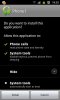
* Permissions it asks for are shown attached:
Phone calls - Read phone state and identity
System tools - disable keylock, prevent phone from sleeping
automatically start at boot.
I didn’t “decide” any permissions. I just told Tasker what I wanted to do and exported my profile and it created the apk and decided necessary permissions. I don’t know why it wants phone “identity” or disable keylock. The best I can figure is they came in a bundle with the other things it needs. I think “start at boot” may allow the setting to continue past a reboot? (not sure).
Even though it seems like some extra permissions, at least it cannot send any data outside of your phone.
If you trust me (electricpete, regular on Android forums for 18 months with 351 posts and 55 thanks) or if you trust the permissions to protect you (that’s a better logic imo) then go for it.
If you don’t trust either, that’s your perogative as well.