

hansschmucker
Android Enthusiast
I've played around with Kwaak3, a port of the Maemo port of ioQuake3 to Android, and I'm really impressed by the quality of the port: It runs fluidly on my cheap little LG Optimus One P500 (except for the non-working shadow maps, but I'd probably have to disable them anyway for performance). Note that Kwaak3 is a port of the Quake3 ENGINE. In other words, you still need your original Quake3 CD in order to play.
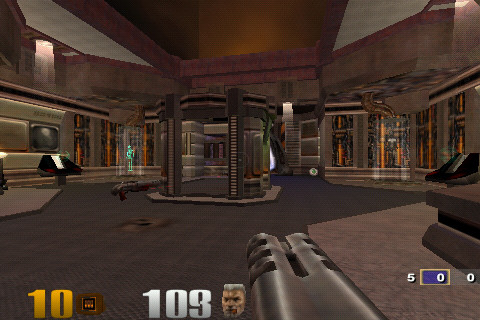
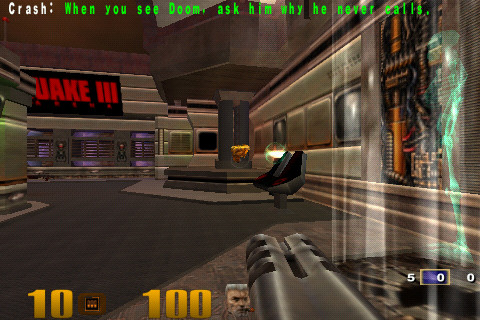
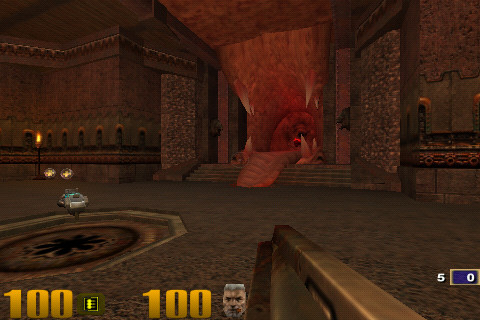
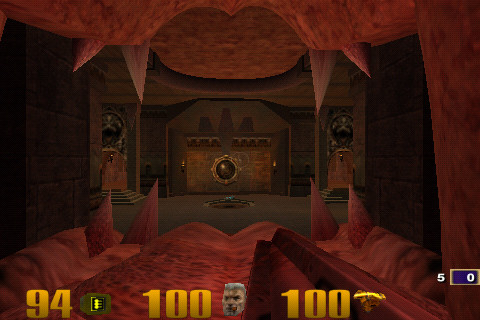
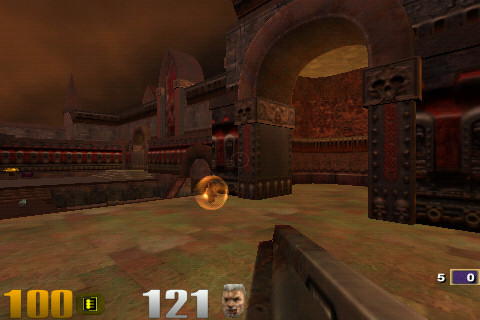
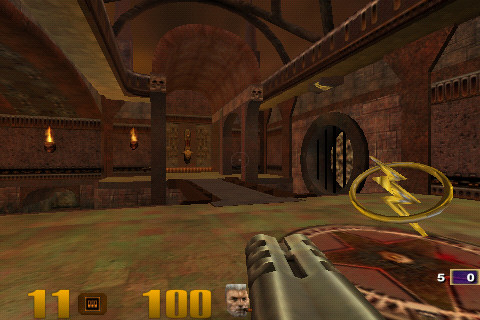
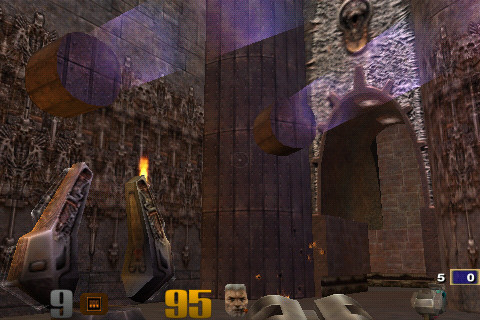
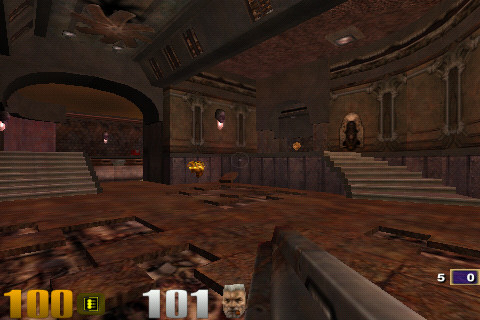
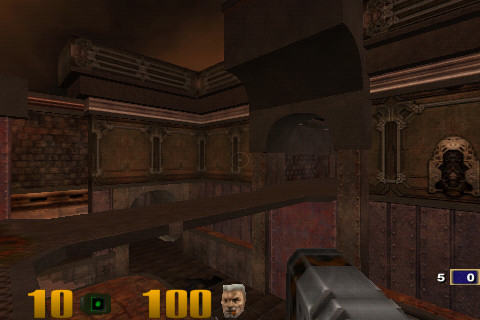
First, a few screenshots for those not familiar with Quake3:

To play, you need to dump pak0-8.pk3 from your Quake3 installation (specifically the baseq3 directory) to /quake3/baseq3/ on your SD card.
It runs perfectly, but I had some serious trouble controlling it: Versions v11e and up have dual on-screen joysticks, but to be perfectly honest, I found using them to be pretty awkward, so instead I settled for v11d, which only supports simple mouse emulation and instead created a custom configuration in /quake3/baseq3/autoexec.cfg
There are a few things to note first:
1. The game asks for a CDKEY without any way for people to input one, except if they have a built-in hardware keyboard. However, you can dismiss the CDKEY dialog by simply touching accept. You won't be able to play online, but you wouldn't want to do that anyway.
2. autoexec.cfg is processed at startup, but any MAP or DEVMAP calls are ignored, so no matter what you do, you'll always end up at the main menu.
3. Cheats are disabled in this version (except for some reasons aim 1, which enables a aimbot: You can try it, but to be brutally honest, a aimbot isn't much fun on Quake3, since pretty much the only weapon that works is the railgun). To work around it, you must first start a single player game at which point the devmap command will start working. However there's no way to enable cheats inside the single player campaign, you can only start cheat-enabled custom rounds from there.
So after a bit of trial and error and coming up with the above rules I got to work fixing the controls and adjusting the difficulty. Keep in mind that the LG P500 doesn't have a trackball or keyboard. Kwaak3 hard-maps ESC to back and the console to search. These keys cannot be configured: the console is not opened through a binding to "~", it opens the console directly. The menu button is ignored entirely, which only leaves us with "Volume Down" (recognized in Kwaak3 as "F2"), "Volume Up" ("F3") and "Touch-without-Dragging" ("MOUSE1").
But first we need to configure the game for
==Basic Setup==
Cheats must be enabled at startup for some reason. We also need to set up basic controls for movement by disabling Free Look, as well as configuring turn speed. Cheats have to be enabled in a specific order and I couldn't remember the right one, so I included the sequence forward and backward in AUTOEXEC.CFG. The zoom is also adjusted since we'll be using it for basic aiming and we don't want it to zoom in too much.
==Starting and exiting a game==
We can't enter console commands directly, so in order to start a game we need a binding to load a map. I also found that one of my settings messed up menu controls, so there's no real way to quit a game, meaning we need a button for that too. The following sequence will cycle through a series of maps (setting the game speed to 2/3 for each since Quake is just too damn fast otherwise) with each second keypress adding a bot. Remember, you have to start a single player match first and press the key after that, otherwise cheats won't work and we need those to adjust the game speed. Volume up is also bound to "QUIT" (or more precisely bound to bind QUIT, so that you have to press it twice in order to not exit accidentally) so you can leave the game at any time. It's not ideal and I'll have to come up with a better solution at some point, but for now it works.
==Shooting==
Now comes the tricky part: Aiming. The default settings will allow you to move, but they're no good for aiming: They're not precise enough and you can't aim up and down. In any case, you won't be able to aim fast enough, even at 2/3 speed. So here's what we'll use for shooting:
1. Slow down the game to 1/10 when you enter shooting mode by quickly tapping the screen.
2. Enable free look
3. Lower the turn speed so that you can aim more precisely
4. Zoom in a little
5. Move the player around a little so that he doesn't stand still while he's shooting.
Quake3 doesn't allow settings for "while a key is pressed", so we'll instead opt for "press to start shooting mode, press again to exit it". Since we've used up all our buttons, we'll just start shooting as soon as the player enters this mode. This also helps balance the game, since enabling it needlessly will cost the player precious ammo.
And that's pretty much it. What settings are you using? Has anybody found a better way to select levels and manage bots yet? Do you know of any good menu scripts that only need a CFG file?
First, a few screenshots for those not familiar with Quake3:
To play, you need to dump pak0-8.pk3 from your Quake3 installation (specifically the baseq3 directory) to /quake3/baseq3/ on your SD card.
It runs perfectly, but I had some serious trouble controlling it: Versions v11e and up have dual on-screen joysticks, but to be perfectly honest, I found using them to be pretty awkward, so instead I settled for v11d, which only supports simple mouse emulation and instead created a custom configuration in /quake3/baseq3/autoexec.cfg
There are a few things to note first:
1. The game asks for a CDKEY without any way for people to input one, except if they have a built-in hardware keyboard. However, you can dismiss the CDKEY dialog by simply touching accept. You won't be able to play online, but you wouldn't want to do that anyway.
2. autoexec.cfg is processed at startup, but any MAP or DEVMAP calls are ignored, so no matter what you do, you'll always end up at the main menu.
3. Cheats are disabled in this version (except for some reasons aim 1, which enables a aimbot: You can try it, but to be brutally honest, a aimbot isn't much fun on Quake3, since pretty much the only weapon that works is the railgun). To work around it, you must first start a single player game at which point the devmap command will start working. However there's no way to enable cheats inside the single player campaign, you can only start cheat-enabled custom rounds from there.
So after a bit of trial and error and coming up with the above rules I got to work fixing the controls and adjusting the difficulty. Keep in mind that the LG P500 doesn't have a trackball or keyboard. Kwaak3 hard-maps ESC to back and the console to search. These keys cannot be configured: the console is not opened through a binding to "~", it opens the console directly. The menu button is ignored entirely, which only leaves us with "Volume Down" (recognized in Kwaak3 as "F2"), "Volume Up" ("F3") and "Touch-without-Dragging" ("MOUSE1").
But first we need to configure the game for
==Basic Setup==
Cheats must be enabled at startup for some reason. We also need to set up basic controls for movement by disabling Free Look, as well as configuring turn speed. Cheats have to be enabled in a specific order and I couldn't remember the right one, so I included the sequence forward and backward in AUTOEXEC.CFG. The zoom is also adjusted since we'll be using it for basic aiming and we don't want it to zoom in too much.
Code:
seta sv_pure "0"
seta sv_cheats "1"
seta cheats "1"
seta sv_cheats "1"
seta sv_pure "0"
seta m_forward "10"
seta cl_freelook "0"
seta cg_zoomfov "60"
seta m_pitch "0.03"
seta m_yaw "0.05"We can't enter console commands directly, so in order to start a game we need a binding to load a map. I also found that one of my settings messed up menu controls, so there's no real way to quit a game, meaning we need a button for that too. The following sequence will cycle through a series of maps (setting the game speed to 2/3 for each since Quake is just too damn fast otherwise) with each second keypress adding a bot. Remember, you have to start a single player match first and press the key after that, otherwise cheats won't work and we need those to adjust the game speed. Volume up is also bound to "QUIT" (or more precisely bound to bind QUIT, so that you have to press it twice in order to not exit accidentally) so you can leave the game at any time. It's not ideal and I'll have to come up with a better solution at some point, but for now it works.
Code:
bind F2 "bind F2 quit"
set ALIAS_CYCLE01 "devmap q3dm1;timescale 0.66; bind F3 vstr ALIAS_CYCLE02"
set ALIAS_CYCLE02 "addbot doom 1; bind F3 vstr ALIAS_CYCLE03"
set ALIAS_CYCLE03 "devmap q3dm2;timescale 0.66; bind F3 vstr ALIAS_CYCLE04"
set ALIAS_CYCLE04 "addbot doom 1; bind F3 vstr ALIAS_CYCLE05"
set ALIAS_CYCLE05 "devmap q3dm3;timescale 0.66; bind F3 vstr ALIAS_CYCLE06"
set ALIAS_CYCLE06 "addbot doom 1; bind F3 vstr ALIAS_CYCLE07"
set ALIAS_CYCLE07 "devmap q3dm4;timescale 0.66; bind F3 vstr ALIAS_CYCLE08"
set ALIAS_CYCLE08 "addbot doom 1; bind F3 vstr ALIAS_CYCLE09"
set ALIAS_CYCLE09 "devmap q3dm5;timescale 0.66; bind F3 vstr ALIAS_CYCLE10"
set ALIAS_CYCLE10 "addbot doom 1; bind F3 vstr ALIAS_CYCLE11"
set ALIAS_CYCLE11"devmap q3dm6;timescale 0.66; bind F3 vstr ALIAS_CYCLE12"
set ALIAS_CYCLE12 "addbot doom 1; bind F3 vstr ALIAS_CYCLE13"
bind F3 vstr ALIAS_CYCLE01Now comes the tricky part: Aiming. The default settings will allow you to move, but they're no good for aiming: They're not precise enough and you can't aim up and down. In any case, you won't be able to aim fast enough, even at 2/3 speed. So here's what we'll use for shooting:
1. Slow down the game to 1/10 when you enter shooting mode by quickly tapping the screen.
2. Enable free look
3. Lower the turn speed so that you can aim more precisely
4. Zoom in a little
5. Move the player around a little so that he doesn't stand still while he's shooting.
Quake3 doesn't allow settings for "while a key is pressed", so we'll instead opt for "press to start shooting mode, press again to exit it". Since we've used up all our buttons, we'll just start shooting as soon as the player enters this mode. This also helps balance the game, since enabling it needlessly will cost the player precious ammo.
Code:
set ALIAS_POWERSHOT "timescale 0.1;+back;+mlook;+moveleft;set m_pitch 0.015;set m_yaw 0.015;set cg_fov 60;+attack; bind MOUSE1 vstr ALIAS_ENDPOWERSHOT"
set ALIAS_ENDPOWERSHOT "set cg_fov 90;-attack;-mlook;-back;-moveleft;set m_forward 10;set m_pitch 0.03;set m_yaw 0.05;timescale 0.66; bind MOUSE1 vstr ALIAS_POWERSHOT"
bind MOUSE1 "vstr ALIAS_POWERSHOT"