
• After 15+ years, we've made a big change: Android Forums is now Early Bird Club. Learn more here.

Lost browser from drawer on home screen?

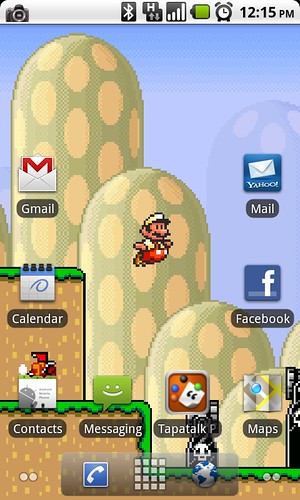
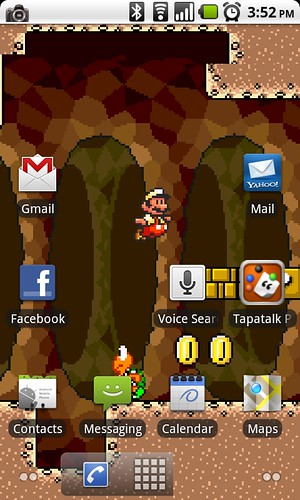
I'm still fairly new to the Android OS, switched over from an iPhone 3GS a few weeks ago. Trying to figure out what I did to delete my browser from the drawer....you can see in the first picture what it looked like earlier today and then in the second picture what it looks like now. I've tried dragging the browser icon down but it just replaces the phone or vice versa. I can't get it to go back to 3 options. Can somebody help an Andriod newbie out? Thanks!
4799758482_f0fe6823d7.jpg


4800245452_5441788a97.jpg
 
Are you running the ADW launcher? From the home screen tough the menu button and select ADW Settings>UI Settings You most likely have unchecked the RAB (right action button).
 
Are you running the ADW launcher? From the home screen tough the menu button and select ADW Settings>UI Settings You most likely have unchecked the RAB (right action button).

I'm wondering this also, you don't have the stock frf91 phone app icon in your quick launcher
 
Back
Top Bottom
