
• After 15+ years, we've made a big change: Android Forums is now Early Bird Club. Learn more here.

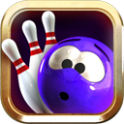
MBFnN Arcade Bowling

MBFnN

Lurker
I just finished my first Google play store app.
Feedback is welcome.

Check it out here:
https://play.google.com/store/apps/details?id=com.Company.MBFnNArcadeBowling

xchXqVNvAiS2oDXVojY_5hK-FBalX76dp-ltiT_3w0KILAUvhQ0V6BgE5ayqZbHRIW-0=w1223-h963


Last edited:
Hi,
We have a new procedure for developers to announce their apps. Read this thread for instructions.
Developer Announcement Procedure
  1. Install the forum app
  2. Sign in to the forum using the app
  3. Goto the forums tab
  4. Select "My Apps & Games"
  5. Select your app from the list
  6. Tap the green icon in the bottom right to start a new thread
  7. Add a thread title / content and hit the post button (right pointing arrow in the top right of the screen)
  8. Once this is done you can use your PC to create or modify threads in your channel
Once you create the channel using the app I will move your thread to the channel.

If you have any questions, please reply to this message.
Good luck with your app.

Cheers
LV426
 
Hi,
We have a new procedure for developers to announce their apps. Read this thread for instructions.
Developer Announcement Procedure
  1. Install the forum app
  2. Sign in to the forum using the app
  3. Goto the forums tab
  4. Select "My Apps & Games"
  5. Select your app from the list
  6. Tap the green icon in the bottom right to start a new thread
  7. Add a thread title / content and hit the post button (right pointing arrow in the top right of the screen)
  8. Once this is done you can use your PC to create or modify threads in your channel
Once you create the channel using the app I will move your thread to the channel.

If you have any questions, please reply to this message.
Good luck with your app.

Cheers
LV426
Wait....I've been through this already....did I still not get it correct?
 
Hi,
We have a new procedure for developers to announce their apps. Read this thread for instructions.
Developer Announcement Procedure
  1. Install the forum app
  2. Sign in to the forum using the app
  3. Goto the forums tab
  4. Select "My Apps & Games"
  5. Select your app from the list
  6. Tap the green icon in the bottom right to start a new thread
  7. Add a thread title / content and hit the post button (right pointing arrow in the top right of the screen)
  8. Once this is done you can use your PC to create or modify threads in your channel
Once you create the channel using the app I will move your thread to the channel.

If you have any questions, please reply to this message.
Good luck with your app.

Cheers
LV426
K...now's there's two threads...can I get one of them removed?
 
Back
Top Bottom