
• After 15+ years, we've made a big change: Android Forums is now Early Bird Club. Learn more here.

Okay, i REALLY need help with this dock. *PLEASE READ*

MegatronVsMe

Well-Known Member
I see a bunch of docks on here that are really simple, thier just text docks. Like for the dock is just says
message phone web blah blach blach

I go to where it downloads and i download it and unzip it and then i assume you can sync it to your phone and use it with LP.
It syncs and everything goes through but when it gets on the phone it looks nothing like what it did before hand.

Its blurry and just looks like crap. So if anyone could help me and explain to me, how i get this on my phone. Im a total "noob" with all of this. Im on an unrooted evo 2.2
It makes me mad that im so tech challenged i cant even figure out how to do this, much less root my damn phone.
Thanks guys.
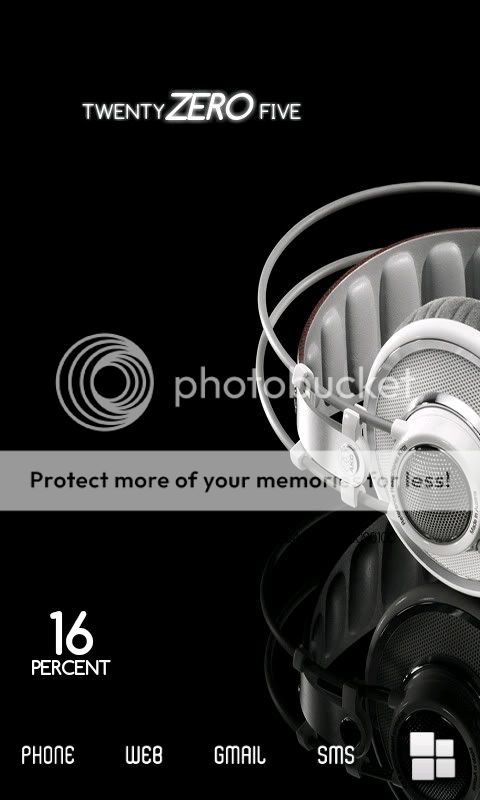
 
lol yeah sorry.
snap20101213_200547.jpg
 
So I assume that's someone elses screen. The words you are unzipping are meant for the dock only. If you try to use them as a shortcut icon on the wallpaper the resolution will be wrong and it will look blurry. If you are using LauncherPro to change the icons in the dock - long press the icon you want to change - Change icon - custom icon- you will then be in your gallery - go to the file where the word icons are and choose the one you want- it will then be changed.

Hope this helps.
 
So I assume that's someone elses screen. The words you are unzipping are meant for the dock only. If you try to use them as a shortcut icon on the wallpaper the resolution will be wrong and it will look blurry. If you are using LauncherPro to change the icons in the dock - long press the icon you want to change - Change icon - custom icon- you will then be in your gallery - go to the file where the word icons are and choose the one you want- it will then be changed.

Hope this helps.


I know. I sync them to my phone and do what you said by changing the icons on my dock, ive done that a bunch. When i downland them on my computer they look fine, but then i sync them to my phone and they get all blurry and bad looking.

Is there any other way to get these on my phone?
Do i have to download it a certain way
 
Make sure the images you are loading into your phone aren't too large where the phone tries to shrink them down to make them fit. That will make them blurry. I have made all of mine 67x67 pixels, and that seems to keep the quality high.
 
Make sure the images you are loading into your phone aren't too large where the phone tries to shrink them down to make them fit. That will make them blurry. I have made all of mine 67x67 pixels, and that seems to keep the quality high.


Thanks, good suggestion.
 
lol yeah sorry.
snap20101213_200547.jpg
anyone know what battery and clock widgets are being used on this?
i think thats one of the cleanest screens i've seen, looks really nice.

found the clock seems to be clockr, any idea on the font on this clock?
i like the way the ZERO is italic.
 
Back
Top Bottom