• After 15+ years, we've made a big change: Android Forums is now Early Bird Club. Learn more here.

Help Prevent MMS from showing slideshows

altjx

Member
I've found a lot of old threads about this issue, but still no solid fix or workaround from what I've seen thus far.

Just curious to know if anyone knows of a way to prevent incoming pictures from showing up as slideshows. I can't believe it actually does this. I can't move the slideshow slider or anything. Pretty embarrassing feature if you ask me.

It's very frustrating when someone sends me two or more pictures, and I have to sit here and watch the slideshow without the ability to flip back and forth with ease. I'd root my phone or whatever the hell I have to do to fix this.

Any help would be greatly appreciated.

 
I've found a lot of old threads about this issue, but still no solid fix or workaround from what I've seen thus far.

Just curious to know if anyone knows of a way to prevent incoming pictures from showing up as slideshows. I can't believe it actually does this. I can't move the slideshow slider or anything. Pretty embarrassing feature if you ask me.

It's very frustrating when someone sends me two or more pictures, and I have to sit here and watch the slideshow without the ability to flip back and forth with ease. I'd root my phone or whatever the hell I have to do to fix this.

Any help would be greatly appreciated.


Okay, I waited to see what answers showed up on the forum. I have never sent more than one picture until a few minutes ago.

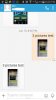
So, I just sent myself a test shot with 3 images off my camera. When the received SMS came back in, it came back okay. I opened it up and under my text it automatically opened the first picture. I then can slide the pictures right/left either way at my choosing.

On the bottom of the image is a bunch of options to rotate, etc...

This is using the Go SMS Pro message app.

https://play.google.com/store/apps/details?id=com.jb.gosms

So if what you have is not working right, install this app and give it a try.
I made it my default SMS app and then went into settings and turned OFF both of the OEM message apps so they can't get in the way again.

see screenshot.
 

Attachments

  • Big MMS 3 photos2.jpg
    Big MMS 3 photos2.jpg
    37.5 KB · Views: 82
  • Big MMS 3 photos.jpg
    Big MMS 3 photos.jpg
    29.8 KB · Views: 130
Okay, I waited to see what answers showed up on the forum. I have never sent more than one picture until a few minutes ago.

So, I just sent myself a test shot with 3 images off my camera. When the received SMS came back in, it came back okay. I opened it up and under my text it automatically opened the first picture. I then can slide the pictures right/left either way at my choosing.

On the bottom of the image is a bunch of options to rotate, etc...

This is using the Go SMS Pro message app.

https://play.google.com/store/apps/details?id=com.jb.gosms

So if what you have is not working right, install this app and give it a try.
I made it my default SMS app and then went into settings and turned OFF both of the OEM message apps so they can't get in the way again.

see screenshot.

Oh wow. Thank you for pointing that out. I just realized that this issue is only within Handscent. Not even the default Samsung Messaging app handles MMS in that annoying way. I'll take this to a Handscent forum to see if there's a way to fix this.

Thanks again for your help!
 
Back
Top Bottom