• After 15+ years, we've made a big change: Android Forums is now Early Bird Club. Learn more here.

Root Questions about recovery mode, etc..

frasej

Member
I know how to get into stock recovery mode but...
1. How do you get (reliably) into the bootloader?
2. How do you do a factory reset?
3. What does doing a boot with the up arrow pressed put you into, and how do you use it. (I know it's some sort of USB mode)

I've tried searching but without success.
 
1. Bootloader IS up arrow on the keypad and power button
2. Go to settings -> Privacy -> factory data reset
3. See #1. The bootloader is used when you need to flash an SBF with RSDLite, but can't get the phone to boot up. It's specifically designed to allow a phone to be programmed without being bootable; It's a recovery technique.
 
Bootloader: after the device is turned off/powered down, power up while holding the keyboard's "up" key.

Safe Mode: after the device is turned off/powered down, power up while holding the soft menu key.

Recovery Mode: after the device is turned off/powered down, press the keyboard "X" and press and hold the power button until the exclamation point/android pic shows, then use the keyboard search (magnifying glass) button to see menu choices, use volume up and down to browse menu options.
 
Bootloader: after the device is turned off/powered down, power up while holding the keyboard's "up" key.

Safe Mode: after the device is turned off/powered down, power up while holding the soft menu key.

Recovery Mode: after the device is turned off/powered down, press the keyboard "X" and press and hold the power button until the exclamation point/android pic shows, then use the keyboard search (magnifying glass) button to see menu choices, use volume up and down to browse menu options.


TIL: There is a safe mode. I'll have to try that next time I reboot my phone haha. Is this like safe mode on a windows PC, with minimal system elements and apps?
 
What is "the soft menu key?"

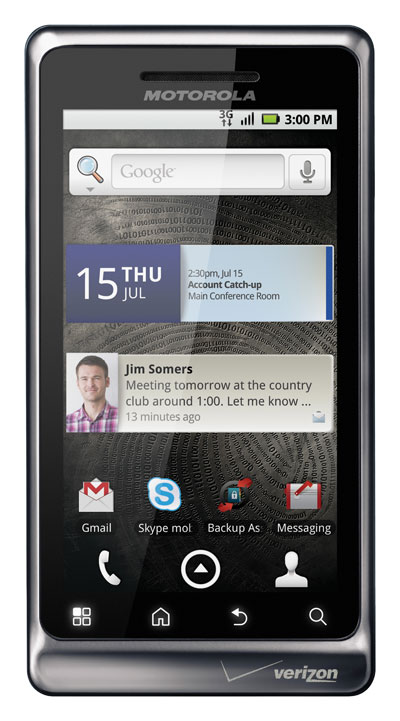
Soft keys are the ones that are not made of a hardware button, but are a little permanent link. There are four at the bottom front of the Droid and D2 devices:

Motorola-Droid-2.jpg


The "back" or return key, the menu key, the home key and search.

The real D2 configuration:

motorola-droid-2-e2.jpg


with menu, home, back and search.
 
That's what I thought. When I push the power button while pressing the soft menu key, nothing different happens, at least as far as I can tell.

BTW: What Droid is that? The D2G has the following four keys (left to right), Menu, Home, Return and Search.
 
That's what I thought. When I push the power button while pressing the soft menu key, nothing different happens, at least as far as I can tell.

BTW: What Droid is that? The D2G has the following four keys (left to right), Menu, Home, Return and Search.

There's another method:

1. Power the Droid 2 off.
2. Slide the keyboard open.
3. Press and hold the OK key while powering the device back on.
4. Keep holding the OK key until you see the Home screen load. It should say Safe Mode in the bottom-left corner of the screen.
 
Holding the OK key worked. I tried the soft menu key again, and it still just came up normally. So what doesn't get loaded in safe mode? I noticed my home application (Zeam) didn't, but what else?

btw: Hey! I'm a junior member now, instead of new.
 
Android's safe mode is most often used to escape rampant force closes, freeze ups or rogue app behavior such as sync loops, etc.

I am not advising you to put your device into safe mode, but was just showing you how to get there, along with recover menu (which can get you to the factory reset option if needed).

I still don't know why you're needing to get into those menus, as you've not yet posted anything about that (at least not in this thread ;)).
 
The top one is the original Droid.

I just edited that fact into that post with the pics.. I'd posted the Droid, which was labled "droid2" at the site where the pic came from, then saw that and went back to find a Droid 2 pic. ;)

So now we have both. :D
 
I still don't know why you're needing to get into those menus, as you've not yet posted anything about that (at least not in this thread ;)).

I was playing around with Liberty but can't get it out of airplane mode. I couldn't, reliably, get into the ClockworkMod Recovery screen and was wondering if there was a trick to it. Every now and then, when I boot, it just randomly seems to get the ClockworkMod. Don't know how I'm doing it. Holding X puts me into regular recovery mode and I don't have the option to load a different ROM.

Did all that make sense?
 
Yes, it makes sense.

Let's get this thread to the All Things Root sub-forum where it belongs.
 
Back
Top Bottom