

Thijmen
Lurker
Hey guys,
quite new to the android studio development, currently i'm just working out the basics.
How do i get the app to scale to each screen size, so the images resize such that it looks the same on each device?
Currently it looks like this in the editor:
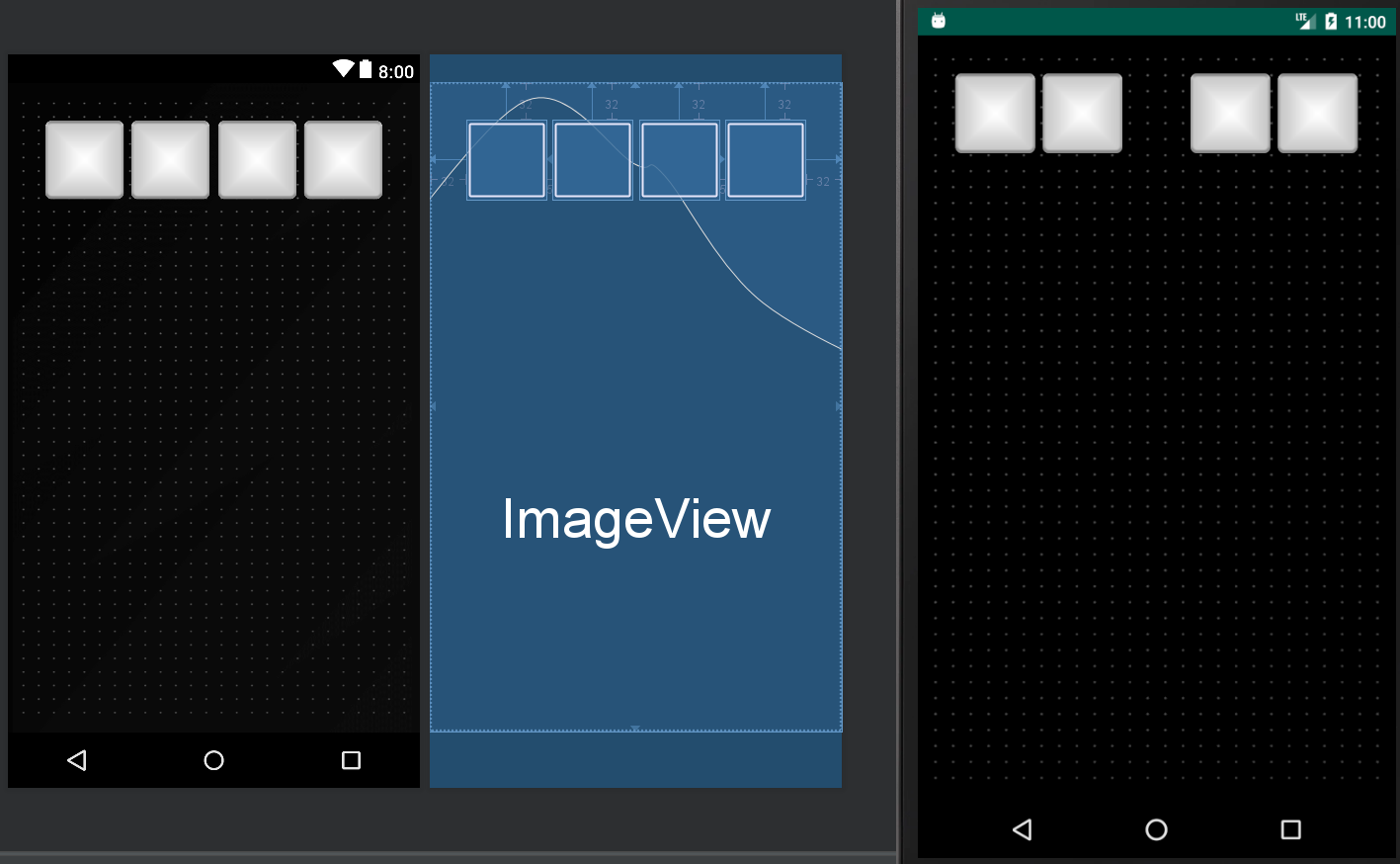
Where leftmost and middle is the editor, and right is the emulated phone.
As you can see the squares are spaced but i don't want this.
i just want them to be equal spaced but also the same size compared to the screen size.
quite new to the android studio development, currently i'm just working out the basics.
How do i get the app to scale to each screen size, so the images resize such that it looks the same on each device?
Currently it looks like this in the editor:
Where leftmost and middle is the editor, and right is the emulated phone.
As you can see the squares are spaced but i don't want this.
i just want them to be equal spaced but also the same size compared to the screen size.
