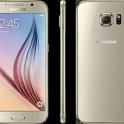
I just rec'd my S6 2 weeks ago and this problem started occurring 2 days ago. My phone is my work life and the local store manager kind of owed me, so I called and they had me do the following if it helps:
Go to dial pad on phone and enter *#7353# (Brings up a 12 step menu)
-Touch Accelerometer Sensor (menu option 10 on a t-mobile phone) and rotate phone confirming the arrow on the screen rotates to pointing up as you rotate the phone in any direction.
-go back and do the TSP Dot Mode (menu opiton 8 on t-mobile) and run your finger slowly around your screen to all edges and make sure there is a colored dot that is following your finger around your screen.
-go back and do the TSP Grid mode (menu option 9 on t-mobile) as you touch the screen you begin drawing a black line, as that black line passes through each grid, it should highlight the grid with a color (green on t-mobile)
Basically mine functioned better after doing this and I no longer have problems when I am NOT holding the phone either. Could be just a short term help.
Conclusion: if this helps your situation, then you have a supposed software issue which Samsung is pushing through a patch for. If you had problems with any of these steps, or your phone doesn't function "better", then it is a hardware issue.
So there is my 2 cents from what I have been told. I hope it helps.