• After 15+ years, we've made a big change: Android Forums is now Early Bird Club. Learn more here.

Nonsucky e-reader with all the bells and whistles

It's evidently not Moon+Reader,, sufficientlysecure.viewer, or Nook. This is what I want, one that can actually handle ALL files of a single type, all file types probably (though I prefer epub and pdf), show the covers properly (large enough and in full color, if applicable), not display files all the way over to the side and thus making them nearly unreadable, not getting stuck on a particular book and refusing to open any other, having easily adjustable brightness, allowing cover downloads if necessary, making it possible to group titles by subject or any other way, allowing title changes if it comes to that, and being available for free. I realize it's a lot to ask, but we're worth it.

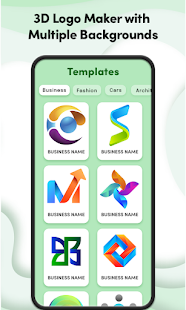
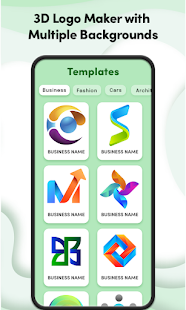
3D Logo design maker & Creator

Create 3d logos for small business, company and entrepreneur in minutes with the help of 3d logo design maker app. 3d logo maker allows you to make beautiful 3d architecture logos and property logo designs. 3d logo designing software comes with unique and professional photo editing tool for creating awesome 3d logos. 3d text and 3d logo design contain many categories such as gaming logos, animal and bird’s logo, business logo, car logos, drinks & food logos, and fashion logos.


3d logo maker app comes with unique features

ü 3d logo design maker is totally free logo designing app.

ü Design a large number of free 3d logo designs.

ü You can add text on 3d logo.

ü You can add shapes to 3d logo designs.

ü You can apply 3d logo effects on free logos.

ü 3d logo designing software UI is very simple and also user friendly.

ü After finishing 3d logo design you can save 3d logo on your smart phone gallery.

ü You can share 3d logos with friends on social media platform.


diVTlOTXYI4vMHiGr8ZDOf2J1rmd5qoCYyM-dE_kQ4udLlfLIlSobbblsoEW7hH-IYg=w720-h310-rw
NkadzebmYhQwOZWdW4tyGZFqpxLmBmpcTiGg2kWpK3dXa_S-CjAX8TvEV-KkC-3dqUY=s180-rw
VYfdQo_wq_JOpW6dIIAjcuwZflTR_yHwm6ZjZxc6eGU8NhkAcshmtOO-ytYkbHz1TVE=w720-h310-rw

How works 3d logo design maker app

ü Install 3d logo maker app on your device.

ü Start 3d logo design app.

ü Choose best 3d logo designs.

ü You can select 3d logos from different logo design categories.

ü You can add color background on 3d logo.

ü You can add background on 3d logos from camera and gallery.

ü You can add text on logos.

ü You can save the editable 3d logos.

ü Now you can share 3d logos with friends.


Download the 3d logo design maker app from play store and give us a precious feedback.

Thank you!

Trouble in Moon+Reader paradise

For no apparent reason, it keeps getting stuck on one particular book. I can no longer save ebooks to the attachment folder and thus put them on shelves as of this morning. I have no idea why this has happened or how to fix it. I have tried relaunching it, and I rebooted the phone (Moto G Stylus) twice. It has been suggested that I use a different reader, but how would I download the correct covers, or make use of mobi, djvu, and azw3 files, although I definitely prefer epub and pdf?

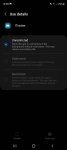
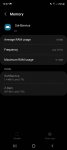
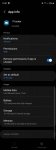
ITracker app in system apps Galaxy S20 FE?

Does anyone have any idea what this is. I've factory reset the phone and it's still on there. I've searched but can't find much info.

I can force stop it but it will be running sometimes when I check.

I've denied it access to phone calls but can't dent it access to SMS.

Any help would be appreciated.
A

Attachments

  • Screenshot_20220327-105849_Settings.jpg
    Screenshot_20220327-105849_Settings.jpg
    86.8 KB · Views: 389
  • Screenshot_20220327-105820_Settings.jpg
    Screenshot_20220327-105820_Settings.jpg
    77.8 KB · Views: 264
  • Screenshot_20220327-105812_Settings.jpg
    Screenshot_20220327-105812_Settings.jpg
    85.3 KB · Views: 249
  • Screenshot_20220327-105754_Settings.jpg
    Screenshot_20220327-105754_Settings.jpg
    78.4 KB · Views: 245
  • Screenshot_20220327-105743_Settings.jpg
    Screenshot_20220327-105743_Settings.jpg
    89 KB · Views: 224

Apps Notepad android app with room database getting crashed after enter the data

I am a beginner in android and working on my first android project "notepad" by using internet resources. I have followed one of the tutorials to build a notepad android app, where they are using room database and view binding...but after successfully completion, when I am installing this app in the phone and entering the data, app getting crashed...I am not able to find the error...your support and answer would be much appreciated...I am putting the code below, would be appreciable, if you review the code and figure out the solution.

Thanks in advance

InviZible Pro

Ok, so I am testing out an app that I have found.

I tried TOR with the standard fair Tor Browser and Orbot years ago, and periodically do so again to see if it has gotten any better.

Normally, the answer is no.
This time, it is a little bit better.

But, because of the slow speed, constant captchas, and other irritants I always revert back to a firewall.

This always sends me back to NoRoot Firewall.
I have tried others, but none are as simple to use, and I have issues with internet connection with all the others I have tried.

But there is more.
NoRoot was updated a few years back, and the UI was improved.
But there seems to also be something new in there that lets Google or 'someone' turn it off so that the device can receive unwanted updates.

Thankfully, I have the 'Block connections without VPN' setting on, but it is still disconcerting that the ability to disable the firewall exists at all.

Anyway, I saw this app called InviZible Pro on F-Droid and decided to try it out.

This app includes a firewall, TOR, and DNS encryption.

It was easy to set it up, and I have been impressed with it.
Enough so that I made this thread about it.

So far, I really like the firewall.
It is quick and simple to set it up.

And using TOR has never been better.
The speed is twice (or better) what I get with Orbot and TOR Browser (or any other browser).

As far as the DNS encoding, I can only guess, but at least it isn't slowing anything down.

Web speed is a bit slower than using NoRoot Firewall alone, but not real bad.

One thing I did find (and this was expected) is that VOIP calls are not really good over TOR.

Messaging with Telegram and other apps has been decent, but any files sent will take more time than usual.
This is also something to be expected with TOR.

But all in all, this seems like a promising app that can serve multiple purposes.

I am anxious for others to check it out and tell me what they think about it.

https://f-droid.org/en/packages/pan.alexander.tordnscrypt.stable/

What's the Possibility of transferring entire text history to another phone

Hi,

After recently upgrading our phones, my wife accidentally deleted our entire text history from over the years that included text, pictures, emojis, links etc.

We did not backup to the cloud and the original phones have been wiped and sent as trade-in.

So I was hoping there was some software, that was able to simply and only backup only our text history from over the years, that included all of the various types of messages and restore that to her phone?

Or, if it's possible to find/locate some folder on my phone, dedicated to our message history, with all of the message types and copy that to a corresponding folder on her phone?


Thank you..

My installed bixby capsules

On a Samsung S22 Ultra with Android 12 and bixby 3.2.03.2

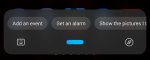
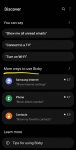
When I searched for my answer, I saw this older bixby video in the screenshot with a full bixby UI with pictures and categories and when you swipe over or press settings there is a my capsules button.

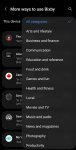
When I open bixby I just get a listening bar at the bottom. When I press the compass thing on the right there is settings and more ways to use bixby to add capsules. In there is a long complete list or you can view categories. But to see if I already have one and the commands to use it, I have to open them one by one to see if it says add or remove. Is there another way to see my capsules?

Attachments

  • Screenshot_20220326-102751~(1).jpg
    Screenshot_20220326-102751~(1).jpg
    487.2 KB · Views: 405
  • Screenshot_20220326-102802~(1).jpg
    Screenshot_20220326-102802~(1).jpg
    377.8 KB · Views: 288
  • Screenshot_20220326-103059_One UI Home.jpg
    Screenshot_20220326-103059_One UI Home.jpg
    110.2 KB · Views: 292
  • Screenshot_20220326-103133_Bixby Voice.jpg
    Screenshot_20220326-103133_Bixby Voice.jpg
    118.9 KB · Views: 344
  • Screenshot_20220326-103201_Bixby Voice.jpg
    Screenshot_20220326-103201_Bixby Voice.jpg
    146.3 KB · Views: 294

Filter

Back
Top Bottom