• After 15+ years, we've made a big change: Android Forums is now Early Bird Club. Learn more here.

Q-Link Screws Up Bigtime With 5G Rollout

Q-Link, one of the largest providers of free cellular service via the government plan, has recently switched from 4G to 5G.

Unfortunately, what I and many (if not most) of the users of this service have found is that Q-Link was woefully unprepared for such a switch.

Not only were the majority of devices in use not 5G compatible, they send out new SIM cards anyway- even to people that had not received devices at all yet.

To top it all off, there is absolutely no customer service available suddenly.

Whereas before, a caller may be on hold for 30 minutes or so, it is now common to be on hold for multiple hours- only to be hung up on or to even have your 'approximate wait time' increase as you wait.

This has left many people completely without a phone, and of course the only way to reach customer service is to call.

Obviously, this is not possible if the device is no longer working.

I can't help wondering if this doesn't have something to do with Sprint being busted for fraud regarding the government phone program.

Q-Link service, at least around here, was via Sprint- and it actually worked very well.

Now it is supposedly through T-Mobile (who supposedly merged with Sprint), and it seems to not work at all.

For a sense of what is going on, and of Q-Link's pathetic automated responses, you can check the Q-Link Wireless page on Facebook.

https://m.facebook.com/qlinkwireless/?tsid=0.49142534819313965&source=result

In Android 10 (MIUI12), there is a switch to prevent apps from being manually killed at switch panel

In Android 10 (MIUI12), there is a switch to prevent apps from being manually killed from inside the switcher panel.

When clicking kill all (X) it kills all apps but the ones protected by the switch.

I did protect one app already once but are unable to find the relating setting page again :-(

Extensive googling didn't help.

Anyone here with a clue?

Thanks in advance!

[App] TapeMyCar

Tape My Car is a headway technology of GPS tracking which provides you a live location of your car anytime and anywhere. Thanks to the easy-to-use app TapeMyCar and its' super fast service.

You can watch every moment of your vehicle with your smartphone without any hassle. With the app, users can see the live location of a vehicle, See the report of every moment of vehicle, Watch the stoppage and movement with gridline, Set the notification for different movement, manage many vehicles at the same time, and more.

Screenshot: https://imgur.com/a/3gLxuGd
Google Play: https://play.google.com/store/apps/details?id=com.redgates.tapemycar
Learn more: tapemycar.com

App Info:
Current Version: 1.0.2
Requires Android: 4.1 and up
Content Rating: Rated for 3+

Remote configure Facebook audience ads and admob via firebase

Hi, i want to add facebook audience ads along side admob in my android app but i want to be able to switch on or switch off either of the two from firebase, fore example if i want to switch off admob banner and switch on facebook banner i just go to firebase and do so.

My question is this possible? and if yes, i need a glance how i can implement this

Calling kotlin from java shows "Cannot resolve symbol" for classes and methods called

There are two modules:
  1. app (main/application module which contains both Java and Kotlin classes)
  2. lib-wrapper (Android-library module which contains Java classes)
lib-wrapper is published on the Amazon S3 bucket and used as a library dependency in app module. Proguard rules are applied for the lib-wrapper. It was all working fine till now.

Then converted all the classes of lib-wrapper from java to kotlin.
  • Now, all the java classes (in app module) which are calling lib-wrapper methods show “Cannot resolve symbol” in red.

  • There is no problem with kotlin classes (in app module) which are calling lib-wrapper methods.

  • Even with “Cannot resolve symbol” in java classes, app compiles and runs without error. But for new users it is very tough to use lib-wrapper as it won’t show library classes and methods as an auto-complete suggestion.

  • Decompiling the apk file, lib-wrapper classes shows all intended classes and methods are public and public members are plain/de-obfuscated. (Which is expected.)

  • If I disable Proguard (“minifyEnabled false” in lib-wrapper’s build.gradle), everything works fine.
So I added below kotlin specific proguard rules in lib-wrapper's proguard-rules.pro file, but didn't help :
-keep class kotlin.*.* { *; }
-keep class kotlin.Metadata { *; }
-dontwarn kotlin.**
-keepclassmembers class **$WhenMappings {
<fields>;
}
-keepclassmembers class kotlin.Metadata {
public <methods>;
}
-assumenosideeffects class kotlin.jvm.internal.Intrinsics {
public static void checkParameterIsNotNull(java.lang.Object, java.lang.String);
}

Plugins used in lib-wrapper’s build.gradle file:
apply plugin: 'com.android.library'
apply plugin: 'kotlin-android'
apply plugin: 'maven-publish'
apply plugin: 'org.jetbrains.dokka-android'

Plugins used in app module’s build.gradle file:
apply plugin: 'com.android.application'
apply plugin: 'kotlin-android'

Any help would be appreciated. Thanks in advance.

Help Trade in question

I want to buy the new 9pro and trade-in or selling my current 7pro. Does the 7pro have any value if it has a slight crack on the screen? The phone is fully functional. The screen is also fully functional. The crack is on the edge of the screen and has no impact on visiblity.

Is it worth replacing the screen and then selling it? What options would you pursue in my case?

Help Samsung J727 screen issue

I am probably in need of a new screen, but I'm wondering if I can do without it.

I replaced my cracked screen with a new one I bought. After replacing it, everything was just shifted down by almost an inch. The animation when you turn it on is moved down, the home screen and apps are moved down, etc. Do I need to just get it fixed via official/professional screen repair?

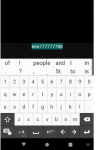
editView- character selection

Hello, I am new here. I hope someone knows anything on Android Studio and Java.
I have editView and input something, I can't to select some characters,
but if I use textView I can select characters.
How to using editView, can I select a few characters, not all text entered in 'editView'?
Please help me to fix this.

Attachments

  • スクリーンショット 2021-04-06 111536.png
    スクリーンショット 2021-04-06 111536.png
    28.2 KB · Views: 187

Help Easiest and safest way to root android 6?

Hi guys,

I need help, please


For some reasons i have problems with 3 apps.
I cannot disable them because android does not let me.

Can you tell me the easiest and safest way to root my android please?

When i say easiest i mean without using a computer, i can just use my phone. Is it possible?

My device runs android 6 and is a huawei.

I want to disable/remove "com.android.providers.calendar", calendar and google play services, somehow they are giving android problems.

Can you help me please?
Will i lose any datas if i root my android?

Thanks

Can't send/receive MMS from iPhones???

Very bizarre....got a new LG Velvet, and I'm using Google Messages for SMS. All of the settings are the same as what they were on my old phone and I even went so far as to compare them to a friends android who can get/send MMS to iphones, and we're the same. I don't have issues when it's an android on the other end but for iphones, it's not happening. I can see that a picture was sent to me but it won't download the picture. The thingy just keeps spinning and no picture is downloaded. Everything has been updated, and I haveno clue how or why this is happening.

Any ideas???

Filter

Back
Top Bottom