Google camera for nokia 3.2

- Smartphones
- 1 Replies
Where is the google camera apk for nokia 3.2 android 11
Follow along with the video below to see how to install our site as a web app on your home screen.
Note: This feature may not be available in some browsers.


public class StatusActivity extends AppCompatActivity {


    @Override
    protected void onCreate(Bundle savedInstanceState) {
        super.onCreate(savedInstanceState);
        setContentView(R.layout.activity_status);

        TextView pHLevel = (TextView)findViewById(R.id.phLevel);
        TextView organicCLevel = (TextView)findViewById(R.id.organicCLevel);
        TextView nitrogenLevel = (TextView)findViewById(R.id.nitrogenlevel);
        TextView phosphorusLevel = (TextView)findViewById(R.id.phosphorusLevel);
        TextView potassiumLevel = (TextView)findViewById(R.id.potassiumLevel);
        TextView  zincLevel = (TextView)findViewById(R.id.zincLevel);
        TextView temperatureLevel = (TextView)findViewById(R.id.temparatureLevel);
        TextView date1 = (TextView)findViewById(R.id.date);
        String tempMessage="";
        String pHMessage="";
        String organicCMessage="";
        String nitrogenMessage="";
        String phosphorusMessage="";
        String potassiumMessage="";
        String zincMessage="";
        String username = getIntent().getStringExtra("username");
        double pH2 = Double.parseDouble(getIntent().getStringExtra("pH"));
        double organicC2 = Double.parseDouble(getIntent().getStringExtra("organicC"));
        double nitrogen2 = Double.parseDouble(getIntent().getStringExtra("nitrogen"));
        double phosphorus2 = Double.parseDouble(getIntent().getStringExtra("phosphorus"));
        double potassium2 = Double.parseDouble(getIntent().getStringExtra("potassium"));
        double zinc2 = Double.parseDouble(getIntent().getStringExtra("zinc"));
        double temp2 = Double.parseDouble(getIntent().getStringExtra("temp"));
        String date = getIntent().getStringExtra("date");

        //Temperature Level
        if (temp2 >= 24){
            tempMessage = temp2 + " is too high";
        }
        else if (temp2 >= 18 && temp2 <= 24){
            tempMessage = temp2 + " falls withing optimal temperature";
        }
        else if(temp2 < 18){
            tempMessage = temp2 + " temperature too low";
        }
        else
            tempMessage = "Incorrect reading";

        //pH Level
        if (pH2 >= 5.5 && pH2 <= 7.0){
            pHMessage = pH2 + " falls in optimal pH";
        }
        else if(pH2 < 5.5 && pH2>= 0){
            pHMessage = pH2 + " might be too acidic";
        }
        else if(pH2 >7 && pH2 <= 14){
            pHMessage = pH2 + " might be too alkaline";
        }
        else
            pHMessage = "Wrong Measurement!";

        //Organic carbon level
        if (organicC2 < 1.2){
            organicCMessage = "Low fertility";
        }
        else if(organicC2 >= 1.2 && organicC2 <= 1.7){
            organicCMessage = "Medium fertility";
        }
        else if(organicC2 > 1.7){
            organicCMessage = "High fertility";
        }else
            organicCMessage = "Wrong Measurement";

        //nitrogen Level
        if (nitrogen2 >= 0 && nitrogen2 < 15){
            nitrogenMessage = "Level too low";
        }
        else if (nitrogen2 >= 15 && nitrogen2 < 30){
            nitrogenMessage = "Medium level";
        }
        else if (nitrogen2 >= 30){
            nitrogenMessage = "High Level";
        }
        else
            nitrogenMessage = "Wrong measurement";

        //Phosphorus Level
        if (phosphorus2 >= 0 && phosphorus2 < 25){
            phosphorusMessage = "Level too low";
        }
        else if (phosphorus2 >= 25 && phosphorus2 < 50){
            phosphorusMessage = "Medium Level";
        }
        else if (phosphorus2 >= 50){
            phosphorusMessage = "High level";
        }
        else
            phosphorusMessage = "Wrong measurement";

        //potassium Level
        if (potassium2 >= 0 && potassium2 < 60){
            potassiumMessage = "Level too low";
        }
        else if (potassium2 >= 60 && potassium2 < 100){
            potassiumMessage = "Medium level";
        }
        else if (potassium2 >= 100){
            potassiumMessage = "High Level";
        }
        else
            potassiumMessage = "Wrong Measurement";

        //Zinc Level
        if (zinc2 >= 1.6 && zinc2 <= 3){
            zincMessage = "Level too low";
        }
        else if (zinc2 > 3 && zinc2 < 4){
            zincMessage = "Medium level";
        }
        if (zinc2 >= 4 && zinc2 <= 8){
            zincMessage = "High level";
        }
        else
            zincMessage = "Wrong measurement";


        date1.setText(date);
        /*pHLevel.setText(pHMessage);
        organicCLevel.setText(organicCMessage);
        nitrogenLevel.setText(nitrogenMessage);
        phosphorusLevel.setText(phosphorusMessage);
        potassiumLevel.setText(potassiumMessage);
        zincLevel.setText(zincMessage);
        temperatureLevel.setText(tempMessage);*/

    }
}
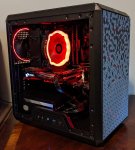
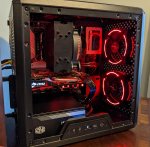
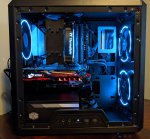
 ) was feeling a little long in the tooth, even though it had a few upgrades.
 ). My needs are more in line with Photoshop, web development and some 3D modelling. Maybe the odd video or animation.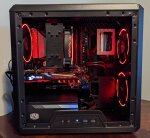
public Cursor getDataSoilData(String username){
        SQLiteDatabase db = this.getReadableDatabase();
        Cursor cursor = db.rawQuery("Select pH, OCarbon, nitrogen, phosphorus, potassium, zinc, temparature, date from soilData where username = ? ORDER BY id DESC LIMIT 1", new String[] {username}, null);
        return cursor;
};public class StatusActivity extends AppCompatActivity {
@Override
protected void onCreate(Bundle savedInstanceState) {
super.onCreate(savedInstanceState);
setContentView(R.layout.activity_status);
Button viewData = (Button)findViewById(R.id.submitBtn);
TextView pHLevel = (TextView)findViewById(R.id.phLevel);
TextView organicCLevel = (TextView)findViewById(R.id.organicCLevel);
TextView nitrogenLevel = (TextView)findViewById(R.id.nitrogenlevel);
TextView phosphorusLevel = (TextView)findViewById(R.id.phosphorusLevel);
TextView potassiumLevel = (TextView)findViewById(R.id.potassiumLevel);
TextView zincLevel = (TextView)findViewById(R.id.zincLevel);
TextView temperatureLevel = (TextView)findViewById(R.id.temparatureLevel);
TextView date1 = (TextView)findViewById(R.id.date);
String tempMessage;
String pHMessage;
String organicCMessage;
String nitrogenMessage;
String phosphorusMessage;
String potassiumMessage;
String zincMessage;
DBHelper db = new DBHelper(this);
String username = getIntent().getStringExtra("username");
Cursor cursor = db.getDataSoilData(username);
StringBuilder pH = new StringBuilder();
StringBuilder organicC1 = new StringBuilder();
StringBuilder nitrogen1 = new StringBuilder();
StringBuilder phosphorus1 = new StringBuilder();
StringBuilder potassium1 = new StringBuilder();
StringBuilder zinc1 = new StringBuilder();
StringBuilder temp = new StringBuilder();
StringBuilder date = new StringBuilder();;
while(cursor.moveToNext()){
pH.append(cursor.getDouble(2));
organicC1.append(cursor.getDouble(3));
nitrogen1.append(cursor.getDouble(4));
phosphorus1.append(cursor.getDouble(5));
potassium1.append(cursor.getDouble(6));
zinc1.append(cursor.getDouble(7));
temp.append(cursor.getDouble(8));
date.append(cursor.getString(9));
}

 public void initStreamerInfo() {

        ImageView streamerAvatar= findViewById(R.id.livestreamingHeader_streamerImage);
        TextView streamerName = findViewById(R.id.livestreamingHeader_name);
        TextView streamerAge = findViewById(R.id.livestreamingHeader_age);
        followingImg = findViewById(R.id.livestreamingHeader_followedStreamer);
        if (streamerAvatar==null){
            Log.d("statusofimgvw","kuch nhi ho sakta");
        }
        else {
            Log.d("statusofimgvw","Not null");
        }
        User puser=mLiveStreamObject.getAuthor();
        Log.d("checkingvaluel",puser.getProfilePhotos().get(puser.getAvatarPhotoPosition()).getUrl());
        Log.d("checkingvaluel",puser.getColFirstName());
        Log.d("checkingvaluel"," "+mLiveStreamObject.getAuthor().getProfilePhotos());
        QuickHelp.getAvatars(mLiveStreamObject.getAuthor(), streamerAvatar);
        streamerName.setText(String.format("%s, ", mLiveStreamObject.getAuthor().getColFirstName()));

        if (mLiveStreamObject.getAuthor().getBirthDate() != null){
            streamerAge.setText(String.valueOf(QuickHelp.getAgeFromDate(mLiveStreamObject.getAuthor().getBirthDate())));
        }

        setTimer(mLiveStreamObject.getStartedAt());

        FollowModel.queryFollowSingleUser(mLiveStreamObject.getAuthor(), new FollowModel.QueryFollowListener() {
            @Override
            public void onQueryFollowSuccess(boolean isFollowing) {

                if (isFollowing){
                    followingImg.setVisibility(View.VISIBLE);
                    isFollowingUser  = true;
                } else {
                    followingImg.setVisibility(View.GONE);
                    isFollowingUser  = false;
                }
            }

            @Override
            public void onQueryFollowError(ParseException error) {
                followingImg.setVisibility(View.GONE);
                isFollowingUser  = false;
            }
        });
} public static void getAvatars(User user, ImageView imageView){
ColorDrawable colorDrawable = new ColorDrawable(ContextCompat.getColor(Application.getInstance().getApplicationContext(), R.color.highlight_light_ripple));
// Load profile Photos
if (user.getProfilePhotos() != null && user.getProfilePhotos().size() > 0) {
Glide.with(Application.getInstance().getApplicationContext())
.load(user.getProfilePhotos().get(user.getAvatarPhotoPosition()).getUrl())
.error(colorDrawable)
.centerCrop()
.circleCrop()
.fitCenter()
.placeholder(colorDrawable)
.into(imageView);
} else {
Glide.with(Application.getInstance().getApplicationContext())
.load(colorDrawable)
.into(imageView);
}
}<?xml version="1.0" encoding="utf-8"?>
<merge xmlns:android="http://schemas.android.com/apk/res/android"
xmlns:aapt="http://schemas.android.com/aapt"
xmlns:app="http://schemas.android.com/apk/res-auto"
xmlns:tools="http://schemas.android.com/tools"
android:layout_width="match_parent"
android:layout_height="wrap_content">
<View
android:id="@+id/imageCenterView"
android:layout_width="1dp"
android:layout_height="1dp"
app:layout_constraintBottom_toBottomOf="@+id/livestreamingHeader_streamerImage"
app:layout_constraintEnd_toEndOf="@+id/livestreamingHeader_streamerImage"
app:layout_constraintStart_toStartOf="@+id/livestreamingHeader_streamerImage"
app:layout_constraintTop_toTopOf="@+id/livestreamingHeader_streamerImage" />
<com.sos.GD_Live.modules.circularimageview.CircleImageView
android:id="@+id/livestreamingHeader_streamerImage"
android:layout_width="@dimen/icon_xlg"
android:layout_height="@dimen/icon_xlg"
android:layout_marginStart="@dimen/spacing_md"
android:layout_marginTop="@dimen/spacing_md"
android:layout_marginBottom="@dimen/spacing_md"
app:layout_constraintBottom_toBottomOf="parent"
app:layout_constraintStart_toStartOf="parent"
app:layout_constraintTop_toTopOf="parent"
android:layout_marginLeft="@dimen/spacing_md" />
<TextView
android:id="@+id/livestreamingHeader_status"
style="?attr/textStyleP3Inverse"
android:layout_width="wrap_content"
android:layout_height="wrap_content"
android:minWidth="26dp"
android:padding="1dp"
android:text="00:00"
android:background="@drawable/bg_livestreaming_rounded_rect_red_carrot"
app:layout_constraintBottom_toBottomOf="@+id/livestreamingHeader_streamerImage"
app:layout_constraintEnd_toEndOf="@+id/imageCenterView"
app:layout_constraintStart_toStartOf="@+id/imageCenterView"
app:layout_constraintTop_toBottomOf="@+id/livestreamingHeader_streamerImage" />
<LinearLayout
android:id="@+id/livestreamingHeader_streamerInfo"
android:layout_width="wrap_content"
android:layout_height="wrap_content"
android:layout_marginStart="@dimen/spacing_sm"
android:layout_marginEnd="@dimen/spacing_md"
android:gravity="center_vertical"
android:orientation="horizontal"
app:layout_constraintBottom_toTopOf="@+id/livestreamingHeader_subtitle"
app:layout_constraintStart_toEndOf="@+id/livestreamingHeader_streamerImage"
app:layout_constraintTop_toTopOf="@+id/livestreamingHeader_streamerImage"
app:layout_constraintVertical_chainStyle="packed"
android:layout_marginRight="@dimen/spacing_md"
android:layout_marginLeft="@dimen/spacing_sm">
<TextView
android:id="@+id/livestreamingHeader_name"
style="?attr/textStyleP2Inverse"
android:layout_width="wrap_content"
android:layout_height="wrap_content"
android:ellipsize="end"
android:maxWidth="@dimen/streamer_name_max_width"
android:maxLines="1"
tools:text="Maravilho, "
android:singleLine="true" />
<TextView
android:id="@+id/livestreamingHeader_age"
style="?attr/textStyleP2Inverse"
android:layout_width="wrap_content"
android:layout_height="wrap_content"
tools:text="25"
android:maxLines="1" />
<ImageView
android:id="@+id/livestreamingHeader_followedStreamer"
style="?attr/textStyleP2Inverse"
android:layout_width="wrap_content"
android:layout_height="wrap_content"
android:layout_marginStart="4dp"
android:visibility="gone"
app:srcCompat="@drawable/ic_livestream_favorites_streamer"
android:layout_marginLeft="4dp" />
</LinearLayout>
<TextView
android:id="@+id/livestreamingHeader_subtitle"
style="?attr/textStyleP3Inverse"
android:layout_width="0dp"
android:layout_height="wrap_content"
android:layout_marginEnd="@dimen/spacing_md"
android:alpha="0.5"
android:ellipsize="end"
android:maxWidth="120dp"
android:maxLines="1"
android:singleLine="true"
android:visibility="gone"
app:layout_constraintBottom_toBottomOf="@+id/livestreamingHeader_streamerImage"
app:layout_constraintEnd_toEndOf="parent"
app:layout_constraintStart_toStartOf="@+id/livestreamingHeader_streamerInfo"
app:layout_constraintTop_toBottomOf="@+id/livestreamingHeader_streamerInfo"
app:layout_constraintVertical_chainStyle="packed"
android:layout_marginRight="@dimen/spacing_md" />
</merge>