• After 15+ years, we've made a big change: Android Forums is now Early Bird Club. Learn more here.

Help USB connected SD Cards.

I've got a Lenovo Tab M10 running Android 10.

When I take a card from my LUMIX camera and look at it on my PC it has 3 directories DCM, MISC and Private.

When I plug it into the tablet via a USB C card reader I find the tablet has created a whole load of additional directories, namely Alarms, Android, download, LOST.DIR, movies, Music, Notifications, Picture, Podcasts and Ringtones.

Is this a feature or is there a setting to stop this behaviour please?

Saving Txt Documents

Does anyone know if you can save over top of your original documents using google docs? Like if I'm using Office on pc I can edit a document and click the save icon and it automatically saves the original document or I can click save as and it will save it as another document and I will have two documents...
Can I save over top of the original document using Google docs on android or will it always leave me with 2 of the same documents, one that is an edited version and one that is the original version?

Use Chrome for Search Bar at Bottom of Home Screen

The google search bar at the bottom of the home screen brings up a browser similar to chrome, but without all the features. The key feature chrome has that it doesn't have is "Search Tools", which allows you to use the extremely useful "Any time, Past Hour, Past 24 Hrs, Past Week, Past Month, Past Year" feature.
Is there anyway, to get the default search bar to use Chrome instead of whatever lite browser it uses as a default?

How to retrieve memos/notes from phone transferred to storage disc

I lost my Galaxy ON7 on a flight. They've recovered the phone and I'm trying to get it back. In the meantime, I luckily found a storage disc with some data from that phone. What I'm looking for though, is all the notes and memos I wrote on the phone that may have been copied to this disc. Those are the documents that I really need. So, using the storage disc, is there a way I can find, recover and retrieve those memo/notes from the disc?

Help Group texts not working

Hey friends,

Just upgraded from the S9 to the S20+ and noticed two big changes in group text functionality.

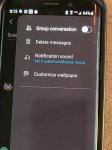
First, on the S9, I used to be able to toggle between group or individual texts, when sending a message to multiple people, from within the message itself (see screenshot). That doesn't seem to exist on the S20+.

Additionally, when I go into the general messaging options, whether I have group texts turned on or off, my recipients are still able to see all the people on the text. It used to be, if group messaging was turned off, texts to multiple people were treated like a BCC. That is no longer the case.

And, if someone sends me a group text, I cannot see the other recipients...unless I go into "message details."

I called Tmobile and I called Samsung, neither were able to give me direction on this.

Is this a bug? Or is there something I'm missing? I love sending out funny memes to groups of friends, but NOT as a group text where people can reply to all...please help.

Attachments

  • 20201203_081526.jpg
    20201203_081526.jpg
    367.4 KB · Views: 291

Put app to sleep but allow it to wake up on interval?

Ok, our family uses life 360 so we can all see where we're at all the time. I like the app, except my battery life is pathetic with the app. I was wondering if there was a battery optimization app I could use that would not allow the app to wake up except maybe every 5 minutes, it wakes the app up and launches it in the background so it can update my location and then put the app back to sleep for 5 minutes. Is there such an app?

Help Storage can't mount because it's encrypted

Deciding to remove root access from my phone, i have uninstalled the magisk app. Everything would have gone smoothly if only I had removed my pin(screen lock) before removing the magisk. Now i get the error "failed to decrypt your device" on startup. It tells me to have a factory reset but I cannot do that since its not possible for my OS to mount the storage. I have access to TWRP but nothing else at the moment.

I don't have access to file manager so I can't delete the password files from data. I need to get pass encyption error screen to enter my password but cannot, without decrypting the storage. Is there anything I can for my phone to mount the storage?

Help Move applications to SD card is very limited

My phone internal storage is full. I have only available 796MB or 16GB. For that reason I purchased for a while ago an external SD card with 62GB. But I can't move whatever I want, only very few applications. So far only three which take together 8.7GB. So I have whole 59.6GB free on the SD card. I would like to move more things there. I understand some applications belonging to the phone system are not allowed to be moved but I have a lot of others, for instance FaceBook and Whatsupp which take a lot of space. What to do to move these two applications to the SD card?

  • Poll Poll
Help VIVO Y53 Bootloader Unlock Command

Unlock code works?

  • Yes

    Votes: 1 100.0%
  • No

    Votes: 0 0.0%

Vivo Bootloader Unlock/Lock Command
  • For old Vivo device unlock code – fastboot bbk unlock_vivo
  • For New Vivo device unlock code – fastboot bbk vivo_bsp unlock_vivo
  • Lock bootloader command – fastboot bbk lock_vivo
Make sure you write a command without error. Other you may phase some serious problems. Hope it helps.
This article may help you to unlock y53 bootloader.
This is not rocket science. Just write command in cmd and see the magic.

Can't pinpoint exact problem, but I know it's there

Hello,

Many of my devices/accounts were compromised and I need help regaining control starting with my cell phone, but I need help. I've done hard factory resets like 3 times on my device but still feel like there are weird things happening with my phone, but I can't pinpoint where the problem lies.

I am aware that if there is some backdoor issue rooted on one or more of the installation files that this might be hard to detect and delete, and my options may be limited (last resort - getting a new phone).

I've reset all email accounts and their passwords, and don't log in on my phone to any known email, as I use a disposable one newly created (after resetting phone). I was using Kaspersky security but it detected nothing, and will be downloading malwarebytes to conduct further scans. I've compiled a list of system file folders and questionable files below, along with "Supported Web Addresses" that are saved for certain apps to open instead of browser app. I'm sure most are ok, but a few seem odd.

I appreciate any and all help in this matter, and will be available to perform actions suggested upon replies.


Data Folders and some files contained in a few of these
  • com.android.chrome
  • com.android.systemui
    • backupwallpapers
      • backup_home.xml
      • backup_lock.xml
  • com.android.vending
  • com.facebook.appmanager
  • com.google.android.apps.docs
  • com.google.android.apps.maps
  • com.google.android.gm
  • com.google.android.gms
  • com.google.android.googlequicksearchbox
  • com.google.android.music
  • com.google.android.videos
  • com.google.android.youtube
  • com.microsoft.office.officehubhl
    • cache
      • ts configuration jwt file
  • com.microsoft.skydrive
    • current log txt
    • ts configuration jwt file
  • com.samsung.android.app.smartcapture
  • com.samsung.android.app.soundpicker
  • com.samsung.android.app.spage
  • com.samsung.android.aremojieditor
  • com.samsung.android.calendar
  • com.samsung.android.email.provider
  • com.samsung.android.game.gamehome
  • com.samsung.android.messaging
  • com.samsung.android.mobileservice
  • com.samsung.android.rubin.app
  • com.samsung.android.samsungpass
  • com.sec.android.gallery3d
  • com.sec.imsservice
  • flipboard.boxer.app
Only provided a few files located in these folders, but will provide more if anything looks suspisious

Supported Web Addresses for apps with their installed versions. Please forgive my ignorance if these are standard, and no issues, but I just want to be certain:

Drive 2.20.461.08.45
  • * (please explain why just an asterisk)
  • icing.drive.google.com
Gmail 2019.11.21.283644823.release
  • gmail.app.goo.gl
  • enterprise.google.com
Google Play Movies & TV 4.23.23.44
  • *.youtube.com
Google Play Music 8.28.8916-1.V
  • media (that's all it says for this one)
Google Play Services 20.45.16 (120408-344294571)
  • fir-auth-gms.firebaseapp.com
  • gds.google.com
  • business.google.com
  • enterprise.google.com
  • *.app.goo.gl
  • pay.google.com
  • near.by
Google Play Store 22.4.25-21 [0] [PR] 337959405

Link Sharing 11.5.00.31
  • s.amsu.ng
  • linksharing.samsungcloud.com
  • contentsAppLink
Maps 10.36.5
  • ditu.google.com
  • maps.google.cat
Office Mobile 16.0.11126.20206 & OneDrive 6.5.1
  • *.sharepoint-df.com
  • 1drv.ms
  • *.sharepoint.com
Samsung Pass 2.5.00.40
  • mdlappstgausenivlk.azurewebsites.net


Please let me know if there's anything else I can provide to dig deeper into this issue.

Thanks again

Filter

Back
Top Bottom