• After 15+ years, we've made a big change: Android Forums is now Early Bird Club. Learn more here.

Apps Copy Result of ACTION_GET_CONTENT to App Filedir

Recently I wanted to allow the user to pick a file and for internal reasons I have to copy it in to the Apps Directory (getFilesDir()). I let the User Pick any File with the Intent.ACTION_GET_CONTENT and the Type "*/*" so that the user really can pick anything.

From my Intent I mostly get a Uri around the lines of content://com.android.externalstorage.documents/document... and I copy these pretty easily like this:
9d48268c98.png


Everything works wonderful if I get the scheme I said, but if I'm unlucky I get something along the lines content://com.android.providers.media.documents/document/image:15199 or any other android.providers.
Since these are obviously not a real file, because they don't have any filetype, I'm at a loss how to copy them. I have found a Function (https://www.dev2qa.com/how-to-get-real-file-path-from-android-uri/) that gives me the real Path, but every time I try to copy with that Path I get a Permission Denied Error, even though I ask for write and read external Storage permissions and the user allows them to me. So how would it be better to copy the files?

HELP Forgot to factory reset before sending in to Asurion

I recently dropped my Samsung phone and damaged the screen to the point I sent it to Asurion for a replacement. The phone turned on, but the screen stayed black. Call it ignorance, but I didn't realize it would be wise to factory reset the device before sending it in. I also didn't have a pass code to unlock the screen.

I already received my new device, but I am worried about all the personal information, passwords, photos, etc. that would be accessible on the old device.

I read about wiping the device using the Android Device Manager, but I would assume it is too late for that since I already have my new device.

How might Asurion wipe the phone if the screen is not functioning.

Does anybody have any words of advice?

repinning a note

when i take my S pen out while screen is on, i have it set up to create a new note. once i create the note, i like to pin it to the screen as a reminder. once its not pinned, i often forget about it. anyways, sometimes i end up saving the note (thereby not pinning it anymore, and only available in the Notes section). anyway to retrieve that note and pin it back to the homescreen?

Help Android files app keeps stopping and phone is slowly gaining storage space

So, I was trying to do some editing with an app. I've used the app before, but uninstalled it for storage space. I got it back but haven't used it. When I tried to access my storage there to retrieve pictures, it crashed. I thought it was no biggie, so I tried again. Still crashed. Then I decided to open the Files app itself. (Keep in mind its the files app that comes bundled with android by default.) It still crashes. I tried restarting, force stop ,uninstalling the app I used to edit, resetting app permissions, clearing cache, and even clearing data. Nothing worked. Youtube, Google, and even Bing said the same things I had done. During this time I also noticed my storage went from 50% to 49%. At first I was kind of happy, since I like saving as much space as I can, but I was still concerned, so last night I memorized my gb count (35.20gb) before going to bed. Next morning, my storage was 45%. Now I'm getting seriously concerned. Please help!! Idk what's going on! Am I hacked? Is my Files app giving false readings? Is the Files app corrupted?

64 gig max. Could you. Would you. Should I?

Cracking Xiaomi UK 24 hour deal.
7 hours to go.
Mi 10 Lite 5G @ £194.

It's the 6/ 64gb version. No SD expansion.

128gb version has been down to around 240 / 250 but currently 299 - 349 on Mi.com or Amazon.

5 other models on special sale over the next 5 days (iirc) but the 128gb Mi 10 Lite will not be one.

I'm very tempted - by this evening.

SD 765G. Good Amoled display. Great battery life. HP jack. Hi Res basic audio.

I don't download movies or shoot much video, my apps and music and 21gb of initial system space still leaves enough. OTG capable. Due the latest MIUI 12 or whatever. Out only 5 months? Bloatware and ads are more controllable than Realme apparently. Even Settings let's you turn ad stuff off or uninstall.

Amoled and 765G. Yummie.

I can't go too much wrong. While I have temporary work I can't lose much if the lack of storage gets too frustrating.

I really wanted the Galaxy Note 10 Lite to be restocked at the £369 a store chain were giving them out for.

This was my number 2 choice. Its competitors are from £100 more and this tested very well.

Dissuade me somebody! :thinking:

Google app update

Hello,

I've recently updated my app, but got an error message when I tried to re-upload it to Google Play Store.

Google "reset" my upload key and gave me certificate fingerprints (MD5 and SHA1). These fingerprints matched the details that I see in KeyStore Explorer.

BUT the fingerprints in the CERT.RSA file from the META-INF folder of my updated apk are different, so I can't re-upload my app. Google say I'm not using the correct key.

What am I doing wrong? Been trying to figure this out for 3 days and now am just confused :(

Thank you for any help anyone can give. (My app was created with Cordova 10.0.0.)

Bible Verses & Quotes

Bible Verses and Quotes


Do you want to improve your Bible knowledge? How about sharing new inspirational bible verses daily? Will you like to spread the word of God by sharing the bible quotes with your friends, family and other contacts?


The hustle and bustle of everyday life may not allow you to take the time to study God's word, Bible Verses & Quotes is an App that from your smartphone gives you the possibility to consult Bible verses at any time of your day and share it with your friends and family.


This new application offers a clean and simple design, an easy to use user interface and a simple navigation that makes it easy for you to read fluently thanks to its personalized keyboard for mobile devices.

Features:
  • Simple and easy UI/UX Christian Bible application

  • A clean, clutter-free design with easy navigation and controls

  • Search option for impressive Bible quotes and save them for later use.

  • Bible quotes include information about the book, chapter and verse details.

  • The application can be easily integrated with any other platform and applications.

  • Attractive font style and clear text for better understanding.

How to Delete an Obsolete Email from a Contact

Honestly, this shouldn't be this frigging difficult. All I want to do is to update the email address for a contact. The person's email address has changed but the phone # is the same. Is it really necessary to delete the whole contact and re-enter everything? When I bring up the contact and click on the pencil icon to edit it, it doesn't even show the old email address. It allows me to add a new one, but the old one is still there.
Help!!

Casting without internet

My situation: Remote location, no landline/cable internet or cell signal.

What I want to do: Wireless cast/mirror/??? .mp4 movies stored on my android phone to a dumb TV

What I have: LG G5 android phone, Arris wireless modem (with no internet connection), Amazon Firestick

Question: is it possible to display a movie playing on my phone on my TV using these components (without internet)?

I've tried just connecting my phone to the TV using a cord (with proper adapters) and it works great until my phone battery is drained. I have to charge it twice to watch a 2-hr movie so it takes 6 hrs to watch ... I need a better solution. All advice is appreciated.

Discord Message Error

Hey guys,

I am in trying to send messages in discord, but it always says that the "recipient does not share the same server", despite us sharing the server. I have sent messages to the person before. I recently started sending formatted text after reading instructions online. To be precise I have been using codes from here https://devsjournal.com/discord-text-formatting.html to send colored texts, but surely this won't be the cause of the problem.

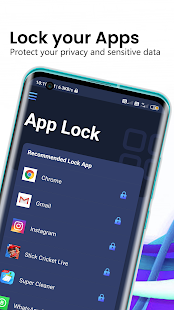
[Best App] App Lock Fingerprint Vault - Hide Photos & Videos Locker

The Best Fingerprint Applock 2020 to protect Apps by Fingerprint with Photo Vault and Video Locker.

If you're looking for yet another level of security for your Android mobile, let AppLock - Fingerprint Vault help you out. This is an incredibly easy way to keep prying eyes out of app-specific data. It's free and does an outstanding job of locking down whatever apps you want.

Choose Applock Fingerprint vault Hide Photos & Videos because:
- You can protect your privacy very securely with lots of features!
- Girlfriend/boyfriend is trying to go through all your private stuff when you’re away from your phone.
- Children are not able to change the setting of your phone and mess up your data.
- You don't need to worry about your friends borrow your phone to play games.
- Never worry about your private data may be read by some other apps.

main-qimg-8459840bf645924a38d31d002be2a4d3

Applock-Fingerprint Vault is a one of the simplest App locker without unnecessary settings and functions. Protects your application by simply logins with a password, fingerprint (if available), or pattern. To prevent protection from triggering too often, you can set up a re-blocking timer.

It not only helps you protect your apps but you can also use this app to protect hide photos, videos, audio, documents, your contacts, your privet List with an AppLock.

You can Hide this app Icon so your partner never knows about this app or you can cover up this app with a calculator app icon to prevent opening this app by your partner.

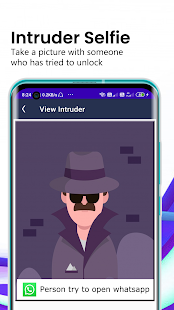
Intruder Selfie future is awesome it Take a photo of intruders who trying to break into your phone and record the time and data in AppLock for check

AppLock - Fingerprint Vault can block access to Wi-Fi, Bluetooth, and auto-sync switches.

This Applock also has advanced security settings.


  • These include the display of a system error message when entering locked applications, the invisibility of the AppLock icon, and the constant changing of the positions of the numbers on the password entry screen. These options will help confuse an attacker.
In addition, AppLock has a large selection of lock screen themes.

---------------App Lock Main Features--------------
★ App Lock: No one can find out your secrets!
- Lock up your Facebook, WhatsApp, Snapchat, Messenger, Gallery, and other important apps that may leak your privacy.
- Secure password protection to lock your favorite apps.
- Use pattern or digital password for locking/unlocking apps.
- Customize your lock mode; lock different apps under different circumstances.
- Prevent children from playing games or buying unwanted things.
- Support fingerprint.

★ Fingerprint lock supported

- Fingerprint, password level, random keyboard.
- Re-lock: Immediately, back to home screen or when the screen is off.

Rjzlptn_CHdUC8M1Rtfctd42SNxxuCz5w5PF3FRQFKNzYOBr_D3teMFMucTy7GnDut4=w720-h310-rw
jxTvhTDMwOkS0A3rypmVLtPL39QgQG9BQ8LQsdrJ5kmu3eCOKEtSf4p1tLDm_abcHQY=w720-h310-rw

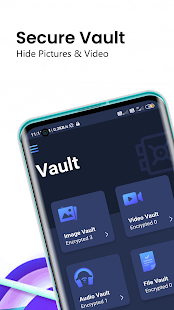
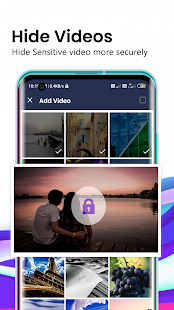
★ Hide Photo & Video
- Hide your pictures & videos easily from a gallery, album, or photos.
- Fast and intuitive photo viewer.
- Unlimited Photo & Video can be locked
- Keep snoopers away from private videos.

★ Hide File Vault
- Keep your personal File in a safe space.
- Hide your any format files.
- Unlimited Files can be locked.

★ Intruder Selfie:
- Take a photo of intruders who trying to break into your phone
- Record the time and data in AppLock for check

GzLIaht2AHH0rPguZnIRxwNDQX5r589dfH3TwpyqGJ8bre_lIZ3goFgBU6ANKAa_vQ=w720-h310-rw
dSlAhH-YRPnCLnq_BCcmTnV7MYnNIOTwb586bfVOgXFrr7Y2JRI-9jWQp9rutRMHcg=w720-h310-rw

★ One-Tap to Enable/Disable AppLock:
- Open AppLock App than tap upper right corner on Setting, to enable or disable AppLock

★ Clean and Small Size
- Clean UI and small size app.

★ No Storage Limitation
- Using "App Lock" you don't face any storage limitation for your hidden files if your phone memory has enough storage space.

★ Low Memory Usage

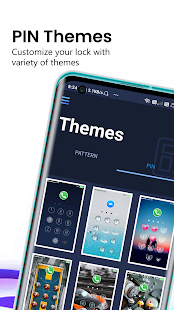
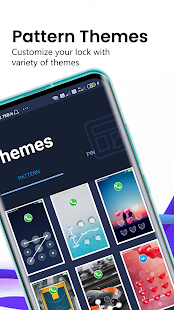
★ Large Number Collection of Pin and Patten Lock Themes

knkNzUh_YtIR6-OH0bx-KN4aNeepWzmqaK5TqNg1a3hcNEpLUaoP-ESC-BqNAwDMxR8J=w720-h310-rw
kfen5adI_bpn1bzDhxtb6-4uPexuRjMVyaEotUA-EB2sr5LFgKenH7nQ_A48n7sWUUI=w720-h310-rw

App Lock - Fingerprint Vault (video locker + Photo Vault) App allows us to save and hide images (photo vault) and videos (video locker) from "Facebook & WhatsApp Directly to Applock", users can share and save files using the "share" option externally
.
This is a Must-Have App. for protecting your privacy by hiding (Keepsafe) each of the media files using a password, Patten, and Fingerprint! You can easily manage the folder lock or albums of safe gallery & view, move & export pictures.


Filter

Back
Top Bottom