Reviews I have the Pixel 5 - AMA

- By codesplice
- Smartphones
- 11 Replies
I spent some time with the Pixel 4a earlier, and now I've had a chance to use the Pixel 5 as well. Let me tell you, these are both fantastic phones, and I'm really excited about what Google has done with the Pixel line this year. The 4a is just $349 and offers an unparalleled user experience for a phone in that price range. Google has never really been able to compete well with a flagship-priced device so it's great to see them take it down a notch with the $699 Pixel 5.
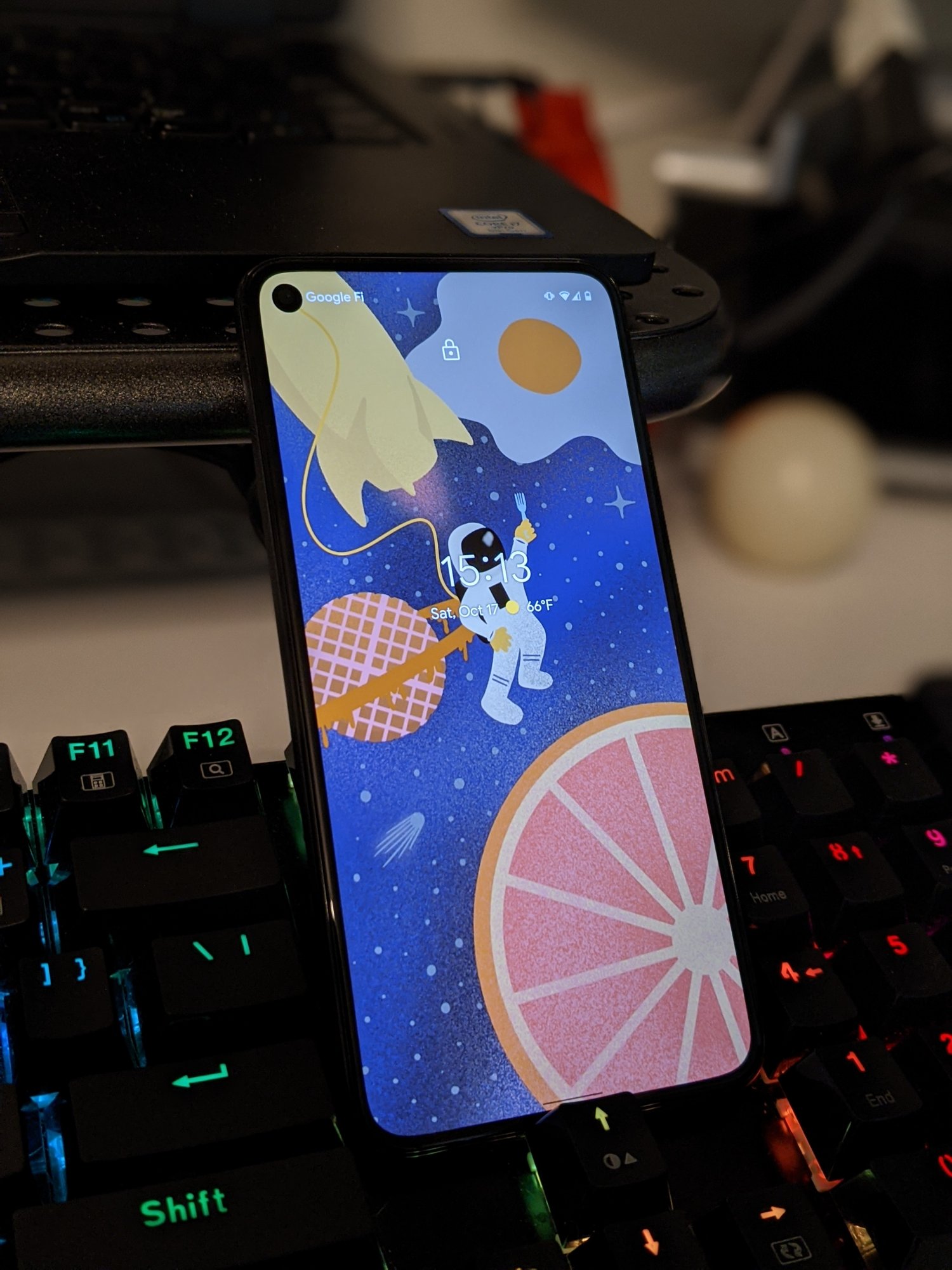
Neither phone compromises on anything that really impacts the overall user experience. They both have large great-looking screens, 128GB of onboard storage, a slim form factor that feels great in the hand, lightning-fast fingerprint sensors, killer cameras, guaranteed-fast Android updates, and enough oomph for all but the most intensive of processing tasks. Both phones have a cute little hole-punch camera cutout which I've found to be a great compromise between usable screen space and the need for a camera on the front of the phone. Neither feature the problematic Soli radar magic or Face Unlock. I've used both phones as my daily driver (including plenty of Stadia-based gaming) for weeks on end without any performance issues on either.
Real talk: the Pixel 4a and Pixel 5 have a lot in common (much more than either has in common with last year's phones), and it's honestly hard to tell them apart when I just reach to pick up a phone.
Google has a pretty handy comparison tool on their store page if you want to compare specs head-to-head:
https://store.google.com/magazine/compare_pixel
What do the differences mean in the real world though? And do those differences make the Pixel 5 worth twice the price of the Pixel 4a? Well here's what's been notable to me (in no particular order).
The Pixel 5 does gain an ultra-wide rear camera but I don't think I'm artsy-fartsy enough to really use it effectively. I'd honestly rather have the Pixel 4's 2x optical zoom lens since I find myself needing to zoom in a lot more than I zoom out. I know the 4 got crucified for not having a wide lens but (for me) I think that's something the 4 actually got right.
Speaking of the camera, the 5 does have a whole bunch of really cool software enhancements in that area which I'd honestly be surprised if they don't make their way to older Pixels in the coming months. We'll hit my favorite camera improvements in another bullet list, though - just with the caveat that they probably won't be exclusive to the Pixel 5 for very long.
Anyway, that's enough for me. What questions do you have for someone who has spent several weeks with both the Pixel 4a and the Pixel 5?
Neither phone compromises on anything that really impacts the overall user experience. They both have large great-looking screens, 128GB of onboard storage, a slim form factor that feels great in the hand, lightning-fast fingerprint sensors, killer cameras, guaranteed-fast Android updates, and enough oomph for all but the most intensive of processing tasks. Both phones have a cute little hole-punch camera cutout which I've found to be a great compromise between usable screen space and the need for a camera on the front of the phone. Neither feature the problematic Soli radar magic or Face Unlock. I've used both phones as my daily driver (including plenty of Stadia-based gaming) for weeks on end without any performance issues on either.
Real talk: the Pixel 4a and Pixel 5 have a lot in common (much more than either has in common with last year's phones), and it's honestly hard to tell them apart when I just reach to pick up a phone.
Google has a pretty handy comparison tool on their store page if you want to compare specs head-to-head:
https://store.google.com/magazine/compare_pixel
What do the differences mean in the real world though? And do those differences make the Pixel 5 worth twice the price of the Pixel 4a? Well here's what's been notable to me (in no particular order).
- Wireless charging, with reverse wireless charging too.
Being able to just drop the Pixel 5 on a wireless charging pad (or the wireless charging mount in my car) is a big convenience. And being able to place my Pixel Buds case on the back of the phone to top it off is just super cool. - IP68 water resistance.
I don't go swimming with my phones (and I don't recommend that you do that either), but I do like the additional piece of mind that the Pixel 5 will probably be fine if I drop it in the sink or have it mounted on my bike while I'm riding through a rain shower. It's a definite nice-to-have. - The biggest battery of any Pixel, ever.
The 5 clocks in with 4080 mAh versus the 4a's 3140 mAh. I was impressed by the 4a's stamina but I'm floored by the 5's endurance. This thing lasts me all day and then some - and I try to only ever charge it to 80% to promote good battery health. - A great-feeling texture on the back of the phone.
The cheaper 4a is made of plastic. It feels like well-made plastic, but it still feels like plastic. The 5 has an aluminum body with a textured coating over the top. It feels very solid and is easy and comfortable to grip, but it also doesn't have the raw material feel of bare metal or the polished glass on previous phones. I really like the way the Pixel 5 feels in my hand, probably more so than any previous Pixel. - Invisible speaker.
I'm not sure this actually improves the overall experience in any meaningful way, but I think it's particularly cool that the speaker is hidden beneath the display glass and it actually sounds pretty clear to boot.
The Pixel 5 does gain an ultra-wide rear camera but I don't think I'm artsy-fartsy enough to really use it effectively. I'd honestly rather have the Pixel 4's 2x optical zoom lens since I find myself needing to zoom in a lot more than I zoom out. I know the 4 got crucified for not having a wide lens but (for me) I think that's something the 4 actually got right.
Speaking of the camera, the 5 does have a whole bunch of really cool software enhancements in that area which I'd honestly be surprised if they don't make their way to older Pixels in the coming months. We'll hit my favorite camera improvements in another bullet list, though - just with the caveat that they probably won't be exclusive to the Pixel 5 for very long.
- (Optional) automatic Night Sight.
I love not having to deliberate switch to the Night Sight mode anymore. If the camera thinks that your shot might need some additional light, the shutter button will get a crescent-moon overlay to let you capture a Night Sight shot without any extra thought. This also works in Portrait Mode so you no longer have to choose between a well-exposed shot or that sweet sweet bokeh. - Simplified zoom controls.
No more clumsily dragging a slider bar when you want to zoom in just a bit. You now have small buttons for fixed 0.6x (wide), 1x, and 2x zoom so you can easily grab exactly the right amount - and you can long-press on the button to turn it into a slider for more control if that's what you really want. - Magical new video stabilization modes.
The stabilization is already pretty great in the Standard mode, but you can now activate Locked mode which makes the camera seem like strapped securely to a tripod for far-off 2x zoom shots, Active mode for if you're filming while running, or the super-sexy Cinematic Pan mode for ultra-smooth panning shots. I'm not a videographer but this stuff kind of makes me want to be one. - Portrait Light for moving the apparent light source in portraits.
This bit of witchcraft is actually in the Photos app and works for any Portrait Mode shot which features a recognizable human face, even those which were captured with a previous Pixel. It's a subtle but very cool touch and can really enhance portraits, particularly ones shot with less-than-ideal lighting.
Anyway, that's enough for me. What questions do you have for someone who has spent several weeks with both the Pixel 4a and the Pixel 5?