• After 15+ years, we've made a big change: Android Forums is now Early Bird Club. Learn more here.

Stock ROM not found

Hey guys? Am an infinix user and am trying to find appropriate stock ROM for my device and i haven't found any. My device model is Infinix note 2 x600-H532-A1-L-20160301

Available stock ROM are
x600-H532-A1-M-20160815V42
x600-H532-A1-M-20160811V37
x600-H532-A1-M-20160224
x600-H532-A1-L-20160120
x600-H533-B1-M-20160720V17
x600-H533-B1-M-20160317
x600-H533-B1-L-20160120
x600-H533-B1-L-20151104
x600-H533-B1-M -20160224
https://www.romkingz.net/2015/12/download-infinix-x600-stock-rom.html?m=1

Which one is appropriate for me?

[Free] Halloween Live Wallpaper

Horror Halloween Live Wallpaper is a fun, spooky way to celebrate the holiday!
A dark, creepy graveyard that is home to a magical, ghost, witch.

Get it on Google Play !
https://play.google.com/store/apps/details?id=com.wingmingdeveloper.livewallpaper.halloween


[Software Features]
- Support for landscape and portrait view
- Horror witch pot with steam and bubble
- Cute and terror Spectral Essence strange
- Ghost
- Flying Witch
- Flashing eyes pumpkin
- Skulls hanging from a tree with pendulum motion
- Rain with density control
- Lightning with frequency of lightning control
- Moving Cloud
- Happy Halloween logo
- Beautiful animation and graphics and should

Screenshot.png

Screenshot2.png

Happy Halloween !!!

Is there a phone with the features I loved, but much more powerful?

I am now using an LG V30, my faithful replacement for what I thought was the greatest phone for me ever, the Motorola Moto X Pure. If I had ever found a way to even hack at the hardware and just make it faster, I'd have never deviated from the Motorola Moto X pure.
Here's why:

Motorola Moto Voice had customizable commands for ANYTHING I wanted to do. Period.
Unlock Phone? Check
Take a picture? Check.
Read my messages? Check.
Play a youtube video? Check
Customizable security Password? Check.
Bluetooth remote shutter compatible? Check.

Why, you might ask, if it was so dammed great, did I give it up.
Speed and power. It started with 3 GB RAM, and some now-ancient specs: and started slowing down and I had to put her down. But it was a phone with all the features I want, just not the power and speed.

Motorola Moto X Pure ("Style" in the U.S.) Specs
OS Android 5.1.1 (Lollipop), 6.0, upgradable to 7.0 (Nougat)
Chipset Qualcomm MSM8992 Snapdragon 808 (20 nm)
CPU Hexa-core (4x1.4 GHz Cortex-A53 & 2x1.8 GHz Cortex-A57)
GPU Adreno 418

Even the 21 MP camera worked better for my job at grabbing license pates at a distance, in the dark, than my newer LG V30. (I work security and make nightly patrols and take plate numbers of visiting cars in our facility)

So, is there a camera that can be operated totally hands free, all by voice command including the unlock command, all by voice, and all customizable that has at least 8GB RAM, a recent chipset, and a really good camera?
(Preferably some proprietary voice command program like Moto Voice. I Fu**ing HATE google for not letting me customize my commands, and making me say their cursed name anytime I want something)

Thanks for listening to my niche rant, about some old-ass phone

PM

[APP][FREE][NOADS][4.1+] Unlimit gradient creator

Gradient Color Wallpaper - Monochrome Solid Color

Available on CH Play: https://play.google.com/store/apps/details?id=com.hamatim.monochrome

Screenshot_1601886541.png Screenshot_1601886531.png Screenshot_1601886361.png Screenshot_1601886348.png Screenshot_1601886342.png

Monochrome Wallpaper is a simple tool to help you to change your wallpaper to solid or gradient color.

Monochrome Wallpaper is completely free, fully customizable and be updated based on users feedback.

Advantages:
• It have English language
• No root required
• Work without background service
• It works without asking for more access rights, your privacy is always respected

Features:
• Create/Update/Reuse your solid or gradient wallpaper
• One tap to change your wallpaper
• Unlimited of number colors of gradient

Notes:
We always believe and appreciate you and everyone.
So we always try to create better and free apps.

We also listen to you, please send us feedback at any time.
Fanpage: https://www.facebook.com/monochrome.smart.wallpaper
Email: admin@hamatim.com


Block Crusher - My latest Android game

Puzzle Block Crusher is a fun and educational game that helps increase your memory and reaction time. It has beautiful moving and constantly changing background, that can distract you to make it harder to play!

How To Play - Crush blocks to fit them into constantly changing shape.
Challenge your friends to match them up!

Please let me know what you think! Your opinion is important!:)

Link - https://play.google.com/store/apps/details?id=com.bingseir.blockcrusher

TiQFSI8oqAwp8ZI1Jq3GafpMPjOInvii3vPfDUkDp54VpTwNeHrxxwLPJjEjYYTVqA=w720-h310-rw
rvrIn3RG5vUkbF8AmSTmMKqtGLH7buf0l5FiYTq2wtoDlV1jqskx2Et-Fvwc1Tu4JnA=w720-h310-rw
N9BR0IaD4k2JBkeB_NYBiTa6y1csk5XQy7-7zU5SKLZu6fIaLX2h-7D6pAZQvprN2E8=w720-h310-rw
EAcK_gBFdEFAeVsM_JgObfs8en__KC6wBSQZQiOWTOqkMeFRZ_a4ychgluu8oHxI6JQ=w720-h310-rw


Link - https://play.google.com/store/apps/details?id=com.bingseir.blockcrusher

App Inventor Problem with MediaPlayer.create() when recreating with same files after mediaPlayer.release()

I have a simple media player app that works fine for a while (like each song will play about 50 times) and then starts to crash on almost all the media files (a few still work but lag really bad; there is no lag until the errors). These errors continue even after stopping the activity and reopening!

These same media files work with other media players after they quit working in mine, so there is clearly something very wrong. I have to restart my device for my Activity to be able to call MediaPlayer.create() on the files without errors again. This behavior is so obscure!

One create:
Code:
E/MediaPlayer: error (1, -38)
E/MediaPlayer: error (1, -2147483648)
E/MediaPlayer: Error (1,-38)
E/MediaPlayer: error (1, -2147479551)
E/MediaPlayer: error (1, -38)
Another:
Code:
E/MediaPlayer: error (1, -2147479551)
E/MediaPlayer: Error (1,-2147479551)
E/MediaPlayer: error (1, -38)
Yet another:
Code:
E/MediaPlayer: error (1, -38)
E/MediaPlayer: error (1, -2147479551)
E/MediaPlayer: error (1, -38)
E/MediaPlayer: Error (1,-38)

So the errors are inconsistent in order, but there are recurring numbers. One of the numbers are not in the MediaPlayer.java file for the target SDK 30, but the device I am testing is using Android 6.0.1 which I believe is SDK 23. I am not entirely sure how to find the relevent Android source. Using Google search "site:https://android.googlesource.com/ mediaplayer.java" is the best way I have found.

I did find
Code:
MEDIA_ERROR_SYSTEM = -2147483648
and
Code:
MEDIA_ERROR_UNKNOWN = 1
. I have an unknown media error from the system.

What about -2147479551? It appears to be MEDIA_ERROR_SYSTEM | 0x1001. 0x1001 does not appear in MediaPlayer.java. It is another unknown media error. What extra information was attached? What about -38?!

What could cause such a bug. I don't even know how to wrap my head around this behavior. Is MediaPlayer not releasing correctly? Am I leaking resources that don't go away when the app closes? My code is fairly simple and it appears to release everything like it is supposed to. How come a restart fixes the issue?

Here is the relevant code:
Code:
    Playlist masterPlaylist;
    public boolean surfaceCreated;
    AudioURI currentSong;
    AudioURI nextSong;
    MediaPlayer mediaPlayer;
    MediaPlayer nextMediaPlayer;
    VideoView videoView;
    final Object lock = new Object();

    MediaPlayer.OnCompletionListener onCompletionListener = new MediaPlayer.OnCompletionListener() {
        @Override
        public void onCompletion(MediaPlayer mediaPlayer2) {
            synchronized (lock) {
                Log.i(TAG, "onCompletion started");
                currentSong = nextSong;
                mediaPlayer.release();
                mediaPlayer = nextMediaPlayer;
                if (surfaceCreated) {
                    mediaPlayer.setDisplay(videoView.getHolder());
                    mediaPlayer.start();
                }
                nextSong = masterPlaylist.next();
                executorService.submit(runnableNextMediaPlayer);
                Log.i(TAG, "onCompletion ended");
            }
        }
    };

    View.OnClickListener onClickListener = new View.OnClickListener() {
        @Override
        public void onClick(View view) {
            Log.i(TAG, "onClick started");
            currentSong = nextSong;
            mediaPlayer.release();
            mediaPlayer = nextMediaPlayer;
            if (surfaceCreated) {
                mediaPlayer.setDisplay(videoView.getHolder());
                mediaPlayer.start();
            }
            nextSong = masterPlaylist.next();
            executorService.submit(runnableNextMediaPlayer);
            Log.i(TAG, "onClick ended");
        }
    };

    ExecutorService executorService = Executors.newSingleThreadExecutor();

    Runnable runnableNextMediaPlayer = new Runnable() {
        @Override
        public void run() {
            synchronized (lock) {
                Log.i(TAG, "creating next MediaPlayer");
                nextMediaPlayer = MediaPlayer.create(getApplicationContext(), nextSong.getUri());                nextMediaPlayer.setVideoScalingMode(MediaPlayer.VIDEO_SCALING_MODE_SCALE_TO_FIT_WITH_CROPPING);
                nextMediaPlayer.setOnCompletionListener(onCompletionListener);
                Log.i(TAG, "next MediaPlayer created");
            }
        }
    };

    public void calledAtTheEndOfOnCreate() {
        videoView = findViewById(R.id.video_view);
        currentSong = masterPlaylist.next();
        mediaPlayer = MediaPlayer.create(getApplicationContext(), currentSong.getUri());
        mediaPlayer.setVideoScalingMode(MediaPlayer.VIDEO_SCALING_MODE_SCALE_TO_FIT_WITH_CROPPING);
        mediaPlayer.setOnCompletionListener(onCompletionListener);
        nextSong = masterPlaylist.next();
        executorService.submit(runnableNextMediaPlayer);
        videoView.getHolder().addCallback(new SurfaceHolder.Callback() {
            @Override
            public void surfaceCreated(@NonNull SurfaceHolder surfaceHolder) {
                surfaceCreated = true;
                mediaPlayer.setDisplay(surfaceHolder);
                mediaPlayer.start();
            }

            @Override
            public void surfaceChanged(@NonNull SurfaceHolder surfaceHolder, int i, int i1, int i2) {}

            @Override
            public void surfaceDestroyed(@NonNull SurfaceHolder surfaceHolder) {surfaceCreated = false;}
        });
        FloatingActionButton floatingActionButton = findViewById(R.id.fab);
        floatingActionButton.setOnClickListener(onClickListener);
    }

S20 ultra screen burn

Hi can anyone offer advice pls
I have a s20 ultra that is displaying ghost icons from my home screen
Mainly visible on a white background
Ive had the phone for 5 months
Ive had dialogue with samsung and they arranged for a mobile engineer to come to my adress and replace the screen
On arrival i got the impression he was looking for a way out of repairing it siting miniscule marks on the edges of the frame (phone has been in a case with a screen protector since new)
He took the phone to his van but returned saying there was a crack on the screen so he couldnt do anything as the 2mm ,what i thought was a scratch, was a crack and the phones warranty was invalid because of it
So the tiny damage on the screen which has nothing whatsoever to do with the original screen burn issue has invalidated my warranty on a £1400 flagship phone
Im absolutely gutted and wondered if anyone has experienced similar?
Thank you

Help Using the Play Store

I bought this phone just over 2 weeks ago & still learning about it. I do like it & it's been good so far.
What I want to know is, how do I get the Google Play Store to STOP showing me certain Updates & Recommendations?

When I open the Play Store & go to My Apps & Games, there are 3 tabs: Updates, Installed & Library.
Under Updates & Library, even if I've uninstalled an app, the Play Store STILL wants me to either Update/Install that same app.

In my pictures, I don't want to update Google Connectivity Services because I'm not sure what it is/or if I really need it. And I've already uninstalled Google Pay, Google One & Roku; so how can I remove those recommendations?

Also, does the little circle at the bottom of the Library tab, just keep circling or is it supposed to stop?

Attachments

  • Updates.jpg
    Updates.jpg
    97.2 KB · Views: 326
  • Library.jpg
    Library.jpg
    168.2 KB · Views: 322

Jumpre: New Game available on Google Play Store

Jumpre is a game suitable for everyone. Great for taking a break from everyday life and for distracting yourself in moments of relaxation.
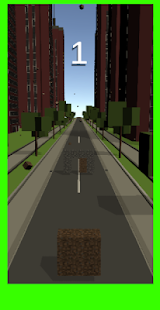
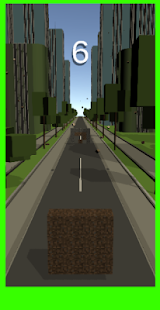
In this game you will have to collect coins without getting hit by the red blocks.

Link Play Store https://play.google.com/store/apps/details?id=com.jumpreleo.jupmre

Attachments

  • IMG_20200917_153454.jpg
    IMG_20200917_153454.jpg
    53.9 KB · Views: 196
  • IMG_20200917_153534.jpg
    IMG_20200917_153534.jpg
    52 KB · Views: 183
  • IMG_20201008_191003.jpg
    IMG_20201008_191003.jpg
    51.1 KB · Views: 204

Did you vote? Will you?

Let's keep this non-inflammatory so it's not moved to P&CA, okay? Don't name names.

Have you voted yet? Do you intend to? How are you voting--by mail, in person, by dropping off your ballot?

I voted yesterday, by mail as I've done for several years; it's waiting to be picked up by the mail carrier.

Prior to voting, I gathered the DELUGE of mail I'd received for and against various things. It's tough here in California because we always have a lot of propositions, in addition to candidates for various offices. Plus, in order to figure out which way to vote on propositions 15 and 19, I had to do a lot of research on our landmark 1978 prop 13. So by the time I actually filled out my ballot, I was exhausted! :o

But I'm proud to have voted. A lot of people say it's our right; I'm more inclined to say it's a privilege, one we shouldn't squander.

Whoshing Sound Unwanted

About 1st of October my phone started emitting a loud whooshing sound ending with a sharp ding. I selected no such thing. There is no such sound in my notification offerings. I have shut off every App that I could find that was unknown to me or seemed a potential culprit. When it happens there is no display, nothing shows as active, no messages, no attempted phone call.

It happens every few hours with no known connection to anything else going on.

I have to assume that some hacker seeks to annoy me.

Anyone else had this disease?

Filter

Back
Top Bottom