• After 15+ years, we've made a big change: Android Forums is now Early Bird Club. Learn more here.

Planet Tower Defense

Hello People,

I developed a game as a hobby over the last weeks and kept adding patches to improve the game and add further content.

Edit 25.05.2021: I reached over 1000 downloads by now, some of them came from this Forum. Thank you very much.

Feel free to try it out:

https://play.google.com/store/apps/d...etTowerDefence


It is a simple Tower Defense game. You can build and upgrade Towers around your Planet to defend it against incoming asteroids. In the middle of the Planet is one tower that you control yourself to help your automatic towers out.

A little hint, you can also sell your towers for a full refund. So this way you can rebuild for every level to match the next incoming wave.

The planet has a live destruction pretty much like in worms for example.
It is a small game but if you like tower defense it might bringt you through two or three toilet sessions :p
I would be happy about some feedback :)

TIJ Global update rolling out

The 14th update for the global, Exynos, model, SM-98*B, has been released for the unbranded Galaxy S20 phones just 12 days after the previous TIB release.

This update should apply to most Global S20 model phones, SM-G98*B.

The update = G98*BXXS5BTIJ

Download size = 162.39 MB

Build date = 21 September 2020 (19th build)

oi9nVnsh.jpg


One UI version = 2.5

Camera version still = 10.5.02.11

Android Security patch = October 2020

This is the 14th update in 207 days = 1 update every 15 days on average

Cookies problem

Hi guys, I have a strange problem which getting me crazy with cookies.
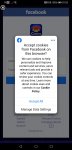
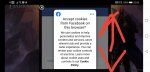
Basically I have problems when trying to login in in the game with Facebook (without having Facebook app on the phone). Since yesterday something popped up 'accept cookies from facebook on this browser?'. Normally I will accept them but I cannot because I cannot scroll down the pop up page to actually hit the accept button. Really don't know what to do, I allow cookies from all my browsers and Im stuck.

1st picture is from the game which I can accept cookies without problem because game is vertical.........
2nd picture is from game which is horizontal and I cannot scroll down to accept cookies....

Pls help anyone
Thanks

Attachments

  • Screenshot_20201006_072544_com.selfawaregames.acecasino.jpg
    Screenshot_20201006_072544_com.selfawaregames.acecasino.jpg
    154.6 KB · Views: 987
  • Screenshot_20201006_072035.jpg
    Screenshot_20201006_072035.jpg
    177.6 KB · Views: 716

Best Method to Transfer Apps/Setting to New Phone

I'm about to do my once every 2 year phone upgrade. Been on Android last 12 years. My days of rooting my phone are long gone. Don't have time. I know Google will automatically download and install all my apps based on my Google account login. But if I recall, on non-Google apps that don't require their own account login, the past few upgrades I've had to go into a handful of apps and export the settings (if it has such a function) than import after installing on the new phone.

Old phone is Android 9 (LG V30). New phone is Android 10 (Samsung S10 5G). Is this still basically the same process these days or has Google improved or apps that don't require rooting aid in migrating to a new phone?

Socket exception Permission denied in VirtualBox (with Ubuntu) from Device

Hi

I'm running Android Studio 4.0.1 (it has api 27, 28 and 29 installed). The physical device is a Samsung Active2 (Model SM-T390) and has Android version 9 (api 28) on it.

I am running Android Studio in a Virtualbox (version 6.1) with Ubuntu 20.04 installed in it. The Virtualbox is running on Windows 10. There is some port forwarding being done in the Virutalbox as seen in the pic below
upload_2020-10-6_11-22-18.png


When trying to open an AsynchronousSocketChannel, it throws an exception and complains about 'Permission denied', the stack trace is here (relevant lines are bold):
Code:
aunching 'app' on samsung SM-T390.
$ adb shell am start -n "com.elbit.elbittoandroidtest/com.elbit.edmandroidtest.EDMtoAndroidTest" -a android.intent.action.MAIN -c android.intent.category.LAUNCHER
Connected to process 17757 on device 'samsung-sm_t390-5200bd485e8766fd'.
Capturing and displaying logcat messages from application. This behavior can be disabled in the "Logcat output" section of the "Debugger" settings page.
I/ittoandroidtes: The ClassLoaderContext is a special shared library.
I/MultiWindowDecorSupport: updateCaptionType >> com.android.internal.policy.MultiWindowDecorSupport@a6ae311, isFloating: false, isApplication: true, hasWindowDecorCaption: false, hasWindowControllerCallback: true
D/MultiWindowDecorSupport: setCaptionType = 0
W/ittoandroidtes: Accessing hidden method Landroid/graphics/drawable/Drawable;->getOpticalInsets()Landroid/graphics/Insets; (light greylist, linking)
W/ittoandroidtes: Accessing hidden field Landroid/graphics/Insets;->left:I (light greylist, linking)
    Accessing hidden field Landroid/graphics/Insets;->right:I (light greylist, linking)
    Accessing hidden field Landroid/graphics/Insets;->top:I (light greylist, linking)
    Accessing hidden field Landroid/graphics/Insets;->bottom:I (light greylist, linking)
D/NetworkManagementSocketTagger: tagSocket(-1) with statsTag=0xffffffff, statsUid=-1
I/AsynchronousSocketChannel IOException: java.net.SocketException: Permission denied
        at sun.nio.ch.Net.socket0(Native Method)
        at sun.nio.ch.Net.socket(Net.java:420)
        at sun.nio.ch.Net.socket(Net.java:413)
        at sun.nio.ch.AsynchronousSocketChannelImpl.<init>(AsynchronousSocketChannelImpl.java:90)
        at sun.nio.ch.UnixAsynchronousSocketChannelImpl.<init>(UnixAsynchronousSocketChannelImpl.java:102)
        at sun.nio.ch.LinuxAsynchronousChannelProvider.openAsynchronousSocketChannel(LinuxAsynchronousChannelProvider.java:88)
        at java.nio.channels.AsynchronousSocketChannel.open(AsynchronousSocketChannel.java:169)
        at java.nio.channels.AsynchronousSocketChannel.open(AsynchronousSocketChannel.java:190)
        at (EDMtoAndroidTest.java:101)
        at android.app.Activity.performCreate(Activity.java:7335)
        at android.app.Activity.performCreate(Activity.java:7326)
        at android.app.Instrumentation.callActivityOnCreate(Instrumentation.java:1275)
        at android.app.ActivityThread.performLaunchActivity(ActivityThread.java:3121)
        at android.app.ActivityThread.handleLaunchActivity(ActivityThread.java:3284)
        at android.app.servertransaction.LaunchActivityItem.execute(LaunchActivityItem.java:78)
        at android.app.servertransaction.TransactionExecutor.executeCallbacks(TransactionExecutor.java:108)
        at android.app.servertransaction.TransactionExecutor.execute(TransactionExecutor.java:68)
        at android.app.ActivityThread$H.handleMessage(ActivityThread.java:1972)
        at android.os.Handler.dispatchMessage(Handler.java:106)
        at android.os.Looper.loop(Looper.java:214)
        at android.app.ActivityThread.main(ActivityThread.java:7179)
        at java.lang.reflect.Method.invoke(Native Method)
        at com.android.internal.os.RuntimeInit$MethodAndArgsCaller.run(RuntimeInit.java:494)
        at com.android.internal.os.ZygoteInit.main(ZygoteInit.java:975)
W/System.err: java.net.SocketException: Permission denied
        at sun.nio.ch.Net.socket0(Native Method)
W/System.err:     at sun.nio.ch.Net.socket(Net.java:420)
        at sun.nio.ch.Net.socket(Net.java:413)
        at sun.nio.ch.AsynchronousSocketChannelImpl.<init>(AsynchronousSocketChannelImpl.java:90)
        at sun.nio.ch.UnixAsynchronousSocketChannelImpl.<init>(UnixAsynchronousSocketChannelImpl.java:102)
W/System.err:     at sun.nio.ch.LinuxAsynchronousChannelProvider.openAsynchronousSocketChannel(LinuxAsynchronousChannelProvider.java:88)
        at java.nio.channels.AsynchronousSocketChannel.open(AsynchronousSocketChannel.java:169)
        at java.nio.channels.AsynchronousSocketChannel.open(AsynchronousSocketChannel.java:190)
        at android.app.Activity.performCreate(Activity.java:7335)
        at android.app.Activity.performCreate(Activity.java:7326)
        at android.app.Instrumentation.callActivityOnCreate(Instrumentation.java:1275)
        at android.app.ActivityThread.performLaunchActivity(ActivityThread.java:3121)
W/System.err:     at android.app.ActivityThread.handleLaunchActivity(ActivityThread.java:3284)
        at android.app.servertransaction.LaunchActivityItem.execute(LaunchActivityItem.java:78)
        at android.app.servertransaction.TransactionExecutor.executeCallbacks(TransactionExecutor.java:108)
        at android.app.servertransaction.TransactionExecutor.execute(TransactionExecutor.java:68)
        at android.app.ActivityThread$H.handleMessage(ActivityThread.java:1972)
W/System.err:     at android.os.Handler.dispatchMessage(Handler.java:106)


The line of code referred to in the exception stack trace is here:
Java:
        try
        {
[B][SIZE=5]            java.nio.channels.AsynchronousSocketChannel client = java.nio.channels.AsynchronousSocketChannel.open(); // this is [B]EDMtoAndroidTest.java:101[/B][/SIZE][/B]
//            InetSocketAddress host = new InetSocketAddress("127.0.0.1",1870);
            InetSocketAddress host = new InetSocketAddress("10.0.2.2",1870);
            Future<Void> future = client.connect(host);
            future.get(); // wait for connection to succeed
            Log.i("AsynchronousChannel", "Connection Successful");
        catch (InterruptedException e)
        {
            Log.i("AsynchronousSocketChannel IOException", Log.getStackTraceString(e));
            e.printStackTrace();
        }
Any idea what I am missing when trying to get a physical device to open a socket to Ubuntu running in a Virtualbox which it self is running on Windows 10?

Thanks...

Help Videos pause when H96 max loses connection to output

Hi,

I have a scenario that might not be too common but I'm hoping someone can help.

I have a H96Max RK3318 android TV box. It's connected via HDMI to an encoder device that captures video and can create streams for my decoder device. I use this setup to play looped videos (for example ads) on different displays.

My issue is that whenever I reboot the encoder all the videos on the H96Max are paused ,so I have to go to each box and press play. But on another android box (H96 MAX+) I don't have this issue and the video continues playing if the encoder is rebooting. I wonder if there are any settings that I can change to make the video continue even though the encoder is rebooting. Any suggestion would be appreciated. Thanks!

Model: H96Max RK3318
Version: 9
Kernel Version: 4.4.159
Build: rk3318-user9 PQ2A

Help UMX Needs HELP

I'm on the Lifeline Program for 911 Access via a Cell Phone provided by the Government. The Phone I was issued is a UMX U693CL. The issue I encountered that has Me (Basic Lo-Level Noob on Phones), & Assurance Wireless Tech Support is that the Phone Will Not Send Text Messages on the Messages APP, or Messaging APP (2 separate APPs). Yet Facebook Messenger works great. We've Reset the Phone, and Carrier a few times, still no work. Also when You Open up "About Phone", Phone Number says: Unknown. Now Tech Support wants to Call me on my Landline and do a complete OEM Factory Reset. Is that Really Needed?? Can anyone come up with a Solution to these Issues?? I was told to Back-Up my Contacts, & Photos that was transferred to this Phone from my Old ANS UL40 that Died. Then They would walk me through the Reset. I think this is rather Extreme for a New Phone isn't it?? I Have a Sandisc SD Chip installed too if Needed (Not sure How to Work it though)....

Baby Care.Breastfeeding timer, Sleep log, Diaper [FREE][APP]

Baby Care. Breastfeeding timer, Sleep log, Diaper [FREE][APP]
A COOL NEW Parenting APP
Looking for a productive app with baby care, breastfeeding tracking, and supports all daily events of your baby? Baby Care - Newborn tracking, is the perfect app for you right now.
By adding events with Baby Care - Newborn tracking app, you will easily improve your life by moving all your baby daily events to your smartphone. you will enjoy our rich and informative history page, export, and import your data.
You will enjoy the following features-
* Breastfeeding tracking
* Track all your baby daily events
* Support breastfeeding, diaper, bottle, and more
* History page - contain all your baby history
* Add multiple kids with multiple color themes to choose from
* Import and Export your data
* Multiple language support
Baby Care - Newborn tracking is the fastest and most user-friendly Baby care app. By doing a few clicks, our app will quickly add all the information about your baby.
When adding events, It’s fast, easy, and secure.
Baby Care - Newborn tracking can support all types of baby events including Breastfeeding, Diaper, Bottle, and many more.
In baby settings, you can also create as many kids as you want while keeping history and color theme to each of them.
Link to Download: https://play.google.com/store/apps/details?id=com.yalin.babycare
5U9cGUmHfF2e-cMAPTreBp4wdmh__nw_ut2XvJ2q93HYOZc8ODLadu7uyD6tC-u306g=w2504-h1200
JeaVf_216P_sxIomlgnDmMcFCitwDDw_R73Nt0pcM33meSZr2AumoKCuAdq6m0jOEp4=w2504-h1200

Filter

Back
Top Bottom