• After 15+ years, we've made a big change: Android Forums is now Early Bird Club. Learn more here.

[APP][FREE] Inventory/Warehouse Management

Stand-Alone Warehouse is designed for warehouse keepers to perform a lot of different operations by using tablets and smartphones.

The most important, it's FREE and easy to use!

Play Store Link: https://play.google.com/store/apps/details?id=com.service.zhix.warehouse

[GALLERY=media, 851]7 by zzz30564 posted Sep 12, 2020 at 6:19 PM[/GALLERY][GALLERY=media, 850]5 by zzz30564 posted Sep 12, 2020 at 6:19 PM[/GALLERY][GALLERY=media, 849]3 by zzz30564 posted Sep 12, 2020 at 6:19 PM[/GALLERY][GALLERY=media, 848]2 by zzz30564 posted Sep 12, 2020 at 6:19 PM[/GALLERY][GALLERY=media, 847]1 by zzz30564 posted Sep 12, 2020 at 6:19 PM[/GALLERY]

Help Find new Phone

Hi All,
The choice for phone is simply overwhelming, prices, specs, features etc. So I thought I would ask for help.
Looking for a reasonably priced phone (subjective view) with the following features:
Android 9+
Fingerprint Sensor
QI Charging - I cannot use an adapter that adds on using the USB port
WIFI, Bluetooth
GPS
128GB Capable (using expanded storage if necessary)
4GB RAM+
NFC
As close to stock Android as possible
Not fussy about Camera

I am UK based
I have been using a Motorola Z2 Force which has worked very well. I have been using mods for QI Charging and not much else.

Transferring files suddenly does not work anymore.

Transferring files suddenly does not work anymore (even with another USB cable). When I connect the phone with a Notebook with USB cable auotmatically the window on the screenshot appears. When I touch the option in the middle (means something like "Transfer / copy / move files") the windows disappears but nothing happens (I cannot transfer files to / from the phone like it was before).

BI4nTKB.jpg


What could I do to make it work again?

512 g. Micro sd keep or return?

I just got a 512 evo samsung micro sd card in the mail. I got ready to format it and the phone said it was corrupted. It would only format to 20% then freeze. After a bit the phone would restart, but freeze on restart. I had to reboot. I formatted it with a PC in 2 seconds and it works with the phone now. Should I keep it or mail it back?
Using a samsung a50.

Help IP Webcam remote security - TPLink Router

Hi all, I hope I can explain this correctly:

I have a Samsung Tab S and a Motorola smart phone. I have installed IP Webcam on both devices and have access to them via LAN and remotely via the router (virtual server).

What I'm having a hard time understanding and doing is making sure I get some type of security on the remote access.

Currently, I opened the necessary ports on the router to have access to the tabs but it does not ask for a password. At this point, as long as someone got their hands on my public IP & just added the port numbers - they would gain access. I would like to lock that down. Does anyone have any suggestions on how to do that?

I would like remote access for when my wife and I leave the house and we want to keep an eye on the babysitter and our daugthers.

Thank you in advance and have a great weekend.

Hutchcove

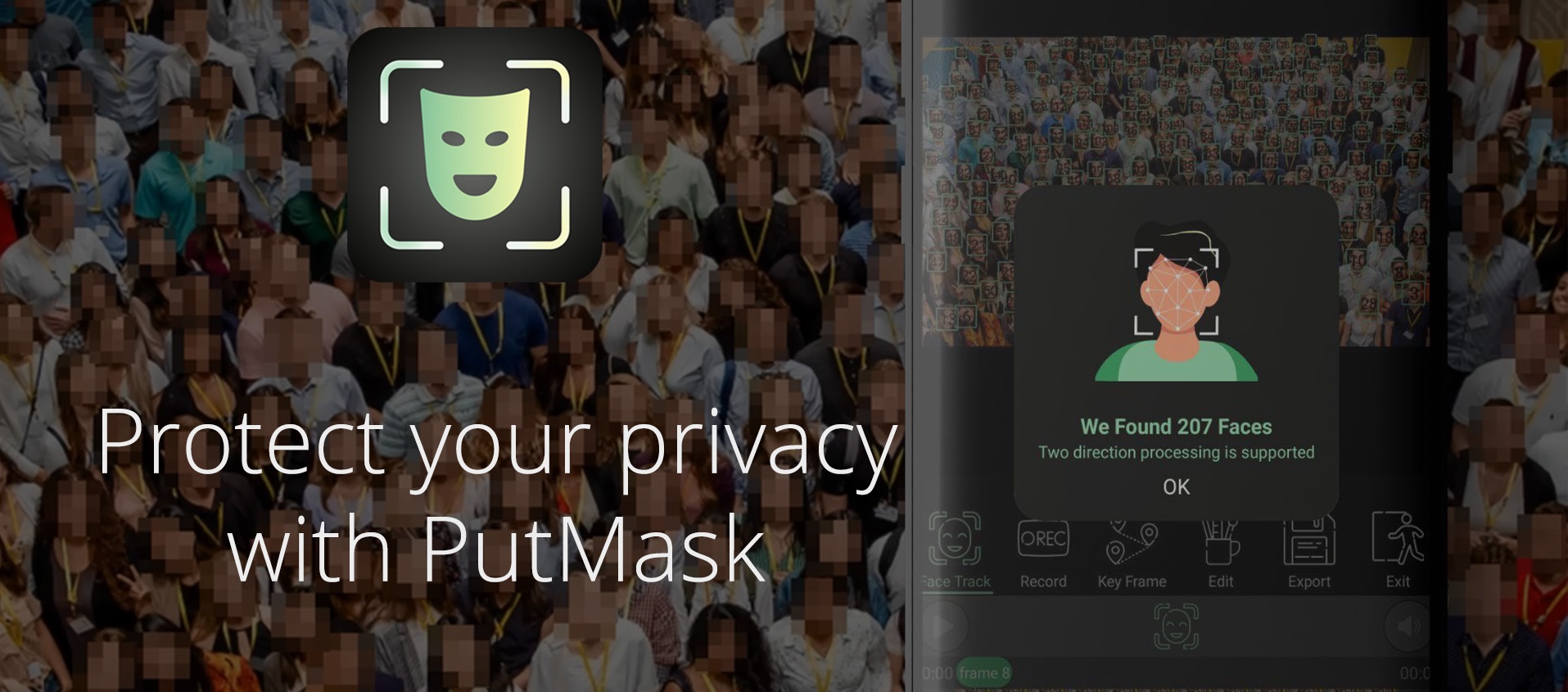
[APP][FREE][NO_ADS] PutMask : Pixelate Faces In Video Automatically 2.0.3

power_of_face-detect_mockup_new_thin.jpg


With PutMask, for the first time, you can obscure faces in videos with your smartphone automatically and manually, with very high efficiency,

to protect your privacy and the privacy of others in the media environment.

ezgif-4-abac92a24c95.gif

When is PutMask useful?
Whenever you need to obscure faces or anything else in any video, PutMask with its unique features will help you.


Why is PutMsak a unique solution in this field?
  • Very high face detecting power:
    PutMask is able to detect any faces, even a small square with dimensions of 10 by 10 pixels and at any angle (full face, half face). This feature is provided to you by PutMask for the first time at smartphone level.

  • Two-way video processing: PutMask can process videos in both directions and detect and obscure the faces that you want, which means that if you command PutMask to hide a face in any frame of your video, From the frame you set, PutMask will start processing video and face detection both in forward and backward direction at the same time (with FPS up to 300), which is also introduced at the smartphone level for the first time by PutMask!

    How to use the face-track feature of PutMask

  • Hiding Manually:
    If you want to obscure something other than a face in a video, or if our app can't detect a face, you can easily obscure it manually by tracking it with your finger !

    How to use the recording feature of PutMask

  • Using Key Frame:
    With key frame you can easily hide everything with smooth movement! In the latest version, a feature is included in the program that allows you to convert all types of filters to keyframe type.

    How to use the key-frame feature of PutMask

  • Edit Video Based On Frame Number:
    We show you the number of every frame so you can edit the frames one by one with our tools. Also, with our tools you can move a frame in a video.

    How to use the editing feature of PutMask

  • Save The Work You've Done:
    You can save the information of editing And whenever you want to change edits or resume unfinished work, you can recover that information as a project in PutMask.

    How to use the export-draft feature of PutMask

  • PutMask Security:
    "Your security is our top priority" As a result, PutMask stores all information about your work only on your mobile phone, so no information is transferred from your phone. PutMask only needs access to read and write videos on your smartphone to open and save videos, but with your direct permission.

  • Free & No Ads:
    To keep your privacy as secure as possible, using the main features of PutMask is completely free and with No Ads. But you can help us by buying graphic characters in the app.:eek:

    How can you help us?


You can visit our site for more information and learn how to use PutMask.
also you can always check some video samples we created with the application at our Twitter and YouTube accounts.
and if you want to try just :


In the end it's not that we want your comments, we actually NEED them.;)

Help Alarm dismiss won't come on lock screen

Hey folks.

My phone is a Galaxy A71, Android 10. Pretty new.

When a set alarm comes up my phone plays the alarm sound at the right time.

But:
- screen stays dark
- when I double touch the screen I get to the lock screen - no dismiss window
- I have to unlock the phone, find the alarm clock icon, press it and finally I have the dismiss screen.

This happens with 2 different alarm apps which are Alarm clock extreme and Easy alarm clock.

The built in alarm clock does what it should - showing the dismiss screen over the lock screen as soon as the alarm goes off.

What can I do to get at least one of the other alarm apps to present their dismiss window over the lock screen?

Thanks for help in advance.

Chris

Built in screen recorder privacy issue...

Hi

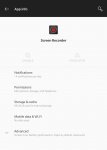
I have found that the built in screen recorder with the OnePlus 7 Pro.

Something strange and possibly malicious form OnPlus is that you cannot uninstall or disable it. You can only force to stop it and then it come back on after a few hours.

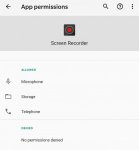
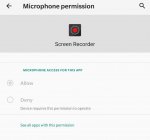
You cannot deny any of the permission which are microphone, storage and telephone.

I did contact OnePlus about that and got a silly answer like (we will contact the developer about that...)

Here is the screen shots...

Attachments

  • 1.jpeg
    1.jpeg
    47.4 KB · Views: 416
  • 3.jpeg
    3.jpeg
    36.4 KB · Views: 413
  • 2.jpeg
    2.jpeg
    39.7 KB · Views: 429

Can't keep phone from muting ringtones when I turn my volume all the way down.

Until tonight, I haven't needed my phone to alert me of texts audibly but now, for a family situation, it is important I am notified of texts via tones so I don't miss them when my phone is in the other room.

For years, I have always kept my media volume down all the way/off because I don't want to hear when I accidentally hit unmute on an Instagram video while scrolling at 4am and accidentally jar my husband awake. So I always keep my volume down all the way unless I'm actively listening to something.

Now though, for the first time in years, I actually need to use my phone as a phone and need to hear my ringtone if I get an emergency text for a family situation.

On my iPhones, I would always press my volume all the way down after listening to something to keep my sound off but it didn't set my -whole freakin phone to silent- and make my ringtone silent too. Intuitively, on my iPhones, those things were separate settings so you didn't accidentally switch your phone to silent and miss important calls or texts. I never realized until tonight, when I missed an important time sensitive text by 30 minutes which was really bad, that on Android phones, this same practice of turning your volume all the way down will also mute your entire freaking phone, including ring and text tones.

Please tell me there is some way around this that I am not finding online or in the settings because this is a serious deal breaker for me. I just want to not mute my phone using the volume buttons. I just want them to be for media like on an iPhone.

Filter

Back
Top Bottom