• After 15+ years, we've made a big change: Android Forums is now Early Bird Club. Learn more here.

Can't update from 6.0.1

Hi, my HTC One M8S is running 6.0.1. I believe there are newer versions of the operating system, but when I go to About>software updates, nothing shows up except an update to HTC Sense (which I don't want, and therefore haven't updated).

Is it possible to update to the latest version? How can I do that?

Thank you.

[GAME] Soda Guys is available again on Play Store !

We removed Fall Soda guys from the store to prevent copyright strikes because it's the closest thing to Fall Guys: Ultimate Knockout and published it again as "Soda Guys" with:
A new level.
Huge performance improvement.
Other improvements and bug fixes.

Google Play Link: https://play.google.com/store/apps/details?id=com.anfagames.sodaguys

Please let us know about your opinion and ideas in the comments or the review about any maps or skins you want added, we are always listening !


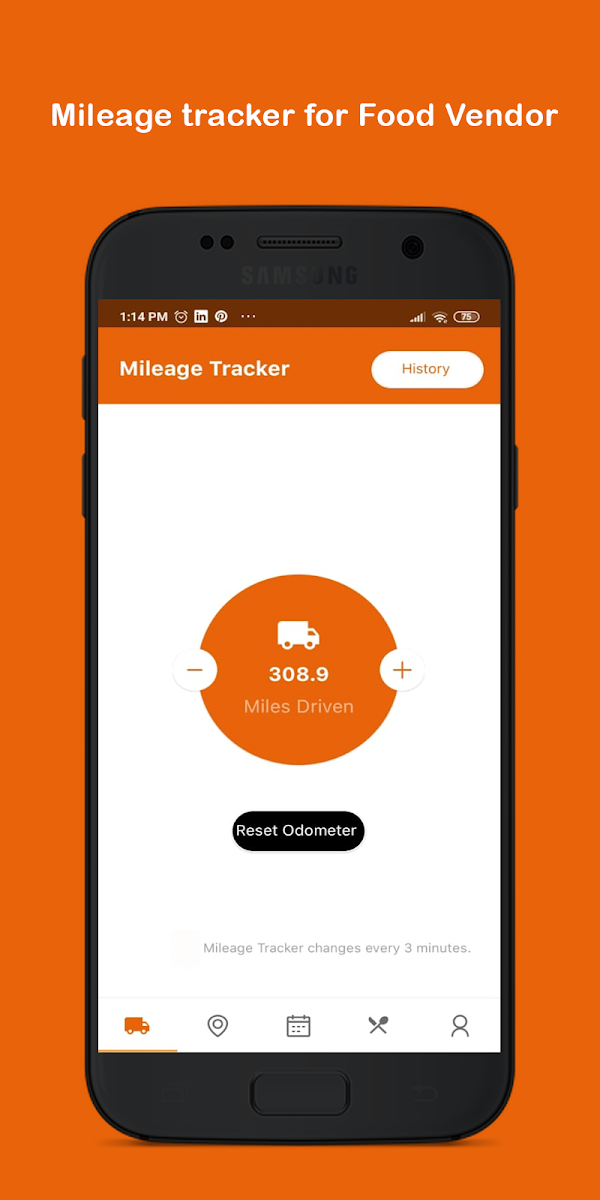
Mobile Food Vendor[Free][App]

Mobile Food Vendor

Looking for the best foodtrucks in your area this app help bridge the gap between foodtruck and communities with real time GPS tracking, vendor mile tracking, and customer updates when vendors are nearby. This app also help you market your foodtruck business to consumers all over the world.

Download to Google play:Mobile Food Vendor[Free][App]
hEV9pI7J6U5WgCApDB0f5A2H48T_-cdDLxxCA8atjXVAVpZwSt1i1HABl-8XEh0Rig=w2504-h1200
gNuVD4bYfTvUG7et-4A2J1Mute_51X4rq9hanHRnkAsD4tLDrGtayD_H08yzr-8a-H0=w2504-h1200

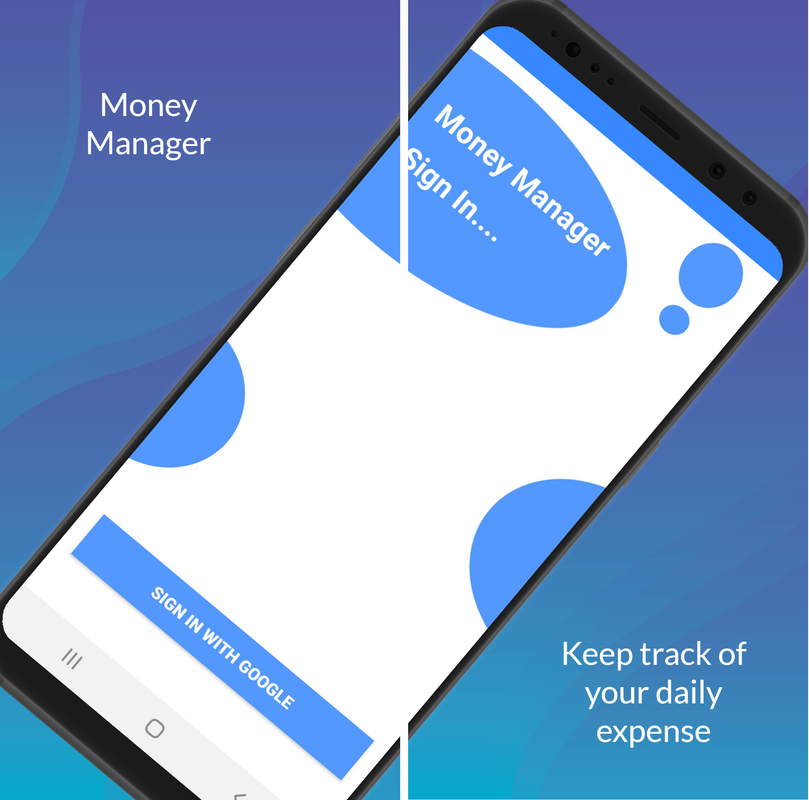
Money Manager - Free money management application for Android

If you don't manage what you already have well, your life will never add any value. Managing your finances every day will help you build great habits and benefit your life. In fact, there are many useful applications to help you manage your personal spending optimally and conveniently such as Mint, Clarity Money ..., and now I will recommend Money Manager , a very good application that people appreciate so you have more choices for yourself.
ic-app-01.png

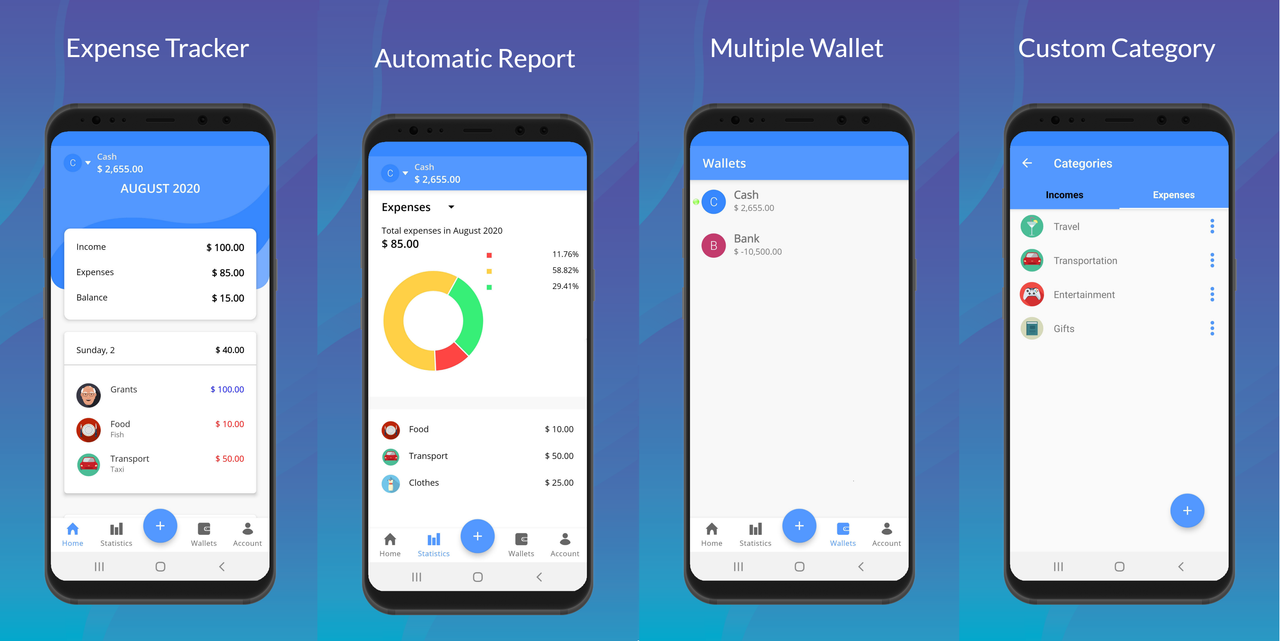
Money Manager an application with a simple design makes the application light and very easy to use. This application is not bothered by ads, has no feature limitations like other management apps but still ensures to meet your daily needs such as revenue and expenditure management, multi-wallet support, detailed statistics and backup and restore via Google account.

Everyone can use it, download it and explore the functions of Money Manager together!

ic-app-02.png

Main function:
- Keep track of revenues and expenditures.
- Support creating multiple wallets (sources of money).
- Track in multiple currencies.
- Editing of previous records.
- Fast, simple operation, you do not need to fill anything except the amount.
- Statistics and detailed reports on the situation of revenues and expenditures, total income or expenditure in the period.
- Backup / Restore via Google account.

Information:
Support for Android 4.4 and above
Version: v1.0.1
Size: 12 MB

Download link:
DOWNLOAD MONEY MANAGER

Redirection Problem

Hello,
I program an android application which consists of customer management. When I click on search, the app gives me a list with half of my data. So wen i click on the list, I want the app redirects me to a new activity with all of my data. someone can help me. here is the interface code and the overview.

Java:
package com.example.arulos;

import androidx.appcompat.app.AppCompatActivity;

import android.content.Intent;
import android.database.Cursor;
import android.icu.text.Transliterator;
import android.os.Bundle;
import android.util.Log;
import android.view.View;
import android.widget.AdapterView;
import android.widget.ArrayAdapter;
import android.widget.Button;
import android.widget.EditText;
import android.widget.ListAdapter;
import android.widget.ListView;
import android.widget.Toast;

import java.util.ArrayList;

public class Rechcerche extends AppCompatActivity {

    EditText editText_propriétaire;
    EditText editText_cni;
    DatabaseHelper mydb;
    Button button_rechercher;
    Button button_annuler;
    ListView listView;


    ArrayList<String> nom_client = new ArrayList<>();
     //String[] nom_client;

    ArrayList<String> num_cni = new ArrayList<>();
   // String[] num_cni;

    ArrayList<String> tel = new ArrayList<>();
   // String[] tel;


    @Override
    protected void onCreate(Bundle savedInstanceState) {
        super.onCreate(savedInstanceState);
        setContentView(R.layout.activity_rechcerche);

        editText_propriétaire = (EditText) findViewById(R.id.edt_propriétaire);
        editText_cni = (EditText) findViewById(R.id.edt_cni);
        button_rechercher = (Button) findViewById(R.id.btn_recherche);
        button_annuler = (Button) findViewById(R.id.btn_annuler);


        listView = (ListView) findViewById(R.id.list_view);
       // final   MyListAdapter adapter=new MyListAdapter();
        listView.setAdapter(null);

        listView.setClickable(true);
        listView.setOnItemClickListener(new AdapterView.OnItemClickListener(){
            @Override
            public void onItemClick(AdapterView<?> parent, View view, int position, long id) {
                //  Toast.makeText(getApplicationContext(), ""+position, Toast.LENGTH_LONG).show();
                Log.d("position",position+"");
            }
        });


        mydb = new DatabaseHelper(this);

        button_rechercher.setOnClickListener(new View.OnClickListener(){
            @Override
            public void onClick(View v) {

                afficher();
            }
        });

        button_annuler.setOnClickListener(new View.OnClickListener(){
            @Override
            public void onClick(View v) {
                editText_propriétaire.getText().clear();
                editText_cni.getText().clear();
                nom_client.clear();
                num_cni.clear();
                tel.clear();
            }
        });


    //listView.setOnItemClickListener(new AdapterView.OnItemClickListener(){
      //      @Override
        //    public void onItemClick(AdapterView<?> parent, View view, int position, long id) {

          //    Intent intent = new Intent(Rechcerche.this, Detail_client.class);
            //         Bundle bundle = new Bundle();
              // bundle.putParcelableArrayList("mylist", nom_client);
                // intent.putExtras(bundle);
              // startActivity(intent);
                /*String Templistview = nom_client[Position].toString
                    Intent intent = new Intent(view.getContext(),Detail_client.class);
                    startActivity(intent);*/

           //}
        //}

    }
    protected void afficher(){
    //   ArrayList<String> theList = new ArrayList<>();
      // ArrayList<String> theList1 = new ArrayList<>();
        //ArrayList<String> theList2 = new ArrayList<>();
        String nom = editText_propriétaire.getText().toString().trim();
        String cni = editText_cni.getText().toString().trim();

        Cursor data = mydb.chercher(nom,cni);
        if (data.getCount() == 0) {
            Toast.makeText(this, "There are no contents in this list!", Toast.LENGTH_LONG).show();
        } else if ((data!=null && data.getCount() > 0)) {

            Toast.makeText(this, "There are contents in this list!", Toast.LENGTH_LONG).show();

          if (data.moveToFirst()) {
              do{
                  nom_client.add( data.getString(data.getColumnIndex("nom_client")));
                  num_cni.add(data.getString(data.getColumnIndex("numero_cni")));
                  tel.add(data.getString(data.getColumnIndex("telephone")));
                  //theList.add("Numero cni :" + data.getString(2));

              }while(data.moveToNext());
             // ListAdapter listAdapter = new ArrayAdapter<>(this, android.R.layout.simple_list_item_1, theList);
              //listView.setAdapter(listAdapter);
              final   MyListAdapter adapter=new MyListAdapter(this, nom_client,num_cni,tel);
              listView.setAdapter(adapter);

             data.close();
            }

           /* for(int i=0 ; i<theList.size();i++){
                theList.add("Nom :" + data.getString(1) +"\t" + "Numero cni :" + data.getString(2));
                //theList.add("Numero cni :" + data.getString(2));
                ListAdapter listAdapter = new ArrayAdapter<>(this, android.R.layout.simple_list_item_1, theList);
                listView.setAdapter(listAdapter);
            }*/
        }
    }
}

Code:
<?xml version="1.0" encoding="utf-8"?>
<ScrollView xmlns:android="http://schemas.android.com/apk/res/android"
    xmlns:app="http://schemas.android.com/apk/res-auto"
    xmlns:tools="http://schemas.android.com/tools"
    android:layout_width="match_parent"
    android:layout_height="match_parent"
    android:orientation="vertical"
    android:background="@drawable/back_recherhche"
    android:gravity="center_horizontal"
    tools:context=".Rechcerche">

     <LinearLayout
         android:layout_width="match_parent"
         android:layout_height="match_parent"
         android:orientation="vertical"
         android:gravity="center_horizontal">


    <ImageView
        android:layout_width="wrap_content"
        android:layout_height="wrap_content"
        app:srcCompat="@drawable/logo1"
        android:layout_gravity="center"
        />
    <TextView
        android:layout_width="wrap_content"
        android:layout_height="wrap_content"
        android:layout_marginTop="20dp"
        android:text="Remplir les deux champs pour faire votre recherche"
        android:textStyle="italic"
        android:textColor="@android:color/black"
        />

    <LinearLayout
        android:layout_width="wrap_content"
        android:layout_height="wrap_content"
        android:layout_marginTop="20dp"
        android:orientation="horizontal">

        <TextView
            android:layout_width="160dp"
            android:layout_height="50dp"
            android:text="Propriétaire:"
            android:textStyle="bold"
            android:textSize="20dp"
            android:textColor="@android:color/black"
            android:layout_marginRight="230dp"/>

        <EditText
            android:id="@+id/edt_propriétaire"
            android:layout_width="260dp"
            android:layout_height="50dp"
            android:layout_marginLeft="-250dp"
            android:background="@android:color/white"
            />
    </LinearLayout>

    <LinearLayout
        android:layout_width="wrap_content"
        android:layout_height="wrap_content"
        android:layout_marginTop="20dp"
        android:orientation="horizontal">

        <TextView
            android:layout_width="160dp"
            android:layout_height="50dp"
            android:text="Numero CNI:"
            android:textStyle="bold"
            android:textSize="20dp"
            android:textColor="@android:color/black"
            android:layout_marginRight="230dp"/>

        <EditText
            android:id="@+id/edt_cni"
            android:layout_width="260dp"
            android:layout_height="50dp"
            android:layout_marginLeft="-250dp"
            android:background="@android:color/white"
            />
    </LinearLayout>

    <LinearLayout
        android:layout_width="wrap_content"
        android:layout_height="wrap_content"
        android:layout_marginTop="50dp"
        android:orientation="horizontal">
    <Button
        android:id="@+id/btn_recherche"
        android:layout_width="150dp"
        android:layout_height="40dp"
        android:text="Rechercher"
        android:textStyle="bold"
        android:background="#21f505"/>
    <Button
        android:id="@+id/btn_annuler"
        android:layout_width="150dp"
        android:layout_height="40dp"
        android:text="Annuler"
        android:textStyle="bold"
        android:layout_marginLeft="50dp"
        android:background="#e31005" />

    </LinearLayout>


    <ListView
        android:id="@+id/list_view"
        android:layout_width="wrap_content"
        android:layout_height="328dp"
        android:layout_marginTop="20dp"
        android:textColor="@color/colorPrimary"
        android:textSize="20dp"
        android:textStyle="bold" />

     </LinearLayout>

</ScrollView>
package com.example.arulos;

Help WhatsApp won't prompt for chat restoration from local backup

Hi everyone.

After switching to a new Galaxy S10 smartphone and a new SIM card, I've tried many times in vain to restore my old WhatsApp chats from a local backup. WhatsApp, when newly installed, never even prompts me to restore chats from a local backup. Details below. I've searched the web and tried solutions in vain. Will I ever be able to view my old WhatsApp conversations? I guess I'll give up on this and re-start all my WhatsApp chats from scratch next week if nobody can help...

What hasn't worked:
In various variations, I have:
(1) uninstalled WhatsApp from my phone
(2) deleted the WhatsApp folder,
(3) restarted my phone,
(4) copied my old WhatsApp backup onto the phone (crucially including ''msgstore.db.crypt12'' from the Whatsapp > Databases sub folder),
(5) re-installed WhatsApp.

However:
(6) Upon starting the newly installed WhatsApp, I can never get it to prompt me to restore old chats from the local backup. Accordingly, ''msgstore.db.crypt12'' or ''msgstore-20yy-mm-dd.1.db.crypt12'' are totally ignored. I always only get prompted to restore a backup from Google Drive, but I never used that on my old phone.

One individual commenting here has claimed that going to ''Settings > Accounts" on one's Android phone and (temporarily) removing one's Google account has solved the problem for him. It doesn't for me. I still only get prompted for chat restoration from Google Drive.

More background info:
Switched from a Samsung Galaxy S4 phone to an S10 last winter. I had to exchange the old micro-SIM card for a nano-SIM card. My phone number stayed the same. On the old phone, I only did local backups for WhatsApp and never used Google Drive. The photo and video files have always been easily retrievable from the ''WhatsApp > Media'' folder I backed up. I just cannot access the chats!

Help Always show the navigation bar? Completely disable fullscreen mode?

So I searched a bunch for answers on this, but came up short – so sorry if this is duplicative.

Is there any way to prevent all apps from ever hiding the navigation bar? I ALWAYS want to see the navigation bar, full stop. I NEVER want fullscreen mode. Not in a game, not when watching a video, DON'T TOUCH MY NAVBAR!

Is this possible? Is it possible to get close?

inb4: I have exactly zero interest in switching to gestures. I try them with every new phone and new android version and while I won't say never, so far gestures don't do it for me. I want my nav bar. I'd like it to be more configurable, but right now I'd be happy if I could just get this demon machine to always show me my three little buttons.

ADB solutions welcome.

Thanks!

How to draw histograms very quickly?

Hello,


I would like to create an Android application with rapidly varying histograms, ideally at 60 fps. I'd like it not to be fullscreen but in a tab with text displayed around it.

With the classic classes of android.graphics, it seems that this is impossible and you have latency as soon as you go over several line drawings per second and it easily takes a second to trace the whole histogram. What better api/framework can I use ? Vulkan, Unity or other?


Thank you in advance,
Bretwa

BSPRO Cam Scanner, Document Scanner & PDF Editor

Bharat Scanner helps you scan images and documents and convert them into PDF format. Create a PDF using our advanced PDF Editor with direct printing option.

This is completely free document scanning app built by Twisters Studio which turns your android device into a powerful portable PDF creator and PDF editor to create complete PDF with no watermark .

You can use this portable document scanner to create anything — Documents, Pictures, Receipts, Business Cards, Notes, Flyers.

Highlights:
* Scan all your documents.
* Improve your scan with smart cropping.
* Apply cool filters to your scan or image
* Share all your created PDF's easily from home screen.
* Create multiple PDF pages upto 300 pages
* Smart & Easy PDF scanner
* Create complete PDF layout from scratch with no watermark
* You can add your signature also.
* No watermark

Features:
1) Easy to use Document Scanner with few steps.
2) Supports most PDF Reader and PDF editor
3) High Resolution PDF creator
4) Convert you images to PDF
5) Scan documents using your camera with cam scanner advanced features
6) Slide left and right to view, share, print and delete your PDF

Google Play Link

Dimplyme | Best Android apps to watch Movies and Tv Series

Are you fan of Movies & TV Shows? Download Dimplyme now to get latest online movies and tv shows that are currently top rated & most popular. You can watch new relases and up coming movie trailer also.


★The Dimplyme app makes it possible to find your favorite movie ,tv shows , live tv and so more with easy use this application gives the synopsis and movie trailer you are looking for, with a good user interface you will get the experience of watching movies you want. You can watch movies without downloading and no credit card required for signup. This app is featuring all latest movies, upcoming movies and tv series. You can browse and watch it for free.

install it from play store
https://play.google.com/store/apps/details?id=com.dimplyme.app

Android Studio - New Class Dialogue missing

Hi folks,

Sry if I'm wrong here or didn't find the answer.

Trying to start Android development with Android Studio via Tutorial.

But when I want to make a new class I'm getting just a short dialogue where I can choose from class, enum, annotation and interface and name it.

All options like package, superclass, modifiers etc are missing.

Everywhere in the Internet it shows these options in the dialogue.

Can anybody tell me how to enable the full dialogue?

Thx and best regards

Reviews Moto Edge Plus.

Pros:
easy accessable apps,
easy blue tooth connection with pronax hearing aids,
able to control anything with ease.

The design itself and can fit into giant hands like my own, easy to carry around, when you get used to the weight.
Does not drop any phone calls, or text messages.
Easy accessable.

Easy to pick up and basically find the reset, volume buttons easy on the default.
Wide screen, amazing sound, does not drop while streaming at all.

Cons.
Notice when charging sometimes, like I previously mentioned that most default plugs when a new device can over heat throughout enough of amount of time, but the battery super lasts a super long time, I generally keep my battery in between around 75% to around 69% it does not drop heep, even when playing Rusty Lake and Time Surfer right now, it does not drop so much I had to find a good enough of time to charge it.

Give this around 85% out of 100% though. Only time will tell on the super long range of users who use this every day for anything.

Private browser

Need some suggestions for a Private secure browser with downloader for Android. Preferable Not chromium based. And not Firefox or Firefox focus. Just don't like the browsers. Presently using Osiris browser for general search, It's listed as"Private", but don't think so. Bromite browser for more private search (but chromium based) and Tor browser for Android. Also Proton and Windscribe VPN's. But I'm looking for something that has Nothing to do with google or Chrome. Thanks for any suggestions on this

Filter

Back
Top Bottom