• After 15+ years, we've made a big change: Android Forums is now Early Bird Club. Learn more here.

Tiger Adventure Run[NEW][Game]

Tiger Adventure Run
Tiger Adventure Run is an amazing jungle running and jumping adventure game in the dense jungles.
In this free adventure game, help the little Tiger to run and collect coins, power-up & avoid obstacles to complete challenging levels. Tap to jump or double tap to double jump and escape the pitfalls.
Tiger Adventure Run is a Classic platform game with 3D realistic graphics. This adventure arcade game is easy to play but hard to master. Can you survive all the challenges in this fun obstacle run game?
► How to play Tiger Adventure Run :
- Tap on the screen to jump on the blocks
- Double jump to escape the pitfalls
- Jump & Collect coins while you run
- Avoid dangerous obstacles & moving blocks to avoid losing your life
- Tap on the right time to jump and do not fall into the cliffs
- Use coins to unlock new characters and have fun!
- Reach the destination without losing lives to create high scores
Seems too easy? Don’t worry.
The Jungle Adventure Run game has an endless gameplay with challenging obstacles.
The game becomes more intense and fast-paced with more difficulties as you reach higher scores to test your reflexes.
Packed with hours of endless fun, Tiger Adventure Run provides an obstacle avoiding and survival game experience that you will never forget.
Create a high score and share with your friends to challenge them in the best jungle run game!
The more you play the faster the obstacles move, and the track becomes more difficult to cross.
This adventure game has smooth picture quality with a colorful design to soothe your eyes and gives aesthetic experience making your spent time better. Avoid all the obstacles you can with just those easy controls!
Please tell it is good or if some bugs please tell me plz..
-h96VEn3JF8iaa9pEn3LHKxMy4wHWaydB0u9N6bNUUDfQ0z6JRe26l5VFozxU5QAyDw=w2504-h1200

Guess The Car 2020 - Trivia Quiz

Guess The Car 2020 - Trivia Quiz


You need to see the picture and guess the missing words. It’s make more enjoyable with learning something and increase your mind power also. This is amazing game for Guess The Car. Guess The Image is all time favourite, popular, simple, fun and addictive one-touch trivia game where all you have to do is look at the image and guess the word for image and tap the alphabets in the right order to write the name. Sounds easy? Play the game and find out. Try to check your knowledge.
Can you guess all the cars and solve all the levels? Many puzzles await you from the simplest to the most complex! No registration, No Complicated rules. You can start playing right away and have fun!

Game for all car lovers! Test your knowledge! Guess the Car! Guess the word trivia quiz.
100 levels
Easy and FREE gameplay.
Can you beat all levels??
Best guess the image game in the world
Guess the car image

Enjoy, Rate & Share the game!


Google Play: https://play.google.com/store/apps/details?id=com.thedgames.guessthecar

Facebook: https://www.facebook.com/Guess-The-Car-104019848067905


Screenshots:
https://i.imgur.com/OGZ7lrW.jpg
https://i.imgur.com/A3tVtOb.jpg
https://i.imgur.com/7yRZHmi.jpg
https://i.imgur.com/BBekKKV.jpg

Youtube:

[FREE][GAME] Word King 2020 - Word Connect Game

Word King 2020 - Word Connect Game

Word King is an exciting word connect puzzle game for learning new words ! It starts off as an easy word game and becomes challenging! You will have fun improving your vocabulary and spelling skills. Your brain will thank you for the traveling!
Connect letters to get the final solution and travel to a new country!
Word King is free and unique word game for adults.

Best game of cross words story, connect and look for words to make puzzles now!
Search for words among the letters. Scramble the letters and create new words to be connected, pass the level. Play with your friends or family and show who the 2020 puzzle master is !
Word King will test your vocabulary as you discover the world filled with challenging levels.


HOW TO PLAY ?

• Swipe the letters to connect them and make new words
• Find as many words as possible to unlock levels.
• Shiffle to rearracgle the alphabets & rearrange the letters to spark recognition
• Hints available
• Use hints if you stump upon a word you can't identify
• Play with the mini games to get incredible prices
• Brand new mode Sudoku with words!!
• Use coins to buy a hint and solve the puzzle.

WORD King FEATURES:

- Every day bonus rewards
- 1000+ levels
- 100 levels per map
- Play brand new word sudoku daily and earn coins
- Free 500 coins at start
- Extra mini games
- Difficulty increases along with levels.
- Easy to play, but hard to beat!
- Test your english vocabulary!
- Explore worlds and wonders! Discover new places and cities!
- Learn new words
- Find the hidden secrets crosswords
- You can also get more coins purchasing or watching advertising videos
- OFFLINE Playing
- Applicable to Any Ages!


This is a great connecting word games for true puzzle fans that never ceases to amaze you. Download, and enjoy the word puzzle game now !


Google Play: https://play.google.com/store/apps/details?id=com.thedgames.wordking


Facebook: https://www.facebook.com/Word-King-2020-Word-Connect-Game-543333959747663

Youtube:

Screenshots:
https://i.imgur.com/7g4ifJP.jpg
https://i.imgur.com/hj3upgp.jpg
https://i.imgur.com/0AT5Qjs.jpg
https://i.imgur.com/NyrRHmx.jpg
https://i.imgur.com/Cs8rROD.jpg
https://i.imgur.com/FAUwava.jpg
https://i.imgur.com/tten95R.jpg

STG Zombie Lockdown[FREE] [Game]

STG Zombie Lockdown

Zombies are dangerous, they have different shapes and come from different regions. Kill them to become the best survivor.

Keep your finger on the trigger as you try to ensure your survival in a virus ravaged world. Upgrade your skills as a survivor in frontline fighting, enhance your arsenal of weapons.

Hurry Up!! Download Zombie Lockdown now to play free and offline. Don't waste your time, ready your weapons and start killing zombies!


FdQHaSimPJeP-IzssEGHypt7rJKWte-6YCRW_MX5pgyZh33wLrO_agVBYjqo3QRiGGk=w2504-h1200

Possible Surveillance?

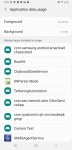
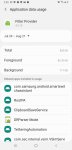
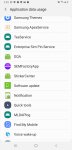
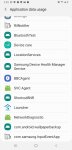
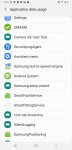
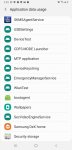
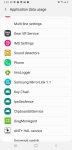
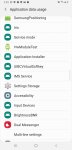
Not all that tech savvy, a millennial that's not quite hip with the times. Long story short, got a crazy ex whom I now have to co parent with. Get the feeling he's being shady someway or another. Or it's just malware and I'm crazy? ‍♀️ could anyone possibly explain what all this is? Or let me know if it should be of any concern? Thanks a bunch.

Screenshot_20200821-024557_Settings.jpg Screenshot_20200821-024607_Settings.jpg Screenshot_20200821-024522_Settings.jpg Screenshot_20200821-024509_Settings.jpg Screenshot_20200821-024515_Settings.jpg Screenshot_20200821-024545_Settings.jpg

Side note info, if it changes or helps any:
Were on the same tmobile plan, neither of us are the primary.
He broke my phone and purchased this one for me, factory reset a few times over at this point, but obv had access to the phone directly before giving it to me.
When all of this started he had requested linking Msisd (or whatever) #'s
He is quite intelligent and decently tech savvy. Also, has a history of trackers/etc.

Attachments

  • Screenshot_20200821-024551_Settings.jpg
    Screenshot_20200821-024551_Settings.jpg
    156.7 KB · Views: 353
  • Screenshot_20200821-024527_Settings.jpg
    Screenshot_20200821-024527_Settings.jpg
    142 KB · Views: 374
  • Screenshot_20200821-024537_Settings.jpg
    Screenshot_20200821-024537_Settings.jpg
    146.6 KB · Views: 395

Help Pixel 2 XL microphone

I have an issue with my Pixel 2 xl when on video calls on apps like Zoom, WhatsApp etc. The others on the video call cannot make out what I'm saying and it sounds very muffled. Strangely there is no problem with others hearing me when I use the speaker option on a normal phone call.

I'm thinking this relates to an issue with one or more of the microphones. Possibly the one in the small hole at the top of the phone. I did mistake it for the sim card hole a while ago and stick a pin in it.

Any way of identifying if that's the issue and then maybe disabling that microphone and just using the other two on the phone?

Many thanks

Camera on Samsung SGS7 stops recording audio after about a minute

Can anybody suggest how I might fix this problem? It just began happening quite recently. The camera doesn't seem to start recording video until a few seconds after I thought it had started recording, and then, after about a minute, the audio stops being recorded.

Troubleshooting steps I've tried so far:

1. Changed whether camera was saving files to internal memory vs. saving to SD card

2. Reset camera settings

3. Deleted camera cache

4. Deleted camera data

I can't think of anything else to do, since this is the built-in camera app, and it therefore can not be uninstalled and then re-installed.

About my phone:

Model number: SM-G935T

Android version: 8.0.0

Samsung Experience version: 9.0

Thank you for whatever help you can offer!

Help Could Someone Please Tell Me What This Means???

I need someone to educate me about activity details when using YouTube...I notice the details read You Tube being accessed via the android app and then other particular YouTube visits are accessed via ‘YOUTUBE’ app...There is never a video title when accessed via android app and these are also never seen in the YouTube history...I am at a loss as to why they are different and am struggling to find out what videos are being watched via the android app....I have provided screen shots in the hope someone could explain the difference to me please? The phone has been used by my partner and myself though I have been reassured there is nothing sinister going on - I’m hoping this is the case and would appreciate any information that may help my confusion!
C62F2EBA-D4FA-4B17-804F-A2132ED188CE.jpeg
CE2FD43B-31D2-4126-9F9F-6CDF2E13CED0.jpeg

Error while waiting for device: Could not start AVD

I recently installed android studio on my pc, created virtual device but when I click " run 'app' " the only thing that happens is error "Error while waiting for device: Could not start AVD", this error is in "Run" tool window, besides that there's absolutely no information what and why that happens.

Few things worth mentioning:
  • I have enabled virtualization in bios
  • I tried deleting virtual device and create new one, no change
  • I have installed android sdk
Anyone knows how to resolve that problem?

Force 4G LTE Only on Android With APK

If you have a free package on a 4G or LTE network and your 3G network is paid. You can use this method.
As for if the signal coverage in your area is weak. so the network mode often switches to 3G or 2G. then we can lock LTE only permanently.


The method is very easy :
1. Use SIM 1 as the default connection setting

2. Download the Force 4G LTE only 2020 application via the Google Play store.
3. Run the application, press the SIM 1 only or Android testing button. You will enter two LTE Switcher options and also 2 Android testing options.
4. You can try all of them which support your phone.
If the telecommunication operator you are using does not support VoLTE (Voice over LTE) and uses LTE Only Mode, so regular calls will be blocked.

Entering text into adb shell

I am in the process of improving my Firestick 4k. I have added a USB drive and partition it 50:50 so that I have extra "internal" memory and space to save videos etc.

So far everything seems to have gone well.

I am now in the process of transferring apps over to the usb. To do this i am using adb shell with the command

pm move-package "FullAppName" "USBID".

I can find the FullAppName using the command - pm list package "partAppName".

I can find the USBID using the command df -h (all 32 characters of the ID).

So I typed in the move-package (above) for one of the Apps and I successfully moved the App to the USB .....and it worked!!!!

With the cursor flashing at the bottom of the adb shell screen I can save typing bu making a long press on the OK button resulting in a drop-down list of all the previous commands I have typed in.

I do this and select the last move-package command.

So I now have a viable command but with the wrong FullAppName

How can I correct the FullAppName without first deleting the 32 character long USBID?


Addendum

Is there any easier way to do what I am trying to do?

Calendar widget EverydaynewPro

Calendar widget with no scheduler and no alarm clock. Colored markers will not let you forget about your events in your life.
With the help of the widget, you can plan your day yourself by marking the date on the calendar using one-touch color. Each marker can have more than one event.
After installing the application, go to the list of widgets and place it on your desktop.
The widget is ready to use as soon as it appears on the desktop.
Features of the widget.
Possibility to set markers without events or attach one or several events to each marker.
A palette of twelve colors.
Change the appearance of the widget.
The icon button at the bottom of the widget changes color to red and green and performs the function of canceling the marking of the date and at the same time, if you click on the date, it shows the list of events.
It is also possible to delete events.

https://play.google.com/store/apps/details?id=com.everydaynew.calendarwidgetPro

Help Latest update/broke/help

So the latest update broke my Note 9. It started with weird keyboard issues, then the screen wouldn't wake so I constantly had to turn on/off to use. Now, my phone is in factory reset mode because it would not recognize my pattern. I have a back up, but the phone still will not recognize my pattern to begin backup and I've been "threatened" with 5 attempts left before the back up is deleted.

Is there a way around this? I really feel totally let down by android this time. If there is any way to do this I'm game for it.

Currently I am stuck on the part where you input your pattern to begin backup.

Best,
Carlos

Help Need Urgent Help for Unbrick my Redmi 4 (Indian Version)

I need Urgent Help
I have a Xiaomi Redmi 4 device that I unlocked the bootloader and installed Twrp's recovery but after the recovery install the device got stuck on the boot logo. Then I went into Twrp and wiped the cache and I accidentally wiped the system and everything. Now "No Operating System" error is coming on rebooting the device Then I tried to install Fasboot ROM in the device, then "Mismatch Image and Device" and 2nd error "Flash Tz" came.
Now Please Give me Instructions As Soon as possible
Thanks.

How to prevent auto-creation of empty dirs on new sdcard?

I put a new SDcard into the second slot of my Android 9 Samsung tablet
and found some time later a lot of new, empty directories on it.e.g.:

/Android/data/com.samsung.android.appsimplesharing
/Android/data/ch.smalltech.battery.free
/Android/data/com.google.android.youtube
/Android/data/com.google.android.gm
/Android/data/org.videolan.vlc
/Android/data/com.samsung.android.mobileservice
....

As I learned this is "normal".
I cannot believe that. Why does Android leave these directories not in built-in memory of my tablet?

If I delete them they are later re-created again
Is there any way to move them back to their original location?

Thank you
Peter

Filter

Back
Top Bottom