• After 15+ years, we've made a big change: Android Forums is now Early Bird Club. Learn more here.

Software and security patch updates.

Okay I have been using the Moto G7 power since May. I bought it for $229 plus tax at Walmart. When I turned the phone on I checked the software and it had Android 8 (Oreo install) so I checked for a software update.
For almost five hours it downloaded and installed various security patches system updates.
I think I eventually fell asleep I get up the next day and notice the phone symbol in the notification bar indicating another update is available.
I checked and found it was for Android 9 .
My last update was for the June security patch.
If I have two complaint about Motorola devices it's the lack of support and bloatware. I have read that the Moto G7 power is inline to get Android 10:rolleyes: my opinion is so what I am more interested in security patches.
I wish that Motorola phones got regular monthly security patches

Take photo in background - ARCore + Unity3D

I have built an Android plugin (.AAR file) for a Unity3d Augmented Reality app. The Augmented Reality Unity3d app is the standard HelloAR demo app. This AR app uses Google AR Core. Information on developing native Andriod plugins for Unity3D can be found here.

The Unity3D AR app loads the .AAR plugin and tries to open the camera, take a picture and save it to file, without any input from the user: no UI, no button press, and no preview of the capture to the user.

When my plugin attempts to take a picture, I get the following exception:

Code:
2020/08/06 18:47:15.857 19906 21180 Info CameraManagerGlobal Camera 1 facing CAMERA_FACING_FRONT state now CAMERA_STATE_OPEN for client com.cambridge.helloar API Level 1
2020/08/06 18:47:15.877 19906 19906 Warn System.err java.io.IOException: setPreviewTexture failed
2020/08/06 18:47:15.877 19906 19906 Warn System.err    at android.hardware.Camera.setPreviewTexture(Native Method)
2020/08/06 18:47:15.877 19906 19906 Warn System.err    at com.cambridge.helloar.PluginManager.takePhoto(PluginManager.java:242)
2020/08/06 18:47:15.877 19906 19906 Warn System.err    at com.cambridge.helloar.PluginManager.access$100(PluginManager.java:38)
2020/08/06 18:47:15.877 19906 19906 Warn System.err    at com.cambridge.helloar.PluginManager$4.run(PluginManager.java:351)
2020/08/06 18:47:15.877 19906 19906 Warn System.err    at android.os.Handler.handleCallback(Handler.java:883)
2020/08/06 18:47:15.877 19906 19906 Warn System.err    at android.os.Handler.dispatchMessage(Handler.java:100)
2020/08/06 18:47:15.877 19906 19906 Warn System.err    at android.os.Looper.loop(Looper.java:237)
2020/08/06 18:47:15.877 19906 19906 Warn System.err    at android.app.ActivityThread.main(ActivityThread.java:8107)
2020/08/06 18:47:15.877 19906 19906 Warn System.err    at java.lang.reflect.Method.invoke(Native Method)
2020/08/06 18:47:15.877 19906 19906 Warn System.err    at com.android.internal.os.RuntimeInit$MethodAndArgsCaller.run(RuntimeInit.java:496)
2020/08/06 18:47:15.877 19906 19906 Warn System.err    at com.android.internal.os.ZygoteInit.main(ZygoteInit.java:1100)
2020/08/06 18:47:15.877 19906 19906 Debug TAKEPHOTO Opened camera
2020/08/06 18:47:15.877 19906 19906 Debug TAKEPHOTO Started preview
2020/08/06 18:47:15.877 19906 19906 Warn System.err java.lang.RuntimeException: takePicture failed
2020/08/06 18:47:15.877 19906 19906 Warn System.err    at android.hardware.Camera.native_takePicture(Native Method)
2020/08/06 18:47:15.878 19906 19906 Warn System.err    at android.hardware.Camera.takePicture(Camera.java:1564)
2020/08/06 18:47:15.878 19906 19906 Warn System.err    at android.hardware.Camera.takePicture(Camera.java:1506)
2020/08/06 18:47:15.878 19906 19906 Warn System.err    at com.cambridge.helloar.PluginManager.takePhoto(PluginManager.java:250)
2020/08/06 18:47:15.878 19906 19906 Warn System.err    at com.cambridge.helloar.PluginManager.access$100(PluginManager.java:38)
2020/08/06 18:47:15.878 19906 19906 Warn System.err    at com.cambridge.helloar.PluginManager$4.run(PluginManager.java:351)
2020/08/06 18:47:15.878 19906 19906 Warn System.err    at android.os.Handler.handleCallback(Handler.java:883)
2020/08/06 18:47:15.878 19906 19906 Warn System.err    at android.os.Handler.dispatchMessage(Handler.java:100)
2020/08/06 18:47:15.878 19906 19906 Warn System.err    at android.os.Looper.loop(Looper.java:237)
2020/08/06 18:47:15.878 19906 19906 Warn System.err    at android.app.ActivityThread.main(ActivityThread.java:8107)
2020/08/06 18:47:15.878 19906 19906 Warn System.err    at java.lang.reflect.Method.invoke(Native Method)
2020/08/06 18:47:15.878 19906 19906 Warn System.err    at com.android.internal.os.RuntimeInit$MethodAndArgsCaller.run(RuntimeInit.java:496)
2020/08/06 18:47:15.878 19906 19906 Warn System.err    at com.android.internal.os.ZygoteInit.main(ZygoteInit.java:1100)

I've tried both the front and back camera but I get this exception in both cases.

I have also noticed that I get a warning on my AR app saying something like "another app is using the camera. Tap this app or try closing the other app", so it's definitely something to do with the camera being blocked by ARCore. I do not want to prevent the Unity3D AR app from using the camera... of course. Instead, I want the AR app and my plugin to BOTH have access to the camera.

I know my Plugin code works because doing this in a non-AR app works and a picture is taken in the background.

Here is the code:
Java:
@SuppressWarnings("deprecation")
private static void takePhoto() {

    Log.d("TAKEPHOTO", "Surface created");

    SurfaceTexture surfaceTexture = new SurfaceTexture(10);
    Camera camera = Camera.open(0);
    camera.getParameters().setPreviewSize(1, 1);
    try {
        camera.setPreviewTexture(surfaceTexture);
    } catch (IOException e) {
        e.printStackTrace();
    }

    Log.d("TAKEPHOTO", "Opened camera");

    Log.d("TAKEPHOTO", "Started preview");
    camera.takePicture(null, null, new Camera.PictureCallback() {

        @Override
        public void onPictureTaken(byte[] data, Camera camera) {
            Log.d("TAKEPHOTO", "Took picture");

            File pictureFileDir = new File("/sdcard/CaptureByService");
            if (!pictureFileDir.exists() && !pictureFileDir.mkdirs()) {
                return;
            }
            SimpleDateFormat dateFormat = new SimpleDateFormat("yyyymmddhhmmss");
            String date = dateFormat.format(new Date());
            String photoFile = "PictureFront_" + "_" + date + ".jpg";
            String filename = pictureFileDir.getPath() + File.separator + photoFile;
            File mainPicture = new File(filename);
            try {
                FileOutputStream fos = new FileOutputStream(mainPicture);
                fos.write(data);
                fos.close();
                Log.d("TAKEPHOTO", "image saved");
            } catch (Exception error) {
                Log.d("TAKEPHOTO", "Image could not be saved");
                error.printStackTrace();
            }
            camera.release();
        }
    });
}


Does anyone have any suggestions/solutions?

Bedbuggy clothing

I took some suit coats to the dry cleaners. I was hoping there wouldn't be any bedbugs but of course there were. The guy called about it and might throw them away, but I thought they had some kind of process to kill them. Should I ask him about that? Some of them are pretty expensive, such as Jos. A. Bank.

Transferred from AT&T, now low signal problems

I recently transferred from AT&T with LG-G6, used to have signal strength 4-5 bars but now it's never over 1 and I frequently get a "no service" message. I'm right in the middle of a strong signal area so what gives? I've tried all the recommended steps to improve but no change. It seems that "compatible" is a bunch of hype. Don't want to buy a new phone and don't want to go back to AT&T but......
Any thoughts?

Desperate to recover audio 2014 Samsung android 4.3

Desperate to recover audio file - Legal reasons.
Have poured over the forums and apps and don't see anything.
I was using an old backup phone 2014 Samsung w/ ANDROID 4.3 (Galaxy Ace Style)
Was using native android 4.3 VOICE RECORDER app.
After end of recording session, I hit "cancel" instead of "save".
Would it have been stored anyway, even though I hit "cancel", since it was recording for 20 mins or so? or would that be held in RAM and then deleted when I hit "cancel", and therefore gone for good?
PHONE: SAMSUNG SM-S765C from 2014
4GB / 512MB RAM
ANDROID 4.3 2014
ANDROID NATIVE VOICE RECORDER
Thank You!

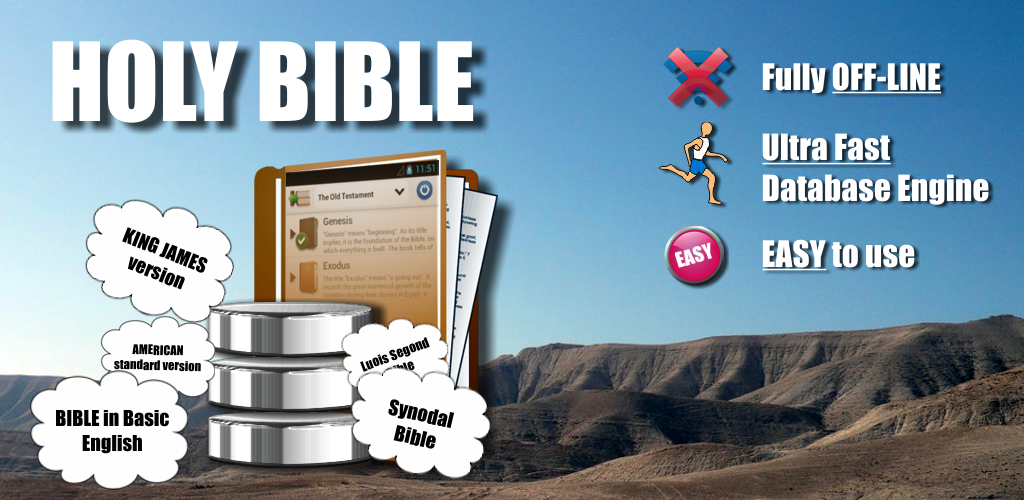
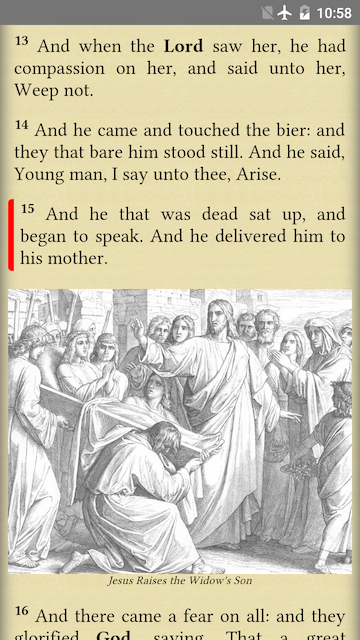
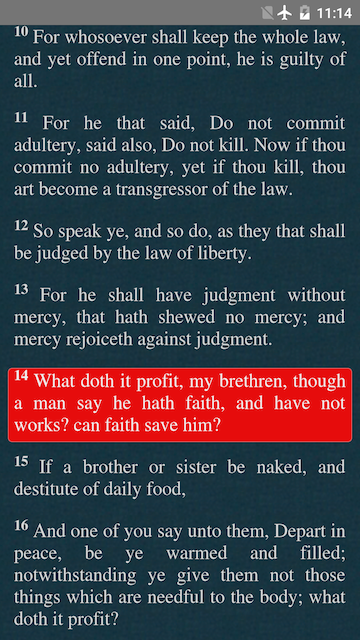
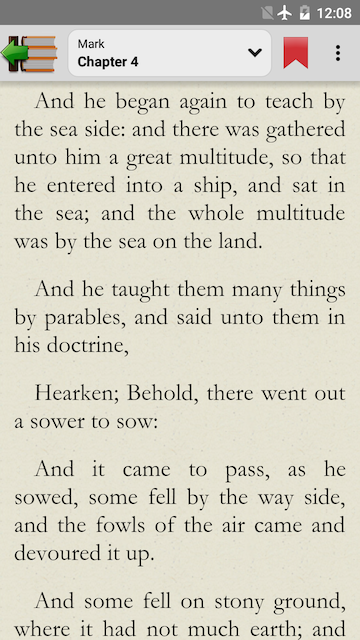
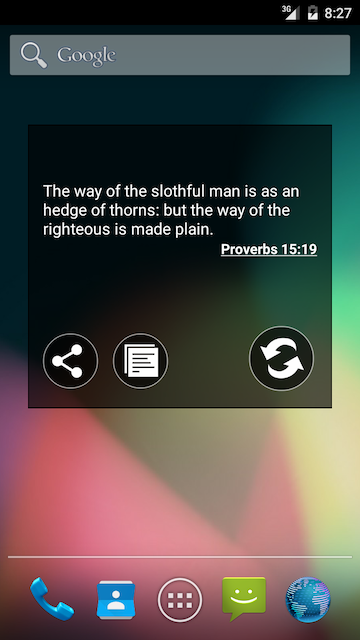
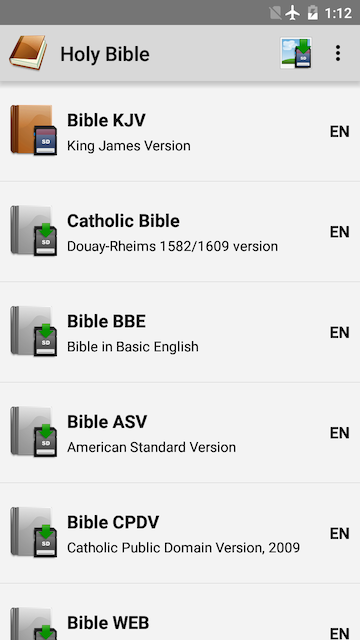
Bible: KJV, BBE, ASV, WEB, LSG for Android

banner_1024_500.png


Download from Google Play:
https://play.google.com/store/apps/details?id=com.pearmobile.apps.holybible
Download from HomePage:
http://www.pearmobile.com/products/holy_bible_android/

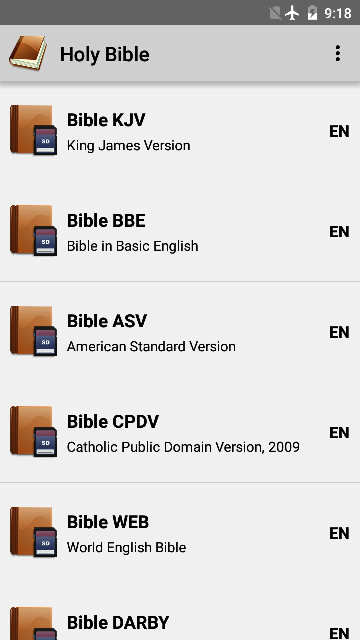
Holy Bible is a powerful Bible Reader which has possibility to download different versions of Bible to your Android device. After download it's not necessary to have internet connection, you can read bible offline. You can manage different version of Bibles in one app! The list of available Bibles permanently expands. More Bibles! Our goal is to make your bible reading more comfortable and joyful!

Available Bible versions:

• King James Bible (Bible KJV)
• Catholic Bible (Douay-Rheims 1582/1609)
• American Standard Version Bible (Bible ASV)
• Bible in Basic English (Bible BBE) (Bible English)
• World English Bible (Bible WEB) (Bible English)
• Catholic Public Domain Version (CPDV) (Bible English)
• World Messianic Bible (WMB) (Bible English)
• J.N. Darby Bible (Bible English)
• N. Webster Bible (Bible English)
• Young's Literal Translation Bible (Bible YLT) (Bible English)
• Wycliffe Version (Bible English)
• Albanian Bible
• Bulgarian Bible (Библията на български език)
• Chinese Bible (简体中文和合本) (圣经中的中国)
• Czech Bible (Kralická) (Česká Bible)
• Danish Bible (Danish Bible Society, 1871) (Dansk Bibel)
• Dutch Bible (Statenvertaling)
• Esperanto Bible (La Sankta Biblio, L.L.Zamenhof, 1915) (Esperanta Biblio)
• Haitian Creole Version (HCV)
• Finnish Bible (1933/38) (Suomi Raamattu)
• French Bible Louis Segond (Bible LSG) (La Bible Française)
• French Bible A.Crampon (La Bible Française)
• French Bible D.Martin (La Bible Française)
• Ge'ez Bible
• Georgian Bible (ძველი ქართულით ბიბლია) (ბიბლია ქართული)
• German Bible M.Luther (Die Bibel in deutscher Sprache)
• Greek Bible (Μετάφραση Ν.Βάμβα, 1850) (ελληνική Γραφή)
• Hebrew Bible (Old testament) Westminster Leningrad Codex (התנ"ך עברית)
• Hungary Bible G.Károli fordítás (A Biblia a magyar)
• Icelandic Bible
• Indonesian Bible (Terjemahan Lama) (Alkitab di Indonesia)
• Italian Bible: Conferenza Episcopale Italiana (CEI), G. Diodati, Riveduta version (Bibbia italiano)
• Korenian Bible (KJV version) (한국어 성경)
• Latina Bible (Sacra Vulgata) (The Latin Vulgate)
• Malagasy Bible (Baiboly Malagasy)
• Maori Bible (Paipera Maori)
• Norwegian Bible (The Norwegian Bible Society, 1930) (Norsk Bibel)
• Philippine Bible (Ang Dating version) (Tagalog)
• Polish Bible (Gdańska) (Polska Biblia)
• Portuguese Bible (João F. Almeida Atualizada) (Bíblia português)
• Romanian Bible (D. Kornilesku) (Biblia Română)
• Russian Bible Synod (Русская Православная Библия, Синодальный Перевод)
• Serbian Bible (Cyrillic and latinetse) (Библија на српском)
• Slovak Bible (Preklad J.Roháčka) (Biblia v slovenčine)
• Spanish Bible La Biblia Católica (Petisco-Torres Amat, 1825)
• Spanish Bible Reina-Valera 1856, 1909 (Bible RVA) (Biblia en Español)
• Spanish Bible Reina-Valera Purificada (Biblia en Español)
• Spanish Bible Sagradas Escrituras (Biblia en Español)
• Swedish Bible (Svenska, 1917) (Bibeln Svenska)
• Ukrainian Bible (Біблія) (Біблія на українському)
• Vietnamese Bible (1934 version) (Kinh Thánh tiếng Việt)
• Xhosa Bible (H. Dugmore, 1859) (Izhibhalo Ezingcwele)

Features:

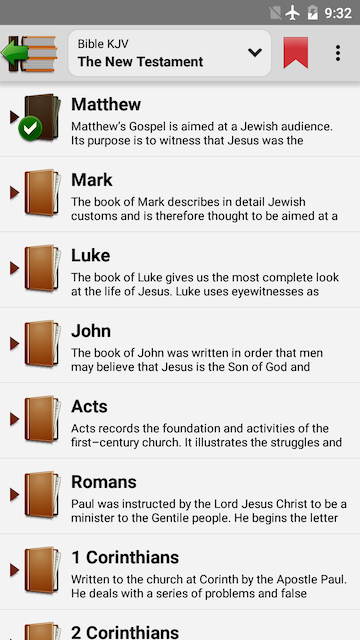
• Old and New Testaments
• Full offline access to Bible texts
• High performable SQLite database engine lays in the basis of the app
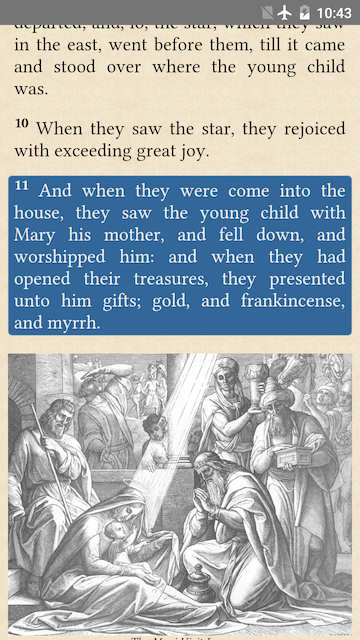
• Images by J.Shnorr
• Widget "Daily Bible Verse"
• Short description for each book of Bible
• Bold font for proper nouns
• Fonts support
• Themes support
• Bookmarks and Notes for the Bible Verses and Bible Books
• Fast bookmark selection
• Possibility to highlight the verses using colors
• Possibility to mark book or chapter that you have read
• Copying Bible quotes in the clipboard
• Gestures support
• Simple and user-friendly interface
• Flexibility of the application

Download from Google Play:
https://play.google.com/store/apps/details?id=com.pearmobile.apps.holybible
Download from HomePage:
http://www.pearmobile.com/products/holy_bible_android/

• Support is available from the app or you can write to support@pearmobile.com
• Like our page on Facebook: https://www.facebook.com/bibleholyonline
• Follow us on Instagram: https://www.instagram.com/bible_holy_kjv
• Follow us on Twitter: https://twitter.com/saint_gospels
• Read Bible online on www.bible.promo, www.bible.pearmobile.com

1.png
2.png
3.png
4.png
5.png
6.png
7.png
8.png

Pandora password problem

Since he got stuck with the crappy icon after all, my friend at least wanted to be able to listen to music with it. Unfortunately, he doesn't know his pandora password, and neither do I. I tried to help him reset it via email, but the link doesn't work. I tried it numerous times and nothing. The really bad wifi doesn't help, either. What's next? No, I'm not downloading the app.

Help Get location of Image

Sounds simple if location set before Galaxy A7 camera used. Yes but I now have many images in my DCIM folder taken around, but not in exactly, the same place.

On my A7 I can see, very roughly where it was taken and a very rough location i.e. the name of the road; great unless you have a numb er taken on different dates in the same road. What I see when I select Details is Google Maps showing the image BUT not the exact location e.g. longitude and latitude; at least with those co-ordinates I stand a chance.

I these a simple way to extract these co-ordinates from the image on my A7?

I would like to copy these images to my PC and then open them up in the PCs Google Maps; the larger real estate would help me locate each image. When I zoom in on the A7 you lose the sense of where you are because the surrounding landscape goes off screen; when you zoom out again all the other nearby image crowd the view. Note most of these images are taken in countryside settings where roads are not near the image location.

Any help please?

Hello, I'm the developer of Nap: Notification History Timeline and Manager

Hello, I'm João and I've been developing a notifications' manager for Android: Nap.

I started developing Nap for two reasons:
  1. I used to get notifications and I didn't want to interact with them immediately, but I also didn't want to dismiss and lose them (this became less of an issue in Android 11);
  2. I was getting notifications too often.
So, I aimed to create a simple timeline for my Android notifications. Naturally, the concept evolved and I have additionally developed features to organize and manage notifications, such as snooze and automatic dismissal.

Nap is an application you won't be using often and I've designed it to not be addictive and to never ask for your attention unsolicitedly. It is completely free and it respects your information. Your notifications are solely yours and stored locally only.

After starting to use Nap, I eventually stopped feeling any pressure to interact with my notifications, which was somewhat freeing. I definitely recommend using an application to manage your notifications and there are plenty on Google Play.

In that sense, I would like to invite you to try out Nap. I’m also looking for feedback, namely:
  • what do you like and don't like about it;
  • which problem can it help solve in your day-to-day life, if any.

Thank you!

Get Nap on Google Play: leao.io/nap

Hello from Portugal!

Hello there,

I'm João, a Portuguese Android developer. I'm currently developing my own Android application, a notification history app called Nap (leao.io/nap), and I've helped in the creation and development of two other applications in the past: Chant (a discontinued Twitter client for Android) and Todoist (the Android application).

I wasn't aware of these forums until recently. I've been looking for communities where I can share my app and ask for feedback. I'm not sure if self-promotion is allowed here, but I would appreciate if someone could point me to some guidelines, if they exist.

I'm looking forward to taking part in this community. Thanks for having me.

Cheers!

I wanna find a launcher app that can put all icons(apps and shortcuts*) into nested folders

Don't answer too quickly. Make sure you understand what I'm talking about. There're at least 2 types of shortcuts.

I want to find an app that can manage icons on the homescreen in forms of nested folders. But unfortunately, I haven't found one so far. I tried Nova Launcher, which can create nested folders, but only APPs can be put into those nested folders(here's how, btw). I also tried Folder Organizer and Glextor, they do better than Nova Launcher, because they can include shortcuts (but not all shortcuts, I'll explain later) into those nested folders. They create shortcuts just like way we create a shortcut on the homescreen.

But there is one type of shorcuts that can't be organized by Folder Organizer or Glextor. This type of shortcuts can only be created from within an app. For example, there's a chat app that allows you to create contact member shorcuts on the homescreen from within the app. After you click "create a shortcut on the homescreen" in the app, and hit the home button of your phone, you'll see the newly created shortcut appear on the homesceen.

It would be very helpful if I can put those shortcuts inside nested folders and arrange them as I need. But so far as I know, there is no app that can put this kind of shortcuts into nested folders.

I think it's reasonable that apps like Folder Organizer and Glextor can't manage shortcuts that are already on the homescreen, because the data of these shortcuts are stored with the launcher app, and those apps can't communicate with the launcher app. So I believe the only possible app that can meet this requirement should be a launcher app.

Launchers I have tried so far:
Nova Launcher - only apps can be in the nested folders
Smart Launcher - doesn't even have nested folders
Total Launcher - can't even capture shortcuts created from within an app

Help Trying to use my Phone as a internet modem to power wireless router

Hi Folks,


Due to storm isaias, our internet is down, but we have power. I have a USB-C Network Adapter that I thought I could get working. I'm using my laptop as a test to see if I can get internet from the phone to work on the laptop, but nothing is working yet.


Here's what happens.

First, I plug in the Network adapter to my phone, and then the hook up the network cable to both connector and Windows 10 laptop.
On the laptop, I see, "Unidentified Network", with "No Internet".
On the phone, I see, "Ethernet Cable Connected" "Tap to Setup".
When I click on, "Tap to Setup", There is a button to enable the option to, "Connect to Ethernet Network".
I've tried to select this button, but all it does is say, "Turning on", but it times out and doesn't do anything.

I tried disabling wireless on both devices. But that doesn't help.


Any ideas here?

Problems transfering files from S9 Plus

Hi,

I just got a S20 Ultra and I'm trying to transfer files from my old S9 +. Everything is ok but I have a folder on the main screen of the S9 with weblinks in it. Smart Switch did transfer everything but that folder no.

Is there a way for me to transfer those links manually or am I stuck with loosing them

Thank you ( botch phones run on Android 10)

Martin

Filter

Back
Top Bottom