• After 15+ years, we've made a big change: Android Forums is now Early Bird Club. Learn more here.

  • Locked
Need to bypass FRP but cannot unlock bootloader & enable ADB

Hi, my name is Mubeen and I'm a new user here so I'll be careful around here.

I got a Nubia M2 yesterday that was FRP locked and me and my friend tried many ways to bypass it. The most popular way I could find on YouTube was with the TalkBack settings and stuff but with Android updates I guess they removed some features. I got close to a couple videos which could've gotten me access to the YT app but I just got the error saying JavaScript needs to be enabled to view the video. UGH

The most easiest I saw was an application called Shortcut Master which you put onto a USB drive, plug it in the phone with an OTG adapter and it should give a popup saying to open the flash drive contents, and then you install the app as usual and it does it's bypass thing. But when I tried it, the popup wouldn't even show up.

Anyways, I tried many flash tools like FeraguKey to remove FRP, and I also was thinking about instaling TWRP Recovery but I need ADB and an Unlocked Bootloader to do so - which I don't have access to enable.

Is there any way I could enable ADB and an Unlocked Bootloader while FRP locked?
If not, is there any way to remove FRP with/without computer that ADB and an UB isn't required?

Any help/suggestions would be great :)
Thanks for taking the time to read this thread,
Mubeen

Rooting Moto E5 Possible To Recover Photos With Appropriate Recovery Apps On A Reformatted Android?

Hello. Nice to meet you all once again!


I have a serious dilemma! I need your help and advice!


Hello. This past week (Wed., July 22nd, 2020), in the midst of searching on Chrome on my Moto E5 (Non-rooted) [XT1920DL] Tracfone smartphone with Android 8.1.0 I noticed the webpages and the apps themselves were running slow. I restarted my smartphone with the side power button and went it rebooted, the Moto logo screen "Powered By Android" was in a constant restart where it would flash intermittently and randomly on and off never fully loading into the login screen to eventually the home screen. This went on for over a half-hour or better.


I was beginning to get concerned. I then read information online from my Windows 10 PC, a procedure to get to AP Fastboot Flash Mode (Recovery Mode) with the power and volume down buttons. I scrolled to Recovery Mode option with the volume buttons and then pressed the power button to get into Recovery Mode. It said, "No command" on the screen. I then pressed the power button and while pressing it down, I quickly tapped the volume up button. I was then in Android Recovery mode. I tried all options on this screen: "Reboot system now", "Reboot to bootloader", "and "Wipe cache partition" as possible solutions available without harming any of my personal files saved on the smartphone. In all cases, the smartphone did the same thing as before where it would reboot and randomly flash "Powered By Android" on the screen never fully booting and loading the Android home page after waiting 30 minutes or better after each option.


Right along I thought I saved my photos with other data to the 64 GB PNY micro-SD card installed with the SIM card attached inside the smartphone and would be safe to do a factory reset as my photos would not be harmed, so I felt the only other option "Wipe data/factory defaults" in Recovery Mode was available to get into my smartphone. I did feel at this point in the troubleshooting I should remove that micro-SD card just in the SD card's photos get deleted or damaged in any way during a factory reset. Now, it was a total factory reset. Feeling I still had my photos taken by this smartphone saved on my micro-SD card, I removed it and placed it an adapter and then into a card reader to see the photos on my Windows 10 PC. I only saw 2 drives (not partitioned) (16GB and 59GB) that did NOT have drive letter assigned partitions via Windows 10's Computer Management and Windows Explorer were showing both drives empty or fully available. I panicked! I ran Recuva, Disk Digger, Wondershare Recoverit, MiniTool Power Data Recovery, FonePaw for Android, EaseUS Mobisaver for Android, EaseUS Data Recovery Wizard to try to recover photos with deep scans where some recovery programs would allow deep scans on the micro-SD card and other recovery programs would only allow quick general scans. These were free versions that had downloads for trial purposes and only provide for free anything that could find in terms of data, however, if I wanted it recovered it would cost me to buy the program. Why would I want to buy the program if it failed to find anything like it did in terms of my photos. It found one (1) recovered item which looks to appear a screenshot and some random odd unuseful files. No luck! I also used Windows 10 Computer Management assigned a drive letter to the entire micro-SD card so some of the recovery software that required a drive letter assigned to the micro-SD card to run could indeed find the partition and drive, but that did not work and resulted in no photos found.


I also ran Stellar Photo Recovery and PhoneRescue for Android (PC software install versions on my Windows 10) and discovered for these programs that a non-rooted smartphone will not work with their software as my Android Moto E5 smartphone is not rooted! I then checked my photos.google.com on my account to see what photos were uploaded and saved and saw a large number of my photos taken in recent months were never saved the Google Photos on the cloud. The reason for that is unknown and obviously I cannot tell now. It must be I had the backup to Google Photos off via Wi-Fi.I have learned I will upload my photos to Google Photos on a regular basis this point forward.


I realized a few things now. I just purchased a new Moto G6 smartphone I am still presently setting up. In the process of setup, I have read online that when I use an SD card as expanded internal memory option, the SD card data is not accessible to other operating systems like Windows. I then begin to recall myself just may be doing that -- I did indeed expand the internal memory option on the Moto E5. This was a long time ago. That is why I did not see any files visible on my Windows 10 PC as I read these files are not visible or accessible with other operating systems. I figured there were over 5,000 photos that were not saved with most if not all ones I cannot replace. I now assume the photos were then stored in some directory on the expanded internal memory of the Android smartphone and not the (removable portable) micro-SD card I originally thought I setup many months ago. Also, when re-inserting the SD card back into the Moto E5, the Moto E5 reformats the SD card automatically to the removable portable storage since the reformatting of Android using Recovery Mode. This time I did not setup the SD card as expanded internal memory and left it as a removable portable storage option.


I used the Moto E5 a few times with a couple of photos with its new formatted Android drive. Then, today, I read online from Technews.com that, “However, no data recovery app can restore deleted files unless and until you root your device properly. The reason why rooting is necessary for Android file recovery is because the erased files are actually stored on the reserved cache memory that cannot be accessed without rooting your device.” THIS GOT ME EXCITED WITH SOME HOPE! Yes, I would have to sacrifice my Moto E5 for rooting it to get access with some deep scans from some recovery software program to get those photos. AM I RIGHT? …OR AM I WRONG? I NEED YOUR FACTS AND ADVICE IF THIS WILL WORK! I know I will void my warranty with Motorola and/or Tracfone since I have learned I will have to get the code in order to unlock my bootloader and install another ROM, but if the photos are still in all or part intact somewhere on the Moto E5, I am willing to take the gamble. The Moto E5 is over a year old now. I assume the warranty is now void anyways.


MY QUESTIONS TO YOU: SO, DO YOU THINK THIS “WILL” WORK (IF I AM SUCCESSFUL WITH ROOTING THE MOTO E5) SO I CAN RETRIEVE ALL OR PART OF MY PHOTOS? WHAT ARE MY ODDS IN YOUR HUMBLE OPINION? WHAT PROBLEMS OR ISSUES COULD I EXPERIENCE (IF ANY)?


Please reply and please let me know. I have provided you a lot of details so you should plenty of information on my circumstances to provide me an informed solution, decision or advice.

THANK YOU!

Help with choosing phone

I own a galaxy s8, I'm upgrading to either the s20+, s20 ultra or Iphone 11 pro max. Price will only be around 8.00 month difference on the s20's and 5.00 cheaper on the iphone from samsung. I love the experience of watching movies on amoled screen, but ive talked with people who went from android to iphone that you don't notice the difference, plus some liked iphone more. I also want it for photos and videos of family and nature. I like blowing up my phone photo's to put on wall, would either one be good at this? I guess my issue is I want the best photo, video and movie watching device in one. I know that you cant make the decision for me just need advise, maybe from someone who used to use iphone or use both. Thank you.

Help Can I recover data? Got no backup, and small fortune in bitcoin on phone

I don't know what to do.

I've got no backup of my bitcoin app, and my Nokia 7.1 has crashed.

This is the story:

On Friday I went kayaking, and got some salt water on the phone.

I have no idea if the salt water has anything to do with it, because the phone worked just fine until late in the day, when it just wouldn't charge anymore.


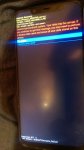
The battery sank and sank, and when the battery was close to being dead, I got a message about that "Android system" couldn't load.

See attachment.

No matter how many times I restart I get the same message. That's where I am at today. Stuck there.

Attachments

  • IMAG0042.jpg
    IMAG0042.jpg
    322.6 KB · Views: 406

Extend wallpaper into notification area

In my settings I have all apps set to Auto under Full Screen Apps settings. Under the advanced section I have the Hide Camera Cutout turned off. However, on my home screen the wallpaper doesn't extend into the notification area, leaving a small black bar, including the camera cutout, across the top. All apps extend to cover the notification area, which is perfect. How do I get the wallpaper to cover as well?

I'm also using Nova Launcher Prime as my launcher, if that matters.

Help Firmware country restrictions

I must apologise for the rather long winded story.
I am in the UK and my old faithful Galaxy S7 died on my. Turned out to be a component overheating on the motherboard which must have occurred when the phone slipped out of my hand and bounced off the table on the way to the floor. I decided to stay with an S7 as it works ok for me and it's not too big in my pocket. I sourced a replacement off Ebay for a reasonable price and it has been working great up until I realised I was missing a function. The Caller ID and Spam Protection option is greyed out and for the life of me I can't figure out how to turn it on. I have noticed that the software and must be motherboard in this phone has the code SM-G930U. I think I am correct in saying this phone is a USA model as I have since replaced my broken motherboard and it was with a G930F for the UK. I still have a window of opportunity for returning the US model phone, but was hoping someone could clarify that the country of the software/board might be what's preventing the Caller ID and Spam Protection being available to me in the UK. This would help my case with a reason for returning the phone.
Thanks in advance for any help or advice you can give.

poor reception

My old moto x pure is dying so I tried a motog power.
Battery life excellent as they said, but no signal at my house.
The pure still gets some reception here but on the moto0g power nothing.
I sent it back.
Is ther a phone with a decent antenna?
I have also tried a samsung note ten plus same problem with reception here.
That is going back too.

Touchscreen stops working

So I'm using a Moto E5 plus .. and sometimes when I'm typing or jus navigating on the screen... It stops working. I touch the screen but nothing happens..

Example. I will b texting a message and during the text as type on the keyboard it stops working.. like it freezes... I have to wait a min.. and countiue typing.. or I can turn the screen off and turn back on and it will b fine for a while...

This happens no matter what I'm doing. Text. Web search.. open app. Close app.. make calls.. anything.

Has this happened to anyone else.. help appreciated. Thx.

Again! Google Voice to Text "comma" error= "oh"

I had posted a few years back on an error that was hitting more and more people who used Google voice to text for Android consistently. The error was in the word "comma" showing up often where the speaker was trying to insert the punctuation mark ",". After reporting this and getting several replies, a few months later this error disappeared so I hope this will help with the current "comma" command issue.

Now another error has started hitting Android users and it is the word "oh" showing up more and more often before the "," when the voice command "comma" is used, in other words, I say "comma" and on screen "oh," shows up! It has gotten so bad with my phone that sometimes I'm trying to send an important text and it does not sound very important with the word "oh" intermittently positioned in the middle of sentences, I sound ridiculous.

Other people experiencing this in my circle have dealt with it by just erasing the "oh" as I have done to this point but it just gets worse so it is time to bring it to light as we did the first "comma" voice command malfunction in Google voice to text.

Regarding the occurrence of the error, it seems to be less correlated with any type of phone than it does individual Google accounts, whatever that means, it has happened to me on multiple phones.

TG4 Global update rolling out

The 9th update for the Global, Exynos, model, SM-98*B, has been released for the unbranded Galaxy S20 phones.

This update should apply to all the Global S20 model phones, SM-98*B.

The update, G98*BXXU3ATG4, still, confusingly, has the July 2020 Android Security patch from the previous TFG update according to Samsung's changelog in the following post, below. One UI is still v2.1

Download size = 179.54 MB

Build date = 07 July 2020

o25BuHzh.jpg


Camera version is still = 10.0.03.31

Android Security patch is still = July 2020

This is the 9th update in 140 days = 1 update every 16 days on average

Weird Query/Request

Good Day Everyone,

This might be the right place to ask as i have no idea where else to go, i am looking for an android app that would send out a specific sms to a specific number based off of a specific sms that was received by the phone? for example if a sms comes in from phone number "X" and contains the word "top" then a different sms gets sent to phone number "Y" which contains the word "top" like below:

sms from X: top is down
sms to Y: Please be advised that the top is down. Please phone me.

i want to be able to link X & Y together so that all incoming from X goes to Y containing for example the word "top" but i want to have unlimited setups like this with X & Y, A & B, C & D etc.

I hope you can assist.

Get Real Path for Android 10

I'm using this code to get the real path for Android 10, but it always returns null. Can anyone please provide a solution for it?


import android.annotation.SuppressLint;
import android.content.ContentUris;
import android.content.Context;
import android.database.Cursor;
import android.net.Uri;
import android.os.Build;
import android.os.Environment;
import android.provider.DocumentsContract;
import android.provider.MediaStore;
import android.provider.OpenableColumns;
import android.text.TextUtils;
import android.util.Log;
import android.widget.Toast;

import androidx.loader.content.CursorLoader;

import java.io.IOException;

import static androidx.constraintlayout.widget.Constraints.TAG;

public class RealPath {

public static String getRealPath(Context context, Uri fileUri) {
String realPath;
// SDK < API11
try {
if (Build.VERSION.SDK_INT < 11)
realPath = getRealPathFromURI_BelowAPI11(context, fileUri);
// SDK >= 11 && SDK < 19
else if (Build.VERSION.SDK_INT < 19)
realPath = getRealPathFromURI_API11to18(context, fileUri);
// SDK > 19 (Android 4.4)
else
realPath = getRealPathFromURI_API19(context, fileUri);
return realPath;
} catch (Exception e) {
// Toast.makeText(context, "Exception in getRealPath: " + e, Toast.LENGTH_SHORT).show();
throw e;
}
}

@SuppressLint("NewApi")
public static String getRealPathFromURI_API11to18(Context context, Uri contentUri) {
String[] proj = {MediaStore.Images.Media._ID};
String result = null;

CursorLoader cursorLoader = new CursorLoader(context, contentUri, proj, null, null, null);
Cursor cursor = cursorLoader.loadInBackground();

if (cursor != null) {
int column_index = cursor.getColumnIndexOrThrow(MediaStore.Images.Media._ID);
cursor.moveToFirst();
result = cursor.getString(column_index);
if (cursor != null) {
cursor.close();
}
}
return result;
}

public static String getRealPathFromURI_BelowAPI11(Context context, Uri contentUri) {
String[] proj = {MediaStore.Images.Media._ID};
Cursor cursor = context.getContentResolver().query(contentUri, proj, null, null, null);
int column_index = 0;
String result = "";
if (cursor != null) {
column_index = cursor.getColumnIndexOrThrow(MediaStore.Images.Media._ID);
cursor.moveToFirst();
result = cursor.getString(column_index);
if (cursor != null) {
cursor.close();
}
return result;
}
return result;
}

private static String getRealPathFromURI_API19(final Context context, final Uri uri) {
final boolean isKitKat = Build.VERSION.SDK_INT >= Build.VERSION_CODES.KITKAT;
if (isKitKat && DocumentsContract.isDocumentUri(context, uri)) {
if (isExternalStorageDocument(uri)) {
final String docId = DocumentsContract.getDocumentId(uri);
final String[] split = docId.split(":");
final String type = split[0];
if ("primary".equalsIgnoreCase(type)) {
return Environment.getExternalStorageDirectory() + "/" + split[1];
}
} else if (isDownloadsDocument(uri)) {
final String id = DocumentsContract.getDocumentId(uri);
String fileName = getFilePath(context, uri);
if (fileName != null) {
return Environment.getExternalStorageDirectory().toString() + "/Download/" + fileName;
}
try {
final Uri contentUri = ContentUris.withAppendedId(Uri.parse("content://downloads/public_downloads"), Long.valueOf(id));
return getDataColumn(context, contentUri, null, null);
} catch (NumberFormatException e) {
e.printStackTrace();
return null;
}
} else if (isMediaDocument(uri)) {
final String docId = DocumentsContract.getDocumentId(uri);
final String[] split = docId.split(":");
final String type = split[0];
Uri contentUri = null;
if ("image".equals(type)) {
contentUri = MediaStore.Images.Media.EXTERNAL_CONTENT_URI;
} else if ("video".equals(type)) {
contentUri = MediaStore.Video.Media.EXTERNAL_CONTENT_URI;
} else if ("audio".equals(type)) {
contentUri = MediaStore.Audio.Media.EXTERNAL_CONTENT_URI;
}
final String selection = "_id=?";
final String[] selectionArgs = new String[]{
split[1]
};
return getDataColumn(context, contentUri, selection, selectionArgs);
}
} else if ("content".equalsIgnoreCase(uri.getScheme())) {
try {
if (isGooglePhotosUri(uri))
return uri.getLastPathSegment();
return getDataColumn(context, uri, null, null);
} catch (Exception e) {
}
} else if ("file".equalsIgnoreCase(uri.getScheme())) {
try {
return uri.getPath();
} catch (Exception e) {
}
}
return null;
}

private static String getDataColumn(Context context, Uri uri, String selection, String[] selectionArgs) {
Cursor cursor = null;
final String column = "_data";
final String[] projection = {
column
};
try {
cursor = context.getContentResolver().query(uri, projection, selection, selectionArgs,
null);
if (cursor != null && cursor.moveToFirst()) {
final int index = cursor.getColumnIndexOrThrow(column);
return cursor.getString(index);
}

} catch (Exception e) {
e.printStackTrace();
} finally {
if (cursor == null) {
cursor.close();
}
}
return null;
}

public static String getFilePath(Context context, Uri uri) {

Cursor cursor = null;
final String[] projection = {
MediaStore.MediaColumns.DISPLAY_NAME
};

try {
cursor = context.getContentResolver().query(uri, projection, null, null,
null);
if (cursor != null && cursor.moveToFirst()) {
final int index = cursor.getColumnIndexOrThrow(MediaStore.MediaColumns.DISPLAY_NAME);
return cursor.getString(index);
}
} finally {
if (cursor != null)
if (cursor != null) {
cursor.close();
}
}
return null;
}

/**
* @param uri The Uri to check.
* @return Whether the Uri authority is ExternalStorageProvider.
*/
public static boolean isExternalStorageDocument(Uri uri) {
return "com.android.externalstorage.documents".equals(uri.getAuthority());
}

/**
* @param uri The Uri to check.
* @return Whether the Uri authority is DownloadsProvider.
*/
public static boolean isDownloadsDocument(Uri uri) {
return "com.android.providers.downloads.documents".equals(uri.getAuthority());
}

/**
* @param uri The Uri to check.
* @return Whether the Uri authority is MediaProvider.
*/
public static boolean isMediaDocument(Uri uri) {
return "com.android.providers.media.documents".equals(uri.getAuthority());
}

/**
* @param uri The Uri to check.
* @return Whether the Uri authority is Google Photos.
*/
public static boolean isGooglePhotosUri(Uri uri) {
return "com.google.android.apps.photos.content".equals(uri.getAuthority());
}
}

Filter

Back
Top Bottom