• After 15+ years, we've made a big change: Android Forums is now Early Bird Club. Learn more here.

My phone does not record videos - help please?!

Hello,

I have a Lenovo/Motorola Moto G5 running Android Oreo (version 8.1.0).

When I try to record a video, it always stops immediately having recorded a 0s long video. These 0s videos are viewable in my "ES File Explorer" app but they're not visible in the camera app itself.

Specifically, this is what happens:
  1. I open up the camera app
  2. I tap on the video icon
  3. I tap on the red button to start recording a video
  4. It flashes up the red "REC" circle in the middle of the screen to signify it is recording
  5. It immediatelly says "The ringer volume was restored"
  6. It switches back to the normal "photo" camera
Does anyone have any suggestion as to what I can do to make it record videos?

Thanks,

Martin

Apps Develop in C/C++

Hi everyone,

My company has to develop an API library (.so) in C / C ++ on the Android platform. The library can be incorporated into other Apps also written with different Framework (Xamarin, Flutter, Native Java / Kotlin etc.). The library will use to communicate with our external device in Bluetooth (BLE). I have not found an example to start to set up a C / C ++ project and to be able to access Bluetooth from here.
Do you have any suggestions?

Tablet Skin not showing up in Android Studio’s ‘Create Virtual Device’

Hi
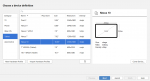
In trying to create an emulator of a Samsung tablet (Tab A 9.7 for example), I start with "New Hardware Profile" which goes to "Choose a device definition"

I'm not sure if it's suppose to, but the Galaxy_Tab_A_9.7 does not show up, so I chose the Nexus 10.
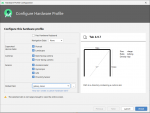
![Configure Hardware Profile|661x500](upload://d1ukYtaZ9vb7WKfYw1zRdMI3CnF.png)

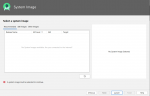
As you can see, that is not a good selection (not big enough). So if I go back to the "Choose a device definition" and click "Next", on the next screen which is
"Select a system image", there is nothing there to select from.![Select a system image|690x445](upload://8j3GXrFpUPpD2oWCI43VLOjwRjL.png)

Any idea of what I'm doing wrong would be greatly appreciated.

Thanks...

Attachments

  • Choose a device definition small.png
    Choose a device definition small.png
    36.3 KB · Views: 530
  • Configure Hardware Profile small.png
    Configure Hardware Profile small.png
    50.7 KB · Views: 498
  • Select a system image small.png
    Select a system image small.png
    28 KB · Views: 492

T-Mobile (USA) June security patch update

There is a new roll-out of an update for the T-Mobile (USA) carrier minority variant of the OnePlus 6T. This time for the June 2020 Android security patch.

The build date of this release is showing as the 5th June 2020

Download size = 137 MB

Changelog


    • Android Security patch update to June 2020
EIpf7Xmh.jpg


Camera version = 3.8.93 (TBC)

This is the 14th T-Mobile (USA) update in 616 days. Roughly 1 update every 44 days

(N.B. This update is only for the T-Mobile (USA) minority carrier variant and NOT the global OnePlus 6T model)

See, also...

Software updates: OnePlus 6T T-Mobile (USA) official carrier forum

T-Mobile 6T to Global model Conversion (WITHOUT unlocked bootloader/SIM unlock!)

Phone dead. Data recovery ?

Hi. Hope someone can help me out.
Wife has (had) a S10+ which got smashed today. Smashed to the point that it won't even switch on.
Is there a way that we can retrieve the stuff that was on the 'phone that wasn't on the memory card ?
Photos, texts, contacts etc

Any advice would be gratefully accepted.
Cheers.

Help need to save DTMF sequences

Greetings all,

Does anyone know of an app that will allow me to generate a sequence(s) of DTMF tones and save them for later replay? I've spent quite some time trying various DTMF generator apps, but no success yet in finding something that will let me save an arbitrary sequence, so I come here for your help and consideration, thank you..

Filter

Back
Top Bottom