• After 15+ years, we've made a big change: Android Forums is now Early Bird Club. Learn more here.

Set Alarm From Timepicker

Hello my friends,

I want to set alarm from timepicker. But I could'nt do it in anyway. My codes are below. What is my problem ?

MainActivity.java

package com.info.alarmtetiklemebildirim2018;

import android.app.Activity;
import android.app.AlarmManager;
import android.app.Notification;
import android.app.NotificationChannel;
import android.app.NotificationManager;
import android.app.PendingIntent;
import android.app.TimePickerDialog;
import android.content.Context;
import android.content.Intent;
import android.net.Uri;
import android.os.Build;
import android.os.Bundle;
import android.os.SystemClock;
import android.support.v4.app.NotificationCompat;
import android.view.View;
import android.widget.Button;
import android.widget.TimePicker;

import java.util.Calendar;

public class MainActivity extends Activity {

private Calendar calendar;
private Button buttonBildirimGonder;
private TimePickerDialog timePickerDialog;

@override
protected void onCreate(Bundle savedInstanceState) {
super.onCreate(savedInstanceState);
setContentView(R.layout.activity_main);

calendar = Calendar.getInstance();
calendar.setTimeInMillis(System.currentTimeMillis());

timePickerDialog = new TimePickerDialog(MainActivity.this, new TimePickerDialog.OnTimeSetListener() {
@override
public void onTimeSet(TimePicker view, int hourOfDay, int minute) {

calendar.set(Calendar.HOUR_OF_DAY,hourOfDay);
calendar.set(Calendar.MINUTE,minute);


}
}, Calendar.HOUR_OF_DAY, Calendar.MINUTE, true);

buttonBildirimGonder = (Button) findViewById(R.id.buttonBildirimGonder);


buttonBildirimGonder.setOnClickListener(new View.OnClickListener() {
@override
public void onClick(View v) {

zamanliliBildirimGonder();
}
});


}


private void zamanliliBildirimGonder() {

NotificationCompat.Builder builder;

NotificationManager bildirimYoneticisi =
(NotificationManager)getSystemService(Context.NOTIFICATION_SERVICE);

Intent ıntent = new Intent(this,MainActivity.class);

PendingIntent gidilecekIntent = PendingIntent.getActivity(this,1,ıntent,PendingIntent.FLAG_UPDATE_CURRENT);


if (Build.VERSION.SDK_INT >= Build.VERSION_CODES.O) {

String kanalId = "kanalId";
String kanalAd = "kanalAd";
String kanalTanım = "kanalTanım";
int kanalOnceligi = NotificationManager.IMPORTANCE_HIGH;

NotificationChannel kanal = bildirimYoneticisi.getNotificationChannel(kanalId);

if (kanal == null) {
kanal = new NotificationChannel(kanalId, kanalAd, kanalOnceligi);
kanal.setDescription(kanalTanım);
bildirimYoneticisi.createNotificationChannel(kanal);
}

builder = new NotificationCompat.Builder(this, kanalId);

builder.setContentTitle("Başlık")
.setContentText("İçerik")
.setSmallIcon(R.drawable.resim)
.setAutoCancel(true)
.setContentIntent(gidilecekIntent);

} else {

builder = new NotificationCompat.Builder(this);

builder.setContentTitle("Başlık")
.setContentText("İçerik")
.setSmallIcon(R.drawable.resim)
.setContentIntent(gidilecekIntent)
.setAutoCancel(true)
.setPriority(Notification.PRIORITY_HIGH);
}


Intent broadcastIntent =
new Intent(MainActivity.this,BildirimYayinlayici.class);

broadcastIntent.putExtra("bildirimNesnesi",builder.build());

PendingIntent gidilecekBroadcast = PendingIntent.getBroadcast(this
,0
,broadcastIntent
,PendingIntent.FLAG_UPDATE_CURRENT);

AlarmManager alarmManager =
(AlarmManager) getSystemService(Context.ALARM_SERVICE);

alarmManager.set(AlarmManager.RTC_WAKEUP,calendar.getTimeInMillis(),gidilecekBroadcast);


}


}

and broadcast receiver codes.

package com.info.alarmtetiklemebildirim2018;

import android.app.Notification;
import android.app.NotificationManager;
import android.content.BroadcastReceiver;
import android.content.Context;
import android.content.Intent;

public class BildirimYayinlayici extends BroadcastReceiver {

public void onReceive(Context context, Intent intent) {

NotificationManager bildirimYoneticisi = (NotificationManager)context.getSystemService(Context.NOTIFICATION_SERVICE);

Notification bildirim = intent.getParcelableExtra("bildirimNesnesi");

bildirimYoneticisi.notify(1, bildirim);

}
}

Are any apps still available for old versions of Android?

Hi, I have an old Asus Memopad running Android 4.2.2. As this is now an usupported version, security-wise, I wanted to install Avast free anti-virus but it reports the current version is not compatible with the device. Is it possible to find a version that is?

I was also hoping to install Firefox and DuckDuckGo but I'm guessing I'm going to run into the same issues. Has anyone any thoughts on this?

[Beta] SRT Vault - Multiple Accounts, Data Security, Work Profile

Hey everyone,

my name is Marc and my partner and I developed a security app that we released recently to Google Play. [1]

We called it SRT Vault and it makes use of Android’s work profiles to create a second manageable and secure environment and allows you to install arbitrary apps in this secure profile. This environment gives users at least the possibility to have a second layer of data protection on their phone.

Apps inside and outside are not able to freely communicate with each other. But that’s not all. We want our users to be able to not only to make their data only available to certain apps. We want to give them the power to make this information only available to certain people even thought others might be able to access their phones.

Like a vault inside a bank or a laboratory, our app is a place to store the most precious data or the most dangerous. Even the presence of our application and its app icon could be an information leak. Therefore we created the necessary means to hide both away.

It's in an early access phase and we would love your insights, feedback and help with it. If you want to, we'd want you to test the hell out of this app.

Please feel free to ask any question and suguest anything that comes to you mind.


TL;DR
We created an app to protect your data from other apps and people that might access your phone and we would love the feedback of the community.


[1] https://play.google.com/store/apps/details?id=de.srt.vault

Lite Launcher - Super lightweight and smooth interface for Android

With the motto to help the phone use the interface in a minimalist, smooth and not be bothered by ads or lag. Lite Launcher is a small but powerful interface customization application with all the basic features you need. It can help users find the most used features on their phones to provide continuous adaptive reception services depending on usage.
feature-graphic.jpg

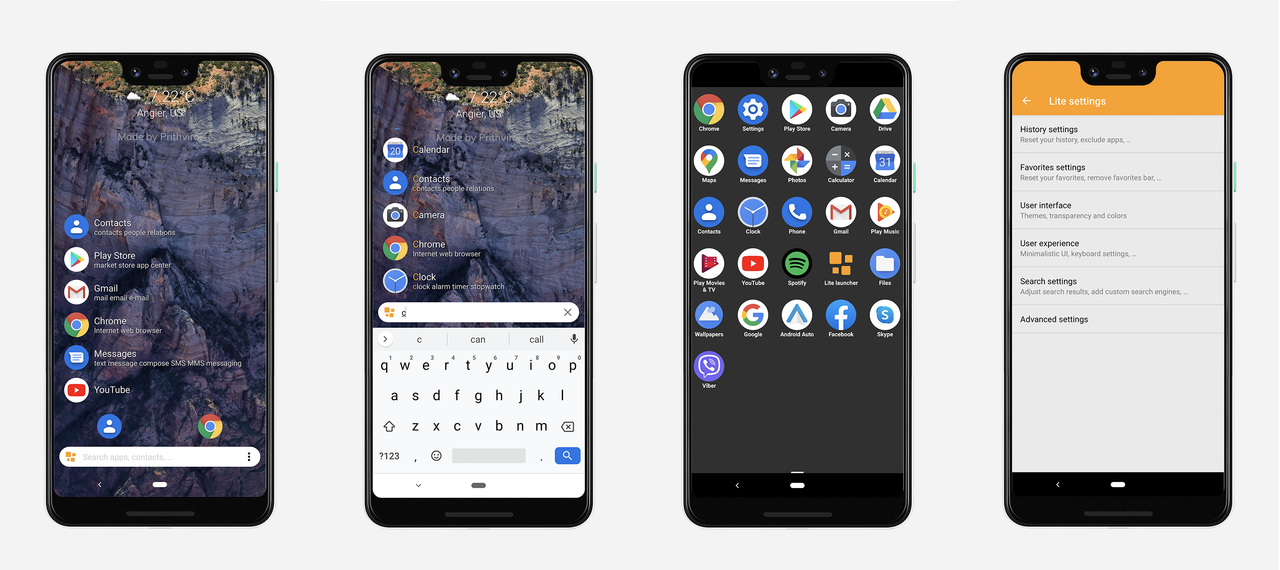
Features:
  • Start searching for anything, Apps, contacts, settings,...
  • Always see your history, for fast access
  • Add tags to search results
  • Access to most used apps
  • Learns from your habits
  • Quick access to create Call, SMS for a specific contact
  • Change colors bar, primary color…
  • Show newly installed apps in history
  • Show favorites above search bar
  • Show weather
  • Exclude favorites from history
  • Hide favorites bar
  • Hide navigation bar and turn on immersive mode
  • Hide status bar
  • Web search
  • Restart Lite Launcher, for fixing any problems
  • Exclude any apps you do not wanted from Lite Launcher
litelauncher.png

Lite Launcher allow users to save time and battery power.
Lite Launcher becomes smarter and smarter as you use it, pushing forward results you're more likely to select.

If you like, please rate Lite Launcher. Thanks for helping us making Lite Launcher better and better for all users!

Link download:
DOWNLOAD LITE LAUNCHER

Selling My Huawei Nexus 6P (angler) (Unlocked) (Sold)

So I decided I don't use my less then a year old nexus 6p so it needs a new owner so here is some info for you if you decide to buy it:

Over the last 6 months of use i have kept good care of it

I replaced the old battery with a brand new battery

The old thermal pads were bad so i used Artic Silver 5 for better cooling

And updated it to the latest firmware.

If you want the bootloader pre-unlocked for you please let me know ahead of time!

https://www.ebay.com/itm/164208283544

Help HTC Desire 510 - No Power or Signs of Life

My mom and dad had two old HTC Desire 510 phone sitting in a drawer and asked me to help them erase their personal information and recycle the devices.

One device works without issue and erasing was a breeze.

The other, however, seems to be completely dead, however. What I know:
  1. No matter how long it stays plugged into any number of chargers (OEM and non-OEM), the screen never comes on, nor do any LEDs flash, etc.
  2. The battery is not the issue (the battery from the dead works in the other, working phone, though the battery from the working phone doesn't work in the dead phone).
  3. The liquid sensors do not appear to have been activated.
  4. Holding down the power and volume down buttons for 2+ minutes does nothing, whether the phone is plugged in or not during the process.
  5. Cleaning the battery contacts on the battery AND the phone does not resolve any of the aforementioned issue.
Anyway, I'm less interested in getting the phone working than I am in understanding what would be left to possibly test/troubleshoot. It doesn't seem like the display, since neither the LED flashes, nor does the speaker make any audible sounds. I'm, then, assuming that the issue is the logic/motherboard, but would love some expert advice since this is outside the realm of my expertise.

Assuming it's dead, any suggestions on how to safely and responsibly recycle or dispose of a phone that won't power on and which may contain general personal information would be greatly appreciated. Although, truth be told, I cannot imagine who would want to go through the effort of unsoldering the storage chip and porting it to a different board just to get access to my mom's recipes and sewing newsletters. :-)

Watch Face - Cronosurf Wave (with demo Video)

Hello everybody,

We are excited to share our favorite watch face with this forum! (See the user testimonials: https://cronosurf.com/testimonials)

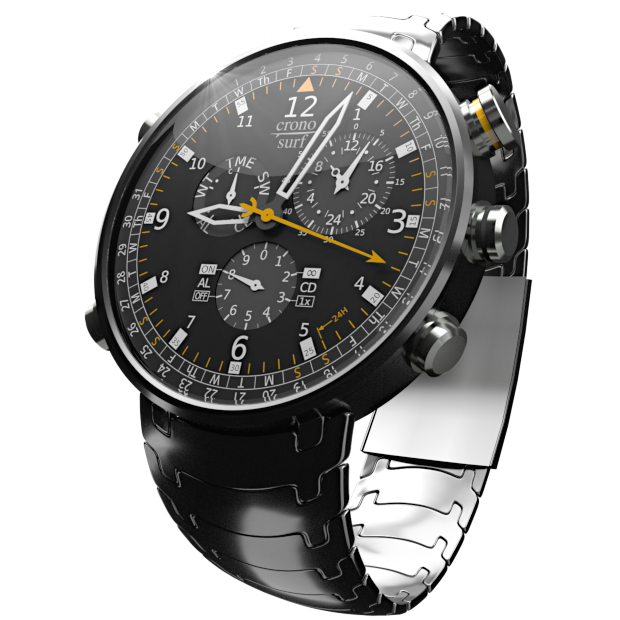
Cronosurf Wave

CSW-forum-alpha620.png

The Concept


The app is available for Android devices and Wear OS. The following picture shows it on the Huawei Watch GT 2:

HuaweiWatchGT2-480.jpg


Free and Pro versions available:
https://play.google.com/store/apps/details?id=com.fruit4droid.cronosurf
https://play.google.com/store/apps/details?id=com.fruit4droid.cronosurf.pro

Promotional video:


Send us your comments so we can keep on improving Cronosurf Wave!

Help DMX7706S works with old version of Android Auto, not new

Back in October, I had a Kenwood DMX7706S receiver installed in my wife's car. My wife is a an iOS user so it has worked great for her. On my phone (Google Pixel 2XL) it connects via Bluetooth, but says it has connection problems when I try to hook up the cable. I am running the latest version of Android Auto. Oddly the DMX7706S definitely connects to my company phone, a Samsung Galaxy S9 that is still running the older version of Android Auto. I checked, and there are not any firmware updates for the DMX7706S. Any thoughts on how to get my phone to work with it.

Meanwhile, my Google Pixel 2XL connects great to my car, which has Android Auto built in. So the only issue is connecting my personal phone to my wife's car.

Help How to Know if a microSD card is DEAD

Okay folks, I have a dashcam and they're really good about storing lots of data, really quickly. Since my dashcam overwrites the older video files as it goes, it doesn't take long to wipe a card out. I had actually used a new 256 GB card in the dashcam: which is the largest capacity card it can deal with.

A week ago, the camera stopped recording (or recorded hit/miss). Knowing that all flash memory has a life span measured in read/write cycles, I figure this card was just written to death. I replaced it with a new 256GB card (I keep a ready spare for this very reason) and the camera works fine again.

Okay, so I'm resigned to trashing this card. Before I do though, is there any test available - on Android or Win10 PC - to check the status of the card and make sure it's ready to go that that big microSD slot in the sky? Or redeemable for other use? I've heard of software called f3 that does this sort of thing, but I have no experience with anything like this.

Thanks!

Cartoon question for Baby Boomers

My cousin has a vague memory of a cartoon she used to watch, but she can't remember its name, and it's been driving her nuts for years!

She turned 62 this month. From the vagueness of her memory, we're thinking she was very young at the time, maybe 4...or even 3. [I have clear memories, validated for their accuracy by my mother, from 3, so it's certainly a possibility.] This would put the timeframe at 1961-forward...unless they were reruns from the '50s.

All she really remembers is that the main [sole?] character was male, there's something about stripes--a prisoner's uniform?--and the 'punch line' of every episode was him getting really mad and loud, and his yelling would break the wall, making it fall apart.

I'm currently going through Wikipedia's list of 1960s cartoons, and will send her its link, but I've come up empty so far. I thought asking actual people might be better! :)

Does this at all ring a bell? Keep in mind that any part of it could be wrong, or flexible. I mean, you'll note I said the character was male, not a man, because maybe it wasn't a human. The stripes could be anything, like curtains or a tablecloth. The one thing for sure is that his angry outburst always made the wall fall apart.

Is there an easier way of showing bluetooth earbuds battery?

Hi, I have a Samsung S10 Plus running android 10, I have recently got some MPOW M9 ear buds and i am finding the only way i can see the battery remaining is by going to the drop down notifications, then going to devices and seeing it in there, only problem is it only seems to show the battery sometimes, this morning i went out with my buds fully charged and at that time the battery was showing fine, i only had them on for about 1 hour but when i put them back on at lunch time and also on the way home this evening, neither time did it show battery, it just showed 'playing' but no display of battery.

I am just wondering if there’s any easier way of seeing the battery without having to go into a few menu's to see it?

And also why the battery shows sometimes and not others?

I use PowerAmp Pro, i am not sure if there’s a feature in that to show remaining battery, i haven’t seen it if there is?

Any help would be great.

Thanks,
James.

Battery incompatibility issue

Hey forum,
I'm hoping you can help me with a problem that is driving my crazy. At this point, I'm just super curious as to what could be causing my problem. Here's the deal..
I am still currently using a Samsung S5. Long and short is the charging port went bad, I bought a replacement phone but it was locked to a different carrier. I went back and forth with returning it and just said f it...i'll keep it and use it as my battery charging phone and what with battery life I have kept 2-3 on hand so I can just keep swapping them out. Yeah I know...anyway a few days ago, one of the batteries that were working fine will not boot up my phone (it gets to the Samsung logo and shuts down). Here's the thing..it works fine with the other phone (takes a charge and starts it up). I have done a factory reboot, cleared cache, drained battery, etc. The only thing I can figure is there must be some sort of compatibility thing going on. Any suggestions are appreciated. Thanks.

Calls log manager

Hi
I am a freelancer doing financial product sales and real estate sales,I am making random calls to people's from same number if client doesn't respond they give call back later I am unable to.identify whether I called him for financial product or real estate.
Please let me know if any solution to this.

Help Lock Screen when Application is Running

Hi,

I have downloaded an application named Meeting Room 365, which basically shows if a meeting room is available or not. I am setting it up on my Galaxy Note 9 for testing.

I have noticed that when the app is running, the screen does not automatically lock (I have set this to 15 seconds for testing). Of course the screen locks if the app is not running.

Is there a way to force the screen to lock without pressing the power button when the app is running? I tried to do a little search online but could not find anything. Your help would be greatly appreciated!

Notifications - tap to open inbox instead of expanding

So tapping on notifications such as Gmail or other messaging apps where there are multiple messages in notifications used to open the inbox directly. It was also possible to tap the down arrow to expand the notification and see all messages to click into one individually.

For quite a while now (Honor 9) after an upgrade, tapping expands with no direct way into the inbox. Incredibly annoying and part of the reason I've just upgraded my phone.

Now I have a realme x2 pro and have the same issue!

Is this just a (stupid) change in the way Android works now, or are they just choices the manufacturers made when making changes to the OS?

Any way to fix it? I really miss being able to tap a notification and get directly into the inbox.

Thanks.

Print from android app

I am newer to android and java.

i have application written in c# and running inside Android using Webview

now i need to print PDF to Thermal printer Epson M30, when i download PDF file from the application i need to print it using this printer.

i downloaded ePOS_SDK_Android_v2.14.0

and i have added the below:

Store ePOS2.jar and ePOSEasySelect.jar in the following location. C:\Users[account name]\AndroidStudioProjects[project name]\app\libs

Create the following folder structure. C:\Users[account name]\AndroidStudioProjects[project name]\app\src\main\jniLibs

Depending on your CPU, store the following folders bundled with this package in the jniLibs folder: armeabi arm64-v8a x86_64

Permission added:

<uses-permission android:name="android.permission.BLUETOOTH"/>
<uses-permission android:name="android.permission.BLUETOOTH_ADMIN"/>
<uses-permission
android:name="android.permission.ACCESS_COARSE_LOCATION"/>

<uses-permission android:name="android.permission.INTERNET"/>
Now there is code to be add :

printer = new Printer(Printer.TM_M30, Printer.MODEL_ANK, this)
1- first i don't know where to add, because i need printer to be add to android mobile once webview started to give user ability to select this printer while they select the pdf to print

how to do it?

Filter

Back
Top Bottom