• After 15+ years, we've made a big change: Android Forums is now Early Bird Club. Learn more here.

Screen recorder audio

Hi everybody. You know it is very nice to record video calls, especially when your loved ones live far away. The only way to do this is install a screen recorder. And I did. I installed on my Galaxy tab A6 five different screen recorders, but the problem is always the same : I can regularly record the video call, but when I play it there is no audio. Sometimes the video recorder app says that the audio function is already connected to another app, and so I can only record a no audio video. What can I do to resolve this problem ? I thank whoever will help me so much.

Forgot where I have turned data usage off

Hello,
I have a huawei p20.
I have a problem regarding using data while roaming. I accidentely turned data on in a country where I shouldt and after that I turned data off somewhere in settings completely. Now I am at home and when I turn data on it doesnt function. I cant seem to remember where have I turned data usage off and I want to aks if anyone knows where this should be?

Thanks for the help.

How to get files from a Samsung with broken and blackout screen

Hi !
I had a Samsung Galaxy S6 but I broke its screen so the screen is all black and touch doesn't work. Now I bought a Galaxy S9+ and I want to transfer my data (such as images, files etc) from S6 to S9 or better from S6 to PC. The problem is that I can't turn on usb debugging on my S6 because my screen is all black and broken.
If anybody knows a way to get my files back would help me very much !
Thanks !

J5 won't boot up with sim card in

Hi my galaxy s7 edge recently died so I decided to put the sim into my old J5. Without a sim card in the phone boots up fine and connects to wifi etc. However when I put the micro sim in with a sim card adapter the phone wont boot up, If I start charging the phone with the sim card in then I get a black screen with the phone charging icon flashing and a slight vibration like a notification vibration. Any ideas on a fix? tried different charges and cables but same issue, the phone battery is also about 80% charged.

screen mirroring

Hi all

My Oukitel C15 Pro does not seem to have a cast option. I got in touch with Tech but they don't understand what i want to do.. The suggest Chromcast app. but that is PC screen to phone. I know you can get HDMI adapters and may have to go that route, but it is another device and power supply :(


I want Phone to TV (my TV has wireless display)

Anyone recommend an app that doesn't steal your ID at the same time LOL.

Thanks

S20 Recent Menu

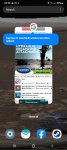
So when you open the Recent menu, a very annoying tip banner pops up everytime. See photo. It forces you to tap the screen twice in order to clear it and then perform your action. How do you disable this annoying feature?
I've disabled Tips, and tried every other option I can think of.

Thank you.

Attachments

  • Screenshot_20200313-233016_One UI Home.jpg
    Screenshot_20200313-233016_One UI Home.jpg
    234.3 KB · Views: 250

[FREE][APP] Tappy - Promote Your Social Media Accounts

Hello everyone!
I've recently released an app that helps you to promote your social media account in a fun way for free. You basically have to gain points in order to appear in a daily rank, where other people can visit the profile that you want to promote. It can be Instagram, TikTok, Youtube and Twitter. You will also gain points by checking the other accounts!

It is still in a initial phase, so there is not so much traffic yet, but I hope you'd like to try it anyway to give me your feedback :)

Here is the link:
https://play.google.com/store/apps/details?id=com.emafra.taptobefamous

How to get rid of something

First. Hey everyone. Second. HELP!!! Third. If Anyone ever says 'download apps only from google play store cause their totally safe.' Need to keep their mouths shut. Back to Second. HELP!!! I downloaded two apps from google play store and opened first app (collage maker) a small flash on screen but nothing weird happened. Opened second app Kode browser, another small flash.everything else as normal. Went on Kode browser and after the excessive amount of ads started to put in a search and BOOM!! Everything froze for about 3 minutes, couldn't even turn off my phone. Then black screen and then.. you get the picture. I picked up something from one of the two apps from google play store. 99.999%. It's taken me 9 minutes for this message so far. What and where do I get something to kill,cage,rope, wrangle,or plain Stomp the hell out of it, antivirus app? And don't suggest google play store....

DTMF tones disappeared from unlocked Galaxy s8

I have an unlocked, universal s8 purchased at end of 2017. I've had intermittent problems with DTMF tones, but they are now totally gone, as is any option/settings to change DTMF settings. My old Galaxys had a setting for DTMF, and this phone DID have functioning DTMF when I got it.

I use TMobile. I have WIFI calling switched off.

It has most recent update

I have tried:

switching off VOLTE and going to 2G/3G network;
Turning on and off "keypad sounds;"
Turning on and off "notifications during call;"
Turning phone on and off;
Clearing cache/storage in phone app;
Every other suggestion found on the internet in the many forums that discuss this very problem.

NOTHING works. I cannot call stores, banks, or even the police without DTMF function!! What happened to DTMF and how do I get it back??

Help How can I make Hangouts Dialer my default calling app in Android 10 SamsungS9

I have a Samsung S9+ that has upgraded to Android 10. While it was still in Android Pie, I could select/highlight a phone number, and the context menu that pops up lets me place a call on Hangouts Dialer.

But now on Android 10, I don't have that option.

I've gone to Settings-> apps -> three dots top right-> default apps.
But I can't change it there: http://imgur.com/a/EXnPUi3.

The phone is not rooted.

Help CANNOT USE MY DEVICE AFTER EDITING THE BUILD.PROP

Hello to every one,

First of all, I'm sorry for my bad english.
My Samsung S5 Dou Android device is rooted and I was trying to edit the "build.prop" file in root directory and inside it, i edit the SDK Version which is from 19 into 23, then after I rebooted it, all the apps even the file manager i use to edit the file were stopped working so now I cannot edit or back the file into its original and i tried to format the device because I thought it would work to avoid the stopped working or the error were gone, but unfortunately its not working, it's still showing the popup :< My problem is, I cannot really use the phone because all the settings or apps are not working :< I tried to use drfone or other phone formatter but its still not working because its need to enable the USB Debugging and I cannot enable it because even the settings will stopped :< Anyone there know to fix my phone? :< This is my only phone givin' from my grandfather :< Thank you guys and sorry for this complain :< Thank you!

Deep Computer Desk for Dual Monitors (30+ inches)

So I just moved and am looking for desk that's great for dual monitors. It's been trickier than I thought for a variety of reasons:
  1. It needs to be 30+ inches deep
  2. It needs to hold decent weight (2 heavy monitors plus random stuffs)
  3. I don't want anything wider than 50-inches.
  4. Want something on the quick and cheap side... not a long-term investment
My first thought was IKEA but most of the desks 30-inches deep are also 60-inches wide. They do have kitchen tables that could serve as a desk but I'm unsure if I'm overlooking something that would make me regret buying (weird height, doesn't hold much weight, etc...)

The best I've found is here:
https://www.ikea.com/us/en/p/lerhamn-table-light-antique-stain-white-stain-40444255/

Honestly, I wasn't trying to skimp so hard that I was spending only $99 but that's hard to resist. What makes it more difficult is there aren't many options in this category! It seems like I'm looking at junker desk that will fold under pressure or some high end sit/stand mechanical premium desk that costs $4k bucks.

Would love to hear if people here have desks that they LOVE that are nice and deep with dual monitors (on an arm).

My current desk is about 24-inches deep which is typical for desks; this would be great for a laptop but with a dual monitor setup I feel like I'm getting sucked into my screens and going blind!

Filter

Back
Top Bottom