
• After 15+ years, we've made a big change: Android Forums is now Early Bird Club. Learn more here.

Galaxy S8 or Galaxy a20/30

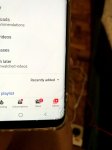
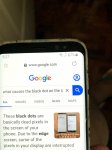
Hello! I'm having a hard time deciding what to do. Okay so I have this galaxy s8 that I got handed down from my sibling and it's really cool and all but it has a cracked screen and a dead pixel on the right corner(tho it seems to big to be a dead pixel.) Anyway I'm thinking about selling it/ trading it for a galaxy a20 cuz I'm scared it might break some more and I might end up without a phone in the middle of the year. But ofc the galaxy a20s specs pale in comparison to the s8 but I will get a 'sturdier' phone but I also feel it's a bad decision if I go through with it since I'll be wasting my money since I already spent on a new case and screen protector for the s8 and that I'm planning on getting a new phone by the end of the year anyway.

So what do you guys think? I should stick to the S8 until the year ends then buy a new phone or trade the s8 for the A20 then buy a new phone when the year ends? I just feel it's useless to trade it for an A20 to only change my phone again cuz I plan to buy a new phone when the year ends.

Its embarrassing how long have I been thinking about this haha but any insight would be appreciated thanks!


I have pictures for references about the damage of my phone. The one with the dead pixel on the right corner near the wifi signal is when I still had my sister's case on and the one where I show the cracked screen is when I already got a new case. Just to clarify that both pictures are of the same device.
Attachments

  • 1507268997.jpg
    1507268997.jpg
    238.8 KB · Views: 368
  • 887102912.jpg
    887102912.jpg
    342.9 KB · Views: 332

Android app stop after running in background by using foreground service?

In my app I have used foreground service for getting location it works fine for some interval. When the app is in the background, then location not received and the app gets killed without showing any error log. App works fine in some devices.here is my code Start service from Activiy :

startServiceIntent = new Intent(this, MyLocationService.class);


if (Build.VERSION.SDK_INT >= Build.VERSION_CODES.O) {

ContextCompat.startForegroundService(this, startServiceIntent);
} else {

startService(startServiceIntent);
}

MyLocationService:
override
public int onStartCommand(Intent intent, int flags, int startId) {

if (Build.VERSION.SDK_INT >= Build.VERSION_CODES.O) {
NotificationChannel serviceChannel = new NotificationChannel(CHANNEL_ID,"Channel",NotificationManager.IMPORTANCE_DEFAULT);
NotificationManager manager = (NotificationManager) getSystemService(NOTIFICATION_SERVICE);
manager.createNotificationChannel(serviceChannel);

Intent notificationIntent = new Intent(this, HomeActivity.class);
notificationIntent.setFlags(Intent.FLAG_ACTIVITY_SINGLE_TOP);

PendingIntent pendingIntent = PendingIntent.getActivity(this, 0, notificationIntent, 0);
Notification notification = new NotificationCompat.Builder(this, CHANNEL_ID)
.setContentTitle("My App")
.setSmallIcon(R.drawable.logo)
.setContentIntent(pendingIntent)
.build();

startForeground(1, notification);
}
return START_NOT_STICKY;
}

Help Virus, can survive factory reset

My phone is really slow, so I can't explore,sorry if this is in the wrong spot.
I've been attacked by (I think) a virus on my phone for a while now.

Device info:
Samsung Galaxy J3 Prime
Model: SM-J327T
Android version: 7.0
Can find more info if needed

Virus info:
Origin: Unknown, but it appeared at least a year and a half ago
Symptoms:
Random things will stop ("System UI has stopped working", or Samsung keyboard, or Discord, etc.)
The device will restart randomly. It won't turn off, just suddenly freeze, go black, and turn back on. Sometimes it gets stuck and I have to take out the battery, and put it back in to unstuck it.
"YOUR DEVICE HAS BEEN FLASHED WITH UNAUTHIRIZED SOFTWARE" The virus, I assume. Goes away after a few minutes.
"This device has been encrypted for security. Please input password to unlock"
Finally, eventually, my phone will start up saying "Erasing..." and factory reset itself. Currently on the third reset, so I'll do literally anything to fix this, even if it means losing what little I have left available.

So uh... that's all. I can answer any questions, and if anyone knows how to fix this stupid thing, I would kiss you if I could. Well, probably not, but you get the idea.

[APP][5.0+][PROMO] AppVoice: voices incoming messages from any installed application

Hi All!
It is my new application,
I will be glad to receive any feedback!

The AppVoice application voices incoming messages from any installed applications, including messengers.
The user himself decides which rules of speaking to add.
The application can be useful for busy people who need to keep their hands free.
Yes, the application can voice notification messages from popular messengers like WhatsApp, Telegram.. etc, SMS or e-mail clients!

Google Play: https://play.google.com/store/apps/details?id=com.bicubictwice.appvoice


[PROMO CODES]
HJL6J6E1ZTX9VT7UNFY7S31
X9LQRAJ8CM4GVDC73TT7KY6
6VTE5DQA7F5ZKNS0Y7H3SBM
RJDH8VQM0NP8UE5RXKESS1M
NH3QWVNJXMU21FA2JEM1QV5
B1JW8W59ANVVZD2DQGUPYVD
81LX60D1DVCX7USQWYLFPW0
NY45P6BEHFQ3SRV8RY1GDCX
NWT5CK1E9FALM4CJWBXCTSP
4K8NP7JY8TSG71E0XMB4CT4
03TPFM8E86CBEEA78YXGRUQ
93FJZQR2YSCNAWT02RRW445
2G3X98ENWKQHZWSLBW76PV6
7260SY30TDJ33NT44D9HCDB
ZAQKWXHA7LE1CD3DC5YU0VX
DPJN8Y4P9L9AM79EPDMXB09
0C7PJ95JQTL1UD394NQGR2C
HVXJ4ZU2HWJ36WS2NM75J7F
JY4504EUEJRYBRB684E5UPG
GU3W3Y4C7C1FEPWA921HT8M
3X6REYA0A9WJXEEFG52GLT3
7M15WK14MUHQ9Y3KPHXLBB6
TR6YYAP8URT431UJTT1404L
0XV1UK2MEMUTJ963BK1MT4T
HZR6R8V7JNQ2W88Z52XJ624
U8X0JGPDDTDM7H0JCUG21R3
L2E594QGYRVLJ2N5DABP6D6
DXGE0W92VKB6YWLWXDDLW0P
RA0R9UK3B5BZWEDTP7RND7B 						

Can I plz get more info on how to properly use Android forums?

I have a Nextbook Ares 10A. I realize it's an older device but it was working pretty well until play Serv update 1-30. Now I'm having issues IDK how to fix. I've only made 1 post regarding the problems and do appreciate all the help and advice that was given to me. Some of my questions were answered and I was given links to help me understand some of my concerns but there seems to b some other underlying problems with my device other than it's out of date but I don't really know how to proceed to get more help. Maybe I just don't know how to use forums correctly. Can someone plz tell me how ? I guess I just don't understand how my device cud b working fairly well then just not be. Will somebody plz tell me how to proceed??

Custom binary recovery blocked by frp lock note 9

Can you please help my note 9 uk model says Custom binary recovery blocked by frp lock .


https://imgur.com/a/hHhaWZA


Help please

Now my laptop won’t recognize the usb and I can’t get out of this loop. Can you please help how to fix this. I have pressed the buttons wonts take me out from this screen. There’s no way for me to get Odin to recognize my phone. Any solutions I tried down and power don’t work etc

How to add livedata to spinner

How can we use livedata in spinners? I have the following:

LiveData<List<Site>> sites = SiteDatabase.getInstance(this).siteDao().getAllSites();

Spinner spinner = findViewById(R.id.spinnerSites);
**What Goes Here!!*** adapter = new ArrayAdapter<Site>(this, android.R.layout.simple_dropdown_item_1line, sites);
adapter.setDropDownViewResource(android.R.layout.simple_spinner_dropdown_item);
spinner.setAdapter(adapter);


Not sure how to proceed..

Thanks!!

Accessories Unboxing ALL the Galaxy S20 Plus Accessories (ok, not all)

Here is a 10min video of me opening accessories, I know I know, how can you contain your excitement? (i suggest therapy)


In all honesty, anything in particular anyone has questions around, reactions to, or comments about, please let us know!

I'm into wireless chargers (as evidenced by the 3 in here) and will dive more in depth on those soon.

Are we missing anything you really want to see?

Let us know

How to open and read .pfx file?

I want to sign a String for my app using a .pfx A1 Certificate but Android Studio isn't reading the file. The iteration below* works on Netbeans just fine but in Android Studio returns false as it was not reading the .pfx file at all.

public String signApp(String input) throws NoSuchAlgorithmException, InvalidKeyException, SignatureException, KeyStoreException, IOException, CertificateException, UnrecoverableEntryException {
String signedString = "";
InputStream certificado;
char[] password = null;
KeyStore keystore = null;
Enumeration<String> aliases;
String alias = "";
//Open the .pfx file
certificado = getClass().getResourceAsStream("imediata.pfx");

password = "1234".toCharArray();
keystore = KeyStore.getInstance("PKCS12");
keystore.load(certificado, password );
//Get the alias
KeyStore.PrivateKeyEntry pkEntry = null;
PrivateKey pk = null;
try {
aliases = keystore.aliases();
while(aliases.hasMoreElements()) { //* problem: it's returning false as it not reading at
// all!!
alias = aliases.nextElement();
if (keystore.isKeyEntry(alias)) {
pkEntry = (KeyStore.PrivateKeyEntry) keystore.getEntry(alias, new
KeyStore.PasswordProtection(password ));
pk = pkEntry.getPrivateKey();
}
}
} catch (KeyStoreException e) {
throw new RuntimeException("CATCH", e);
}


//Keystore

Key key = (PrivateKey) keystore.getKey(alias, password );
java.security.cert.Certificate cert = keystore.getCertificate(alias);
PublicKey publicKey = cert.getPublicKey();
KeyPair kPair = new KeyPair(publicKey, (PrivateKey) key);

byte[] buffer = chave.getBytes();
// Signature
Signature signatureProvider = Signature.getInstance("SHA1withRSA");
signatureProvider.initSign(kPair.getPrivate());
signatureProvider.initSign(pk);
signatureProvider.update(buffer, 0, buffer.length);
byte[] signature = signatureProvider.sign();
signedString = Base64.getEncoder().encodeToString(signature);
return signedString;
}

My whatsapp theme suddenly turned dark

I was chatting on whatsapp, then i didnt look at my phone for 5 seconds, and when i looked back I saw that it turned dark theme with a wall paper

Why?
And now I can not get ti back to previous even if I select default theme or light theme etc.... How to return to previous? I was using default I had not done anything special for theme or wallaper

I use latest version of android I guess, and my phone is samsung galaxy s9

How to open and read a .pfx file?

I want to sign a String for my app using a .pfx A1 Certificate but Android Studio isn't reading the file. The iteration below* works on Netbeans just fine but in Android Studio returns false as it was not reading the .pfx file at all.

public String signApp(String input) throws NoSuchAlgorithmException, InvalidKeyException, SignatureException, KeyStoreException, IOException, CertificateException, UnrecoverableEntryException {
String signedString = "";
InputStream certificado;
char[] password = null;
KeyStore keystore = null;
Enumeration<String> aliases;
String alias = "";
//Open the .pfx file
certificado = getClass().getResourceAsStream("imediata.pfx");

password = "1234".toCharArray();
keystore = KeyStore.getInstance("PKCS12");
keystore.load(certificado, password );
//Get the alias
KeyStore.PrivateKeyEntry pkEntry = null;
PrivateKey pk = null;
try {
aliases = keystore.aliases();
while(aliases.hasMoreElements()) { //* problem: it's returning false as it not reading at
// all!!
alias = aliases.nextElement();
if (keystore.isKeyEntry(alias)) {
pkEntry = (KeyStore.PrivateKeyEntry) keystore.getEntry(alias, new
KeyStore.PasswordProtection(password ));
pk = pkEntry.getPrivateKey();
}
}
} catch (KeyStoreException e) {
throw new RuntimeException("CATCH", e);
}


//Keystore

Key key = (PrivateKey) keystore.getKey(alias, password );
java.security.cert.Certificate cert = keystore.getCertificate(alias);
PublicKey publicKey = cert.getPublicKey();
KeyPair kPair = new KeyPair(publicKey, (PrivateKey) key);

byte[] buffer = chave.getBytes();
// Signature
Signature signatureProvider = Signature.getInstance("SHA1withRSA");
signatureProvider.initSign(kPair.getPrivate());
signatureProvider.initSign(pk);
signatureProvider.update(buffer, 0, buffer.length);
byte[] signature = signatureProvider.sign();
signedString = Base64.getEncoder().encodeToString(signature);
return signedString;
}

Question related to the camera quality images on the Samsung Galaxy S20?

Hi,
I always wanted to take a photo and have it printed on a huge canvas like for example. a 36" (3Ft) X 48" (4 Ft), although it was impossible due to low resolution! I had a Samsung Galaxy S8+ and it took beautiful pictures but the resolution was too low when it comes to enlarged the image!

Now, my question is, with this new Samsung Galaxy S20, will the resolution be high enough to take photo and printed on a huge canvas?

Help Super slow transfer speed via OTG

Hello there!

So I'm using new Lenovo TB-8505X with Android 9 and I've tried several file managers and still when I'm trying to transfer files to my USB Kingston 16 GB the speed is too slow, like one mb, ridiculous, and the system starts to lag atrociously!

On my old Lenovo Tab Essentials with Android 5, lol, everything transfers fast!

Why is that and what can be done about it?

TIA!

help

My Sony Experia mobile does not work as it says "mobile network not available".

It worked OK for the last 7 years, suddenly the phone says Mem.Error, delete some files from sd or internal storage.

How do I get mobile network as it was before?

Swipe Right

On my old phone when i was i the home screen i could access my most used apps by swiping right or left.
Since i upgraded to pie version 9 i can swipe right but i got bixby which i removed, but now i can only swipe left to access my app panels.
Is there a way to swipe both ways from the home screen?

Accessories PowerPie 45watt

Hey guys/girls
I haven't been around here for a while but thought I would drop in and share this with you, only just got it myself but I'm very impressed with it so far.
Below is a link if you want to get one and a copy of my own little review/test this morning.
It's just to good not to share :)
https://www.amazon.co.uk/ELECJET-Po...owerpie&qid=1584195250&sprefix=Elecjet&sr=8-1

https://elecjet.co.uk

Got to try this thing out for the first time this morning.
I let the Note 10 plus drain until it turned itself off in a final death cramp of a vibration ;-)
Using the short usb-c to usb-c cable that came with the PowerPie I plugged it in.
I had already charged the PowerPie fully using the official Samsung 45 Watt charger.
Here is what I got at first attempt on my 5 months old Note 10 plus 5G from 0%
7 min - 14%
9 min - 22%
12 min - 30 %
20 min - 47%
30 min - 66% (I've seen claims of 69% but I find 66% perfectly acceptable)
40 min 83%
47 min 90%
1 hour - 96%
1.05 - 100%

Considering that this is a powerbank, not a wall charger I find it a VERY GOOD result.
The PowerPie is still showing 3 of the 4 LED's so it is so far so good with hoping to get 4 full charges plus a bit but I'll report back on that later.

Black screen on pixel 2

I installed an app from playstore and while using it screen went black. I tried to use power button to restart but did not work then i tried power + vol down no effect ,basically the buttons trick is not working to get to the bootloader or safe mode screens.

I have heard and read that maybe i have destroyed or erased by bootloader that is why i cannot access it to flash a new OS or enter safe mode. I want to know what exactly has happened ?

So basically :
-None of button combo are working to pull up the bootloader (so plesae dont suggest using buttons)
-I do get occasionally red dot blinking on top right , but it goes away when i plug the charger according to google its low charge light.
-Also when plugged in to charger i donot see battery charging animation.
- i tired to connect to adb while phone is on black screen. But adb devices does not detect the phone.
- phone was on latest android 10 stock

What can i do from here onwards to get this phone to work ? How can i install brand new OS or bootloader or whatever is necessary to make it work. Please guide me.

Stylo 4 stuck on zoom in lock screen

My mom's lg stylo 4 is stuck on the lock screen in zoom mode. I can enter the 4 digits for the code but I am unable to find the check button to unlock it. The only two numbers showing on the screen is 2 and 5. I have taken it to 3 TMobile stores and contacted lg customer service. no one knows how to help. I have done the 2 fingers trying to zoom in bit it's not letting me.

Encoding error when attempting to build with Cmake

Hi.
Im very new to Android studio, and i just ran into a problem with building the project in AS. I get the following error:
fatal error: UTF-16 (LE) byte order mark detected in 'A:/Visual Studio 2017/__Projects__/.../mycppfile.cpp', but encoding is not supported

I have tried few things. I tried changing the AS encoding to UTF-16, i tried enabling Tools -> Options -> Environment -> Documents -> "Save documents as Unicode when data cannot be saved" in my visual studio and tried to save the .cpp file again.

From the error it appears as if the issue comes from weird encoding from Visual Studio.

I would greatly appreciate help.

Filter

Back
Top Bottom