
Install the app
How to install the app on iOS
Follow along with the video below to see how to install our site as a web app on your home screen.
Note: This feature may not be available in some browsers.
-
After 15+ years, we've made a big change: Android Forums is now Early Bird Club. Learn more here.
You are using an out of date browser. It may not display this or other websites correctly.
You should upgrade or use an alternative browser.
You should upgrade or use an alternative browser.
Filters
Show only:

Question. Should I get a new phone or not?

- VIP Lounge
- 7 Replies
Since my moto z2 force has been paid off, everything it is alright with this phone though. I got it on Sept. 11th of 2017, same time as I fell in love with someone. Give or taken on the mighty "Google pixel" for night shooting, but here is where the downpour comes in, I do not want to fork over a few dozen dollars for a new phone, ipso facto of having a "free" upgrade, I can wait until much later on getting a "Free upgrade" with a semi oldish phone that has night quality photo takers, I can easily download it on google play. I kind of do not need a new phone though, but it somewhat on my notifyed on my Verizon, I might lend it to my Mom one of these days..
Security problem
- Smartphones
- 6 Replies
If this does not go here I apologize.
I want to start by saying I believe my phones or home wifi have been hacked for some time now. Lot of strange things happened over time.
This is the latest and since im new to the forums, cant navigate them very well and the new issue this time happens to be on my moto e4 and firestick. I figured I would post it here.
I Would like to try and get to the bottom of this because I have a brand new S10 plus and I do not want it to start having problems previous phones have for the past year or so..
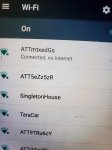
My wifi says connected, but no internet. Yet internet is working just fine.
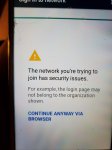
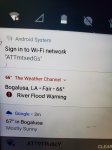
Then I have this notification telling me to sign into internet or whatever. I get this message when I click it.
I do know my google PW were compromised somehow and some sights tell me they are receiving high or unusual traffic from me.
I have to ask for a new PW every single time I try to log into my ATT prepaid account online. When I try to type captias. Multiple letters will pop up from a single touch of a key.
My phones used to always get constantly dropped from my wifi every few minutes or so. Certain times of day were worse than others.
My mother told me of an incident that happened to her computer when I wasn't here. Said it froze up and had to call a phone number to unfreeze it. They wanted money, But luckily took mercy on my elderly mother when she broke down crying. That was 2 years ago.
Sorry for the long post and again if this does not go here, I apologize. If anyone can point me in the right direction of where I may receive help with my issue I would greatly appreciate it.
I want to start by saying I believe my phones or home wifi have been hacked for some time now. Lot of strange things happened over time.
This is the latest and since im new to the forums, cant navigate them very well and the new issue this time happens to be on my moto e4 and firestick. I figured I would post it here.
I Would like to try and get to the bottom of this because I have a brand new S10 plus and I do not want it to start having problems previous phones have for the past year or so..
My wifi says connected, but no internet. Yet internet is working just fine.
Then I have this notification telling me to sign into internet or whatever. I get this message when I click it.
I do know my google PW were compromised somehow and some sights tell me they are receiving high or unusual traffic from me.
I have to ask for a new PW every single time I try to log into my ATT prepaid account online. When I try to type captias. Multiple letters will pop up from a single touch of a key.
My phones used to always get constantly dropped from my wifi every few minutes or so. Certain times of day were worse than others.
My mother told me of an incident that happened to her computer when I wasn't here. Said it froze up and had to call a phone number to unfreeze it. They wanted money, But luckily took mercy on my elderly mother when she broke down crying. That was 2 years ago.
Sorry for the long post and again if this does not go here, I apologize. If anyone can point me in the right direction of where I may receive help with my issue I would greatly appreciate it.
Attachments
Best recovery app for deleted messages
- By Steph1011
- VIP Lounge
- 6 Replies
I just deleted some of my work messages. How can I retrieve these? I will not have access to my computer until Wednesday. Can I retrieve them with my android? Thanks in advance
Screen hung, how to force a shutdown?

- By Awaw3915
- Smartphones
- 2 Replies
Galaxy A50
Two days ago my screen hung because I stupidly wiped the screen while the screen was on, so it registered too many actions at once. So it slowly cycled thru different apps over a 15min time period & then the screen hung. I could not shut it down.
I googled what to do & came up this website result: http://www.samsungsfour.com/tutoria...amsung-galaxy-smartphone-without-battery.html
* Instructions= press and hold the "Vol Down"+"Power" button at the same time for a minimum of 8 seconds or until it gets Shutdown/Switch Off.
* Well don't try this at home on your A50 because it erased all my data without it even asking for acknowledgment! I tried this button combo again since all data was gone just to confirm that I pressed Vol Down & not Vol Up. But it definitely erased all the data again.
QUESTIONS:
1) Is this the expected action of using those 2 buttons on an A50?
2) Or is my (Open Box device) defective or had been rooted & the button definitions changed?
3) Where is the best place to discover valid, reputable troubleshooting tips?
Two days ago my screen hung because I stupidly wiped the screen while the screen was on, so it registered too many actions at once. So it slowly cycled thru different apps over a 15min time period & then the screen hung. I could not shut it down.
I googled what to do & came up this website result: http://www.samsungsfour.com/tutoria...amsung-galaxy-smartphone-without-battery.html
* Instructions= press and hold the "Vol Down"+"Power" button at the same time for a minimum of 8 seconds or until it gets Shutdown/Switch Off.
* Well don't try this at home on your A50 because it erased all my data without it even asking for acknowledgment! I tried this button combo again since all data was gone just to confirm that I pressed Vol Down & not Vol Up. But it definitely erased all the data again.
QUESTIONS:
1) Is this the expected action of using those 2 buttons on an A50?
2) Or is my (Open Box device) defective or had been rooted & the button definitions changed?
3) Where is the best place to discover valid, reputable troubleshooting tips?
Androidstudio horizontal lines
- By Alain De Vos
- Android Development
- 1 Replies
How to remove annoying horizontal lines in androidstudio editor?
PS : I found how to remove the annoying vertical lines by unclicking
File->settings->editor->general->appearance "show indent guides"
But the horizontal lines still remain
PS : I found how to remove the annoying vertical lines by unclicking
File->settings->editor->general->appearance "show indent guides"
But the horizontal lines still remain
Help week old s20 ultra user
- By blackcar
- Smartphones
- 11 Replies
have any of you noticed that the 120hz screen fades in and out. Don't laugh, but I am a pokemon go player. Kids got me playing and I am hooked. Ive noticed that when i first launch the game it looks fantastic! but after a few hours of on and off play at work. I noticed it fizzles out and looks actually worse than my S10+. If i actually exit the game and clear the memory then relaunch its back to its 120hz glory.
Help Texting with L3
- Smartphones
- 0 Replies
Hi, recently upgraded from an M to an L3. Cant seem to send emojis in texts without using up at least 1 1/2 messages instead of 3 charachters. And how do you star messages? I can only see starred messages in Whatsapp, not messages?
2.26GB .tif file viewing on Note 10 !Help!
- Ask a question
- 6 Replies
Today I found a photo taken on the mars rover Curiosity, which is a 2.26GB .tif file. After looking online with no solutions I came here to see if there would be any possible way to view this file. I have tried using google drive, Multi-tiff viewer and file viewer to try and open the file but none have successfully opened even a preview of the image. Do you know any solutions?
Help How to recover files when screen is black?
- By AppleUser
- Smartphones
- 8 Replies
My A20 mostly died today. Screen is black, and the power on button only gives a red power off button and green restart, but neither work.
Can't use Android File Transfer because I can't tap on allow debugging. When I get a Skype call the entire screen briefly lights up and looks normal. Unknown if the phone is charging as there is no noise when it is plugged in to a power source. Can't see the screen to turn on wifi.
One program for Windows (data extractor) doesn't work with the A20.
One data recovery program recognizes it as a Samsung, but wants me to tap on "TRUST" and that doesn't appear on the black screen.
I'll buy a new phone... no problem, but I'd like the pictures and other things from this phone.
Can't use Android File Transfer because I can't tap on allow debugging. When I get a Skype call the entire screen briefly lights up and looks normal. Unknown if the phone is charging as there is no noise when it is plugged in to a power source. Can't see the screen to turn on wifi.
One program for Windows (data extractor) doesn't work with the A20.
One data recovery program recognizes it as a Samsung, but wants me to tap on "TRUST" and that doesn't appear on the black screen.
I'll buy a new phone... no problem, but I'd like the pictures and other things from this phone.
Sound from notification bar suddenly hidden when other apps opened
- By Will Jones
- Smartphones
- 0 Replies
So for years I've liked to listen to podcasts while I play mobile games. This has never been a problem before. Especially when I am at home connected to wi-fi, I usually just stream the podcast in Chrome. But tonight I was listening to a podcast that way, and when I opened a game the sound shut off. OK. Maybe some hitch in some recent update. So I downloaded the podcast to my phone and opened it in my music player, which has also always been able to play over other apps in the notification bar up top. Same thing. As soon as I opened a couple different games, it was the same, media in the notification bar immediately stops playing. But here's the weird thing... it doesn't pause. It's still playing in the background, only muted. Also, if I go to try to adjust the volume while all this is happening all the bars are grayed out and unslideable. What gives? What setting has changed, how do I undo this option?
tl;dr I want to be able to have audio from one app, open in the notification bar, playing over other apps. This never used to be a problem but suddenly is. Please help, thank you. I have an LG v30 running android 9 (pie)
tl;dr I want to be able to have audio from one app, open in the notification bar, playing over other apps. This never used to be a problem but suddenly is. Please help, thank you. I have an LG v30 running android 9 (pie)
Android Studio Documentation -- Localhost:63342?

- By Tysa
- Android Development
- 1 Replies
Within Android Studio i installed the SDK Tools option: "Documentation for Android SDK". I'm looking to get more useful documentation info when i type CTRL+Q. After a popup appears stating "Fetching Documentation..." i then get the following message -- attached photo.
Note that it states http://localhost:63342
Navigating to that local address produces a 404 page. Can you explain why? Was Android Studio supposed to setup a local server for handling local sdk documentation?
Note that it states http://localhost:63342
Navigating to that local address produces a 404 page. Can you explain why? Was Android Studio supposed to setup a local server for handling local sdk documentation?
Attachments

Verizon Moto Z2 Force Not Getting LTE (only H+)
- Smartphones
- 3 Replies
I have an unlocked Verizon Moto Z2 Force. I just switched over to an AT&T reseller and have found that I can only get H+ service (at best) and not LTE no matter what APN settings I use and no matter where I am. The reseller has tried to help me a great deal, offering suggestions, trying things on their end, etc., but nothing changes. I've done a couple factory resets, redone the APN settings a number of times, and still have had no success. I'll note that I always got LTE service at my home previously. Has anyone had this problem before? Do you think it is a defect in the phone?
Any help greatly appreciated. I really don't want to give up this phone but H to H+ service just isn't going to work for me.
Any help greatly appreciated. I really don't want to give up this phone but H to H+ service just isn't going to work for me.
Can't compile Sipdroid in latest Android Studio
- Ask a question
- 0 Replies
Need help trying to get Sipdroid to compile: https://github.com/i-p-tel/sipdroid.git
I tried contacting the Author at IPTel and he just ignores emails. The repo will not build in Android Studio. I tried importing it, but then it throws Gradle errors everywhere. I'm stumped!
I tried contacting the Author at IPTel and he just ignores emails. The repo will not build in Android Studio. I tried importing it, but then it throws Gradle errors everywhere. I'm stumped!
Revert back to stock s10e sound after accidental flashing? Please help.
- Ask a question
- 13 Replies
I'm a fairly new android user and had the bright idea of downloading a mod to have iphone sounds on my s10e just out of curiosity and boredom.. w
Well I didnt realize I was downloading a zip file that would flash the nand on the phone.. and I dont like the mod at all. I tried restoring the phone to my most recent backup but it didnt do anything to get rid of the mod.
Is there any way I can undo or revert back to the previous stock s10e sounds without a nand backup of my phone? (Which I dont have). Or am I screwed? Any help is appreciated.
Well I didnt realize I was downloading a zip file that would flash the nand on the phone.. and I dont like the mod at all. I tried restoring the phone to my most recent backup but it didnt do anything to get rid of the mod.
Is there any way I can undo or revert back to the previous stock s10e sounds without a nand backup of my phone? (Which I dont have). Or am I screwed? Any help is appreciated.
How to group text over 20 people
- By pharmarep
- Smartphones
- 5 Replies
How can I group text more than 20 people on my Samsung Galaxy 8?
Looking to buy a new phone

- By di57inct
- Smartphones
- 9 Replies
Hello everyone, sorry if I'm posting in the wrong section but I couldn't find any better one.
I'm looking to buy a new android phone and need some advice.
My current phone is 5 years old and I think it's finally time to change it.
My maximum available budget is 415€/465$US.
Keep in mind that I live in Romania and prices here for phones are higher than usual.
As reference, a Google Pixel 3a which is usually around 286.99€/322$ costs here anywhere between 363€/407$ and a bit over my budget.
You can still recommend me anything if you want just in case I get lucky and find a good deal.
I am NOT interested in a performant camera or in playing games on it(this doesn't mean I don't want a smooth experience though). My phone usage is casual: chatting, reading mail, watching videos/series/movies both online and offline, browsing websites, listening to music via headset or bluetooth.
I'm interested in the following features:
OS:
- Android 10+(or upgradable to 10+)
- Vanilla(original/clean) version or with at least possible added apps/modifications
Display:
- Size between 5" and 5.5". If not possible(I know it's hard to find a phone with a display this small these days), then under 6".
- Good luminosity for good visibility in the sunlight
- 1080p resolution minimum prefferably
- Latest possible gorilla glass or other similar protection
- Non-intrusive/as small as possible notch
- AMOLED/OLED mainly for using always-on display(optional)
Memory:
- At least 64GB of internal storage
- SD card(optional)
- At least 4GB RAM
Battery:
- Prefferably at least 4000mAh(would like to have at least 48h endurance with the above given usage information)
- Fast charge(highly preffered but not mandatory)
- Usb type C(optional)
Comms:
- 5G(optional) or a very good 4G signal
- Strong bluetooth signal(I have a BT sound system at home and would like to be able to play music while freely moving around in my apartment)
- NFC
Others:
- Fingerprint sensor(on the back or under display, doesn't matter)
- Face unlocking(optional)
Hope you guys can pinpoint me to what I need.
Thanks in advance
I'm looking to buy a new android phone and need some advice.
My current phone is 5 years old and I think it's finally time to change it.
My maximum available budget is 415€/465$US.
Keep in mind that I live in Romania and prices here for phones are higher than usual.
As reference, a Google Pixel 3a which is usually around 286.99€/322$ costs here anywhere between 363€/407$ and a bit over my budget.
You can still recommend me anything if you want just in case I get lucky and find a good deal.
I am NOT interested in a performant camera or in playing games on it(this doesn't mean I don't want a smooth experience though). My phone usage is casual: chatting, reading mail, watching videos/series/movies both online and offline, browsing websites, listening to music via headset or bluetooth.
I'm interested in the following features:
OS:
- Android 10+(or upgradable to 10+)
- Vanilla(original/clean) version or with at least possible added apps/modifications
Display:
- Size between 5" and 5.5". If not possible(I know it's hard to find a phone with a display this small these days), then under 6".
- Good luminosity for good visibility in the sunlight
- 1080p resolution minimum prefferably
- Latest possible gorilla glass or other similar protection
- Non-intrusive/as small as possible notch
- AMOLED/OLED mainly for using always-on display(optional)
Memory:
- At least 64GB of internal storage
- SD card(optional)
- At least 4GB RAM
Battery:
- Prefferably at least 4000mAh(would like to have at least 48h endurance with the above given usage information)
- Fast charge(highly preffered but not mandatory)
- Usb type C(optional)
Comms:
- 5G(optional) or a very good 4G signal
- Strong bluetooth signal(I have a BT sound system at home and would like to be able to play music while freely moving around in my apartment)
- NFC
Others:
- Fingerprint sensor(on the back or under display, doesn't matter)
- Face unlocking(optional)
Hope you guys can pinpoint me to what I need.
Thanks in advance
Internal Storage vs. MicroSD Card

- By Rob
- Smartphones
- 31 Replies
It looks like the 512GB version of the Galaxy S20 Ultra is sold out in some versions on Samsung's website. Right now the unlocked and Verizon versions show "Out of Stock". That got me thinking...
$1600 for the 512GB Version
$1400 for the 128GB Version
---------------------------------------
$200 Difference
You can buy a 512GB MicroSD card for $110 on Amazon:
https://www.amazon.com/SanDisk-128GB-Extreme-microSD-Adapter/dp/B07P7M6K35
The 1GB version is less of a steal at $260 but still worth consideration, especially if you're saving $200 on the 128GB version of the Ultra:
https://www.amazon.com/SanDisk-128GB-Extreme-microSD-Adapter/dp/B07P9W5HJV
I think there are a LOT of people who will be either:
That begs the question: what are the dangers of buying a MicroSD Card for the Galaxy S20 Ultra?
Surely there are Read/Write speed considerations to keep in mind here. I'm not an expert in that area so hoping someone here has some great advice. I know there will be a lot of people looking for the best MicroSD Card for the Galaxy S20 Ultra so I'm wondering if as a community we can make some safe recommendations and find some great deals?
$1600 for the 512GB Version
$1400 for the 128GB Version
---------------------------------------
$200 Difference
You can buy a 512GB MicroSD card for $110 on Amazon:
https://www.amazon.com/SanDisk-128GB-Extreme-microSD-Adapter/dp/B07P7M6K35
The 1GB version is less of a steal at $260 but still worth consideration, especially if you're saving $200 on the 128GB version of the Ultra:
https://www.amazon.com/SanDisk-128GB-Extreme-microSD-Adapter/dp/B07P9W5HJV
I think there are a LOT of people who will be either:
- Buying the 128GB version because it's the one in stock
- Buying the 128GB version because it's cheaper
- Planning to "upgrade" more affordably with a MicroSD Card
That begs the question: what are the dangers of buying a MicroSD Card for the Galaxy S20 Ultra?
Surely there are Read/Write speed considerations to keep in mind here. I'm not an expert in that area so hoping someone here has some great advice. I know there will be a lot of people looking for the best MicroSD Card for the Galaxy S20 Ultra so I'm wondering if as a community we can make some safe recommendations and find some great deals?
SOLVED: How to Have a Picture on the Lock Screen Only
- By Daddyroid
- Ask a question
- 1 Replies
On a 1st gen Google Pixel phone running Android 10 ...
... how can I put a picture only on the lock screen, without making it the wallpaper for my phone?
Thanks for your help.
... how can I put a picture only on the lock screen, without making it the wallpaper for my phone?
Thanks for your help.
8K Video Sample (Almost Unboxing)
- By Rob
- Smartphones
- 2 Replies
I was hoping to record a Galaxy S20 Ultra Unboxing with another Galaxy S20 Ultra... but my 2nd unit hasn't arrived yet. So for now... a quick 8K video sample looking out the window.
Truth be told, I don't have an 8K screen to watch it on so I can't comment on the quality!
Whaddaya think?
Truth be told, I don't have an 8K screen to watch it on so I can't comment on the quality!
Whaddaya think?
I need help with my calendar notification!!!
- Smartphones
- 13 Replies
Hey there. Can someone help me please?? I don't use the factory calendar that came with my s9. I downloaded one. The problem is, I CANNOT figure out how to turn off the stock calendars notifications!! I've tried EVERYTHING!! Every time it goes off, which is all day because I forget everything, my little Shitzhu freaks out! I can't even change the notification! The calendar app I downloaded, a+, syncs everything to my stock calendar and I can't avoid it. Can someone help me please???
How to remove screenshot tool bar?
- Ask a question
- 3 Replies
Everytime i take a screenshot, a tool bar appears at the bottom of the screen carrying options to edit, crop or share the screenshot.
How can i remove it? Since its pretty annoying and doesnt let me take consecutive screenshots. The toolbar has been appearing eversince i updated my software.
Help please!
The issue is on a Samsung Galaxy A50 that im talking about
How can i remove it? Since its pretty annoying and doesnt let me take consecutive screenshots. The toolbar has been appearing eversince i updated my software.
Help please!
The issue is on a Samsung Galaxy A50 that im talking about
Help Not Eligible for Pre-Order Bonus?

- By NightAngel79
- Smartphones
- 3 Replies
I pre-ordered 2 weeks ago and one of the first things I did was download the Shop Samsung app and try to redeem my credit (100 for S20, 150 for s20+, and 200 for s20 ultra). So much to my surprise when it said, "not eligible"
I contacted Samsung chat and they said it was a technical issue they were currently working on, and it may take "a couple hours" to fix. This was at 9:45am EST.
So if you are like me and immediately tried to redeem this promo, don't worry!! It should be working soon.
Please let us know if you are seeing the same behavior, or let us know if/when it worked for you!
I will try again in a couple hours and update here if/when it works.
I contacted Samsung chat and they said it was a technical issue they were currently working on, and it may take "a couple hours" to fix. This was at 9:45am EST.
So if you are like me and immediately tried to redeem this promo, don't worry!! It should be working soon.
Please let us know if you are seeing the same behavior, or let us know if/when it worked for you!
I will try again in a couple hours and update here if/when it works.
Load more