
Install the app
How to install the app on iOS
Follow along with the video below to see how to install our site as a web app on your home screen.
Note: This feature may not be available in some browsers.
-
After 15+ years, we've made a big change: Android Forums is now Early Bird Club. Learn more here.
You are using an out of date browser. It may not display this or other websites correctly.
You should upgrade or use an alternative browser.
You should upgrade or use an alternative browser.
Filters
Show only:

Leagoo Z7 Stuck at Boot
- By Pete J
- Smartphones
- 0 Replies
Hi,
I have tried to get some advice from Leagoo, without success, and so, I wondered if anyone on here can help ?
My Leagoo Z7 android phone, suddenly froze on the first page "Powered by Android", and just flashes that page.
I can get the screen to go blank by holding the power button, but plugging it by usb to mains or laptop, and it flashes page again.
Power and Vol - does not get it to go into boot recovery.
Taking Battery out and replacing it has no effect.
Connecting the phone to a laptop by usb, and the Laptop doesn't detect the phone, so I can't use any online software.
Does anyone have any ideas please ?
I have tried to get some advice from Leagoo, without success, and so, I wondered if anyone on here can help ?
My Leagoo Z7 android phone, suddenly froze on the first page "Powered by Android", and just flashes that page.
I can get the screen to go blank by holding the power button, but plugging it by usb to mains or laptop, and it flashes page again.
Power and Vol - does not get it to go into boot recovery.
Taking Battery out and replacing it has no effect.
Connecting the phone to a laptop by usb, and the Laptop doesn't detect the phone, so I can't use any online software.
Does anyone have any ideas please ?
Android Game Sushi Bird
- Apps & Games
- 1 Replies
Hello we need some suggestion about our game development call Sushi Bird
What do you think about it ?
Help the little sushi bird to reach farest point !
Play.google.com

Easy to play, you just have to touch the screen to fly higher and achieve the highest score.
Warning: skip the chopsticks to avoid be eaten, and survive throughout the adventure.
Pass the sushi bird through sticks, make it fly with his flapping tail without touching them to increase your flappy score.
Challenge your friends with your best sushi bird score!
You can play it anywhere, anytime! (offline mode available)
Start now and let the sushi flappy bird fly!
Have fun

What do you think about it ?
Help the little sushi bird to reach farest point !
Play.google.com
Easy to play, you just have to touch the screen to fly higher and achieve the highest score.
Warning: skip the chopsticks to avoid be eaten, and survive throughout the adventure.
Pass the sushi bird through sticks, make it fly with his flapping tail without touching them to increase your flappy score.
Challenge your friends with your best sushi bird score!
You can play it anywhere, anytime! (offline mode available)
Start now and let the sushi flappy bird fly!
Have fun
Null object reference in coder: Geocoder = Geocoder(context)
- By nagamothu
- Android Development
- 0 Replies
Hii i have a doubt in maps fragment. i have 8 markers to display in maps. i have done it like this.
This code is working perfectly fine. but i want to implement MVVM in this and i want keep all the location addresses in array list . when i have done that am getting null object reference in getLocationfromaddress() method at this line
val coder: Geocoder = Geocoder(context)
how to place all locations in arraylist
This code is working perfectly fine. but i want to implement MVVM in this and i want keep all the location addresses in array list . when i have done that am getting null object reference in getLocationfromaddress() method at this line
val coder: Geocoder = Geocoder(context)
how to place all locations in arraylist
Code:
class MapsActivity :AppCompatActivity(), OnMapReadyCallback, GoogleMap.OnMarkerClickListener
{

    private lateinit var mMap: GoogleMap

    private lateinit var button_res: Button
    lateinit var address: LatLng

    lateinit var pietrasanta: LatLng
    lateinit var Ikea_alexandra: LatLng
    lateinit var candlenut_resturant: LatLng
    lateinit  var MDIS_Dhoby: LatLng
    lateinit  var ridges: LatLng
    lateinit var hilton: LatLng
    lateinit  var library: LatLng
    lateinit var tanglin: LatLng

    companion object {
        private val MY_PERMISSION_FINE_LOCATION = 101
    }

    @RequiresApi(Build.VERSION_CODES.N)
    override fun onCreate(savedInstanceState: Bundle?) {
        super.onCreate(savedInstanceState)
        setContentView(R.layout.activity_maps)

        val mapFragment = supportFragmentManager
            .findFragmentById(R.id.map) as SupportMapFragment
        mapFragment.getMapAsync(this)
    }


    /**
     * Manipulates the map once available.
     * This callback is triggered when the map is ready to be used.
     * This is where we can add markers or lines, add listeners or move the camera. In this case,
     * we just add a marker near Sydney, Australia.
     * If Google Play services is not installed on the device, the user will be prompted to install
     * it inside the SupportMapFragment. This method will only be triggered once the user has
     * installed Google Play services and returned to the app.
     */


    override fun onMapReady(googleMap: GoogleMap) {
        mMap = googleMap

        address = getLocationFromAddress(  this, "ADDRESS 1 " ) //this will be main marker and in the middle of the maps activity
        mMap.addMarker(
            MarkerOptions().position(address/*LatLng(17.373838, 78.533271)*/).title("MDIS")
                .snippet("501 Stirling Rd,Singapore 148951")
                .icon(BitmapDescriptorFactory.fromResource(R.drawable.icon))
        )
            .showInfoWindow()
        mMap.moveCamera(CameraUpdateFactory.newLatLng(address))
        mMap.animateCamera(CameraUpdateFactory.zoomIn())
        mMap.animateCamera(CameraUpdateFactory.zoomTo(15F), 2000, null)
        mMap.uiSettings.setAllGesturesEnabled(true)
        mMap.uiSettings.isCompassEnabled = true

    //the following markers are the nerby markers for address marker
         pietrasanta= getLocationFromAddress(this,"ADDRESS 2")
         Ikea_alexandra= getLocationFromAddress(this,"ADDRESS 3")
         candlenut_resturant = getLocationFromAddress(this, "ADDRESS 4")
         MDIS_Dhoby= getLocationFromAddress(this, " ADDRESS 5  ")
         ridges = getLocationFromAddress(this, "ADDRESS 6")
         hilton =  getLocationFromAddress(this, "ADDRESS 7")
         library= getLocationFromAddress(this, "ADDRESS 8")
         tanglin = getLocationFromAddress(this, "ADDRESS 9")


       mMap.addMarker(MarkerOptions().position(pietrasanta).title("Pietrasanta the Italian Resturant"))

        mMap.addMarker(MarkerOptions().position(Ikea_alexandra).title("Ikea alexandra resturant"))

        mMap.addMarker(MarkerOptions().position(candlenut_resturant).title("Candlenut Resturant"))

        mMap.addMarker(MarkerOptions().position(MDIS_Dhoby).title("MDIS Dhoby Ghaut"))


        mMap.addMarker(MarkerOptions().position(ridges).title("Southern Ridges"))


        mMap.addMarker(MarkerOptions().position(hilton).title("Hilton Singapore"))


        mMap.addMarker(MarkerOptions().position(library).title("Queenstown Public Library"))


        mMap.addMarker(MarkerOptions().position(tanglin).title("Tanglin Halt Food Centre"))


        if (ActivityCompat.checkSelfPermission(
                this,
                Manifest.permission.ACCESS_FINE_LOCATION
            ) == PackageManager.PERMISSION_GRANTED
        ) {
            mMap.isMyLocationEnabled = true

        } else {//condition for Marshmello and above
            if (Build.VERSION.SDK_INT >= Build.VERSION_CODES.M) {
                requestPermissions(
                    arrayOf(Manifest.permission.ACCESS_FINE_LOCATION),
                    MY_PERMISSION_FINE_LOCATION
                )
            }
        }


        fun getLocationFromAddress(context: Context, strAddress: String): LatLng {
            val coder: Geocoder = Geocoder(context)
            val address1: List<Address>
            lateinit var p1: LatLng


            try {
                address1 = coder.getFromLocationName(strAddress, 5)
                if (address1 == null) {

                }
                val location: Address = address1.get(0)
                location.latitude
                location.latitude

                p1 = LatLng(location.latitude, location.longitude)


            } catch (e: Exception) {
                e.printStackTrace()
            }

            return p1
        }


    override fun onMarkerClick(p0: Marker?) = true


    override fun onRequestPermissionsResult(
        requestCode: Int,
        permissions: Array<String>,
        grantResults: IntArray
    ) {
        super.onRequestPermissionsResult(requestCode, permissions, grantResults)
        when (requestCode) {
            MY_PERMISSION_FINE_LOCATION -> if (grantResults[0] == PackageManager.PERMISSION_GRANTED) {//permission to access location grant
                if (ActivityCompat.checkSelfPermission(
                        this,
                        Manifest.permission.ACCESS_FINE_LOCATION
                    ) == PackageManager.PERMISSION_GRANTED
                ) {
                    mMap.isMyLocationEnabled = true
                }
            }
            //permission to access location denied
            else {
                Toast.makeText(
                    applicationContext,
                    "This app requires location permissions to be granted",
                    Toast.LENGTH_LONG
                ).show()
                finish()
            }
        }
    }


}Is nativator.io the best solution to convert my website into mobile app?
- Ask a question
- 0 Replies
Hello,
I own a responsive website that I want to convert into an android mobile app.
Had previous experience with wrappers but it was not so good and no so cheap!
I've just discovered nativator.io which looks great and offers most of features a 13 bucks per conversion. Anyone tried it before?
Thanks!
Mat
I own a responsive website that I want to convert into an android mobile app.
Had previous experience with wrappers but it was not so good and no so cheap!
I've just discovered nativator.io which looks great and offers most of features a 13 bucks per conversion. Anyone tried it before?
Thanks!
Mat
Help Chrome reviving again and again
- By andfo
- VIP Lounge
- 7 Replies
I rooted my Pixel 2 phone. I checked it using root checker.
Then I used Magisk to install debloater. Then I used Termux app to delete Youtube and Chrome. Now Youtube and Chrome don't appear in the list of system product apps of Termux. Youtube and Chrome also disappeared on the screen after rebooting the phone. But Chrome, after awhile, just revived. I don't know how this happened. Termux still doesn't show Chrome anymore. How can it just revive? How can I completely remove Chrome?
Then I used Magisk to install debloater. Then I used Termux app to delete Youtube and Chrome. Now Youtube and Chrome don't appear in the list of system product apps of Termux. Youtube and Chrome also disappeared on the screen after rebooting the phone. But Chrome, after awhile, just revived. I don't know how this happened. Termux still doesn't show Chrome anymore. How can it just revive? How can I completely remove Chrome?
Help Calls from a particular number is getting blocked

- Smartphones
- 1 Replies
Hi guys..
Calls from a particular number is getting blocked in my device. That's my Mother's number, so no I haven't blocked that number obviously. I calked up my carrier (Vodafone) customer service; they were also unable to find any solution. Me too have combed each and every settings on my phone but couldn't find any solution. FYI my Mom doesn't use smartphone. Additionally I'm not getting any block notification on my phone. But she can hear my callertune ringing.
So any idea what's causing this whole problem? Pls help!
Calls from a particular number is getting blocked in my device. That's my Mother's number, so no I haven't blocked that number obviously. I calked up my carrier (Vodafone) customer service; they were also unable to find any solution. Me too have combed each and every settings on my phone but couldn't find any solution. FYI my Mom doesn't use smartphone. Additionally I'm not getting any block notification on my phone. But she can hear my callertune ringing.
So any idea what's causing this whole problem? Pls help!
Thumbs up.

- By James L
- VIP Lounge
- 2 Replies
When i press the like button it goes to unlike? Then if i press it again it goes to like?
Galaxy S10e
- Smartphones
- 4 Replies
Purchased a 2020 Chevy Blazer & while my phone says it's paired to the vehicle through my Bluetooth, I can receive calls through the Hands Free button on steering wheel, but am unable to make calls & the audio system doesn't mute....
HELP!!
HELP!!
Gallery does not upload photos in correct order

- Apps & Games
- 0 Replies
Photos I upload to google drive (as a bunch ) are not uploaded in correct order.
Apps is it possible to re target an apk for new Android versions?

- By tapdroid
- Android Development
- 2 Replies
My source is lost for ever, but I have all my apks. would like to re target some of my older apps
from kitkat to A 10 without having to start from scratch. Is it possible?
If so how?
from kitkat to A 10 without having to start from scratch. Is it possible?
If so how?
No More Live Wallpapers?

- By cir5000
- Apps & Games
- 4 Replies
Is it just me? or do many recent droid devices simply do not have the ability to use Live Wallpapers?
Using Google to track location
Hi I've read about Apps that can track a person's location without them knowing
What id like to know is can this be done or is it a scam
What id like to know is can this be done or is it a scam
secure check fail ( bootloader) s6 edge
- Smartphones
- 2 Replies
i havd samsung galaxy s6 edge plus
during flashing it shows the problem like "secue check fail (bootloader)
plz lets help me to solve this problem
during flashing it shows the problem like "secue check fail (bootloader)
plz lets help me to solve this problem
Identify SMS Android Version?
- Smartphones
- 0 Replies
Can anyone tell me what version of android this screenshot is from? I believe it's an LG from around 2016 but don't have any more information.
In particular, I'm wondering why there aren't any timestamps, and what the conversation length is referring to? (see "Conversation with" and "24 min.")

Sorry about redactions
In particular, I'm wondering why there aren't any timestamps, and what the conversation length is referring to? (see "Conversation with" and "24 min.")
Sorry about redactions
Huawei phone won't turn on after firmware upgrade
- Ask a question
- 1 Replies
My phone was stuck in fastboot and rescue mode. I try to update firmware. when I do this my phone turn off black screen and won´t turn on. I have Huawei Ascend G620S - L01
Anyone have this problem before? I have no idea how to fix it?
Anyone have this problem before? I have no idea how to fix it?
The problem with billing! (advice, please)
- Android Development
- 0 Replies
I've finally reached the alpha testing phase of my first Android project and what a rollercoaster ride it has been getting this far! But I'm now experiencing a few difficulties with the billing aspect.
My project is a database records app and the plan is to offer the app for free, but with access to only a small number of records so that people can try before they buy. If they like the app, there is an in-app purchase for unlimited records (or Go Pro).
I've set it up in the Play console with a closed track test using a list of approved testers (currently me with a couple of Google accounts) and this allows me to test the following:
The first two options are OK. I'm able to capture the event correctly and the app behaves as it should.
But the slow test cards are causing me a headache and I'm looking for any help or advice that's on offer.
What happens is that the purchase gets flagged as 'PENDING', and although I've triggered the acknowledge function, when checking the purchase status, 'acknowledged' remains false.
According to Google, purchases will remain as 'PENDING' unless they are acknowledged within 3 days. The implication being purchases that fail late will be locked out for 3 days or more! As a user (and a developer) that would infuriate me and I would turn to another app.
I have been able to cancel the payment with 'ConsumeAsync' when I've detected that it is in a PENDING state, but this is not consistently successful.
If the payment is eventually successful, the app automatically picks this up through the Billing API 'queryPurchases' method, so although there is a delay, the user is not significantly inconvenienced.
However, as far as I can tell, if the payment fails, the purchaseState remains at 2 (PENDING) and unless I can find a way to establish that the payment has failed, the user will have a long wait before they can try again. As you likely know, trying the purchase again while the state is pending results in an 'item already owned' error.
So finally to my questions:
Kind regards
My project is a database records app and the plan is to offer the app for free, but with access to only a small number of records so that people can try before they buy. If they like the app, there is an in-app purchase for unlimited records (or Go Pro).
I've set it up in the Play console with a closed track test using a list of approved testers (currently me with a couple of Google accounts) and this allows me to test the following:
- Test card, always approves
- Test card, always declines
- Slow test card, eventually approves
- Slow test card, eventually declines
The first two options are OK. I'm able to capture the event correctly and the app behaves as it should.
But the slow test cards are causing me a headache and I'm looking for any help or advice that's on offer.
What happens is that the purchase gets flagged as 'PENDING', and although I've triggered the acknowledge function, when checking the purchase status, 'acknowledged' remains false.
According to Google, purchases will remain as 'PENDING' unless they are acknowledged within 3 days. The implication being purchases that fail late will be locked out for 3 days or more! As a user (and a developer) that would infuriate me and I would turn to another app.
I have been able to cancel the payment with 'ConsumeAsync' when I've detected that it is in a PENDING state, but this is not consistently successful.
If the payment is eventually successful, the app automatically picks this up through the Billing API 'queryPurchases' method, so although there is a delay, the user is not significantly inconvenienced.
However, as far as I can tell, if the payment fails, the purchaseState remains at 2 (PENDING) and unless I can find a way to establish that the payment has failed, the user will have a long wait before they can try again. As you likely know, trying the purchase again while the state is pending results in an 'item already owned' error.
So finally to my questions:
- In the real world, do failed payments often get reported late in this way and if so, how often (how big a problem is it likely to be)?
- What is the best way to handle the 'Slow test card, eventually declines' scenario
Kind regards
Widget ID?
- By eddieras
- Apps & Games
- 9 Replies
OK- i know this is probably a long shot but i was hoping someone out there could identify this calendar widget. I reset my phone and it never reloaded. i searched my library on both the playstore and amazon but couldn't find it. i then searched all widgets and still couldn't find it! if not, any recommendations for a calendar widget that then opens google calendar directly? thanks in advance!
Attachments

Help ALHN Wireless Networks

- VIP Lounge
- 1 Replies
I have noticed that whether I am at home or away, I often see Wifi Networks near me that begin with ALHN and are followed by four digits (e.g. ALHN-0943). Sometimes there are several of them within reach. I have researched what kind of netowrk this is with no results. Does anyone know?
Thanks.
Thanks.
Help Find SMSC Messages apk
- By Wise11
- Ask a question
- 9 Replies
Hi
I have one question
How to find service message Centre(SMSC) in messages apk settings on galaxy s4?
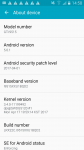
I attach mobile information
I have one question
How to find service message Centre(SMSC) in messages apk settings on galaxy s4?
I attach mobile information
Attachments
Vermin Love Supreme...

- Politics and Current Affairs
- 3 Replies
is running for President on the Libertarian ballot in 2020. His main campaign promise is "A Pony for Every American."
Cannot Build App from Source Code
- By SamB4
- Android Development
- 0 Replies
Hi,
I have never used android studio before but I have been asked to build an app from source code provided on github (https://github.com/STMicroelectronics/STBlueMS_Android), for my university project. I have opened this code in android studio but am getting error messages so it will not build. The error codes are:
ERROR: Unable to resolve dependency for ':BlueMSCloud@debug/compileClasspath': Could not resolve project :BlueSTSDK.
ERROR: Unable to resolve dependency for ':BlueMSCloud@debug/compileClasspath': Could not resolve project :BlueSTSDK_Gui_Android.
ERROR: Unable to resolve dependency for ':BlueMSCloud@debugAndroidTest/compileClasspath': Could not resolve project :BlueSTSDK.
ERROR: Unable to resolve dependency for ':BlueMSCloud@debugAndroidTest/compileClasspath': Could not resolve project :BlueSTSDK_Gui_Android.
ERROR: Unable to resolve dependency for ':BlueMSCloud@debugUnitTest/compileClasspath': Could not resolve project :BlueSTSDK.
ERROR: Unable to resolve dependency for ':BlueMSCloud@debugUnitTest/compileClasspath': Could not resolve project :BlueSTSDK_Gui_Android.
ERROR: Unable to resolve dependency for ':BlueMS@debug/compileClasspath': Could not resolve project :BlueSTSDK.
ERROR: Unable to resolve dependency for ':BlueMS@debug/compileClasspath': Could not resolve project :BlueSTSDK_Gui_Android.
ERROR: Unable to resolve dependency for ':BlueMS@debugAndroidTest/compileClasspath': Could not resolve project :BlueSTSDK.
ERROR: Unable to resolve dependency for ':BlueMS@debugAndroidTest/compileClasspath': Could not resolve project :BlueSTSDK_Gui_Android.
ERROR: Unable to resolve dependency for ':BlueMS@debugUnitTest/compileClasspath': Could not resolve project :BlueSTSDK.
ERROR: Unable to resolve dependency for ':BlueMS@debugUnitTest/compileClasspath': Could not resolve project :BlueSTSDK_Gui_Android.
Any advice on how to fix this would be greatly appreciated.
Thank you in advance
I have never used android studio before but I have been asked to build an app from source code provided on github (https://github.com/STMicroelectronics/STBlueMS_Android), for my university project. I have opened this code in android studio but am getting error messages so it will not build. The error codes are:
ERROR: Unable to resolve dependency for ':BlueMSCloud@debug/compileClasspath': Could not resolve project :BlueSTSDK.
ERROR: Unable to resolve dependency for ':BlueMSCloud@debug/compileClasspath': Could not resolve project :BlueSTSDK_Gui_Android.
ERROR: Unable to resolve dependency for ':BlueMSCloud@debugAndroidTest/compileClasspath': Could not resolve project :BlueSTSDK.
ERROR: Unable to resolve dependency for ':BlueMSCloud@debugAndroidTest/compileClasspath': Could not resolve project :BlueSTSDK_Gui_Android.
ERROR: Unable to resolve dependency for ':BlueMSCloud@debugUnitTest/compileClasspath': Could not resolve project :BlueSTSDK.
ERROR: Unable to resolve dependency for ':BlueMSCloud@debugUnitTest/compileClasspath': Could not resolve project :BlueSTSDK_Gui_Android.
ERROR: Unable to resolve dependency for ':BlueMS@debug/compileClasspath': Could not resolve project :BlueSTSDK.
ERROR: Unable to resolve dependency for ':BlueMS@debug/compileClasspath': Could not resolve project :BlueSTSDK_Gui_Android.
ERROR: Unable to resolve dependency for ':BlueMS@debugAndroidTest/compileClasspath': Could not resolve project :BlueSTSDK.
ERROR: Unable to resolve dependency for ':BlueMS@debugAndroidTest/compileClasspath': Could not resolve project :BlueSTSDK_Gui_Android.
ERROR: Unable to resolve dependency for ':BlueMS@debugUnitTest/compileClasspath': Could not resolve project :BlueSTSDK.
ERROR: Unable to resolve dependency for ':BlueMS@debugUnitTest/compileClasspath': Could not resolve project :BlueSTSDK_Gui_Android.
Any advice on how to fix this would be greatly appreciated.
Thank you in advance
Note10 Bricked After Update - No recovery
- By BrianCa
- VIP Lounge
- 2 Replies
Hi,
I'm just trying to fix a phone on a friends behalf.
They had rooted their phone and since an Android update the phone is now bricked. samsung ringtones
By holding Vol up + power, i get a warning advising that the bootloader is unlocked but it never enters recovery mode - it then just sits at the "Samsung Galaxy Note10 Powered by android" bootscreen.
If i hold Vol Down + power it will reboot the phone as it should, but still i cannot enter recovery mode.
Does anyone know if there is a way around entering recovery/download mode without having the open the phone up?
Note 10 ringtones: https://phoneringtones.info/samsung-galaxy-note-10-pro-cluster-12830.html
Thanks
I'm just trying to fix a phone on a friends behalf.
They had rooted their phone and since an Android update the phone is now bricked. samsung ringtones
By holding Vol up + power, i get a warning advising that the bootloader is unlocked but it never enters recovery mode - it then just sits at the "Samsung Galaxy Note10 Powered by android" bootscreen.
If i hold Vol Down + power it will reboot the phone as it should, but still i cannot enter recovery mode.
Does anyone know if there is a way around entering recovery/download mode without having the open the phone up?
Note 10 ringtones: https://phoneringtones.info/samsung-galaxy-note-10-pro-cluster-12830.html
Thanks
Accessories [App][Free][5.0+] ExifTool - Edit metadata, IPTC, XMP on Photo, video
- By CellHubs
- Apps & Games
- 0 Replies
What is EXIF data?
EXIF, GPS, IPTC, XMP, ... is a set of metadata attached to photo or video files. This metadata is a list of information, bellow is some kind of popular data.
- Make: Which camera is taken these photos.
- Model: Which model of camera.
- GPS Latitude, GPS LongItude: a set of GPS coordinates of a photo attached when taking a photo by the camera.
- ISO, Flash, Exposure, White Balance, Color Space, ...: parameter set of a photo after taking.
- Shutter Count: current number of photos taken by that camera.
... you can take a look at some documents on the internet to explore more metadata as on.
What is EXIFTool on Android
This is a ported application of ExifTool make by Phil Harvey into the Android environment, we're working on it to make our app is useful and friendly with nice UI/UX based, to help the user can be easily modified EXIF data with an easy way.
Features
✔️DarkMode theme supported.
✔️Powerful, fast, flexible and customizable.
✔️Other than ExifInterface based on Google Developer, this application is supported by many types of files, e.g photo (jpg, jpeg, heic, heif, webp,...), video (mp4, avi, wkv, heif, ...), audio (mp3, mp4, ogg, flac, ...), photoshop project file (psd), raw photo (raw...) or some executing files (.exe, .msi, ...).
✔️Read/View EXIF, GPS, IPTC, XMP, JFIF, MakerNotes, GeoTIFF, ICC Profile, Photoshop IRB, FlashPix, AFCP, ID3 and more...
✔️Modify/Edit EXIF, GPS, IPTC, XMP, JFIF, MakerNotes, GeoTIFF, ICC Profile, Photoshop IRB, AFCP and more...
✔️Change currently metadata tags.
✔️Add GeoTag into Photos, Videos.
✔️Date Photo Editor: change Created Date, Modified Date easy by using Date Time Picker.
✔️Change the GPS, location attached to the photo with a little bit of interaction.
✔️Wiping/Remove all metadata (EXIF, XMP ...) of the photo, video ...
✔️Export Exif Data into CSV file.
✔️And more, more features but keep in mind we always keep its FREE to end-user.
✔️Extracts thumbnail images, preview images, and large JPEG images from RAW files
Download
https://play.google.com/store/apps/details?id=com.exiftool.free
EXIF, GPS, IPTC, XMP, ... is a set of metadata attached to photo or video files. This metadata is a list of information, bellow is some kind of popular data.
- Make: Which camera is taken these photos.
- Model: Which model of camera.
- GPS Latitude, GPS LongItude: a set of GPS coordinates of a photo attached when taking a photo by the camera.
- ISO, Flash, Exposure, White Balance, Color Space, ...: parameter set of a photo after taking.
- Shutter Count: current number of photos taken by that camera.
... you can take a look at some documents on the internet to explore more metadata as on.
What is EXIFTool on Android
This is a ported application of ExifTool make by Phil Harvey into the Android environment, we're working on it to make our app is useful and friendly with nice UI/UX based, to help the user can be easily modified EXIF data with an easy way.
Features
✔️DarkMode theme supported.
✔️Powerful, fast, flexible and customizable.
✔️Other than ExifInterface based on Google Developer, this application is supported by many types of files, e.g photo (jpg, jpeg, heic, heif, webp,...), video (mp4, avi, wkv, heif, ...), audio (mp3, mp4, ogg, flac, ...), photoshop project file (psd), raw photo (raw...) or some executing files (.exe, .msi, ...).
✔️Read/View EXIF, GPS, IPTC, XMP, JFIF, MakerNotes, GeoTIFF, ICC Profile, Photoshop IRB, FlashPix, AFCP, ID3 and more...
✔️Modify/Edit EXIF, GPS, IPTC, XMP, JFIF, MakerNotes, GeoTIFF, ICC Profile, Photoshop IRB, AFCP and more...
✔️Change currently metadata tags.
✔️Add GeoTag into Photos, Videos.
✔️Date Photo Editor: change Created Date, Modified Date easy by using Date Time Picker.
✔️Change the GPS, location attached to the photo with a little bit of interaction.
✔️Wiping/Remove all metadata (EXIF, XMP ...) of the photo, video ...
✔️Export Exif Data into CSV file.
✔️And more, more features but keep in mind we always keep its FREE to end-user.
✔️Extracts thumbnail images, preview images, and large JPEG images from RAW files
Download
https://play.google.com/store/apps/details?id=com.exiftool.free
How can i bring treble support to the Android 9(pie) AOSP?
- Android Development
- 0 Replies
I am working with Android 9.0 AOSP, but it doesn't have treble support. Is it possible for me to bring Treble support to the AOSP? If yes, please tell me the steps to do it.
Load more