• After 15+ years, we've made a big change: Android Forums is now Early Bird Club. Learn more here.

Help Remove duplicate device from Google account

I searched & found old threads, I'm just wondering if there's any new info. that would let me delete duplicate devices from my account. I used to use a Pixel 2, then bought a 3a. Then I had to have the 3a replaced, so I switched back to the 2 for a bit. Then I switched to the new 3a, and had some issues with Android Auto (still unresolved), so I switched back & forth between both phones again & even reset the new 3a.

So - now when I look in my account Location History, it shows this under "Devices on this account":
Pixel 3a (this device)
Pixel 3a
Pixel 2
Pixel 3a
Pixel 3a
Pixel 2

That's kind of a lot of entries for just having 2 phones :rolleyes:

Anybody have any ideas? I did go into my account settings in the Play store & only have the current 3a active for apps, but it would be less confusing overall not to have all these phantom phones showing up under my Location History.

lg k20 sd card question

i have the kg k20 plus lgmp260 and i had 32gb sd card in it for 2 years, i had is set as extended memory. so if it shows that the memory is extended, where will it put photos as i collect them? the reason i ask is today i get a message that the sd card has been ejected. i looked into the dcim-camera and i see what i think is all my photos, so i removed the sd card and put it in the pc to check it and it appears to be dead. it will not show as a drive. i even use amoie to see if it was showing as a drive and nothing.

so what makes these just go dead? it is the micro sd hs 32gb card. i figured these were good cards!

so i'm now getting a samsung v10 class card to put back in the phone.

do these just fail like this? it was new when installed and i did not thound the terminals and when i installed it the phone asked me if i wanted to make it extended so i did. this way i was told i would not have to use an app to make my apps go to the card, as the phone now would be thinking is had all this memory built in.

or is it not a good idea to do the extend the sd card as phone memory? thanks

Lock screen tiny icon issue

20200104_091658.jpg
20200104_091816.jpg


Hi All,

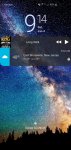
My galaxy S10 lock screen normally shows two apps - weatherbug and Pi music player. They just display there with no extra clicking necessary. (2nd image above)

I installed the latest OS update last night and now I see two tiny icons for those apps. I now have to click those icons to make the apps visible the way they used to be. Every single time i wake up the display. (1st image above)

Ive played with the notification and lock screen settings for an hour and cant find a way to revert back. Can anyone offer suggestions please?

Attachments

  • Screenshot_20200104-091418_DuckDuckGo.jpg
    Screenshot_20200104-091418_DuckDuckGo.jpg
    494.7 KB · Views: 235

Weird problem

I have an ongoing, annoying, head-scratching problem. :thinking:

Daily, and following no pattern that I can discern, the 'Uncategorized' category appears, with one specific app in it. The app -is- definitely accounted for by existing in my 'All Apps' category. Let me illustrate some of this...

Here's my menu; its visible categories are the only categories I use; in other words, I don't have to scroll down to get to any of my in-use categories:

xScreenshot_20200103-194220.jpg


Now here's my 'Media' category:

xxxScreenshot_20200103-194237.jpg


Notice 'F-Stop Pro.' This app is different from all my other paid apps; it has one icon that came from the free version, and a second icon (the one you see) for the key that turned it into Pro.

The second icon -does- open the app, so there's no need to have the first also here; I just leave it in 'All Apps.' [I only look at 'All Apps' when I want to torture myself, imagining swiping through a zillion apps like other people--who don't know there's a better way--do daily. :rolleyes:] Here are their entries in System Settings:

xyzScreenshot_20200103-195439.jpg


Despite repeatedly making sure the first app is in 'All Apps,' thereby preventing it from being uncategorized, this is what happens:

xxScreenshot_20200103-171758.jpg


Looking at the settings for 'All Apps,' it has UNCHECKED itself! :o

Once unchecked and, therefore, no longer existing in a category, 'Uncategorized' creates itself again with that one app in it:

xScreenshot_20200103-201722.jpg


xScreenshot_20200103-201708.jpg


So WTF?! What do you think is going on?

In case you're wondering, yes, I have put it back in my 'Media' category (and others) and the problem disappeared. There seems to be some...THING...about this specific icon being in 'All Apps'...well, NOT being...well, you get the idea. I hope.

ADW v2.0.1.70, Moto Z² Force, Oreo 8.0.0

Battery slowly expanding?

Hello! Quite a while back I bought a Used Samsung S7 Active, it was certified refurbished and I really enjoyed it. In the final months that I had I had started noticing a sweet smell coming from the phone. I never really thought much about it. Then one day the tragic happened, I dropped it and the camera lens shattered. I taped up the lens after carefully pulling the glass off to keep it protected until a week or two later I finally got a new phone. But that's all besides the point, earlier today I peeled of the tape from the camera and that sweet smell came back and it was a LOT stronger, I've also now noticed a pretty sizable dent that goes outwards from the device, its around the AT&T logo. I was wondering if anyone would happen to know if these are two separate things or if the battery on the phone is a fire hazard that I need to get rid of.

I would also like to put as a side note that the phone used to come into contact with fresh water quite frequently but no salt water, I have never noticed the phone act strangely after coming into contact with water during any of those times nor had either lens fogged up. It never came into contact with water after the lens broke either.

Edge lighting not working after recent update

Note 10+ on Verizon. Just got the new update yesterday.

Edge lighting doesnt work anymore. The screen wakes up and goes straight to the A.O.D. screen and shows the icon of the app on the AOD. But no edge lighting...

Also, before, notifications would wake the screen and skip the A.O.D. Now it's not doing that either... I've looked through all the settings and cant find out how to fix this.

Your thoughts on best way to manage a multiple DB App

I could use some thoughts/suggestions on "what may be the best approach to handing multiple SQLite DBs for an Android app based upon a template DB?"

About the existing app - representing the issue of handling multiple DBs in Android:
As brief as possible, I have an existing Java-based Research DB app that allows a user to create a subject oriented database for research that requires the user to document a source for each note on a subject. A subject would be a single database. (blank.zip attached contains SQLite db examples)

So there is a blank template database (i.e. blank.db) that is copied and renamed to the subject the user chooses to research. The SQLite template database contains 11 tables, 10 relation-ally linked to a Notes table. The remaining 10 tables are Sources, Authors, Author_by_Source, Comments, Quotes, Terms, Topics, Files, File_by_Note, Questions.
However, a user can delete, export, or import any database they wish except the blank.db and sample.db which come with the app.

What have I done:
I've have been reading and doing hands-on tutorials learning the Android C.R.U.D approach through the DatabaseHelper. I've also learned about the Asset folder and storing databases already created within a sub folder called databases. So this where I ask my question(s).

So the Discussion Questions:
What is the best way to handle creating new databases?

Can I manage everything through the Assets folder?

Attachments

POST jquery not working

Hello,

I'm newly and I want to ask you how to use POST jquery from cordova apache? From browser works, but in android device not working.
<!DOCTYPE html>
<!--
Licensed to the Apache Software Foundation (ASF) under one
or more contributor license agreements. See the NOTICE file
distributed with this work for additional information
regarding copyright ownership. The ASF licenses this file
to you under the Apache License, Version 2.0 (the
"License"); you may not use this file except in compliance
with the License. You may obtain a copy of the License at

http://www.apache.org/licenses/LICENSE-2.0

Unless required by applicable law or agreed to in writing,
software distributed under the License is distributed on an
"AS IS" BASIS, WITHOUT WARRANTIES OR CONDITIONS OF ANY
KIND, either express or implied. See the License for the
specific language governing permissions and limitations
under the License.
-->
<html>
<head>
<!--
Customize this policy to fit your own app's needs. For more guidance, see:
https://github.com/apache/cordova-plugin-whitelist/blob/master/README.md#content-security-policy
Some notes:
* gap: is required only on iOS (when using UIWebView) and is needed for JS->native communication
* https://ssl.gstatic.com is required only on Android and is needed for TalkBack to function properly
* Disables use of inline scripts in order to mitigate risk of XSS vulnerabilities. To change this:
* Enable inline JS: add 'unsafe-inline' to default-src
-->
<!--<meta http-equiv="Content-Security-Policy" content="default-src 'self' data: gap: https://ssl.gstatic.com 'unsafe-eval'; style-src 'self' 'unsafe-inline'; media-src *; img-src 'self' data: content:;>-->
<meta name="format-detection" content="telephone=no">
<meta name="msapplication-tap-highlight" content="no">
<meta name="viewport" content="initial-scale=1, width=device-width, viewport-fit=cover">
<link rel="stylesheet" type="text/css" href="css/index.css">
<title>Hello World</title>
</head>
<body>
<div class="app">
<h1>Apache Cordova</h1>
<div id="deviceready" class="blink">
<p class="event listening">Connecting to Device</p>
<p class="event received">Device is Ready</p>
</div>
</div>
<script type="text/javascript" src="cordova.js"></script>
<script type="text/javascript" src="js/index.js"></script>
<script type="text/javascript" src="js/jquery-3.4.1.min.js"></script>
<script type="text/javascript" src="js/jquery.cookie.min.js"></script>
<script type="text/javascript" src="js/datatables.min.js"></script>

<script>
function getUrlVars() {
var vars = [], hash;
var hashes = window.location.href.slice(window.location.href.indexOf('?') + 1).split('&');
for (var i = 0; i < hashes.length; i++) {
hash = hashes.split('=');
vars.push(hash[0]);
vars[hash[0]] = hash[1];
}
return vars;
}


$(document).ready(function () {
$("#dvTest").click(function () {


$.ajax({
type: "POST",
url: "http://www.domainname/webservice/login.asmx/prijava",
// data: JSON.stringify({ username: "desoft1", password: "+UvML^cIAjFL}4" }),
// contentType: "application/json; charset=utf-8",
// dataType: "json",
success: function (data) {

alert("30");

var json = data.d;

$('#example').DataTable({
"data": JSON.parse(json),
"columns": [
{ "data": "Id" },
{ "data": "Company" }
]
});

$('#example tbody').on('click', 'tr', function () {
var table = $('#example').DataTable();

var data = table.row(this).data();
$.cookie("IdCompany", data.Id);


});
},
failure: function (msg) {
alert(msg.d);
}
});
});
});
</script>
<br /><br />
<div id="dvTest">TEST121</div>


<table id="example" class="display" style="width:100%">
<thead>
<tr>
<th>Id</th>
<th>Company</th>
</tr>
</thead>
</table>

</body>
</html>


config.xml:
<?xml version='1.0' encoding='utf-8'?>
<widget id="pn" version="1.0.0" xmlns="http://www.w3.org/ns/widgets" xmlns:cdv="http://cordova.apache.org/ns/1.0">
<name>pn</name>
<description>
A sample Apache Cordova application that responds to the deviceready event.
</description>
<author email="dev@cordova.apache.org" href="http://cordova.io">
Apache Cordova Team
</author>
<content src="index.html" />
<plugin name="cordova-plugin-whitelist" spec="1" />
<access origin="*" />
<access origin="*" subdomains="true"/>
<allow-navigation href="*" />
<allow-intent href="http://*/*" />
<allow-intent href="https://*/*" />
<allow-intent href="tel:*" />
<allow-intent href="sms:*" />
<allow-intent href="mailto:*" />
<allow-intent href="geo:*" />
<platform name="android">
<allow-intent href="market:*" />
</platform>
<platform name="ios">
<allow-intent href="itms:*" />
<allow-intent href="itms-apps:*" />
</platform>
<resource-file src="platforms/android/app/src/main/AndroidManifest.xml" target="AndroidManifest.xml" />
</widget>

AndroidMainfest.xml:
<?xml version='1.0' encoding='utf-8'?>
<manifest android:hardwareAccelerated="true" android:usesCleartextTraffic="true" android:versionCode="10000" android:versionName="1.0.0" package="pn" xmlns:android="http://schemas.android.com/apk/res/android">
<supports-screens android:anyDensity="true" android:largeScreens="true" android:normalScreens="true" android:resizeable="true" android:smallScreens="true" android:xlargeScreens="true" />
<uses-permission android:name="android.permission.INTERNET" />
<application android:hardwareAccelerated="true" android:icon="@Mipmap/ic_launcher" android:label="@String/app_name" android:supportsRtl="true">
<activity android:configChanges="orientation|keyboardHidden|keyboard|screenSize|locale|smallestScreenSize|screenLayout|uiMode" android:label="@String/activity_name" android:launchMode="singleTop" android:name="MainActivity" android:theme="@android:style/Theme.DeviceDefault.NoActionBar" android:windowSoftInputMode="adjustResize">
<intent-filter android:label="@String/launcher_name">
<action android:name="android.intent.action.MAIN" />
<category android:name="android.intent.category.LAUNCHER" />
</intent-filter>
</activity>
</application>
</manifest>


Thank you for your help.

Help Android update

I have a galaxy s10 and you are my cellphone provider. I havent received any software updates since july 2019. I have android 9 and the baseband is the the last update you did back injuly...I called customer service and they said I have to call Samsung which is not correct because At&t is the provider and is the one that release the updates..Can you help me with this?

S.O.S Rescue

we are a few volunteers who founded an association and we are people who want
to save lives in case of accidents or shipwrecks. because we are divided in different areas we cover faster and intervene faster than emergency services such as 911.
Being on the water and not having indicators would be very useful for us S.O.S application to move faster and to identify the possible accident faster.

If there is anyone who can help us, we would be very grateful.

I had an application offered by someone for free but I found that person only made the application advertisement with our help and now asks people money for using the application.


For a period of 1 year while using the application, I intervened 17 times in cases of slight problems and slight accidents and only once on a shipwreck in which there were 2 adults and a 5 year old child. Also, during the night 6 tourists or lost by boat on the water, called for special emergency services and they considered that it is not appropriate to intervene. Finally they sent us the call .SO.S to our application, and in 10 minutes a colleague was next to her and escorted them to the nearest hotel.


Any volunteer to halpe us?

Help No OTA Updates on Unlocked Phone w/Different Carrier?

Phone: Samsung Galaxy S9+, Model: SM-G965U (used in the United States)
Android version: 8.0.0
Current Carrier: Mint Mobile

Before I start with the question, here's some of the phone's history. I bought the phone off eBay. It was listed as unlocked and ready to be used with any carrier. The phone was originally a Verizon phone, and when booting the phone up it still displays the Verizon logo, and it also still has some Verizon bloatware that came with it. My intention was to use Tracfone as the carrier, who I've used for years. I was able to use Tracfone as the carrier, but the phone still showed Verizon as it booted up, but that's not a real concern. My concern was I was never able to update to Android 9 OTA. I then switched carriers to Mint Mobile because they were having a sale. Each carrier worked fine as far as using the phone, but every time I checked for OTA updates, it would say that my phone is up to date. So I am still stuck with Android 8. I figured it was because the carrier I used wasn't pushing the updates. However, my brother bought a used Galaxy S8+ (older) and was still able to get an OTA update for Android 9 with Tracfone as the carrier.

So my question is: What can I do to either get OTA updates? Is there a way to undo the "Verizonness" of the phone? I know my phone Samsung will be releasing Android 10 for my phone soon, and I want to be able to use that. I installed the Samsung Members App but again, it doesn't find updates for my device for some reason. What about manually installing the latest version after it's available?

I've had to manually update my Galaxy Note 4 in the past using a PC, but I'd rather correct the problem through other means first if possible.

Viewport doesn't work with Scrollview

Hi,
My app works fine and no errors in portrait view but I need Scroll the screen in Landscape view.

My XML File seems like this:
HTML:
<ScrollView>
    <LinearLayout
        android:layout_width="match_parent"
        android:layout_height="wrap_content"
        android:orientation="vertical">
        <com.google.android.material.tabs.TabLayout>
            <com.google.android.material.tabs.TabItem /> // TabItem 1
            <com.google.android.material.tabs.TabItem /> // TabItem 2
        </com.google.android.material.tabs.TabLayout>
        <androidx.viewpager.widget.ViewPager /> //ViewPager Without TabLayout and all basic configurations
    </LinearLayout>
</ScrolView>

So, I'm not getting make Scroll works in LandScape view or when have too many components in Portrait view.
Remembering that code is working fine, but I need implement the scroll with ViewPager.
Thanks

Help Skype Call Possibility Removal from Contact List

Hey guys,


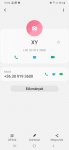
I am from Hungary and relatively new to the Android World. I am contacting you regarding the following issue/question. I got a new phone and as of now in my phone contacts there is the possibility to call my contacts via Skype ( I see a Skype logo/icon), however not via mobile. On the other hand, if I create a new contact, that person can be called via mobile, but not via Skype anymore.


I would like to achive that the only possible way to call my contacts is via mobile and not via Skype. Do you have any idea, how I could make it happen? One option would be to create all the contacts new, however that would take ages.


Many thanks!


Kind Regards,

Adam

Attachments

  • Contacts_no_skype.jpg
    Contacts_no_skype.jpg
    69.4 KB · Views: 187

Filter

Back
Top Bottom