• After 15+ years, we've made a big change: Android Forums is now Early Bird Club. Learn more here.

Battery replacement?

Apple user who just got a used Note 5 and don't know how long the battery is supposed to last. But it won't go a full day so I'm guessing it has to be replaced. I don't know how to check if that's the case on my phone. Just learning Android and don't know where to find it. I don't have Smart Manager and don't want it after reading an article someone here recommended.

Google Phone App Contacts included

I am not seeing any place in the Google Phone app where I say which accounts to show contacts for. By comparison - in the Google Contacts app in the upper right corner there is an icon I can click and then I am shown my accounts (gmail, office365, etc) and I can pick some or all to include. Since I primarily use my business email account for all my email I select that in the Contacts app. When I am in the Phone app I see many of the contacts from my O365 but I see some others that I do not want plus I cannot even find what account of mine they are coming from.

I am using Google Pixel 4 and the not-Beta version of the Phone app.

I appreciate any assistance you can provide.

Regards, A.

Apps GestureDetector 2 Views

Hello guys,
Please I would like some help on this.
I have 2 Buttons that would receive the same touch types and perform different actions which is a message that should appear in TextView depending on touch type.
Please guide me through this
Thank you.

here is my code :

Java:
package com.example.vuelve;

import androidx.appcompat.app.AppCompatActivity;

import android.os.Bundle;
import android.view.GestureDetector;
import android.view.MotionEvent;
import android.view.View;
import android.widget.Button;
import android.widget.TextView;

public class MainActivity extends AppCompatActivity implements View.OnTouchListener,
        GestureDetector.OnDoubleTapListener,
        GestureDetector.OnGestureListener {

    public Button GreenBoton, RedBoton;
    public TextView Message;
    public GestureDetector GD;

    @Override
    protected void onCreate(Bundle savedInstanceState) {
        super.onCreate(savedInstanceState);
        setContentView(R.layout.activity_main);
        GreenBoton = findViewById(R.id.IDBotonV);
        RedBoton = findViewById(R.id.IDBotonR);
        Message = findViewById(R.id.IDTexto);

        GD = new GestureDetector(this, this);
        GD.setOnDoubleTapListener(this);
    }
    @Override
    public boolean onTouch(View v, MotionEvent event) {

        this.GD.onTouchEvent(event);
        event.getAction();

        if(v.getId()== R.id.IDBotonV){

            if(onSingleTapConfirmed(event)){Message.setText("Blue SingleTap");}
            if(onDoubleTap(event)){Message.setText("Blue onDoubleTap");}
            if(onDoubleTapEvent(event)){Message.setText("Blue DoubleTap");}
            if(onDown(event)){Message.setText("Blue Down");}}

        if(v.getId()== R.id.IDBotonR){

            if(onSingleTapConfirmed(event)){Message.setText("Red SingleTap");}
            if(onDoubleTap(event)){Message.setText("Red onDoubleTap");}
            if(onDoubleTapEvent(event)){Message.setText("Red DoubleTap");}
            if(onDown(event)){Message.setText("Red Down");}
        }
        return true;
    }

    @Override
    public boolean onSingleTapConfirmed(MotionEvent e) {
        GreenBoton.setOnTouchListener(this);
        RedBoton.setOnTouchListener(this);

        return false;
    }
    @Override
    public boolean onDoubleTap(MotionEvent e) {
        GreenBoton.setOnTouchListener(this);
        RedBoton.setOnTouchListener(this);
        return true;
    }

    @Override
    public boolean onDoubleTapEvent(MotionEvent e) {
        GreenBoton.setOnTouchListener(this);
        RedBoton.setOnTouchListener(this);
        return true;
    }
    @Override
    public boolean onDown(MotionEvent e) {
        GreenBoton.setOnTouchListener(this);
        RedBoton.setOnTouchListener(this);
        return true;
    }
    @Override
    public void onShowPress(MotionEvent e) {

    }

    @Override
    public boolean onSingleTapUp(MotionEvent e) {
        return false;
    }

    @Override
    public boolean onScroll(MotionEvent e1, MotionEvent e2, float distanceX, float distanceY) {
        return false;
    }
    @Override
    public void onLongPress(MotionEvent e) {

    }

    @Override
    public boolean onFling(MotionEvent e1, MotionEvent e2, float velocityX, float velocityY) {
        return false;
    }
}

Activity Main XML

Code:
<?xml version="1.0" encoding="utf-8"?>
<androidx.constraintlayout.widget.ConstraintLayout xmlns:android="http://schemas.android.com/apk/res/android"
    xmlns:app="http://schemas.android.com/apk/res-auto"
    xmlns:tools="http://schemas.android.com/tools"
    android:layout_width="match_parent"
    android:layout_height="match_parent"
    android:background="#64AEE9"
    tools:context=".MainActivity">

    <Button
        android:id="@+id/IDBotonV"
        android:layout_width="wrap_content"
        android:layout_height="wrap_content"
        android:layout_marginStart="50dp"
        android:layout_marginTop="240dp"
        android:background="#4CAF50"
        android:text="Verde"
        app:layout_constraintStart_toStartOf="parent"
        app:layout_constraintTop_toBottomOf="@+id/IDTexto" />

    <TextView
        android:id="@+id/IDTexto"
        android:layout_width="242dp"
        android:layout_height="56dp"
        android:layout_marginTop="124dp"
        android:background="#FFEB3B"
        android:gravity="center_horizontal|center_vertical"
        android:hint="Motion"
        android:textSize="30sp"
        app:layout_constraintEnd_toEndOf="parent"
        app:layout_constraintHorizontal_bias="0.497"
        app:layout_constraintStart_toStartOf="parent"
        app:layout_constraintTop_toTopOf="parent" />

    <Button
        android:id="@+id/IDBotonR"
        android:layout_width="wrap_content"
        android:layout_height="wrap_content"
        android:layout_marginTop="240dp"
        android:layout_marginEnd="50dp"
        android:background="#F44336"
        android:text="Rojo"
        app:layout_constraintEnd_toEndOf="parent"
        app:layout_constraintTop_toBottomOf="@+id/IDTexto" />
</androidx.constraintlayout.widget.ConstraintLayout>

On my ZTE Max, leave battery optimiser on or off

In the settings on my ZTE Max phone in battery settings all the apps except 4 or 5 (not optimized,caller ID, voicemail, google carrier svc, google play services, download) or optimized. I'm trying to close apps after I'm out of them, cause I was having storage issues thanks to a SD card getting corrupted. Did factory reset using volume/power buttons. So now I delete each apps cache daily and was told make sure apps are closed completely. They explained it but nothing described is on my phone. Any help would be greatly appreciated Thanks.

Walmart family mobile

Wondering why my walmart family mobile account keeps having auto pay removed. The company has no idea why and I haven't done it. I'm the only person who does anything regarding my account. And now in researching information in my online account page my phone number is missing in payment history. The other 2 lines show up and the phone number on my account is my son's number not mine. I've had my plan since August his was added in October. Any thoughts

apps go weird now

When I used to click on apps and go out of them used to be straight back to home page no fuss. Now there's like a 3D sort of trail when you exit the app. You see the app zoom back on the page if that makes sense

Is this happening to others?. I'm. Guessing it's the upgrade I did

No biggie just didn't know if it's my phone that's faulty

Wear OS watches

Hi there!

I'm new to Wear OS development and I'm writing app that generally sends messages from phone to smartwatches and back. I'd love to test it on real device, but I can't find information which is better.

Could you please suggest me some smartwatches for testing my app?

Thanks a lot

Any info/help would be appreciated

I have had the Blade T2 Lite for about 6 months now. It was a great phone for about 2 months, then they had a major update and ever since then it has been horrible at best. I have contacted ZTE in regards to this several times and they continue to insist this is a Simple Mobile issue! I don't care WHO'S issue this is, I want it resolved! I refuse to pay $50/month for CRAP any longer!
It continually stops working right, freezes, slows down or doesn't respond, thus I end up having to hard reset it - sometimes DAILY! Once I reset it, 1/2 the apps don't show up on the home screens or in folders, and aren't even listed on the app page - thus I have to reboot SEVERAL MORE times until they DO show up! Sometimes it takes up to 10 attempts to do so, and sometimes when rebooting it takes 15 minutes for the phone to totally reboot and get back up running. I used to have FULL signal where I live and where I work, now I am lucky to have 2-3 bars at most! NOT acceptable!
The battery doesn't always charge properly when plugged in to charge, and sometimes it dies rather quickly. It came with the Google sms messages app pre installed which doesn't always work properly as well.
I have a 128 GB card for storage but don't like the way it forces users to set up the card - 1 setting doesn't allow the card to operate in ANY other device (including a PC with a card reader) and the other makes it difficult to use for the phone! IT ALSO repositions the damn background image on the home screen every week now. I have scanned it multiple times and found no malicious files or updates, no malware, no viruses. This has been a nightmare!

Help I think I have an adware virus - how do I remove it?

I think I have an adware virus. Pardon me if I don't use proper tech terms, and although I searched, I didn't get an answer to this.

When I wake up my Galaxy A6 by swiping the turn-on screen I am immediately greeted with ads or news already opened in a browser. At first it was Chrome (which I don't use) and when I disabled Chrome it moved to Opera (which I do use). Closing the browser is the only way I can see the app icons.

Clues: (?)

Google recently did an Android update. Unless everybody is getting this I doubt it's a 'feature'.

I recently installed Google's "Live transcript" but I also installed this app on my Galaxy A2 tablet so I doubt it's the culprit.

I don't web surf on this phone much. I have a few bookmarked sites, weather, local tides and such that I've been using for years, so I doubt they are the problem. Other than that sometimes I'll search for crossword clues and if I'm in my car, my wife might use it to look up something.

So unless this is a new "feature" I'm guessing I picked up some adware virus.

Avast (ad supported) can no longer scan the system. Lookout tells me there is no problem.

Is there any way for an end-user who isn't very technologically adept to solve this?

Thanks,
Bob

factory reset prob

I did the silly thing of doing a factory reset from phone off rather than from settings so it thought it was unauthorized factory reset
I still managed to get into my google account and onto the phone , just had to use wifi for some reason to use settings, everything is fine and wouldnt have known anything was wrong but I cant log into my mcafee security, it tells me invalid SIM card on my number and also my simcard #2 is greyed out and says no sim card in there
I am guessing this is because of the phone going into factory reset protection, will this resolve itself in 72 hours ? any idea how i can solve this?
thanks

Which type of tablet?

I have an older Samsung phone and an HP notebook PC which are adequate for most of my needs. However, I am in the market for a 10”tablet PC and the choices are overwhelming. Obviously, name brand tablets are much more reliable and expensive, so which of the following features in order of importance, do I need? OS(Android 5-9), Ram 4-8, 16-512 Memory(w/expansion slot), Core(8,10), USB slot,micro HD, screen resolution, bluetooth?

I don't need any sim card slots, better camera, just good wi-fi, which I have.

HELP - Streaming Audio Stops on Screen Lock Galaxy S10+

I have a new Galaxy S10+ and have a problem with streaming audio stopping on screen lock. This does not happen with apps like iHeartRadio. Only when I stream audio from a web browser. I have tried Samsung Internet, Puffin Web Browser, Web Browser & Explorer, Chrome. I have done the Spotily fixes, battery optimization and others. Has anyone seen this or have a fix. Arrrrggggg

No hardware or low battery usage

Hello guys
I have a problem with my Huawei P smart 2019
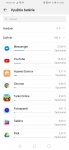
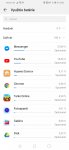
The usage of the software is really high
and i can feel that the battery is draining really fast
I have already sent it ti the service but they didnt find anything

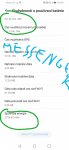
In aplications there are really big numbers of usage in mah of my battery but i dont know why.

I have turné off everything but nothing helped.
There shouldnt be problém with hardware cuz they checked it
I have update from emui 9 to 10 but it didnt help
And its really big problem for me cuz no one knows the problem and i cant get a refund.

So pls can u help me??

Attachments

  • Screenshot_20191214_134347_com.huawei.systemmanager.jpg
    Screenshot_20191214_134347_com.huawei.systemmanager.jpg
    120 KB · Views: 209
  • Screenshot_20191214_134347_com.huawei.systemmanager.jpg
    Screenshot_20191214_134347_com.huawei.systemmanager.jpg
    120 KB · Views: 145
  • Screenshot_20191215_131136.jpg
    Screenshot_20191215_131136.jpg
    156 KB · Views: 212

Filter

Back
Top Bottom