• After 15+ years, we've made a big change: Android Forums is now Early Bird Club. Learn more here.

Displaying images

I'm getting reports of security exceptions when trying to display images. I've found that I need to use provider to display them without the error.

At the moment I add the images using
Code:
 @Override
    public boolean onMenuItemClick(MenuItem item) {
        String clicked = item.getTitle().toString();

        if(clicked.equals("Take Photo")) {
            if (ContextCompat.checkSelfPermission(getContext(), Manifest.permission.CAMERA) == PackageManager.PERMISSION_GRANTED) {
                Intent intent = new Intent(MediaStore.ACTION_IMAGE_CAPTURE);
                if (intent.resolveActivity(getContext().getPackageManager()) != null) {
                    File file = null;
                    try {
                        file = createImageFile();
                    } catch (IOException e) {
                        e.printStackTrace();
                    }
                    photoUri = null;
                    if (file != null) {
                        photoUri = Uri.fromFile(file);
                        intent.putExtra(MediaStore.EXTRA_OUTPUT, photoUri);
                        startActivityForResult(intent, 0);
                    }
                }
            } else {
                Toast.makeText(getContext(),"No camera permissions.",Toast.LENGTH_SHORT).show();
            }
        } else {
            Intent pickPhoto = new Intent(Intent.ACTION_OPEN_DOCUMENT, android.provider.MediaStore.Images.Media.EXTERNAL_CONTENT_URI);
            pickPhoto.putExtra(Intent.EXTRA_ALLOW_MULTIPLE, false);
            startActivityForResult(pickPhoto , 1);
        }
        return true;
    }

    public void onActivityResult(int requestCode, int resultCode, Intent imageReturnedIntent) {
        super.onActivityResult(requestCode, resultCode, imageReturnedIntent);
        switch(requestCode) {
            case 0:
                if(resultCode == RESULT_OK){
                    imageView.setImageURI(photoUri);
                    final int takeFlags = imageReturnedIntent.getFlags() & (Intent.FLAG_GRANT_READ_URI_PERMISSION | Intent.FLAG_GRANT_WRITE_URI_PERMISSION);
                    getContext().getContentResolver().takePersistableUriPermission(photoUri, takeFlags);
                }

                break;
            case 1:
                if(resultCode == RESULT_OK){
                    Uri selectedImage = imageReturnedIntent.getData();
                    this.imageView.setImageURI(selectedImage);
                    photoUri = selectedImage;
                    final int takeFlags = imageReturnedIntent.getFlags() & (Intent.FLAG_GRANT_READ_URI_PERMISSION | Intent.FLAG_GRANT_WRITE_URI_PERMISSION);
                    getContext().getContentResolver().takePersistableUriPermission(photoUri, takeFlags);
                }
                break;
        }
    }

And they are displayed with
Code:
    @Override
    public void onBindViewHolder(ProjectListViewHolder holder, int position) {
        JoinProjectPicture projectPicture = mProjects.get(position);
        Project current = projectPicture.getProject();
        Picture picture = projectPicture.getPicture();

        holder.projectName.setText(current.getProjectName() + "(" + current.getWidth() + "x" + current.getHeight() + ")");
        holder.projectStatusTV.setText(current.getStatus());

        if(picture != null) {
            String pictureName = picture.getPictureName();
            Uri uriParsed = Uri.parse(pictureName);

            holder.projectStatusTV.setText("" + uriParsed);

            if (ContextCompat.checkSelfPermission(act, Manifest.permission.READ_EXTERNAL_STORAGE) == PackageManager.PERMISSION_GRANTED) {
                holder.imageV.setImageURI(uriParsed);
            }
        }
    }

Can anyone point me in the right direction. I need this to apply to new saved images and the existing saved ones.

Help Unable to charge phone, notification always shows "Charging connected device via USB"

As of a few months ago, the Pixel 2 XL wouldn't charge with the boxed TC G1000-UK A/C charger and boxed USB-C to USB-C cable.

A workaround was to use a Samsung ETA-U90UWE A/C charger (uses USB-A) and a USB-A to USB-C cable bought on Amazon.

Recently, that cable became damaged and there is currently only access to the boxed USB-C to USB-C cable, so the Samsung charger can no longer be used.

When the boxed charger and boxed USB-C to USB-C are used, the phone does nothing.

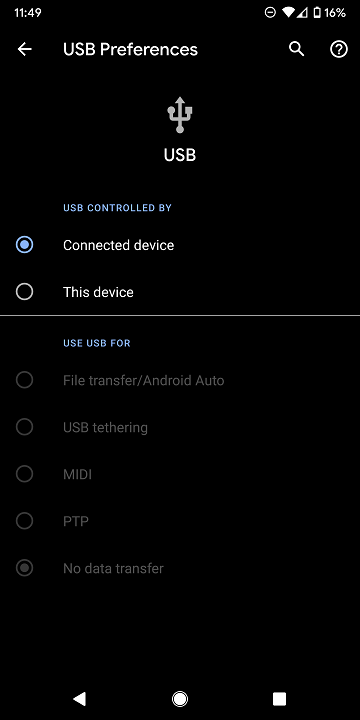
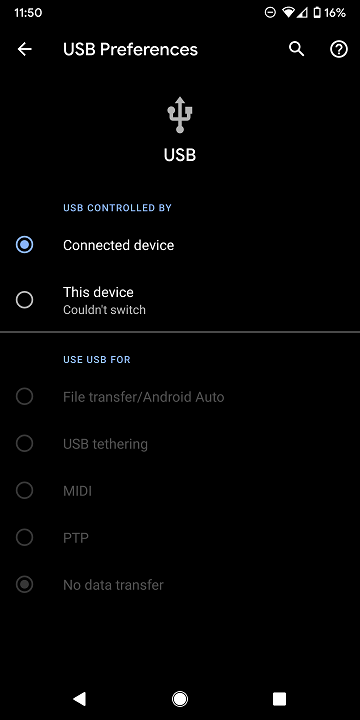
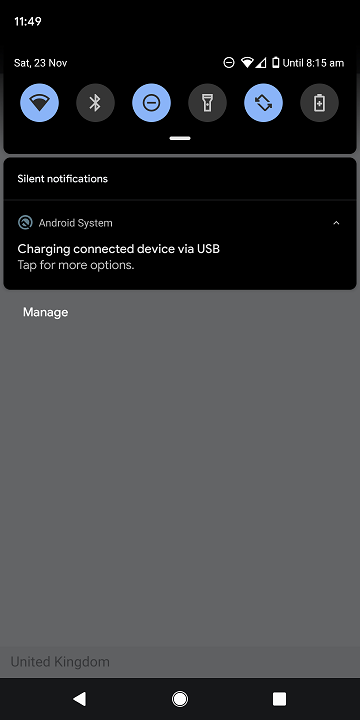
A permanent notification (including when the phone is unplugged) from Android System states: "Charging connected device via USB". It can not be swiped away.

Tapping on the notification displays USB Preferences. It states that USB is controlled by "Connected device".

When trying to change it to manually to "This device", "Switching..." shows, then "Couldn't switch".

The charge port appears appears to be gunk-free and I don't believe there has been past water damage.

When I connect the phone to a computer, USB Preferences automatically selects "This device" and it starts charging without issue (though, of course, slower than with a fast-charging A/C charger).

Running Android 10 (November 2019 security patch).

Any ideas?

thread-20963749-16342466235581982968.png
thread-20963749-16342466235581982797.png
thread-20963749-16342466235581982626.png

TWRP doesn't recognize my phone...

I am in the process of trying to replace the current ROM Android 7.1 (has been wiped I believe) with the original Android 5 Lollipop on my Lava Pixel 2.

Ideally there would be a TWRP .zip file with the original ROM that I could just Install, but all the ROMs I've found for TWRP are upgrade ROMS.

In the process of messing around with TWRP, deleting cache etc etc. it seems I have deleted the last ROM I had installed.

My goal today was to install any ROM, then abandon TWRP and use the computer+phone method of installing my original ROM.

So I tried to install Marshmellow+Volte .zip and this is what
TWRP said : "this package is for "lava6735p_sp31_lte" devices
this is a "iris860".

But my phone is NOT an Iris860 !!!
It is a Lava Pixel 2 !

Any guidance on how to fix this problem?
TWRP does not know what phone it is installed on now and consequently
balks at installing a .zip file.

Edit: I just tried to install the Android 7.1 .zip file again (previous installation that disappeared)
and TWRP is cooperating now and installing it.
But I can see what the problem is now.
At the beginning of the installation it says:
Device: Lava Iris 860 !!

Still looking for guidance to fix this. Thanks!

Help "android pull" keeps failing on Google Pixel XL (1st gen) / Android 10 OS

Just updated my Google Pixel XL to Android 10. With the OS Android 9, I can do "adb pull" just fine with "USB debugging option" enabled. But now, while I can still "adb shell" but every time I tried to do "adb pull" it always caused disconnect (then reconnect), and the file did not arrive. Can someone give me a pointer or help to resolve this issue? I often depend on "adb pull" to do scripted backup of certain files from this phone.

Hotbar Disappeared...?

I downloaded an app off of the Google Play Store that I used to have a while ago. I opened the app and my device crashed. I restarted, but now I have no hotbar. I can not go to my homescreen, nor can I go to my recent pages. I can not see the time of my battery percentage. I've already restarted my device, rebooted it, and more. What can I do now?

Black screen and blinking LED

I was using my phone (Xiaomi Mi A2 Lite) while it charged when the screen suddenly turned off and the charging light started blinking on and off. No buttons respond, I tried to call from a different phone and it came up as turned off or out of range. I've searched the Internet for half an hour and none of the proposed solutions work. There's an added problem: the battery is not removable, so I can't really see if that's the problem by myself, unless I go to some repair shop. I can't launch Safe mode or Recovery mode and basically nothing works. Any suggestions? (Hopefully without losing all my data)

Help Huawei honor 10 phone activation

Hi everyone I recently bought a huawei honor 10 from someone on the street without making sure I could get passed the factory setup process. The phone is linked to a huawei ID in which I obviously don't know the info to which is making the phone activation impossible! I was trying to bypass this roadblock via backdoors in which I was really close by using *#*#1357946#*#* on the emergency dialer and just exploring all possible options. Unfortunately I decided to let my boyfriend try for a little while then he came back saying "baby you're gonna hate me but I ****ed up and updated the phone" now I have NO access to anything at all without 'unlocking device' does anyone know of any new ways to bypass the huawei ID phone activation after this recent update? Or maybe even how to downgrade without usb debugging enabled? Any advice or help is greatly appreciated!

Download PUBG using APK OBB??

PUBG Mobile takes up too many spaces in my Android right now, ever since the downloading process had taken up the majority of the space, not to mention the data consumed while running the app.
My friends say that using the modification of APK OBB may help me resolve my issue ever since APK OBB files help reduce the date every time updated.
I'm not fully understand about it, can anyone explain to me why this will reduce the amount of data consumed? If i download, will my experience be influenced like poor performance of sound or screen resolution??

Android Emulator Threat??

I love to experience playing PUBG mobile version on the computer and lots other applications which is only available to the usage of Android Mobile Device.

I search through the Internet and many advise to have a look on some Android Emulators. So I did, yeah it was pretty useful, like your own phone is just exitsted in your computer right now, not only that you are also provided with an opportunity to pick out any Android Version to run on your computer.
Awesome!

But things turn out to be completely different when my computer is lagging and all the speed was pretty low, the computer seems to operate incessantly in hot temperateture.
Does anyone struggle in the same situation as i??

Third-party APK provider end??

I'm searching for APK files including APK Bundle and OBB, Variants. Lots of third-party websites provide APK file download for Android user. They are all well compassed with different version of app which is pretty useful for the slow-dated Android User like me for example.

I had used their service for pretty long time but i found out that Google also introduced "Dynamic Delivery" for users to optimize APK for each user's device configuration.

Seem like Google are trying to fill the gap, do you ever think this is an end for third-party websites??

Battery is really bad after Pie update

I have an LG V30. I updated to Pie a little over a month ago and the battery is much worse now. On Oreo, I could get a full day with a good amount of use before I would have to charge it. At night, it would drain like 5-7% but now, it drains 40-50% overnight and I can't go more than a few hours of use before I have to charge it. I have googled this and tried all the fixes and nothing works. My last resort is to do a factory reset but I would have to back up all my info first and I've been told that that might not even work. HELP! I thought new OS were supposed to be a good thing but Pie has been terrible for me. What can I do to get my battery working normal again?

Alldocube iPlay 7T review: a budget tablet that checks most of the boxes

DSC01513.jpg


The good
Solid build quality.
IPS display.
USB-C port.
Low price.

The bad
The touchscreen isn’t the most responsive.

Do small Android tablets still have a place in the world? They’re not the trend they once were, and even Samsung — the one company making 7-inch tablets that sell in quantity — has stopped releasing smaller Android slates. The budget-friendly Galaxy Tab A, and the premium Galaxy Tab S6 released in 2019 are both 10.5-inch models. For other companies such as Huawei and Xiaomi, 8-inch is the new threshold for small tablets. It is not hard to see why, as 6.5-inch smartphones are becoming a norm, who still need a 7-inch tablet?

But Alldocube, a Chinese company known for making budget slates, still has faith in the smallest form of Android tablets. They recently released a super-cheap 7-inch tablet called the iPlay 7T, which comes with a Unisoc SC9832E processor, 2GB RAM, 16GB internal storage, 4G and phone functions, Android 9 Pie, AI and a price tag of just $69.99. Who is this tablet marketing towards? Are the specs enough for day-to-day use? Let’s find out in this review.


Specs

Model: Alldocube iPlay 7T
Operating system: Android 9 Pie
Display: 7-inch IPS display (1280*720px)
Screen: 5-point multi-touch screen
Processor: Unisoc SC9832E (Quad 1.4GHz Cortex-A53 CPU, Mali-820MP1 GPU)
RAM: 2GB
ROM: 16GB, expandable with MicroSD card up to 256GB
Wi-Fi: 802.11 b/g/n 2.4GHz
Mobile Network: GSM, WCDMA, FDD-LTE, TDD-LTE
Bluetooth: Bluetooth 4.0
Positioning: GPS
Ports: USB-C port*1, 3.5mm audio jack*1, microSD card slot*1, SIM card slot*2
Battery: 2800mAh Li-Po battery
Size: 190*98*9.9mm
Weight: 224g
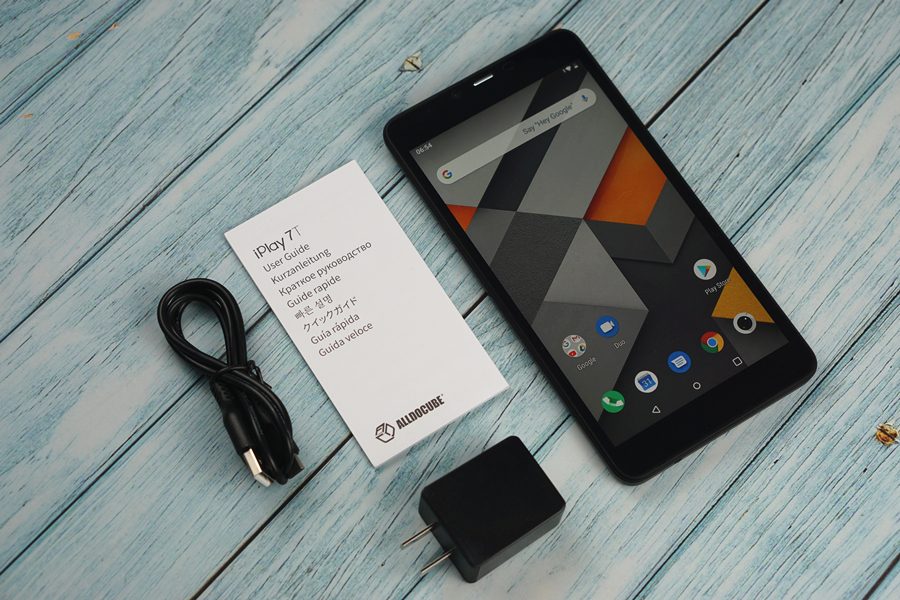
Retail Package: iPlay 7T tablet*1, USB-C cable*1, Manual*1, Wall charger*1


Retail Package

DSC01496.jpg


iPlay 7T tablet*1, USB-C cable*1, Manual*1, Wall charger*1


Design and Build

DSC01438.jpg


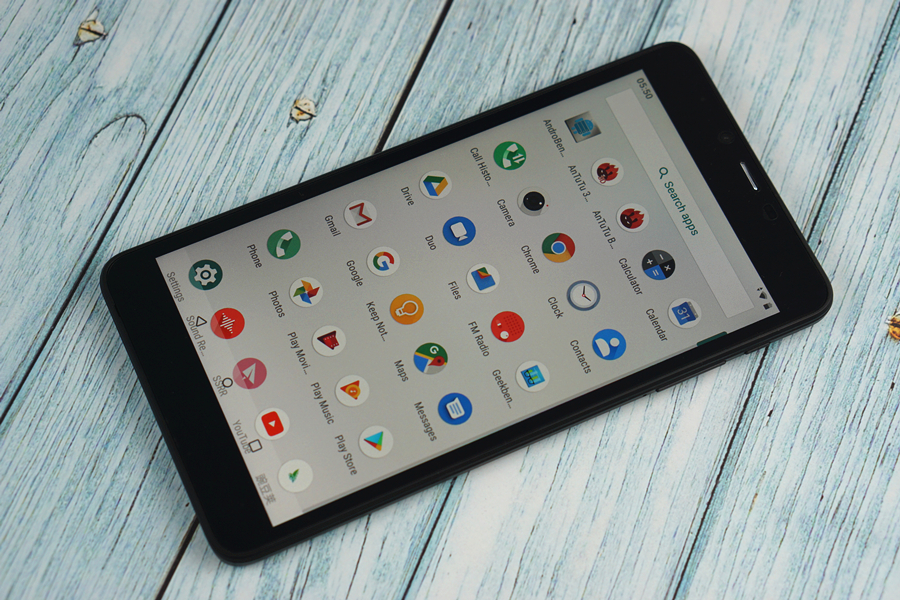
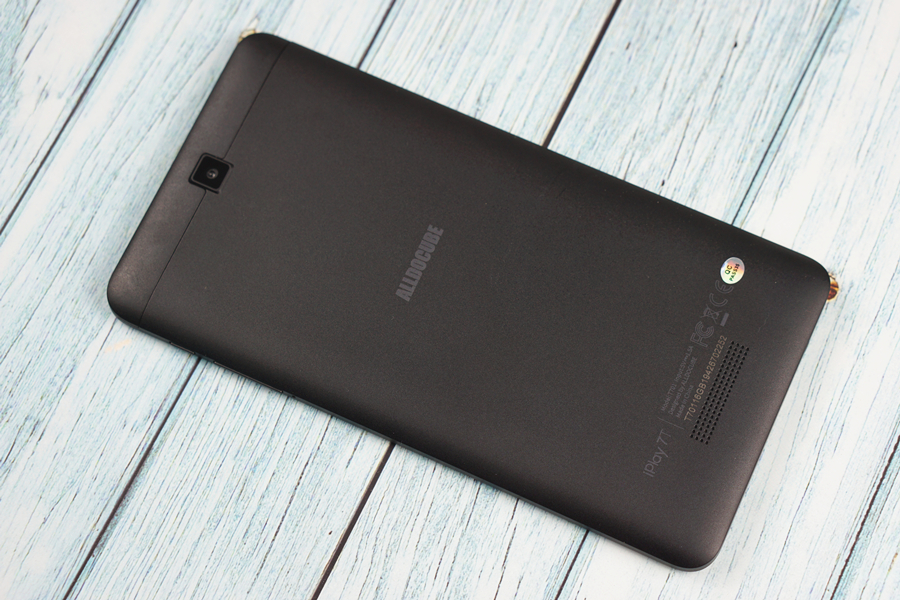
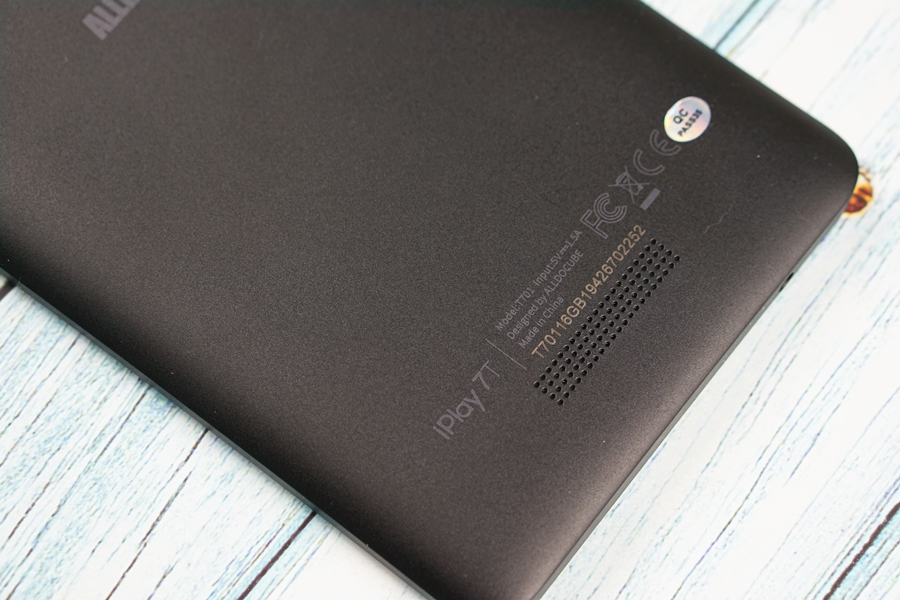
As can be expected, the iPlay 7T has a plastic chassis, which doesn’t feel premium. Since it is matte black, the tablet doesn’t look too cheap, either. With relatively small bezels on the left and right sides of the 7-inch display, the screen-to-body ratio of this device is actually quite decent, and you can easily hold it in one hand.

DSC01441.jpg


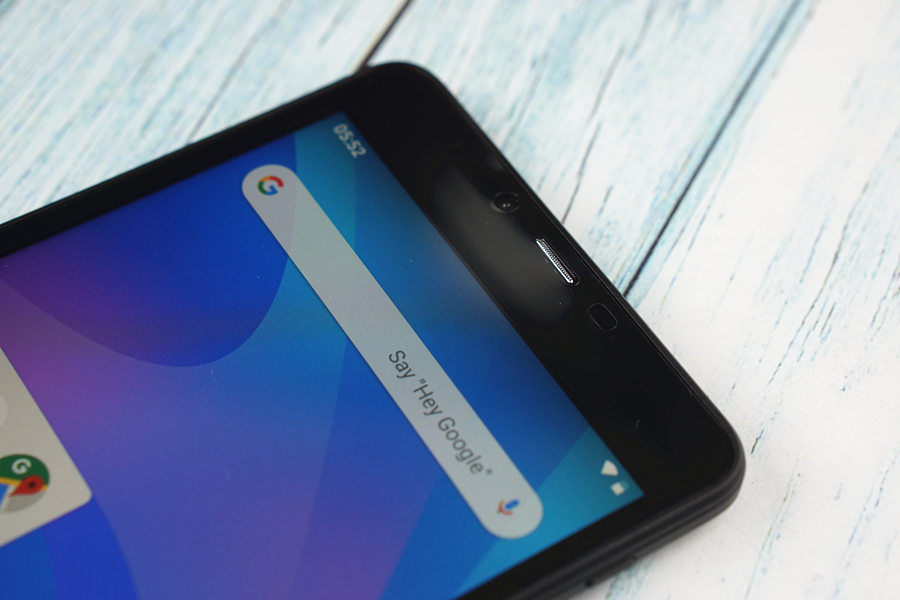
There are a VGA front-facing camera, an earpiece, and multiple sensors sitting above the display.

DSC01452.jpg


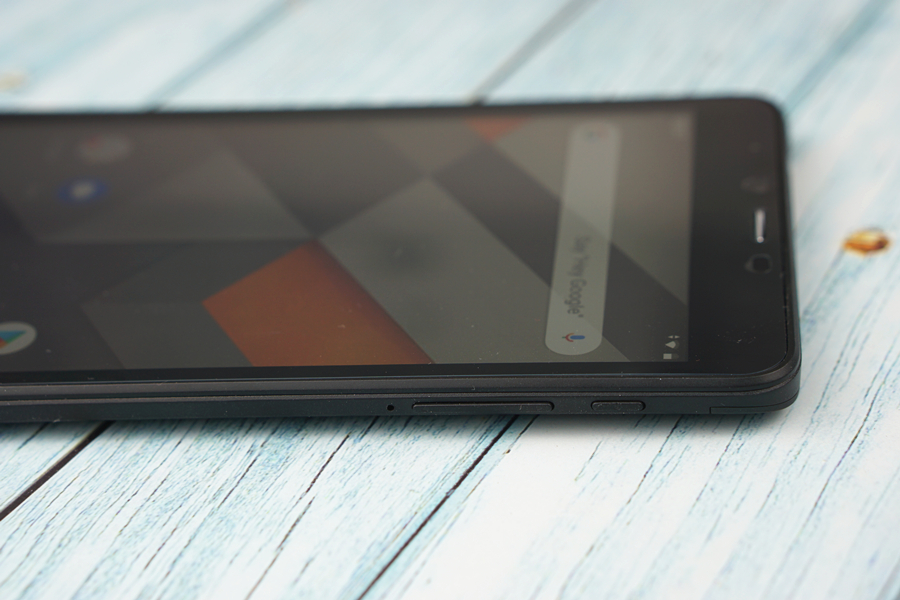
The power/standby key and the volume rocker are hosted on the right side. Both buttons have decent travel and rebound quickly.

DSC01449.jpg


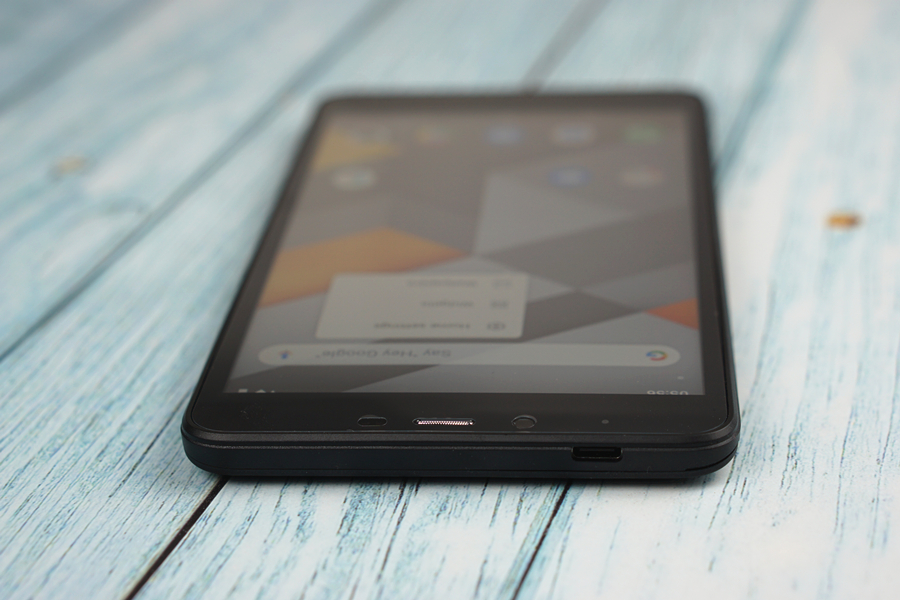
The top side plays host to a USB-C port. I was actually expecting a cheaper Micro USB port on such a budget device, so a Type-C port here is really a pleasant surprise. Well done, Alldocube!

DSC01497.jpg


DSC01501.jpg


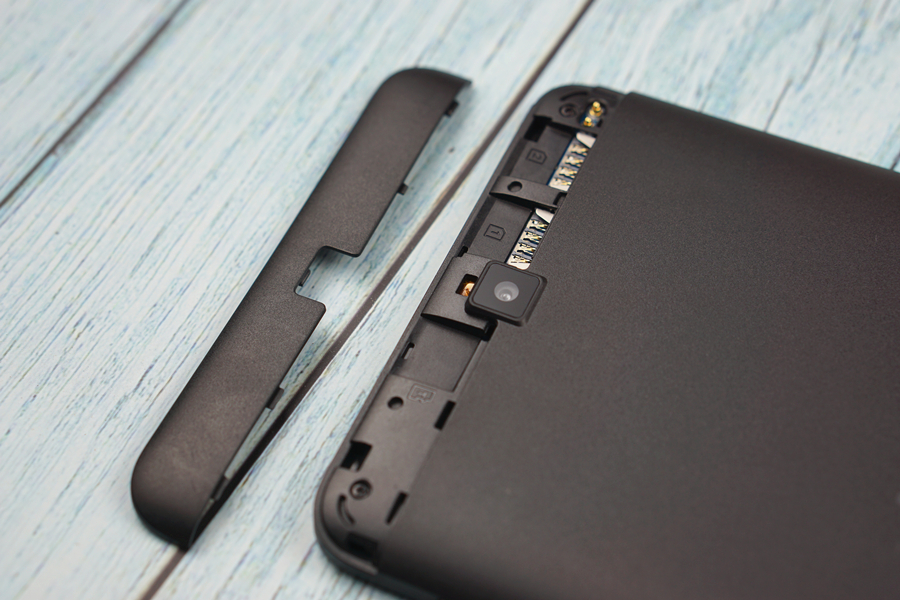
Opening the lid on the back side, you can find a microSD card slot and two SIM card slots.

DSC01499.jpg


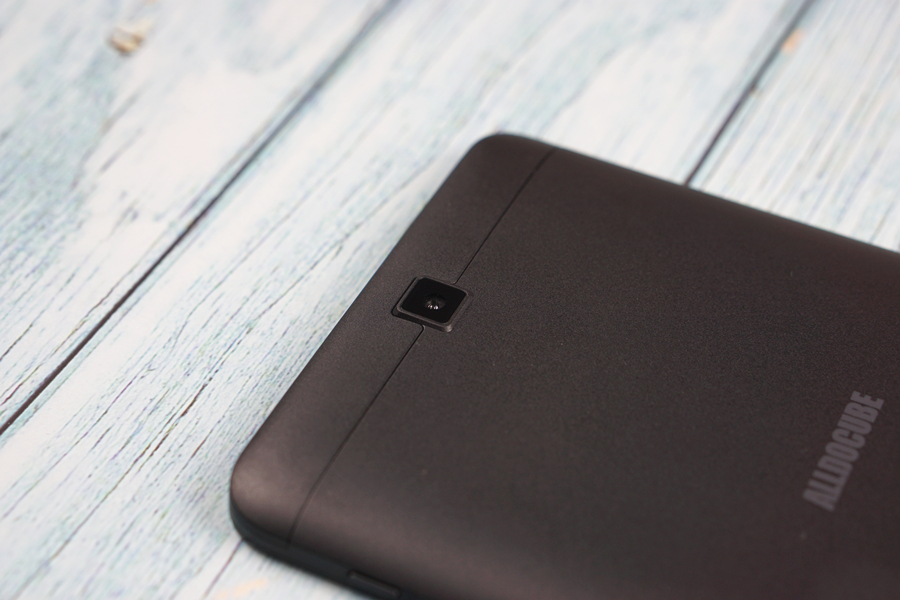
You can also find a 2MP camera on the rear side of the slate.

DSC01436.jpg


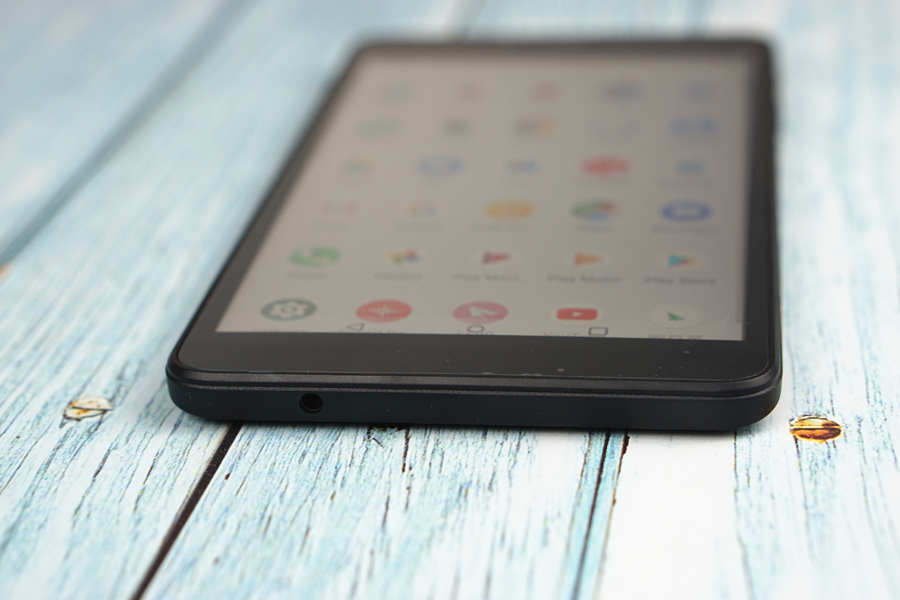
Finding a 3.5mm headphone jack on the bottom side of the slate is another nice surprise for me.

DSC01484.jpg


The tablet measures 190*98*9.9mm and weighs 224g. The build quality is decent, as the 7T feels quite robust in the hand. There’re no ugly mold lines on the matte black plastic shell, either.


Screen

DSC01474.jpg


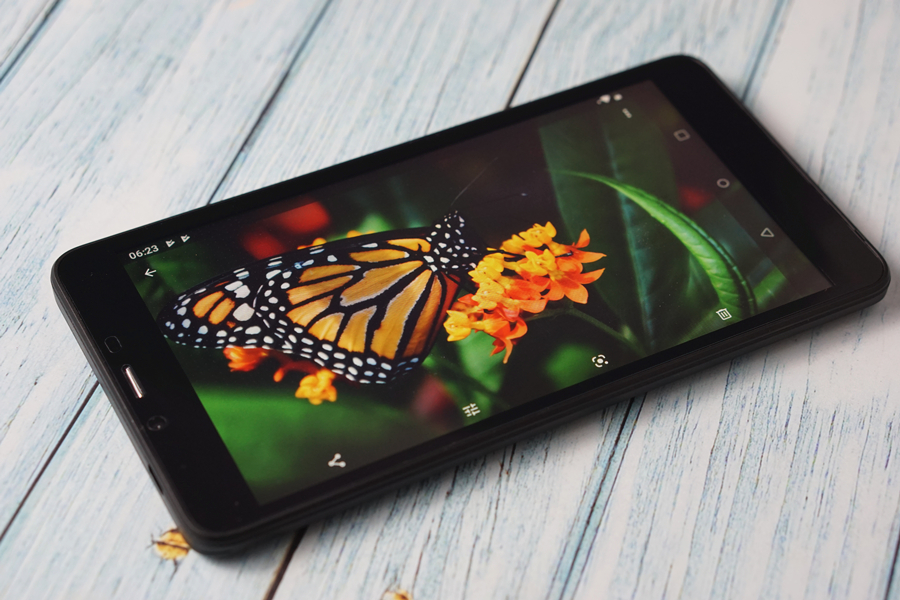
The 7T sports a 7-inch IPS display at the resolution of 1280*720. With a pixel density of 210 PPI, the screen is not particularly sharp, but it is still not easy to pick out individual pixels in everyday use. The colors are not the most accurate, as light colors tend to look a bit paler than we would have liked, but they are still way better than the colors on an average TN panel. The screen also offers decent brightness and amazing viewing angle, outdoor visibility is also good.

DSC01491.jpg


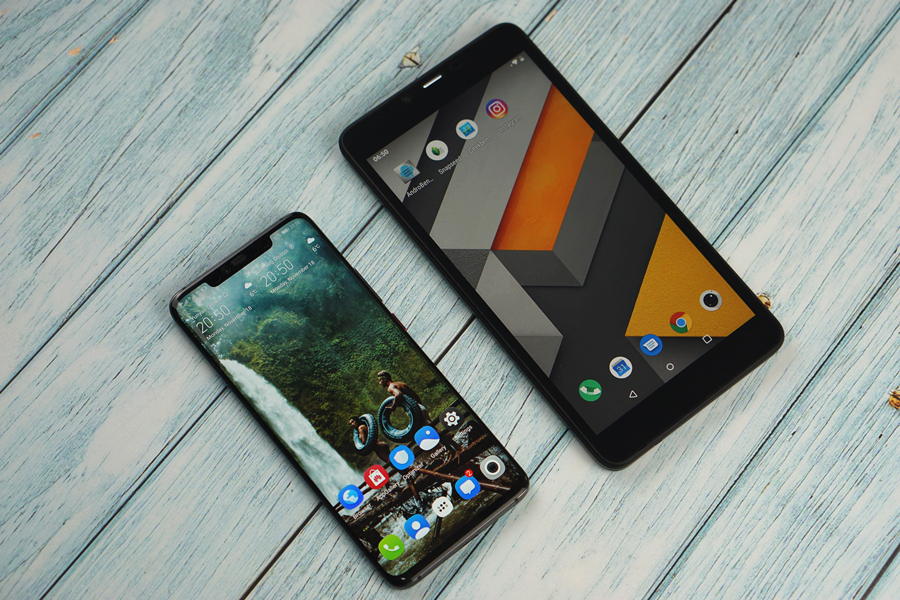
Being 7-inch, the iPlay 7T’s display is still significantly larger than the Huawei Mate 20 Pro’s 6.39-inch screen, although it carries far fewer pixels.

DSC01509.jpg


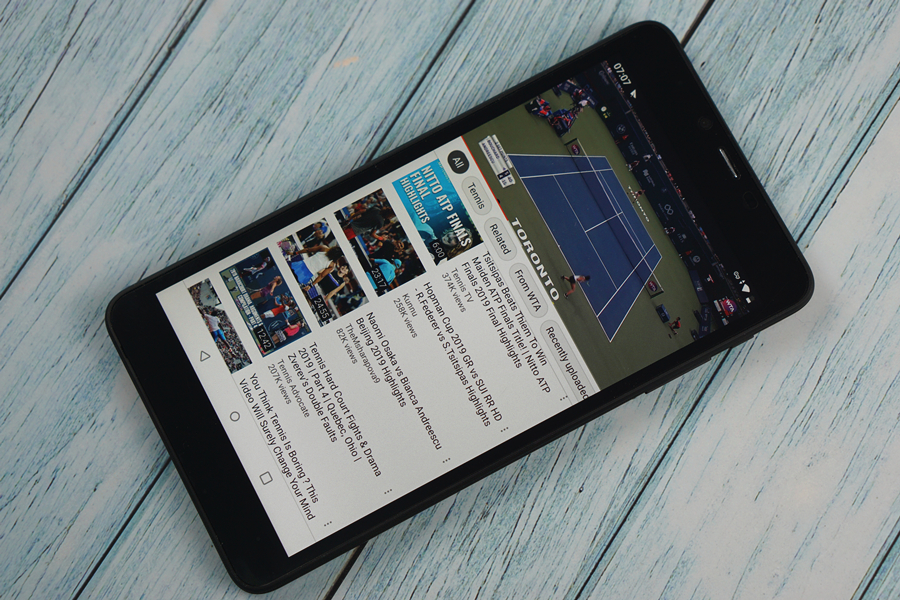
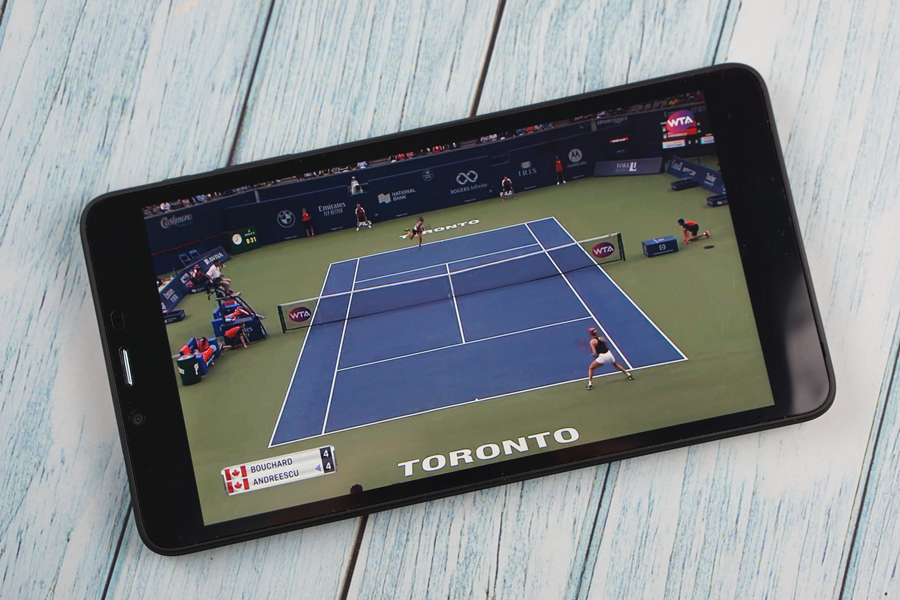
The 16:9 aspect ratio is ideal for watching videos, as most online clips can fill up the whole screen, without leaving black bars. But the 720P screen resolution means you won’t be able to take full advantage of 1080P and 4K videos offered by YouTube or similar platforms.

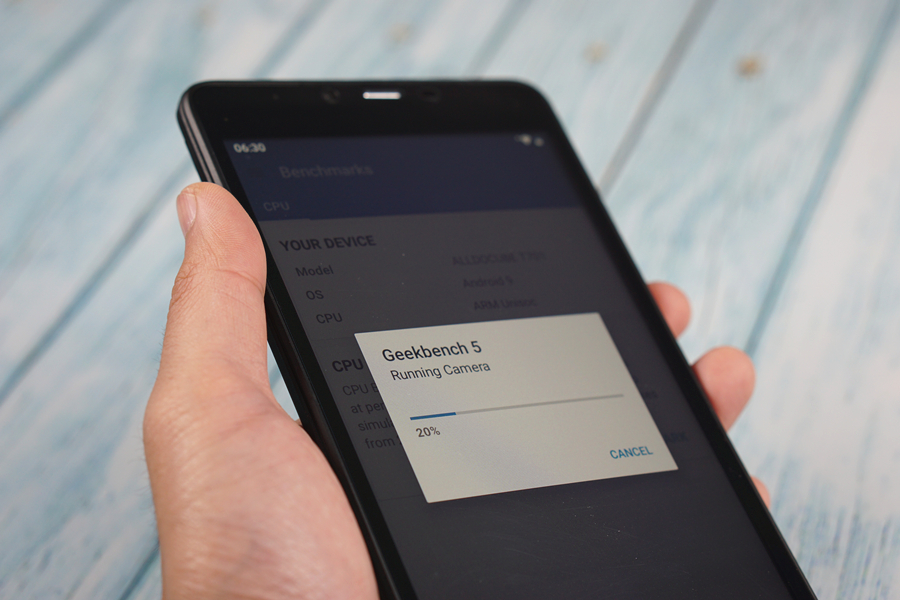
The touchscreen is not the most responsive. Although every touch still registers, it just doesn’t feel so smooth as the screens on our flagship smartphones.


Audio

DSC01498.jpg


The built-in back-firing speaker of the 7T can get very loud. But the sound lacks texture and details, the treble tends to sound extremely harsh at the highest volume. Whenever I am listening to music or watching some serious videos, I need to have the Jabra Elite 65e wireless headphones in my ears.


Software

DSC01434.jpg


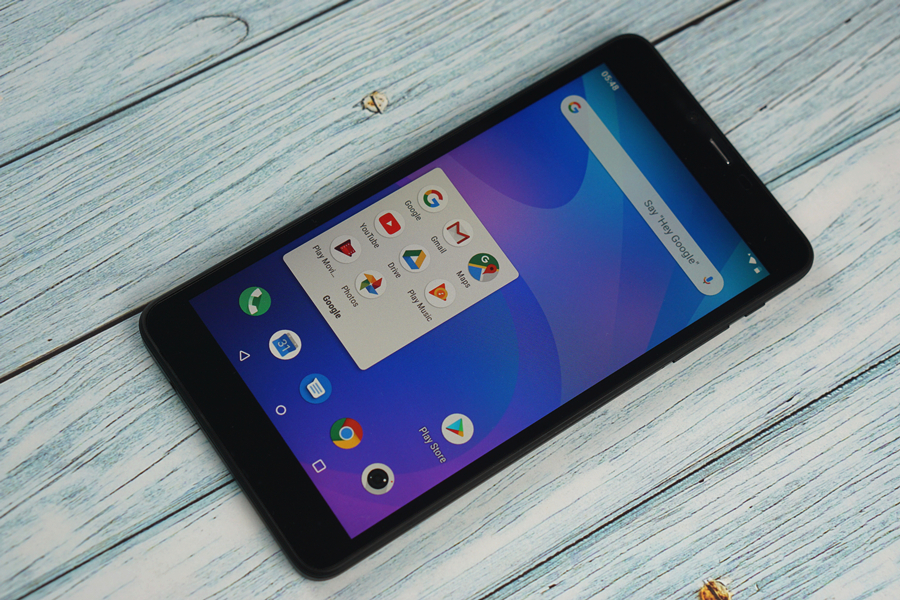
The iPlay 7T runs stock Android 9.0 Pie out of the box. Preinstalled apps have been kept to the minimum, but you still get a full suite of Google apps, including the must-have Gmail, Play Store, YouTube, Maps, etc.

074623.jpg


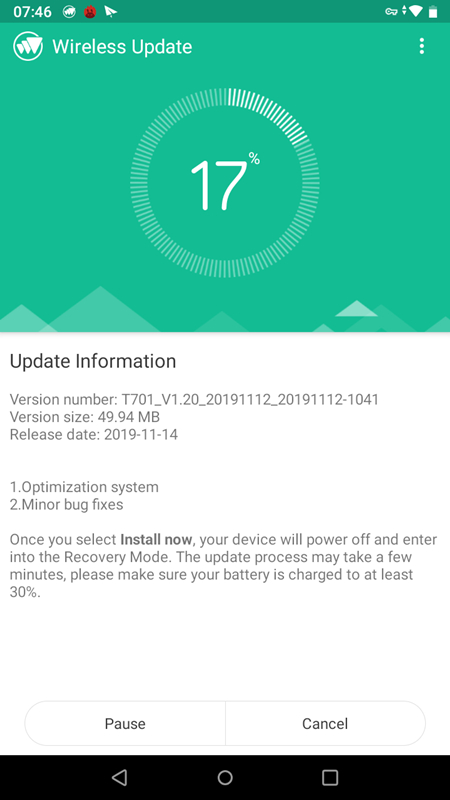
The tablet also supports OTA upgrade, which is ideal if you hate learning how to flash the firmware.

Help Really odd thing my phone did.

Yesterday all that was just sitting by my comp, when out of the blue it went to bootlander screen, I did not touch anything of that could of triggered it either, but today seems working okay. I have not download anything Maybe a few months or so back...

Last thing I do remember was the wiregoggles app, but that is pretty much okay. It seems strange a lot of times, even when making phone calls the screen does go black yet again, I just wish there was a function on shutting that off ya know.

The icon gloosery just either does not work, or even spins in a circle, gives around a nanosecond before I can use it. the all apps draw I meant to type up. Hmmm... Any sugesstions?

problem with whatsapp

Hello everyone. I used apk editor because I wanted to move whatsapp to the sd memory. I backed up the data. I uninstalled and put the modified version in the apk editor temp file. Now I open whatsapp and when I install it, I enter the phone number and I get this message: there is a problem with your whatsapp version.download the latest version from the Google play store. How can I solve it in a simply way? thanks. can you help me? I have a galaxy s4 version

Malware

Wasn't sure if this was the place to post, but I've had some pop ups recently. They seem to be on multiple apps (chrome and messages come to mind). I tried running Avast (removed one problem) and Malwarebytes (nothing) and am still having the problem. It seems like the pop ups in messages have gone away, but not sure.

Two different ads show up, a Google ad and the ad attached. Anybody else experience this? Any ideas on how to get rid of it?

Thanks in advance.

Attachments

  • Screenshot_20191121-110537.png
    Screenshot_20191121-110537.png
    394.6 KB · Views: 181

Charger only works in some outlets

I have a few different chargers (both cables and wall blocks that I can mix and match) from various devices. I find that with at least one combination (I haven't tried all of them) the charger only works in some outlets. It works fine at home, but at work it charges very slowly until it stops before fully charged. At my sister's house it doesn't charge at all (but the charging indicator is on). With just the cable, it charges fine from my laptop. It charges fine in the car too.
I'm wondering if it has something to do with the level of power from the outlet and what the charger (either block or cable - not sure which) is capable of transferring.
Does anyone have any ideas?
Thanks!

Filter

Back
Top Bottom