
Install the app
How to install the app on iOS
Follow along with the video below to see how to install our site as a web app on your home screen.
Note: This feature may not be available in some browsers.
-
After 15+ years, we've made a big change: Android Forums is now Early Bird Club. Learn more here.
You are using an out of date browser. It may not display this or other websites correctly.
You should upgrade or use an alternative browser.
You should upgrade or use an alternative browser.
Filters
Show only:

WHILE loop not exiting
- By ShamusVW
- Android Development
- 5 Replies
I have a WHILE loop that exits when run on one phone, yet on a different phone it doesn't!
In my class I declare the following variable
Then in my onCreateView I have the following with logging
The reason for the while loop is to stop the code until a different class GetNotificationsNewMySQL has been called, and in this class I set notificationsExtracted = true, as shown in the following piece of code
Now when I run it on all the phones except one (a Conexis x2), it logs that notificationsExtracted has been set to true, it never seems to register this state where the class was called from. Note that when first instantiating the class, it first sets notificationsExtracted = false, does some work, and then sets it true, hence the 2nd logging line "notificationExtracted = false"
This is my logging output (where it works as expected)
The above shows that the while loop waits until the variable gets set to true before continuing the flow of code (i.e. when it logs "4" it has then continued).
However, on this one particular phone, it will log the exact same first 3 lines, i.e. in the called class it logs the variable as being true, but it never exits the while loop, with the result that the 4th line (the "4") never gets logged, and the phone then hangs.
Very perplexing, and I hope someone can shed some light on this please
In my class I declare the following variable
Code:
public class FragmentMain extends Fragment {
private Boolean notificationsExtracted;
...
Then in my onCreateView I have the following with logging
Code:
...
Log.i("notif", "3");
GetNotificationsNewMySQL getNotificationsNewMySQL = new GetNotificationsNewMySQL();
getNotificationsNewMySQL.execute("");
while (!notificationsExtracted) {};
Log.i("notif", "4");
...
The reason for the while loop is to stop the code until a different class GetNotificationsNewMySQL has been called, and in this class I set notificationsExtracted = true, as shown in the following piece of code
Code:
notificationsExtracted = true;
if (notificationsExtracted)
    Log.i("notif", "true");
else
    Log.i("notif", "false");
Now when I run it on all the phones except one (a Conexis x2), it logs that notificationsExtracted has been set to true, it never seems to register this state where the class was called from. Note that when first instantiating the class, it first sets notificationsExtracted = false, does some work, and then sets it true, hence the 2nd logging line "notificationExtracted = false"
This is my logging output (where it works as expected)
2019-11-13 16:34:04.156 12400-12400/com.example.pdcapp I/notif: 3
2019-11-13 16:34:04.156 12400-12400/com.example.pdcapp I/notif: notificationExtracted = false
2019-11-13 16:34:04.261 12400-12435/com.example.pdcapp I/notif: true
2019-11-13 16:34:04.261 12400-12400/com.example.pdcapp I/notif: 4
The above shows that the while loop waits until the variable gets set to true before continuing the flow of code (i.e. when it logs "4" it has then continued).
However, on this one particular phone, it will log the exact same first 3 lines, i.e. in the called class it logs the variable as being true, but it never exits the while loop, with the result that the 4th line (the "4") never gets logged, and the phone then hangs.
Very perplexing, and I hope someone can shed some light on this please
Not able to sync an Exchange Account (Hotmail id) on Android phone since few days
- By PremalMe
- Smartphones
- 0 Replies
I am using an Android 9 phone (Nokia 8) updated as on date. Have always used Hotmail id (added as an Exchange account on Android via the built-in Gmail App) as my Contact & Calendar data source. This was working fine all this while.
The sync of emails/contacts/calendar with my Hotmail id stopped few days back. Kept getting a system message "Update your Exchange account". On clicking, get a "Reviewing security policy ..." message. It tried to check something at the end of which I get an error message "Can't add account. Gmail's security settings are more secure than those set by your IT admin. Contact your IT admin for help." with two options "Remove account" and "Close". I clicked on "Close" few times and kept trying. I re-started my phone few times, but the issue persisted.
Then, for a change, I clicked on "Remove account". After this, all my contacts and calendar items have been removed from my phone. Then I added my Hotmail id again as an Exchange Account. But still the same issue ... it does not sync, giving the same system error message. I tried adding the Exchange account with manual settings. This does not go through at all.
I am not having any contacts on my phone now and there is no resolution to the issue.
Can anyone help?
Regards
Premal
The sync of emails/contacts/calendar with my Hotmail id stopped few days back. Kept getting a system message "Update your Exchange account". On clicking, get a "Reviewing security policy ..." message. It tried to check something at the end of which I get an error message "Can't add account. Gmail's security settings are more secure than those set by your IT admin. Contact your IT admin for help." with two options "Remove account" and "Close". I clicked on "Close" few times and kept trying. I re-started my phone few times, but the issue persisted.
Then, for a change, I clicked on "Remove account". After this, all my contacts and calendar items have been removed from my phone. Then I added my Hotmail id again as an Exchange Account. But still the same issue ... it does not sync, giving the same system error message. I tried adding the Exchange account with manual settings. This does not go through at all.
I am not having any contacts on my phone now and there is no resolution to the issue.
Can anyone help?
Regards
Premal
Data use from removed Apps
- By wonko
- Smartphones
- 1 Replies
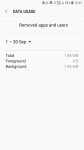
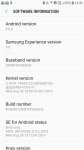
S7, Adnroid 8.0 See image for full version data
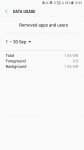
Also image for data use...Data use from removed Apps?!?!?!?!?!?!?!?!?!?
is it me being uber dumb? (wouldn't be the first time)
What's occourin?
Also image for data use...Data use from removed Apps?!?!?!?!?!?!?!?!?!?
is it me being uber dumb? (wouldn't be the first time)
What's occourin?
Attachments
Help Oneplus 3 - Uploading images

- By furkin
- Smartphones
- 0 Replies
Hi guys,
I'm having trouble finding the USB/MTB button on Android 9 (Win 10)
Lots of advisers say to go to Storage and click the 3 dots.
My storage dosn't have the 3 dots !
Is it set up wrong - or where is it hiding ?
many thanks
I'm having trouble finding the USB/MTB button on Android 9 (Win 10)
Lots of advisers say to go to Storage and click the 3 dots.
My storage dosn't have the 3 dots !
Is it set up wrong - or where is it hiding ?
many thanks
Meaning of an app symbol
- By Ciachris
- VIP Lounge
- 7 Replies
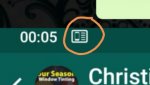
What does App symbol mean? Circled in orange
Attachments
Samsung S10 internet first word always highlighted
- By Maxbrady
- VIP Lounge
- 2 Replies
I have what i think is a strange issue which is doing my head in.
When i open up Samsung Internet and start typing, the first word is always highlighted samsung klingeltone
So if i am typing a multi word search for example, when i start typing the second word, it auto deletes the first as it is highlighted.
What on earth is going on, any idea?
I am using swiftkey but have tried the samsung keyboard but i think it is a Internet browser thing as no other app has this issue.
Samsung Galaxy Note 10 Plus ringtone: https://klingeltonemp3.info/samsung-note-10-plus-dj-extended.htm
Cheers
When i open up Samsung Internet and start typing, the first word is always highlighted samsung klingeltone
So if i am typing a multi word search for example, when i start typing the second word, it auto deletes the first as it is highlighted.
What on earth is going on, any idea?
I am using swiftkey but have tried the samsung keyboard but i think it is a Internet browser thing as no other app has this issue.
Samsung Galaxy Note 10 Plus ringtone: https://klingeltonemp3.info/samsung-note-10-plus-dj-extended.htm
Cheers
Is it possible to use two at the same time?
- By Peter22
- Smartphones
- 4 Replies
Two smartphone data plans and phone numbers that is on a S10 ?
Can I for example leave my phone number as one phone plan and use 4g lte data from a different phone plan ? Or will that not work ?
I never done this before sorry.
Can I for example leave my phone number as one phone plan and use 4g lte data from a different phone plan ? Or will that not work ?
I never done this before sorry.
Help Replies to text come back as new messages
- By SharpTJ
- VIP Lounge
- 4 Replies
This is really pretty annoying... After updating to 9, this started happening ... When I reply to a text, I also get the text I sent as a new notification to me... See attached video
Attachments
Best app to block robocalls/telemarketers
- By Peter22
- Apps & Games
- 7 Replies
This is my main thing keeping me from switching to android if I can do this I may switch!
Help Blu G6 won't let apps autostart
- By dxdn
- Smartphones
- 1 Replies
Hi.
I have a Blu G6 (from BestBuy, where it's packaged as the V7).
Problem is, none of the third party apps that should automatically load after a restart actually do. This includes Drupe Dialer, SMS Backup & Restore, and DriveSync Pro. It even does not fire repeat alarms saved in the Google clock app!
So, despite being a very good phone for the price, it's terrible with this inexcusable problem. Does anyone know a fix?!
----
Blu G6
Android version: 9
Android security patch level
October 5, 2019
Baseband version
FM_BASE_18B_W19.10.2_P20.02||
SC9863A_modem/09-05-2019 20:38:13
MARLIN2_17A_RLS1_W19.17.7|
sharkl3_cm4|04-28-2019 16:31:49
Kernel version
4.4.147
#1 Tue Oct 8 07:32:16 CST
Build number
PPR1.180610.011
Custom build version
BLU_G0210_V9.0.04.05_GENERIC 08-10-2019 07:10
I have a Blu G6 (from BestBuy, where it's packaged as the V7).
Problem is, none of the third party apps that should automatically load after a restart actually do. This includes Drupe Dialer, SMS Backup & Restore, and DriveSync Pro. It even does not fire repeat alarms saved in the Google clock app!
So, despite being a very good phone for the price, it's terrible with this inexcusable problem. Does anyone know a fix?!
----
Blu G6
Android version: 9
Android security patch level
October 5, 2019
Baseband version
FM_BASE_18B_W19.10.2_P20.02||
SC9863A_modem/09-05-2019 20:38:13
MARLIN2_17A_RLS1_W19.17.7|
sharkl3_cm4|04-28-2019 16:31:49
Kernel version
4.4.147
#1 Tue Oct 8 07:32:16 CST
Build number
PPR1.180610.011
Custom build version
BLU_G0210_V9.0.04.05_GENERIC 08-10-2019 07:10
LGMS323 won't stay connected to internet
- By John7654
- Smartphones
- 6 Replies
My LGMS323 phone connects to the internet but disconnects shortly after. It will open Gmail, Google search, etc. but disconnects after a short time. I have tried connecting to the internet at several locations and the phone does the same thing everywhere.
Also, the keypad used to do searches in Google and Youtube will not come up or do so for a couple seconds only.
Also, when I tap the Youtube icon the message ""Item not found" comes up. Youtube is listed in my Apps list. Only four apps, which I never use, are listed in Update Center. Thanks for any replies.
Also, the keypad used to do searches in Google and Youtube will not come up or do so for a couple seconds only.
Also, when I tap the Youtube icon the message ""Item not found" comes up. Youtube is listed in my Apps list. Only four apps, which I never use, are listed in Update Center. Thanks for any replies.
How to move contacts from phone account to gmail account
- By ascanio1
- Smartphones
- 2 Replies
Hello,
Can someone, please, tell me ho to
1. move (not copy) contacts from the device's "phone account" to the the device's "gmail account"?
2. set the device to save contacts, by default, in the gmail account instead of the phone account.
Thank you in advance to who will kindly share time/expertise.
Can someone, please, tell me ho to
1. move (not copy) contacts from the device's "phone account" to the the device's "gmail account"?
2. set the device to save contacts, by default, in the gmail account instead of the phone account.
Thank you in advance to who will kindly share time/expertise.
Ordering Thanksgiving dinner.

- Food and Beverage
- 40 Replies
I'm thinking Whole Foods but their options are 4 or 12 There are two of us in my current household, so?
I require a whole turkey.
I require a whole turkey.
Unknown sources
- By Hbicb86
- Smartphones
- 1 Replies
My unknown sources is greyed out and won't download anything after a factory reset because I forgot my Google password
File Size Or File Count Limit?

- By PGB1213
- Apps & Games
- 7 Replies
Hi All!
I'm not sure this is the correct place on the forum to post this, so please pardon my error if it is in the wrong spot.
I have a 32 GB SD card in my ZTE Maven Z-812 phone running Android 5.1
It has just under 4GB Of data on it. (28+ GB Free)
I tried moving some music files to the SD using Android File Transfer. The albums show as folders. The window shows that all moved, but in actuality only the first 2.26 GB moved. The count is 31 folders.
Next, I removed the SD and connected it to the computer & tired again. Exactly the same 2.26 GB moved. Nothing else moved. Oddly the window showed the folders, but all after the first 2.26 GB were empty. Upon eject & re-insert, the empty ones were gone. The file count again were 31 folders.
I thought I'd be smart and make a second Music folder, calling it "Music 2", but the music app can't find it.
Is there a folder size limit with Android? Perhaps a folder count limit inside a folder?
Or, Heaven forbid, is my SD card perhaps wonky & in need of replacement?
Thanks Very Much for your advice. It is much appreciated!
Enjoy This Day!
Paul
I'm not sure this is the correct place on the forum to post this, so please pardon my error if it is in the wrong spot.
I have a 32 GB SD card in my ZTE Maven Z-812 phone running Android 5.1
It has just under 4GB Of data on it. (28+ GB Free)
I tried moving some music files to the SD using Android File Transfer. The albums show as folders. The window shows that all moved, but in actuality only the first 2.26 GB moved. The count is 31 folders.
Next, I removed the SD and connected it to the computer & tired again. Exactly the same 2.26 GB moved. Nothing else moved. Oddly the window showed the folders, but all after the first 2.26 GB were empty. Upon eject & re-insert, the empty ones were gone. The file count again were 31 folders.
I thought I'd be smart and make a second Music folder, calling it "Music 2", but the music app can't find it.
Is there a folder size limit with Android? Perhaps a folder count limit inside a folder?
Or, Heaven forbid, is my SD card perhaps wonky & in need of replacement?
Thanks Very Much for your advice. It is much appreciated!
Enjoy This Day!
Paul
Keyboard with ?, Comma and !
- By Susanbee749
- Smartphones
- 8 Replies
My older Samsung Galaxy Tab S has the perfect keyboard, which I think it Google Gboard. It has a comma, a question mark and an exclamation point. Seems like Google Gboard is no longer like this. Is there a keyboard out there that has all these? Seems pretty darned basic to me. I'm not interesting in swiping or talking to it. I want it for my Samsung Galaxy S10e.
Please help
- VIP Lounge
- 10 Replies
Hi. I was hoping someone could help me figure out what app these icons are from. My girlfriend just noticed them, they're from screenshots I sent about a year ago and I have no idea what they're from. Thanks.
Attachments


Invisible Net?

- By MoodyBlues
- VIP Lounge
- 3 Replies
Last night, while scrolling through 'activities' looking for something else interesting to add to my activities page, I came across this entry: Invisible Net. 
Of course I opened it to see what it contained, and was stumped by its contents. I'm uploading the files instead of thumbnailing them for easy readability.
Note entries for things like "Tesco Groceries" and remember that I'm in the US! And what's up with "Wun Zinn - Myanmar Book Store?"

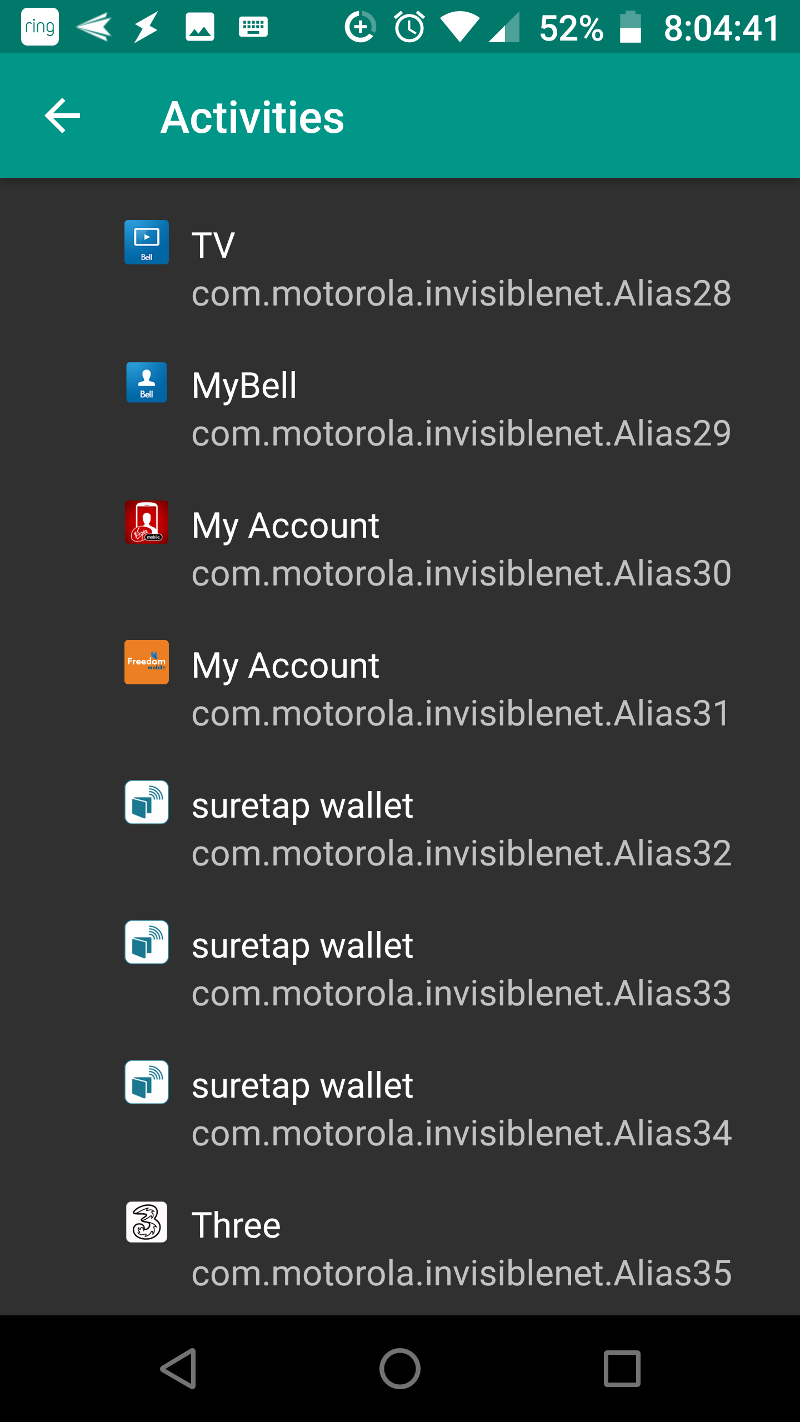


Of course I opened it to see what it contained, and was stumped by its contents. I'm uploading the files instead of thumbnailing them for easy readability.
Note entries for things like "Tesco Groceries" and remember that I'm in the US! And what's up with "Wun Zinn - Myanmar Book Store?"
Just Joined
- By Susanbee749
- Introductions
- 6 Replies
I just upgraded to a Samsung Galaxy S10e from a Galaxy S7. I read all the tutorials that I could find which is helpful as this phone has a number of different features. I find that forums are often the best way to get help when all other avenues have failed. I am an older woman retired from IT and trying to keep up. ;-)
Photo Button Not Always Taking Photo
- By Susanbee749
- Smartphones
- 8 Replies
I have a new Samsung Galaxy S10e phone (upgrade from S7). I have read several tutorials about using it and also about using the camera. However, I can't figure this issue out: several times I have been trying to take a photo and all that happens is that the display screen shows a line with markers and the number 1.0. If I press the take-photo button again, the line just flashes. This is extremely annoying. Other times the photo button simply takes a photo. I make no changes to any settings. The screen optimizer is on and the two trees icon is active.
Help!!
Help!!
Contact numbers instead of names on texts
- By Dawn Connor
- Smartphones
- 11 Replies
Contact numbers are showing up instead of names on some of my texts. It was fine and all of a sudden some aren't showing up and I haven't changed anything that I know. I have restarted and checked allowance and it is all ok. I have scanned several sites to find an answer but to no avail.
connect Flash Drive

- By powrus
- Smartphones
- 9 Replies
Once my flash drive is attached to my G6, how do I download the data which is on my flash drive? Is the data automatically directed to the 'Downloads' app on my phone?
Is there a way in Android Studio to edit same file from 2 computers?
- Apps & Games
- 2 Replies
Just like google doc, multiple people can edit same doc, is there a way for Android Studio to do the same thing?
Load more