
Install the app
How to install the app on iOS
Follow along with the video below to see how to install our site as a web app on your home screen.
Note: This feature may not be available in some browsers.
-
After 15+ years, we've made a big change: Android Forums is now Early Bird Club. Learn more here.
You are using an out of date browser. It may not display this or other websites correctly.
You should upgrade or use an alternative browser.
You should upgrade or use an alternative browser.
Filters
Show only:
Note 10 s pen
- By sim_r32
- Smartphones
- 10 Replies
Hello everyone,
I'm wanting to get a note 10 plus for my business phone, I haven't used a note phone before.
When I'm making booking in the calendar I know with most phones you scroll through the days, months & time..
What I'm wondering with the note & in particular the plus model can you use the S pen to write notes next to each entry/booking for the day?
I found it annoying when using the calendar in my tablet, the time and date was fine, but the notes I like to add to some bookings was annoying.
I figure with the S pen it would be much easier, if the software allows it.
If the standard Samsung calendar doesn't allow it, does anyone know of another calendar app that does?
Or perhaps it will be added later with updates to either the pen or apps?
Thanks for your help!
Oh btw, id be making the big move from iOS
I'm wanting to get a note 10 plus for my business phone, I haven't used a note phone before.
When I'm making booking in the calendar I know with most phones you scroll through the days, months & time..
What I'm wondering with the note & in particular the plus model can you use the S pen to write notes next to each entry/booking for the day?
I found it annoying when using the calendar in my tablet, the time and date was fine, but the notes I like to add to some bookings was annoying.
I figure with the S pen it would be much easier, if the software allows it.
If the standard Samsung calendar doesn't allow it, does anyone know of another calendar app that does?
Or perhaps it will be added later with updates to either the pen or apps?
Thanks for your help!
Oh btw, id be making the big move from iOS
How do I make a custom message, changing, lock screen wall paper?
- By Pyry Takala
- Apps & Games
- 0 Replies
I want to have a randomly rotating android lock screen wall paper. Something that would e.g. rotate messages like:
apple = ein Apfel
car = das Auto
today = heute
or whatever else messages I want to be getting nudged about
Any tips for this?
apple = ein Apfel
car = das Auto
today = heute
or whatever else messages I want to be getting nudged about
Any tips for this?
S10e pubg lag whats fix

- By Bonusman123
- Apps & Games
- 1 Replies
On my s10e lag on pubg whats this fix i tried a lot of solve on youtube but i cant solve this problem

My HAXM driver doesn't work. Is it possible to create an AVD without HAMX based on Intel atom CPU?

- By James_Watson
- Android Development
- 1 Replies
Hi,
My Android Studio is the latest version V3.5. I can create AVDs in my AVD Manager.
But I couldn't successfully install the HAXM driver on my Windows 7 64-bit at all.
I have enabled the VT-x in BIOS settings. I failed with the error message: "failed to
configure driver unknown error. failed to open driver." when I tried to install the
'Intel Hardware Accelerated Execution Manager V7.5.2. Certainly, I had uninstalled my
security software in advance.
On the other hand, there is not any other system images available over SDK API 25 in the
SDK Manager. There are only images based on Intel atom CPU.
So, is it possible to disable the HAXM feature required for an AVD based on Intel x86 CPU
as my HAXM driver doesn't work at all?
Thank you in advance.
My Android Studio is the latest version V3.5. I can create AVDs in my AVD Manager.
But I couldn't successfully install the HAXM driver on my Windows 7 64-bit at all.
I have enabled the VT-x in BIOS settings. I failed with the error message: "failed to
configure driver unknown error. failed to open driver." when I tried to install the
'Intel Hardware Accelerated Execution Manager V7.5.2. Certainly, I had uninstalled my
security software in advance.
On the other hand, there is not any other system images available over SDK API 25 in the
SDK Manager. There are only images based on Intel atom CPU.
So, is it possible to disable the HAXM feature required for an AVD based on Intel x86 CPU
as my HAXM driver doesn't work at all?
Thank you in advance.
Trouble with notification
- VIP Lounge
- 4 Replies
Does anybody know what this notification is? I can’t seem to get rid of it?
Attachments

What to commit/push to git

- By Savvasun
- Apps & Games
- 0 Replies
So, I have a repo on GitHub, and I've connected everything together in android studio, but now I don't know what to commit. I originally thought everything updated itself, but then realized you need to push all the changes made to Github. I found out that all the files in red are the one with changes. Once I was connected to github all the files in the project were red, so now I am confused as I don't know if I need to commit/push all the files right now, or leave them be. Also, selecting each file to commit and then pushing them sounds like a lot of unnecessary work when all I want to do is work on a project on my laptop instead of my pc.
Problems with Firefox
- By mochina
- Smartphones
- 4 Replies
For privacy reasons, I am trying to use Firefox with my Moto G5 Plus running 8.1.0. The Firefox version is 68.0.2. I am having many issues, e.g. Firefox freezing or crashing, links not working,
pages not loading, web sites such as the Washington Post that require repeated logins. I did not experience these issues with my previous browser, Google chrome. I have also tried using Firefox for Android and Firefox Focus, and there have been similar problems. Is there a specific Firefox version that avoids these problems or what? I can't believe there is a blanket incompatibility issue.
pages not loading, web sites such as the Washington Post that require repeated logins. I did not experience these issues with my previous browser, Google chrome. I have also tried using Firefox for Android and Firefox Focus, and there have been similar problems. Is there a specific Firefox version that avoids these problems or what? I can't believe there is a blanket incompatibility issue.
Status Bar Notification?

- By jmteabo
- Ask a question
- 4 Replies
Does anyone know which app this status bar notification belongs to? Saw it on my fiance's phone.
Attachments

Moving apps to sd card.
- By ScttLee184
- Smartphones
- 13 Replies
How can I move and/or store downloaded apps to the SD card instead of internal storage?
Dash style Android ROM/APP
- By nunocostal
- Android Development
- 1 Replies
HI
I want to be able to use an Android Tablet and include the AC controls, volume, etc... always available.
Even if using Maps or a car launcher app.
Do I need to modify ROM? Would it be app development only?
Thanks
I want to be able to use an Android Tablet and include the AC controls, volume, etc... always available.
Even if using Maps or a car launcher app.
Do I need to modify ROM? Would it be app development only?
Thanks
Just got S10 Plus

- Smartphones
- 0 Replies
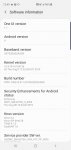
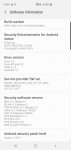
Any tips or tricks I should know. When setting phone up had like 4 updates on it. Can someone tell me what level of security and update I should have right now. Have this from software info.
Attachments
Help one

- By Mtwmn800
- Smartphones
- 11 Replies
One of the people I regularly text is not getting my messages. I get messages from her, but mine are not getting through to her.
Oddly, my wife is having the same problem on her phone with the same person -
getting messages, but not being able to send to this specific person.
I deleted the contact and re-entered the name and number on both phones yesterday afternoon around 5-ish and texted a message. didn't hear back, but at 6:22 this morning my text notification sounded and my own message had come back, looking like a new message from my friend. So far, nothing back on the other phone (Moto G6)
Oddly, my wife is having the same problem on her phone with the same person -
getting messages, but not being able to send to this specific person.
I deleted the contact and re-entered the name and number on both phones yesterday afternoon around 5-ish and texted a message. didn't hear back, but at 6:22 this morning my text notification sounded and my own message had come back, looking like a new message from my friend. So far, nothing back on the other phone (Moto G6)
[Game][Free] Kitty & Friends: blast of fun
- By xiart
- Apps & Games
- 0 Replies
WELCOME TO THE WORLD OF CARTOON ADVENTURE AND HEAD TOY BLASTING FUN!
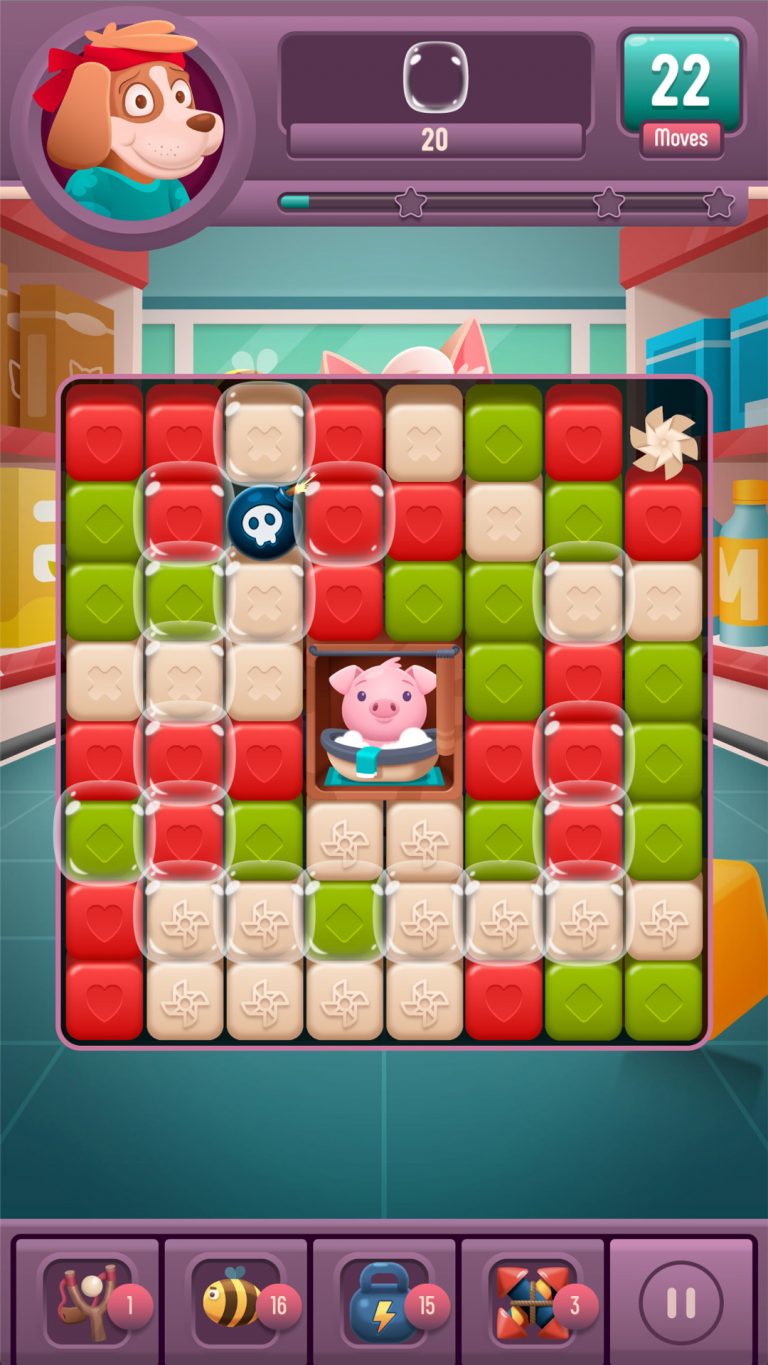
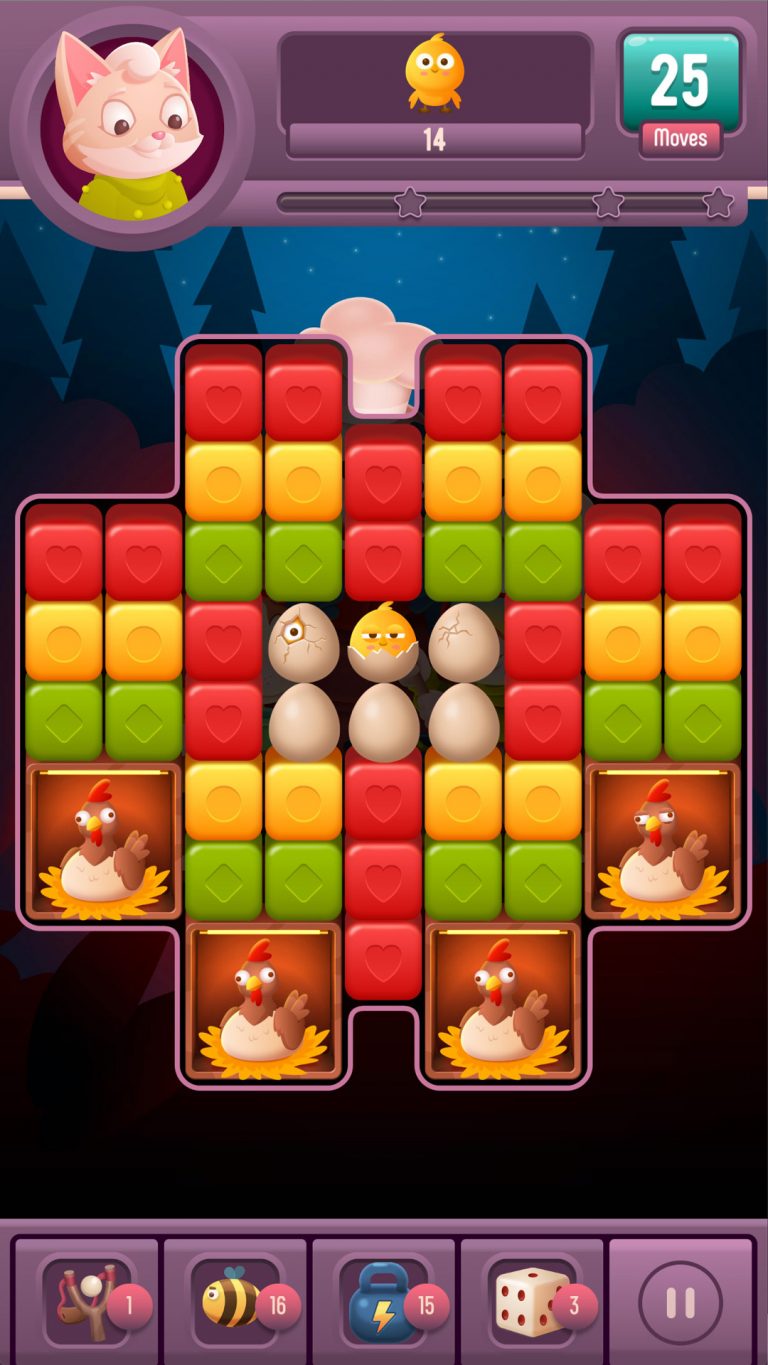
Kitty & Friends is match 2 game. Blast toon cubes and ton of toys!
Dive into the toon world with our characters Kitty the Leader, Panda the Chef and Doggy the Athlete and many more! Help our characters in learning and discovering new things, by completing different addictive levels in each story!
Blast toon cubes, create bonuses, blast all toy in the whole place!
So, don’t you hesitate and join the adventure and discover new toon things, meet new characters, discover new power-ups and have TOY BLASTING FUN!
Features:
⁃ Complete the match-2 levels and unlock new boosters
⁃ In each story discover new toon objects and blast them!
⁃ Create your team and match with players all over the world!
⁃ Choose your character that you want to play with!
⁃ Share with your friends, give them lives for playing!
⁃ The game is free and easy-peasy to play, but the more you complete the more challenging it gets and more toys you need to blast!
⁃ Free daily spins and chests are waiting for you with stunning rewards!
⁃ The game is totally free to play without any ads!
Kitty & Friends invite you to to help them to blast all toys you can in addictive match 2 game.
Google Play link: Kitty & Friends: blast of fun

Kitty & Friends is match 2 game. Blast toon cubes and ton of toys!
Dive into the toon world with our characters Kitty the Leader, Panda the Chef and Doggy the Athlete and many more! Help our characters in learning and discovering new things, by completing different addictive levels in each story!
Blast toon cubes, create bonuses, blast all toy in the whole place!
So, don’t you hesitate and join the adventure and discover new toon things, meet new characters, discover new power-ups and have TOY BLASTING FUN!
Features:
⁃ Complete the match-2 levels and unlock new boosters
⁃ In each story discover new toon objects and blast them!
⁃ Create your team and match with players all over the world!
⁃ Choose your character that you want to play with!
⁃ Share with your friends, give them lives for playing!
⁃ The game is free and easy-peasy to play, but the more you complete the more challenging it gets and more toys you need to blast!
⁃ Free daily spins and chests are waiting for you with stunning rewards!
⁃ The game is totally free to play without any ads!
Kitty & Friends invite you to to help them to blast all toys you can in addictive match 2 game.
Google Play link: Kitty & Friends: blast of fun
New story and new hero "Bunny" coming soon!
- By xiart
- Apps & Games
- 0 Replies
New story and new hero 'Bunny' with 'RomboBomb' powerup coming soon!
Apps How to get the Id of selected database records in spinner
- Android Development
- 0 Replies
Hi. I am using spinner where it displayes the names of students. There is table studentrecords which stores Student Id, FirstName, LastName and class. The requirement is that when I select the student name, then its Id, FirstName,LastName, Class should be displayed on text box. I have the below code. How should I get the Id of the selected student.
Java:
package com.example.anitaa.studentapplication;

import android.annotation.SuppressLint;
import android.support.v7.app.AppCompatActivity;
import android.os.Bundle;
import android.view.View;
import android.widget.AdapterView;
import android.widget.ArrayAdapter;
import android.widget.Button;
import android.widget.EditText;
import android.widget.Spinner;
import android.widget.Toast;

import com.android.volley.Response;
import com.android.volley.VolleyError;
import com.android.volley.toolbox.JsonArrayRequest;

import org.json.JSONArray;
import org.json.JSONException;
import org.json.JSONObject;

import java.util.ArrayList;
import java.util.Collections;
import java.util.List;

public class UpdateActivity extends AppCompatActivity {
    Spinner spinner;
    ArrayAdapter adapter1;
    EditText Id1,firstname1,lastname1,class1;
    Button button1;
    private JSONArray response;
    String url1 = "http://192.168.1.6/student/web/studentrecords";

    @Override
    protected void onCreate(Bundle savedInstanceState) {
        super.onCreate ( savedInstanceState );
        setContentView ( R.layout.activity_update );
        spinner = (Spinner) findViewById ( R.id.spinner1 );
        Id1 = (EditText) findViewById ( R.id.studentid );
        firstname1 = (EditText) findViewById ( R.id.firstname );
        lastname1 = (EditText) findViewById ( R.id.lastname );
        class1 = (EditText) findViewById ( R.id.studentclass );
        final List<String> list = new ArrayList<> ();


        JsonArrayRequest request = new JsonArrayRequest ( url1,
                new Response.Listener<JSONArray> () {
                    @Override
                    public void onResponse(JSONArray response) {
                        try {
                            list.add(0,"Select Student");
                            // response is the JSONArray that you need to iterate
                            for (int i = 0; i < response.length (); i++) {
                                JSONObject obj = response.getJSONObject ( i );
                                int StudentId = obj.getInt("Id");
                                String name= obj.getString ( "FirstName" );
                                String lastName = obj.getString ( "LastName" );


                                list.add(name+" "+lastName);


                            }

                            spinner_code ();


                        } catch (JSONException e) {
                            e.printStackTrace ();
                        }
                    }

                    private void spinner_code() {

                        adapter1=new ArrayAdapter ( UpdateActivity.this,android.R.layout.simple_spinner_item, list );
                        adapter1.setDropDownViewResource ( android.R.layout.simple_spinner_dropdown_item);
                        spinner.setAdapter ( adapter1 );
                        spinner.setOnItemSelectedListener ( new AdapterView.OnItemSelectedListener () {
                            @SuppressLint("ResourceType")
                            @Override
                            public void onItemSelected(AdapterView<?> parent, View view, int position, long id) {
                                spinner.setSelection ( position );
                                if(spinner.getSelectedItem ().equals ( "Select Student" )) {
                                    Id1.setText("");

                                }else
                                {


                                }
                            }


                            @Override
                            public void onNothingSelected(AdapterView<?> parent) {

                            }
                        } );


                    }
                    private int getStudentId(int position)
                    {
                        int Student_Id =0;
                        try
                        {
                            JSONObject json = response.getJSONObject ( position );
                            Student_Id = json.getInt("Id");
                        } catch (JSONException e) {
                            e.printStackTrace ();
                        }
                        return Student_Id;
                    }


                }, new Response.ErrorListener () {
            @Override
            public void onErrorResponse(VolleyError error) {
                error.printStackTrace ();
            }
        } );


        MySingleton.getInstance ( UpdateActivity.this ).addToRequestque ( request );


    }
}Help Huawei P20 Lte: Computer not connecting to phone

- By Purple Crow
- Smartphones
- 2 Replies
When I connect the phone to my Windows 10 PC by cable it does not show in File Explorer or the Device Manager. I tried using HiSuite but it keeps prompting me to enable HDB use on the phone, which I have, but to no effect. I am running out of space on the phone.
I'm sure it used to be possible to connect but I was using another computer at the time. Are there drivers I can install for this? I am wary about installing viruses if I use an unsafe source. I tried Android File Transfer but it is Mac only and I cannot see a Ms Windows-compatible version. Any advice? I am not getting any response when I connect the phone besides the device connected chime, but no choose your action alerts.
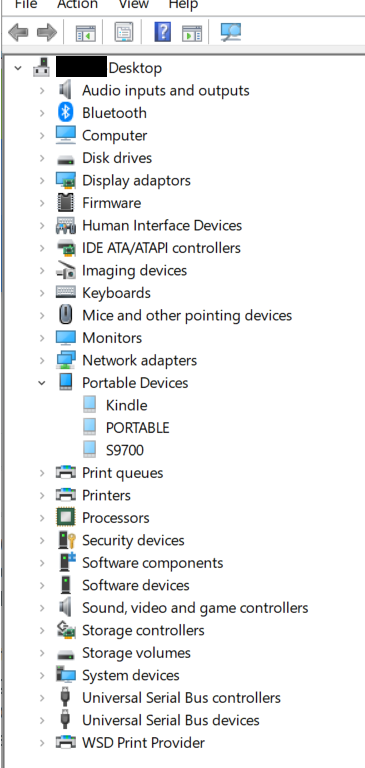
I'm sure it used to be possible to connect but I was using another computer at the time. Are there drivers I can install for this? I am wary about installing viruses if I use an unsafe source. I tried Android File Transfer but it is Mac only and I cannot see a Ms Windows-compatible version. Any advice? I am not getting any response when I connect the phone besides the device connected chime, but no choose your action alerts.
Help app launch block app that works with a10?

- By dan55
- Smartphones
- 6 Replies
hi guys,
all the app launch blocking apps i use dont work with the a10 update it seems :/ ..... dunno if a10 change the launch manner in some way
....anyone got one that still works?
thanks
dan
all the app launch blocking apps i use dont work with the a10 update it seems :/ ..... dunno if a10 change the launch manner in some way
....anyone got one that still works?
thanks
dan
Need the right layout for fixed grid position

- By Korsholm
- Android Development
- 0 Replies
Hi.
Is there a layout where i can sort dynamically content in fixed 2d grid?
Like Grid view but i want to sort all items after a x/y coordinate.
x1y1 x2y1 x3y1 x3y1
x1y2 x2y2
x1y3 x2y3 x3y3
and so on.
What i can find the grid view can only be sorted by name or value in rows. so if a item later is added then all items under that is moved.
Hopes it make sence.
Regards Danni.
Is there a layout where i can sort dynamically content in fixed 2d grid?
Like Grid view but i want to sort all items after a x/y coordinate.
x1y1 x2y1 x3y1 x3y1
x1y2 x2y2
x1y3 x2y3 x3y3
and so on.
What i can find the grid view can only be sorted by name or value in rows. so if a item later is added then all items under that is moved.
Hopes it make sence.
Regards Danni.
Bulk sale of Android app licenses for promo
- By jeti
- Android Development
- 1 Replies
We have been approached by a company that wants to hand out codes for a free, branded version of an app that we sell on the Google Play store.
I wonder how this could best be implemented. We could upload the branded version as a separate app to the store and generate the required number of license keys. However, this approach would mean that we have to maintain a separate version, that the branded version has a publicly visible entry in the store, and we'll also run afoul of the store policy by not giving Google its share.
Another way would be to allow to enter a code in the free version of our app and then switch to a special mode. However, this way customers would see the unbranded version first and I don't think that's whats wanted for a promotion.
Simply hosting an APK on a separate web page would require manual installation and not provide automatic updates.
Can you think of a good way to provide a branded version that's sold in bulk?
I wonder how this could best be implemented. We could upload the branded version as a separate app to the store and generate the required number of license keys. However, this approach would mean that we have to maintain a separate version, that the branded version has a publicly visible entry in the store, and we'll also run afoul of the store policy by not giving Google its share.
Another way would be to allow to enter a code in the free version of our app and then switch to a special mode. However, this way customers would see the unbranded version first and I don't think that's whats wanted for a promotion.
Simply hosting an APK on a separate web page would require manual installation and not provide automatic updates.
Can you think of a good way to provide a branded version that's sold in bulk?
Real time Change Background
- Android Development
- 6 Replies
I want to change background of camera in real time .
user can also select background of Camera.
I just want to Snapchat type editing on open Camera
user can also select background of Camera.
I just want to Snapchat type editing on open Camera
Crown Editor - Heart Filters for Pictures 2019
- By mailinh888
- Apps & Games
- 0 Replies
Heart Editor is the best heart editor for pictures with many professional editing tools for free and extremely friendly & nice crown heart editor interface. You can edit your photos easily with many cute stickers, trendy snappy sticker that are updated regularly such as: heart crown sticker, heart filter, gorgeous flower crown, cat sticker, lovely doggy face, and hundreds of kawaii filters, coachella filters and latest sticker effects.
Outstanding features of Crown Editor:
Nice interface and easy to use
Professional editing tools for free
More than 100+ heart crown sticker, heart filter, flower crown sticker, snappy effect with countless cute sticker and lovely cat sticker, funny sticker,....
The most beautiful sticker effect updated day by day
Heart Editor export snappy photo with HD quality
Light weight, low memory capacity
Stable and smooth operation on all devices
Share your beautiful snappy photos on social networks easily and quickly than ever

Emoji Editor - Emoji on Pictures
- By mailinh888
- Apps & Games
- 0 Replies
Currently, the trend of editing photos with emoji background is becoming very hot for online community on social networking sites such as tumblr, twitter, facebook, insta, ... The emoji smileys, hearts, ... have become extremely familiar with young people, especially those who use social networks because of their fun and eye-catching. However, it takes a lot of time to insert each emoji into the picture, so I want to introduce you to an extremely useful and interesting application: Emoji Editor - Photo editing application to create emoji background Professional TOTALLY FREE.
Outstanding features of Emoji Editor
Nice emoji camera interface, friendly and easy to use
Create an attractive emoji pictures with many professional editing tools for free
Huge collection of emoji backgrounds, background emoji to add emoji on pictures
Export HD quality emoji pictures in second
Lightweight, not take up much space in your device
Create your own emoji background, emoji on pictures with your favorite emoji
Emoji Editor running stable and fast on all devices
Hundreds of emoticons, heart crown sticker, flower crowns, dog face cameras, cat stickers ... for you to explore
Outstanding features of Emoji Editor
Nice emoji camera interface, friendly and easy to use
Create an attractive emoji pictures with many professional editing tools for free
Huge collection of emoji backgrounds, background emoji to add emoji on pictures
Export HD quality emoji pictures in second
Lightweight, not take up much space in your device
Create your own emoji background, emoji on pictures with your favorite emoji
Emoji Editor running stable and fast on all devices
Hundreds of emoticons, heart crown sticker, flower crowns, dog face cameras, cat stickers ... for you to explore

Help Connect J7 to wifi / wire / or computer internet (for updates) [faulty built-in wifi]
- By Cala Nijel
- Ask a question
- 4 Replies
Good Day!
Hereby with a problem I become mad
I had a Samsung J7 SM-J730F with what I believe is a faulty wifi (board has little corrosion where wifi should be place)
I have reset back to factory, and everything seems working except the wifi,
phone and 3G/4G also works flawlessly
So, I though, I will connect it to some land line trough a OTG wifi module, or wire-cable, or to the computer (as we use to do years and years ago) and update all SO, or when I would like to download something big
For daily use, phone-data is enough
but I can get it to work,
I have try
- Bluetooth pairing
- a micro usb and a usb wifi dongle
- even a cable Micro USB - Ethernet RJ45 (j)
(https://www.amazon.es/Ugreen-30219-Ethernet-Adaptador-negro/dp/B00WM9LUN8)
nothing seems to give connectivity to my phone,
anything else I could do ??
Hereby with a problem I become mad
I had a Samsung J7 SM-J730F with what I believe is a faulty wifi (board has little corrosion where wifi should be place)
I have reset back to factory, and everything seems working except the wifi,
phone and 3G/4G also works flawlessly
So, I though, I will connect it to some land line trough a OTG wifi module, or wire-cable, or to the computer (as we use to do years and years ago) and update all SO, or when I would like to download something big
For daily use, phone-data is enough
but I can get it to work,
I have try
- Bluetooth pairing
- a micro usb and a usb wifi dongle
- even a cable Micro USB - Ethernet RJ45 (j)
(https://www.amazon.es/Ugreen-30219-Ethernet-Adaptador-negro/dp/B00WM9LUN8)
nothing seems to give connectivity to my phone,
anything else I could do ??
Load more