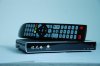
Custom firmware for GTV564 based GoogleTV box.
RK2918 Chipset, 512 mb ram 2x usb, black case.
With CIFS support and of course rooted.
GTV564 Custom rom V4 ( Changes below )
For CIFS support:
Open Android Terminal
Type
Su (Terminal app will ask super user permision, give it.)
Type these commands step by step
insmod /system/lib/modules/slow-work.ko
insmod /system/lib/modules/tntfs.ko
insmod /system/lib/modules/cifs.ko
Type
lsmod
If you did everythings correct then you should see following list.
cifs 217010 4 [permanent], Live 0xbf015000
slow_work 9215 1 cifs,[permanent], Live 0xbf00c000 (P)
nls_utf8 1022 4 [permanent], Live 0xbf006000
So you have successfully installed CIFS module ( networkd disk, samba )
Now,
Download mount manager or cifs manager app.
Choose your network source, set mount point save and mount it.
You can now access your network folders as good as local folders.
After each restart you should do this steps or you can use BetterTerminal pro to make a shortcut to do these steps at one time.
This rom is for GTV564 version, However original rom was for both versions ( 564 and 584 ).
May be could work with GTV584 ( White version ).
I also removed a couple of programs:
Facebook, twitter, Angrybirds, tv et...
Market has been replaced with working version ( 3.44 )
And much more...
Changes:
Updated : Market to Google Play UNLIMITED ( 3.5.15)
Updated : SuperUser
Updated : SU binary
Updated : GO Launcher Ex
Updated : BusyBox binary
Updated : ES File Explorer
Updated : World Weather Widget
Updated : Google Maps 6
Added : Livewallpaper support
Added : Inferno Galaxy LWP
Added : Aquarium LWP
Added : CirculateGL LWP
Added : Romtool box
Added : DLNA Player
Added : FREEdi-YouTube-Downloader
Removed : Youtube ( Could be installed from Google play, it's useless version inside )
Removed : Explorer
Updatings this rom is your own risk.
Download link ( No password )
http://www.mirrorcreator.com/files/0ZF95A7J/G-BOX-201111_NEW_Firmware(GTV564-GTV584)-V4_0.rar_links
LAST RELEASE OF THIS VERSION.
NEW VERSION IS HERE: [ WITH NATIVE SAMBA/NAS SUPPORT ]
RK2918 Chipset, 512 mb ram 2x usb, black case.
With CIFS support and of course rooted.
GTV564 Custom rom V4 ( Changes below )
For CIFS support:
Open Android Terminal
Type
Su (Terminal app will ask super user permision, give it.)
Type these commands step by step
insmod /system/lib/modules/slow-work.ko
insmod /system/lib/modules/tntfs.ko
insmod /system/lib/modules/cifs.ko
Type
lsmod
If you did everythings correct then you should see following list.
cifs 217010 4 [permanent], Live 0xbf015000
slow_work 9215 1 cifs,[permanent], Live 0xbf00c000 (P)
nls_utf8 1022 4 [permanent], Live 0xbf006000
So you have successfully installed CIFS module ( networkd disk, samba )
Now,
Download mount manager or cifs manager app.
Choose your network source, set mount point save and mount it.
You can now access your network folders as good as local folders.
After each restart you should do this steps or you can use BetterTerminal pro to make a shortcut to do these steps at one time.
This rom is for GTV564 version, However original rom was for both versions ( 564 and 584 ).
May be could work with GTV584 ( White version ).
I also removed a couple of programs:
Facebook, twitter, Angrybirds, tv et...
Market has been replaced with working version ( 3.44 )
And much more...
Changes:
Updated : Market to Google Play UNLIMITED ( 3.5.15)
Updated : SuperUser
Updated : SU binary
Updated : GO Launcher Ex
Updated : BusyBox binary
Updated : ES File Explorer
Updated : World Weather Widget
Updated : Google Maps 6
Added : Livewallpaper support
Added : Inferno Galaxy LWP
Added : Aquarium LWP
Added : CirculateGL LWP
Added : Romtool box
Added : DLNA Player
Added : FREEdi-YouTube-Downloader
Removed : Youtube ( Could be installed from Google play, it's useless version inside )
Removed : Explorer
Updatings this rom is your own risk.
Download link
http://www.mirrorcreator.com/files/0ZF95A7J/G-BOX-201111_NEW_Firmware(GTV564-GTV584)-V4_0.rar_links
LAST RELEASE OF THIS VERSION.
NEW VERSION IS HERE: [ WITH NATIVE SAMBA/NAS SUPPORT ]