adrenalinerush12
Well-Known Member
Hey guys this is an updated version of Handcent SMS that I skinned. If you want the original one, go here: http://androidforums.com/htc-droid-eris/61160-handcent-sms-themed.html
Updates 6/9/2010:
-REMOVED ADS!
-Optimized all png's so app runs faster and is more lightweight.
Updates 6/5/2010:
-Updated to Handcent version 3.0.4.
Updates 5/03/2010:
-Changed all text entry boxes to stock Android.
-Changed top bar to white.
-Changed all top bar icons to stock Android look.
-Changed send button to grey and made it square rather than rectangle.
Screenshots:
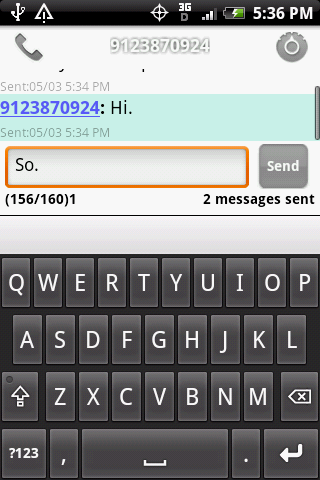
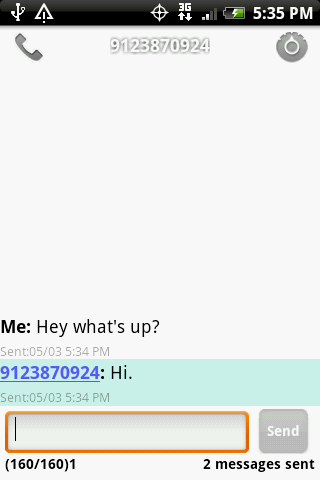
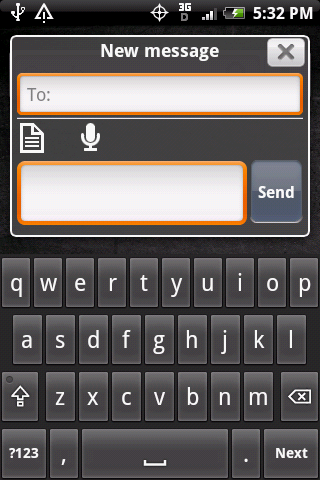
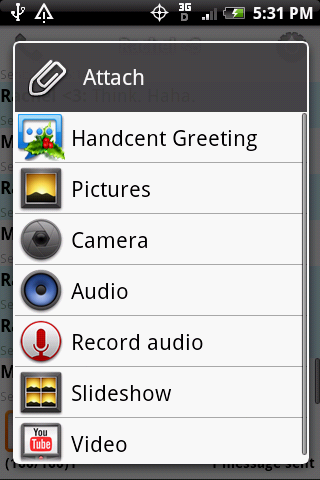
By the way, nothing will be changed with the send button unless you go into bubble settings > scroll all the way down and uncheck start lines of editor box so that it changes to 1. Then it will look like mine.
Also, I'm using Android conversation style, a white background for my bubble settings, and the iPhone theme.
NOTE: If you change the theme to Hero style, nothing will be changed except the text box. Also, you must uninstall and previous version of Handcent and Handcent font packs, and install this for it to work. If you are updating from any of my previous custom versions, download it from the link with your browser on your phone, and install from the downloads list. It will save all your settings and install the new version.
ONE MORE THING: YOU CANNOT install any font packs after installing this custom version because they are signed differently, since I had manually resigned it. HOWEVER, I have resigned all the font packs to go with this. If anyone specifically needs a certain font pack, post it or PM me and I will send you the link.
Download: HandcentCustom.apk
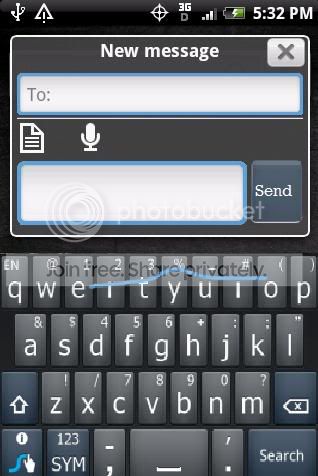
And here's the Swype themed version of Handcent:
http://www.mediafire.com/?bdmnjgtmyak
Please, please, if you love this, DONATE.
Updates 6/9/2010:
-REMOVED ADS!
-Optimized all png's so app runs faster and is more lightweight.
Updates 6/5/2010:
-Updated to Handcent version 3.0.4.
Updates 5/03/2010:
-Changed all text entry boxes to stock Android.
-Changed top bar to white.
-Changed all top bar icons to stock Android look.
-Changed send button to grey and made it square rather than rectangle.
Screenshots:
By the way, nothing will be changed with the send button unless you go into bubble settings > scroll all the way down and uncheck start lines of editor box so that it changes to 1. Then it will look like mine.
Also, I'm using Android conversation style, a white background for my bubble settings, and the iPhone theme.
NOTE: If you change the theme to Hero style, nothing will be changed except the text box. Also, you must uninstall and previous version of Handcent and Handcent font packs, and install this for it to work. If you are updating from any of my previous custom versions, download it from the link with your browser on your phone, and install from the downloads list. It will save all your settings and install the new version.
ONE MORE THING: YOU CANNOT install any font packs after installing this custom version because they are signed differently, since I had manually resigned it. HOWEVER, I have resigned all the font packs to go with this. If anyone specifically needs a certain font pack, post it or PM me and I will send you the link.
Download: HandcentCustom.apk
And here's the Swype themed version of Handcent:
http://www.mediafire.com/?bdmnjgtmyak
Please, please, if you love this, DONATE.