
I successfully copied a file from my PC to the SD card in my phone but how do I copy the file, or a shortcut to it, to my desktop? I have both the Android File Manager and the ES File Explorer and I can see the file but when I press and hold it I see only the options to delete, share, copy (no option to desktop) and scan. Isn't there a simple way to press and hold the file and make a shortcut to the desktop?
Install the app
How to install the app on iOS
Follow along with the video below to see how to install our site as a web app on your home screen.
Note: This feature may not be available in some browsers.
-
After 15+ years, we've made a big change: Android Forums is now Early Bird Club. Learn more here.
You are using an out of date browser. It may not display this or other websites correctly.
You should upgrade or use an alternative browser.
You should upgrade or use an alternative browser.
Help Newbie question: How to copy file to desktop
- Thread starter relztrah
- Start date

In my experience direct shortcuts to files (as opposed to apps) is not something that most launchers (the app that draws the desktop) support.
But there is a workaround: install the X-plore file browser, then add a shortcut to it to your desktop. X-plore will ask you to select a file or folder and press OK - do that and you now have a shortcut which will take you directly to the file.
You may be able to do this with ES or the built in file manager, but I don't have either of those installed so can't test that.
P.S. If you wonder why you can't do this directly from the file manager, it's because the desktop isn't provided by the OS but by an app called a launcher, and the file manager can't change the launcher's settings. Hence you need to start from the launcher by adding a shortcut to the desktop, then telling it what shortcut you want to add.
But there is a workaround: install the X-plore file browser, then add a shortcut to it to your desktop. X-plore will ask you to select a file or folder and press OK - do that and you now have a shortcut which will take you directly to the file.
You may be able to do this with ES or the built in file manager, but I don't have either of those installed so can't test that.
P.S. If you wonder why you can't do this directly from the file manager, it's because the desktop isn't provided by the OS but by an app called a launcher, and the file manager can't change the launcher's settings. Hence you need to start from the launcher by adding a shortcut to the desktop, then telling it what shortcut you want to add.
Last edited:

I successfully copied a file from my PC to the SD card in my phone but how do I copy the file, or a shortcut to it, to my desktop? I have both the Android File Manager and the ES File Explorer and I can see the file but when I press and hold it I see only the options to delete, share, copy (no option to desktop) and scan. Isn't there a simple way to press and hold the file and make a shortcut to the desktop?
Hi, with ES File Explorer (current version 3.2.5.3), when you long press a file or folder you should see 'More' at the right side of the bottom tool bar - tap it and an option menu opens with 'Add to desktop' 2nd option from the top.
Last edited:

That's true - with X-plore you get the added benefit of a filetype-specific icon and in the case of pictures, a thumbnail.Hi, with ES File Explorer (current version 3.2.5.3), when you long press a file or folder you should see 'More' at the right side of the bottom tool bar - tap it and an option menu opens with 'Add to desktop' 2nd option from the top.
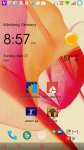
They both work, X-plore looks better if you care about that.
That was the answer I was looking for! Thanks for your help.Hi, with ES File Explorer (current version 3.2.5.3), when you long press a file or folder you should see 'More' at the right side of the bottom tool bar - tap it and an option menu opens with 'Add to desktop' 2nd option from the top.