• After 15+ years, we've made a big change: Android Forums is now Early Bird Club. Learn more here.

Help please with Android TV Box

mikeymm

Newbie
Hi folks; I just joined the forums to get my Android TV Box working..I am brand new to it so really don't know where to start. The brand name on the box with green android robot and name is "CIOtCUD" its not exactly the same as I do not have the font to match the writing..I am not sure if I can post a picture of the box. Any way, I bought this to watch some free TV but so far I got nothing..it has XMBC stuff on it. Could someone please get me started and help guide what I can do with this box..what I can get and what not...I am in Manitoba, Canada. I will look forward to Q &A. Regards

Mikey
 
"On your android box screen when you switch it on click on kodi to launch films sport etc."

Why bother answering a question with a one liner like,,,, the one posted above?
you took the time to answer this question Gary so why not try to help the feller instead of (in my opinion) being a smart azz.
Like me, its obvious he cant see "kodi" on the main screen.
So the above answer is not only a waste of your time in posting it, it's a waste of mine having to read it!!!
 
seems like you have an older version with the XBMC logo, if you click on it and move cursor to video, you should be able to watch some stuff from there
 
Thank you africanbrit, yes I have XBMC logo, and like you said I clicked and it worked ;)

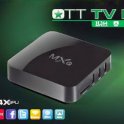
I have just been given this box, its an MX 8 smart tv box (I think) it's about 6 months old.

Is it possible to update the box?
Is it possible to update to get the kodi app?
Id be grateful if you could direct me to a topic that describes the box a little better.
Problems so far:
When i watched a movie on showbox I have subtitles, I cant seem to turn them off.
I cant fast forward or rewind the movie,
The box sometimes freezes.

I am totally new to the Android tv box, but I am computer literate so I should manage if the descriptions are not in jargon!

Any help will be great.
Thanks
 
yes you can upgrade to kodi, go to google play store from your android main menu and search for " download kodi"
then you want to download kodi 14.2, so scroll down from the main downloads which is "Isangrad15" if you scroll down
more you will see kodi14.2. you need the "ARM" version under the android logo, download it and wait until download is done. now go to the downloads menu on the main android box, and open kodi download and install it. follow all the prompts.
fast forward & rewind is difficult, as there is a lot of buffering on this system. get the above done, and we will deal with subtitles later
 
yes you can upgrade to kodi, go to google play store from your android main menu and search for " download kodi"
then you want to download kodi 14.2, so scroll down from the main downloads which is "Isangrad15" if you scroll down
more you will see kodi14.2. you need the "ARM" version under the android logo, download it and wait until download is done. now go to the downloads menu on the main android box, and open kodi download and install it. follow all the prompts.
fast forward & rewind is difficult, as there is a lot of buffering on this system. get the above done, and we will deal with subtitles later
 
I downloaded Kodi, for some reason we watched a couple of movies last night and no subs, great.
Thanks for the help Africanbrit.

My next issue is to get Kodi On the main menu. At present I have to go into all apps
 
I found "Kodi" on my Android TV box under Apps. When I click on it I see the Kodi banner with V14.2-helix and in the bottom it says "waiting for external storage...". It does not do anything and stays on the screen..any solution to this please?
 
Last edited:
I found "Kodi" on my Android TV box under Apps. When I click on it I see the Kodi banner with V14.1-helix and in the bottom it says "waiting for external storage...". It does not do anything and stays on the screen..any solution to this please?
So are you saying you have Kodi 14.1 and Kodi 14.2 both ?
 
We have no idea what you have there.
No make and model.
No Android version.
Did you contact the manufacturer for help? It sounds like a bad unit.
 
We have no idea what you have there.
No make and model.
No Android version.
Did you contact the manufacturer for help? It sounds like a bad unit.
Ok. Correction; it does not have XBMC. not sure what is the manufacturer name. On the TV BOX it has green Android symbol and the following info is under " about media box:
Model:MBX reference board (f16ref)
Android Version: 4.04
build number: MAB-Lily-vl-1.0.3.11
kernel:2.6.34-svn 21461
development device ID: BGWT_7LPT_GLST-E

I hope this will help someone to seriously help me. Please be gentle as I am brand new at it. I cannot wait to get this box working with your kind help. Thanks
 
ok this box should work with kodi 14.2, it seems you don't have any repositories unzipped on your box.
can you go to System>file manager and tell us what you see there
 
ok this box should work with kodi 14.2, it seems you don't have any repositories unzipped on your box.
can you go to System>file manager and tell us what you see there
Thanks. I checked and it has nothing..the only stuff it reads is my USB stick..under Apps all I have is KODI. On home I have three items, Android Desktop, Cartoon Destop and TV desktop. None has anything except Android Desktop which has MyApps, Game Hall and TV market...I think you are on to something here about those repositories missing. Where do I get this and what to install? Please help. Thanks
 
System>File manager>add source "http//fusion.tvaddons.ag" > ok
Type name "fusion" > ok
Let us know if it accepted it
 
Last edited:
Back
Top Bottom