
• After 15+ years, we've made a big change: Android Forums is now Early Bird Club. Learn more here.

Password login

I have to use a password on my phone because of my work email. Does anyone know how to get a "large" screen with just a keypad, rather than the small keypad I'm presented.
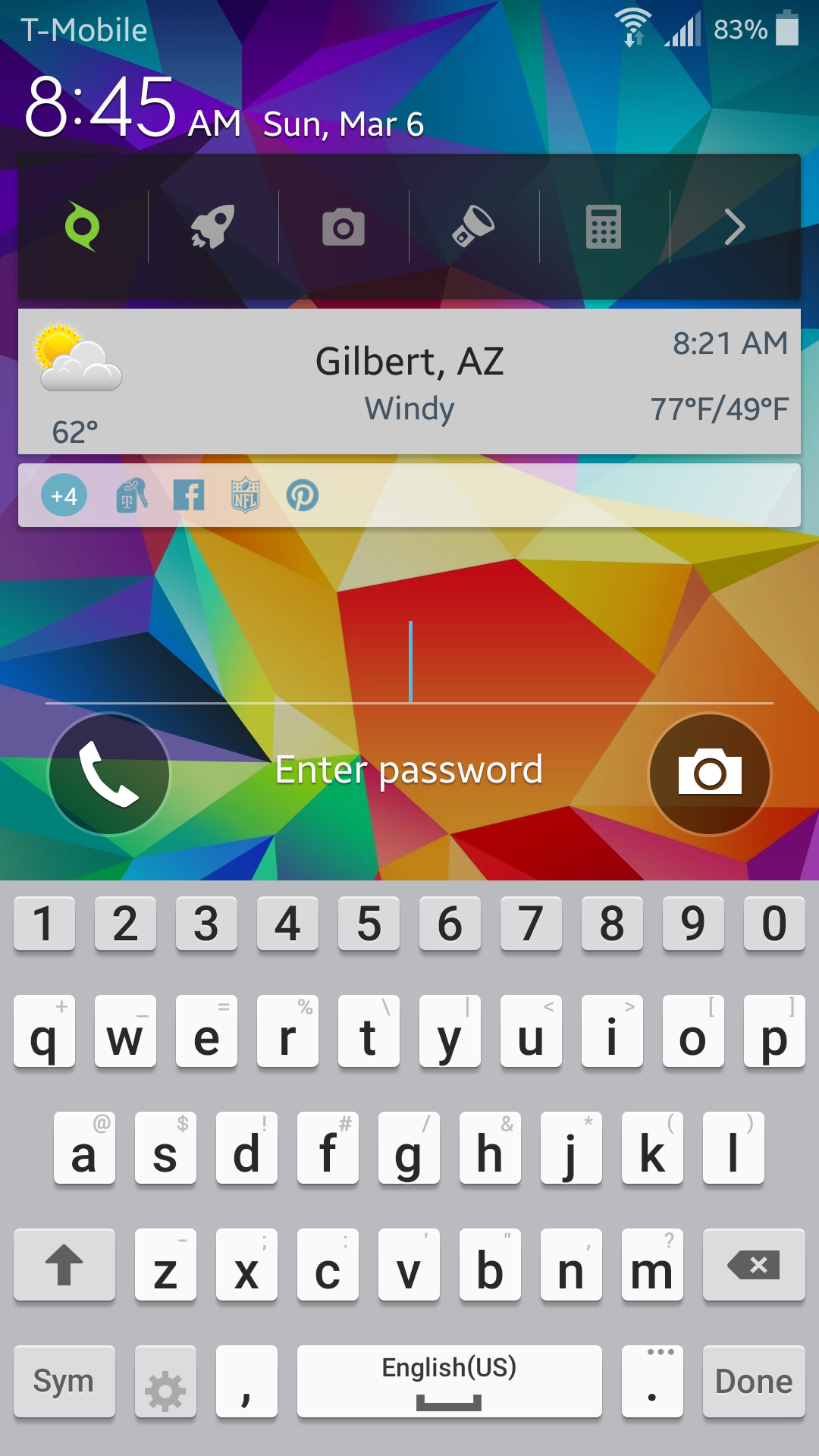
2016-03-06 15.45.50.png
 
I have to use a password on my phone because of my work email. Does anyone know how to get a "large" screen with just a keypad, rather than the small keypad I'm presented.


Hello and welcome to Android Forums detachedaz :):)

SwiftKey Keyboard, free from the Play Store, is an excellent substitute for the stock Samsung keyboard and has the ability to resize it to cover up to half the screen or more. Download it and set it as default, when asked.
 
Thanks, but that's NOT what I was looking for. You will notice the screenshot I sent has a "small" keyboard down the bottom, and all kinds of "other stuff" on the top. I was wondering IF I could just show a large screenpad only, so the numbers and letters on the keypad were "bigger".
 
if you will replace the keyboard as Ironass asked, you can resize the keyboard.

My S5 shows a keyboard that takes up 2/3rds of the screeen, and I have it set for a 6 digit pincode to unlock.


S5 Pincode.png
 
Last edited:
Are you using 4.3 because my version is 6.1 (I think it's the most current). I made the keyboard bigger, but can't move it around. My passcode has to contain letters, numbers and symbols, maybe thats why I need the whole keyboard to show when I try to log in, rather than just the number screen (like a telephone keypad does)....
 
That S5 that I showed, has 5.1.1 on it, it is a Verizon phone....

and Lollipop for it is just a whispered dream for us VZW folks.

almost two years ago, I installed an app that changes the phone's system fonts.

I tripled the size of the whole system fonts....

I forget what app that was.

I am looking at my Bookmarks...

Fonts and Wallpapers app

maybe something in that link will help?
 
Last edited:
Back
Top Bottom
