

Thanks a lot, mikedt
These are quite a lot of points of mine below. But I hope these would be my final inquiries.
Firstly: Yes, but now you have the model name, IMEI, MEID and the printed serial number S/N of my cellphone. So, as long as my cellphone is designed by LT Mobile, and made in China, could you let me get to the my cellphone's manufacturer official website? Even if it isn't a Gionee, I think it must have a manufacturer official website from which I can download its drivers and checking out its detail specs?
Think I've already establish, I've no idea who made it. It looks like a Gionee Marathon M5 Lite, but I'm pretty sure what you've got wasn't made by Gionee, i.e. it's a knock-off, and with fakes the Chinese manufactures can be very anonymous and impossible to find. http://global.gionee.com/M5lite/index.html
"LT Mobile" is probably just a Yemen importer of whatever devices it can get from China. The only online presence I can find for them is just some free page on Blogger, which I posted earlier. There's a free Google+ "LT Mobile" group as well, https://plus.google.com/117095480686682879370 but again it's all in Arabic. But the fact they seem to be only using free Google sites and services, doesn't hold much for their credibility as a company IMO.
Secondly: why do you think when typing in '*#063', then my Android system gave me twice similar IMEI, and MEID?
A quirk in the firmware I guess, this phone does only have one unique IMEI, and one unique MEID for CDMA networks.
Thirdly: why do you think when typing '*#063' in, then my Android system only gave me twice similar IMEI, MEID, and didn't give me any SN. Though the same IMEI, MEID shown by typing '*#063' in , and SN are printed on the battery?
Usually with phones to show IMEI and/or MEID and/or ESN, it's "*#06#" from the dialler, I don't know "#063", never seen that before.
FYI, this is what I get when dialling "*#06#" an Oppo R9 Plus...
There's two unique IMEIs here,. I've partially obfuscated as I don't want them to be cloned.
Fourthly: do you think that when typing in '*#063' in any Android cellphone, then I will be given IMEI, MEID?
That doesn't do anything on the phones I've got, but "*#06#" always works though.
Fourthly: do you know any famous cellphone brands, such as Samsung, LG, Sonya Arcons, etc, having (dual SIM), two types of cellular network : CDMA/EVDO", and GSM 2G, HDSPA 3G networks, which can be functioning simultaneously?
The Oppo dual-SIM phones I've got do that, and I know dual-SIM Samsungs do as well, provided they got Snapdragon rather than Exynos processors, as Samsung's Exynos SoC doesn't support CDMA/EVDO.
Fifthly: I only know the cellular network type "CDMA" which goes with, for example 'Yemen mobile', and GSM, which goes with, for instance, SabaFon, MTN, Wai. However, What kinds of SIM carrier can go with EVDO?
Well the only CDMA/EVDO network I know and have used is China Telecom, and I know of Verizon and Sprint in the US. If you have a CDMA/EVDO carrier, then you must use an appropriately specified phone, that's it.
Are you sure all those (Yemen?) carriers you listed are actually CDMA/EVDO networks and not the more usual GSM HSDPA? Because as I understand now CDMA is only really used in the USA(two carriers) and China(one carrier). And other countries like Canada shut-down their CDMA networks in favour of GSM HSDPA, which is pretty much global.
Sixthly : what do you call the USB port of cellphone, which was broken(defective)? You call it a power jack? I can it a power jack on my HP notebook?It costed me about US $9.5 with fixing service???? Though I know how to fix my HP notebook power jack if defective. But, I have never ever tried to take apart any cellphone at all.
On the phone technically it's a micro-USB port, but some new devices are going over to USB type-C now, which is reversible. These are standard on all phones, apart from Apple iPhone.
Finally: Sometimes I see that my cellphone is sown in the the "safely remove hardware and media". when it has been still connected to my Windows HP notebook. So, I can remove it safely. Though even when removing it safely, I can still access files on the media as long as it has been still connected to the HP notebook.
That does usually mean the device can be safely unplugged, without any danger of causing corruption or other damage.
However, now
when connecting my LT mobile to my Windows HP notebook using USB cable branded with a Ph( a non- LT-branded USB cable- Screen shot below) purchased from a market, I found my Windows HP notebook recognized my cellphone and there was icon of "LT_M5_Lite" shown under my 'device and drivers'. However, my LT mobile icon was not shown in the "safely remove hardware and media". Though it was listed in the "Devices and Printer". So, I couldn't click on "eject this my cellphone". So, I had to remove my cellphone from my HP notebook without removing it safely.
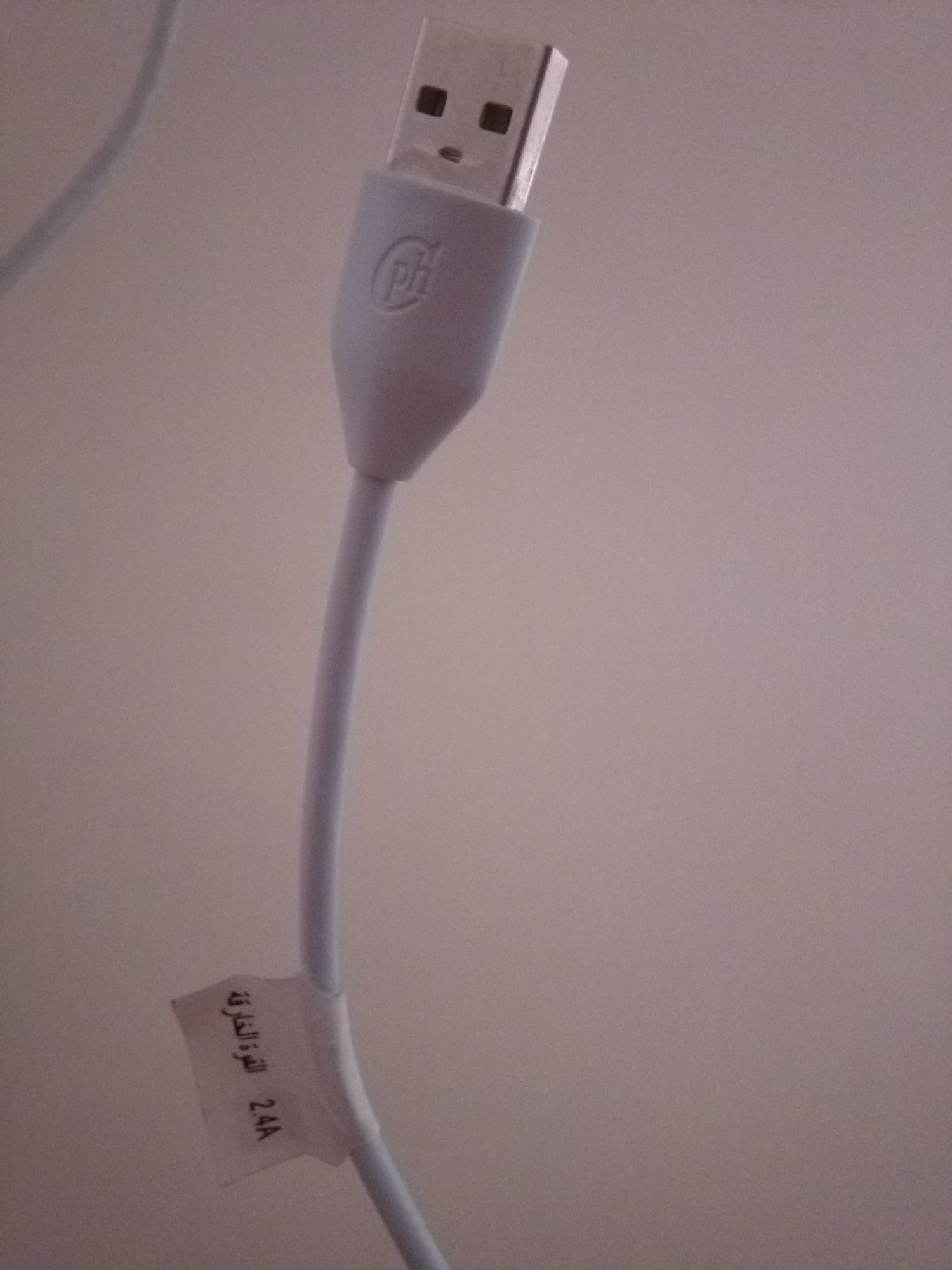
Also, When connecting my LT mobile to my Windows HP notebook using its USB cable that came with it or using another USB cable branded with a LT(screen shot below) purchased from a market, my Windows HP notebook recognised my cellphone and there was icon of "LT-M5 Lite" shown under my 'device and drivers'. However, my LT mobile icon was NOT shown in the "safely remove hardware and media". So, I couldn't click on "eject this device" to remove it safely.
Though the connection options were shown in both cases, and LT_M5_Lite was in the "Multimedia devices".
View attachment 123159
Sounds like the USB cable you got now is working. But the phone might need drivers for Windows to recognize it correctly, which may come from the phone's manufacturer, but here we don't know who they are. Maybe you could try contacting LT Mobile via their Arabic Google+ group?
I don't use Windows myself, I have Macs, and don't usually connect my phones to computers, and I transfer files via WiFi using Airdroid... https://play.google.com/store/apps/details?id=com.sand.airdroid
Last edited:

 Basically it's the 3G high speed data sequivalent to HSDPA, but for CDMA networks.
