• After 15+ years, we've made a big change: Android Forums is now Early Bird Club. Learn more here.

Help Anyone Open N5 Images With Photoshop?

gapi

Android Expert
I need to know if anyone else opens the Nexus 5 camera images using Photoshop, in my case version CS6. But any reports of various versions are welcomed.
Are you Windows 7?

If so do you have to wade through the below warning to open it. I need to know what happens if anything.

We need to know if this is across the board on ALL Nexus 5's or not.
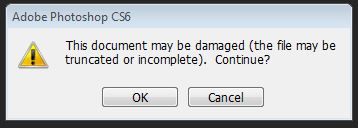
Nexus5Cameraerror_zps8e4e5825.jpg~original


Thanks
 
Thanks Guys, Going to take up with Google Play.

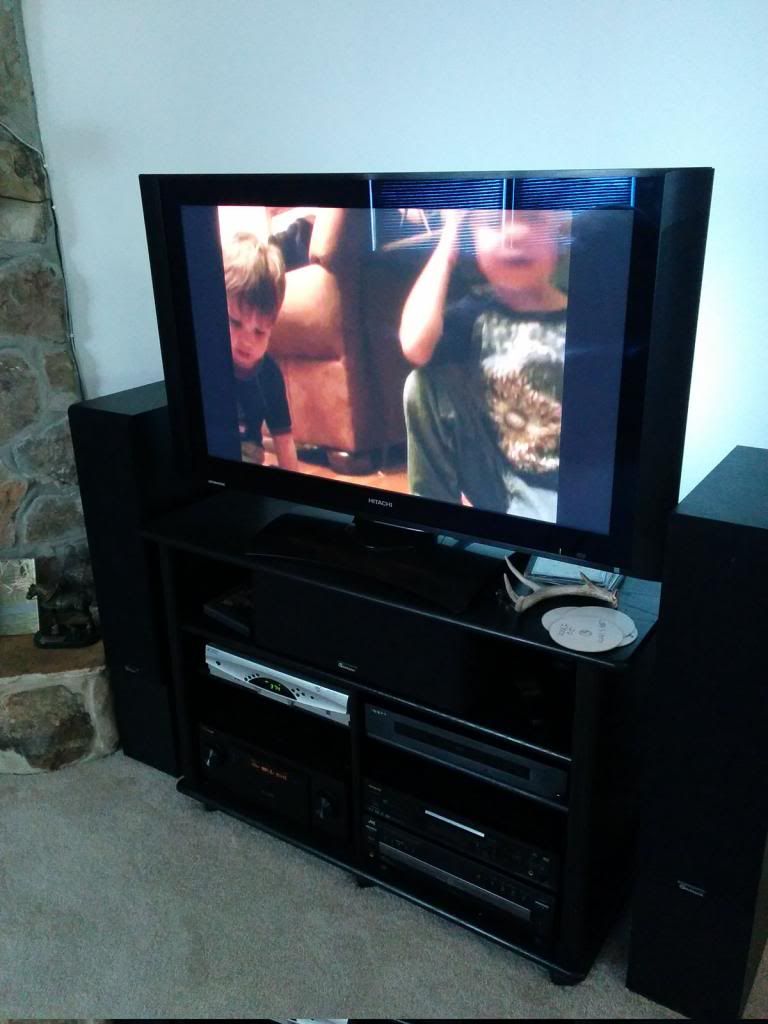
Look at the bottom of this resized sample. You can see how it took a strip from the level the DVR is in and copied it to the bottom.
I have to crop that out and loose the 24mega pixels.

corruptsample_zps2143f294.jpg
 
I was given an untouched image from another members N5 and it opens in Photoshop with no warnings or issues.

Google Play has a replacement set to be delivered in the AM. I'll post my luck with that.

Google Play support has been stellar. Little to no hold time, and expert help. No hard to understand rep reading off of a trouble shooting flowchart.
 
Sorry to dig this up but did your replacement fix the problem?

I have the same issue, they've sent me a replacement phone but it's exactly the same (only now with worse wifi/phone reception)

I have noticed that the problem is only if you enable HDR, without it they open fine in CS6
 
I'm glad you did drag this up. I too sent mine back and still the same. The WiFi and everything else is fine.

But the pixel stealing bottom strip at the bottom remained. I disabled HDR in the 2.3.020 (1348208-30) version and its gone. Wish I had known.

Nothing on the old 2.0.002 (5277-30) version helps.

Good To Know - If you return the phone for a bad WiFi please hammer this home.
 
Typical! I was hoping you were going to say they'd fixed it!

I'll drop them another email but I suspect they're going to say it's a Photoshop problem and nothing to do with them
 
I'm not sure that it helps with your problem, but would be good to know if this happens with any other graphics program. I've never seen anything like this with my Graphics app (which is much less of a powerhouse than PS-- I use Corel Paint Shop Pro). There is also the image you received from another Nexus 5 that worked. There is something quirky going on here and may as likely be neither the Nexus 5 nor PS but some interaction. What are you using to move photos from the N5 to your computer?

I'm sorry. Not all that helpful to raise questions when I really don't have answers.
 
I've tried MS Paint, Illustrator, Office Picture Manager, Windows Photo Viewer and GIMP - it opens fine in all those. That does suggest it is a PS problem but it's only when the photo has been HDR'ed so I'm not so sure!

I simply drag and drop the file from the USB connected camera to the desktop and open from there. Opening the photo directly from the camera in PS gives the same error
 
Photoshop inspects and reports like no other program. I had this discussion with them when I sent mine and they seemed to be savvy on that point.

The reason the message pops up is because Photoshop see an error or anomaly. Other programs either ignore or not detect it.

The strip at the bottom is a copy of the section it believes to be truncated or contain errors taken from its location in the image and places at the bottom of the frame.

Why the newer camera apk with HDR disables it is french to me. I will be posting over on a Photoshop forum and report back with more soon.
 
Back
Top Bottom